

AWS S3 Client-side Encryption in AWS SDK .NET Core
The advantage of client-side encryption is, encryption is performed locally, and the data never leaves the execution environment unencrypted.
Join the DZone community and get the full member experience.
Join For FreeAWS S3 Client-side Encryption in AWS SDK .NET Core
When you upload the data into the S3 bucket, you need to ensure that the sensitive data is secure by using proper encryption. Amazon S3 allows encrypting the data or objects either on the server-side or client-side.
Here, I will use client-side encryption for data before sending it to Amazon S3 using AWS SDK .Net Core. The advantage of client-side encryption is, encryption is performed locally, and the data never leaves the execution environment unencrypted. Another advantage is you can use your master keys for encryption, and no one can access your data without having your master encryption keys.
Prerequisites
- Visual Studio 2017 or above. You can download the latest here.
- AWS account. You can create the account here.
Steps Overview
- Create IAM (Identity and Access Management) user.
- Create Console App in Visual Studio 2019 and install AWS Toolkit.
- Code to encrypt the data, save it into Amazon S3 and decrypt the data before reading.
Execution
1. Create an IAM (Identity and Access Management) user and use the user's credentials in AWS SDK. After login into AWS, type IAM in the search bar and select IAM.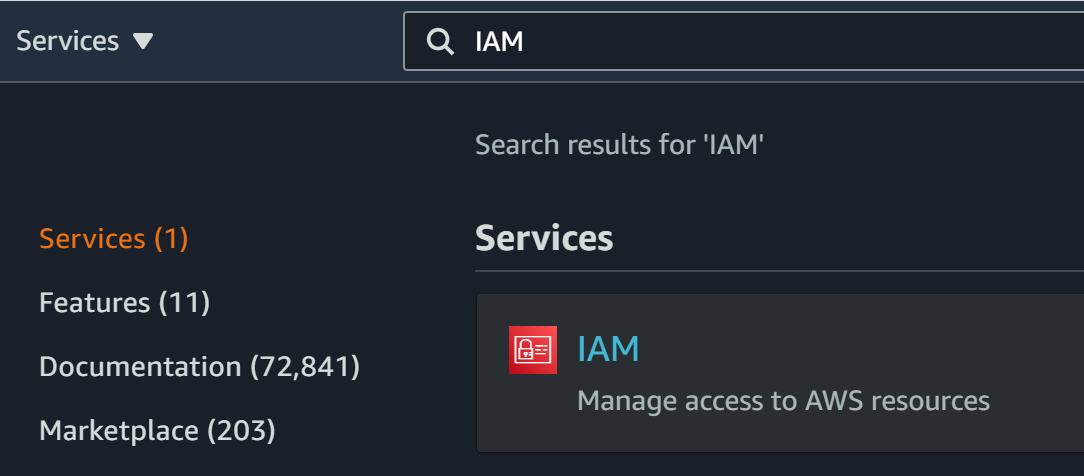
On the IAM Dashboard, select the 'Users' and click on 'Add user'

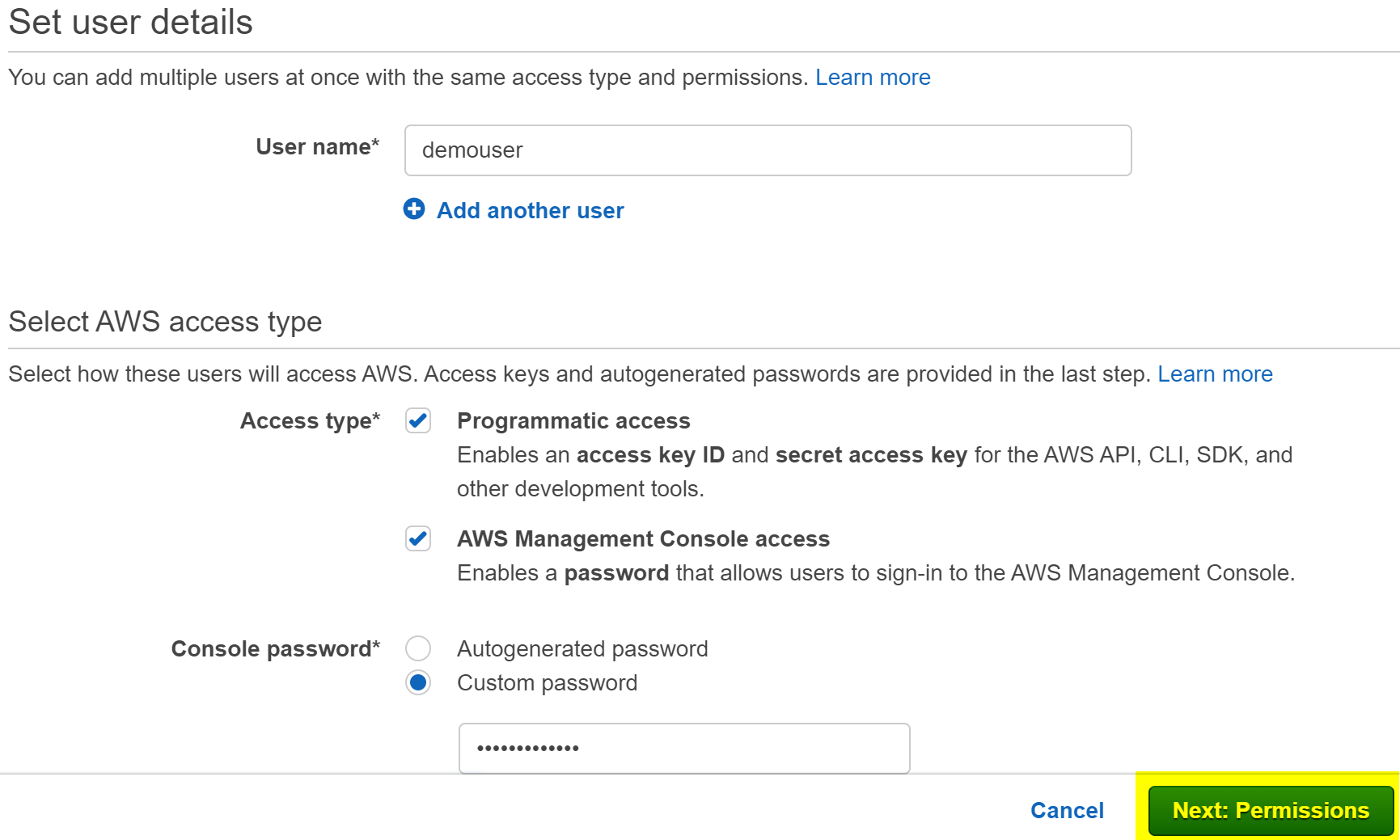
Provide the required info and click on 'Next: Permissions'
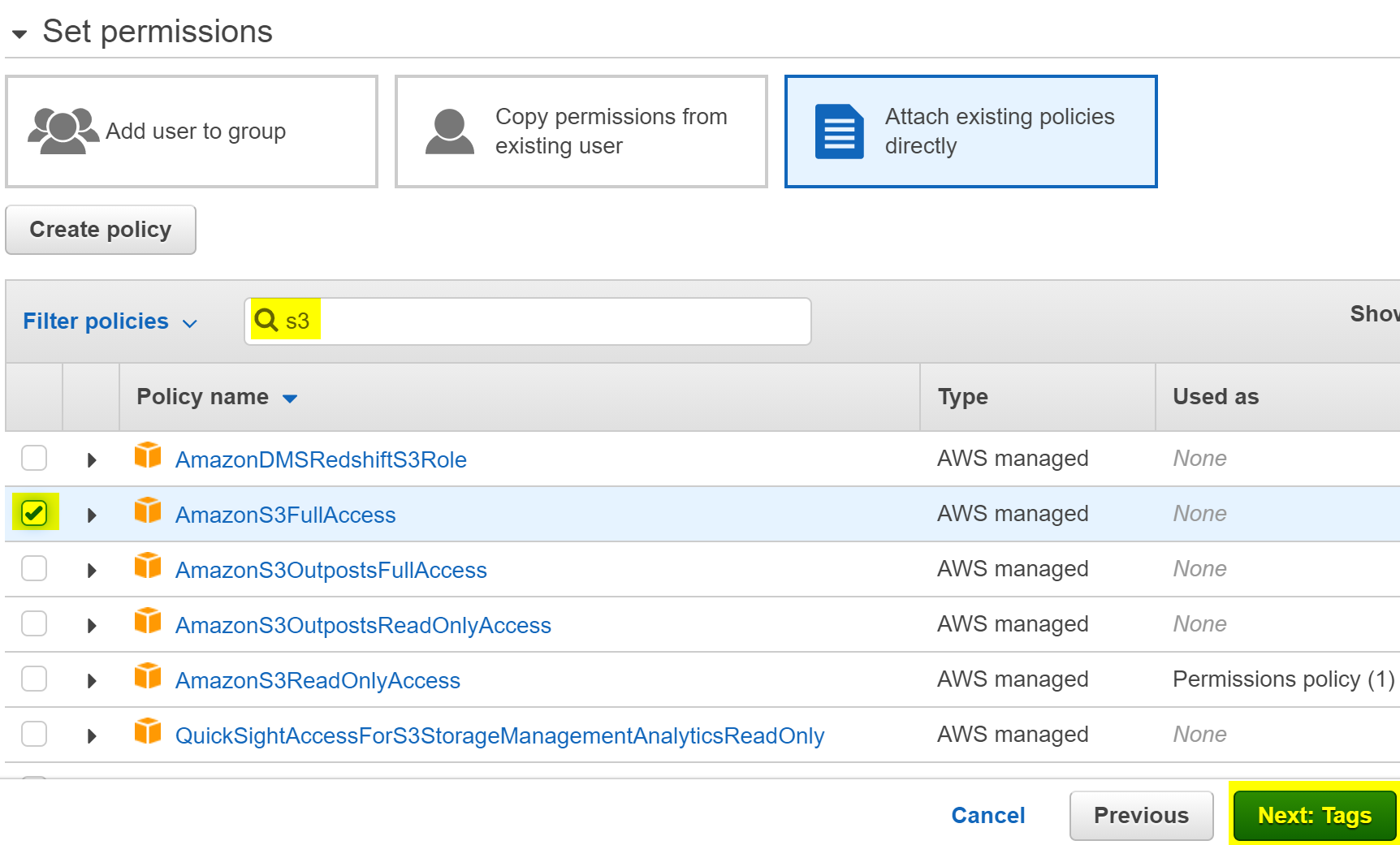
On the Permissions window, Attach the AmazonS3FullAccess to the user and click on 'Tags' -> 'Review' -> 'Create user.'
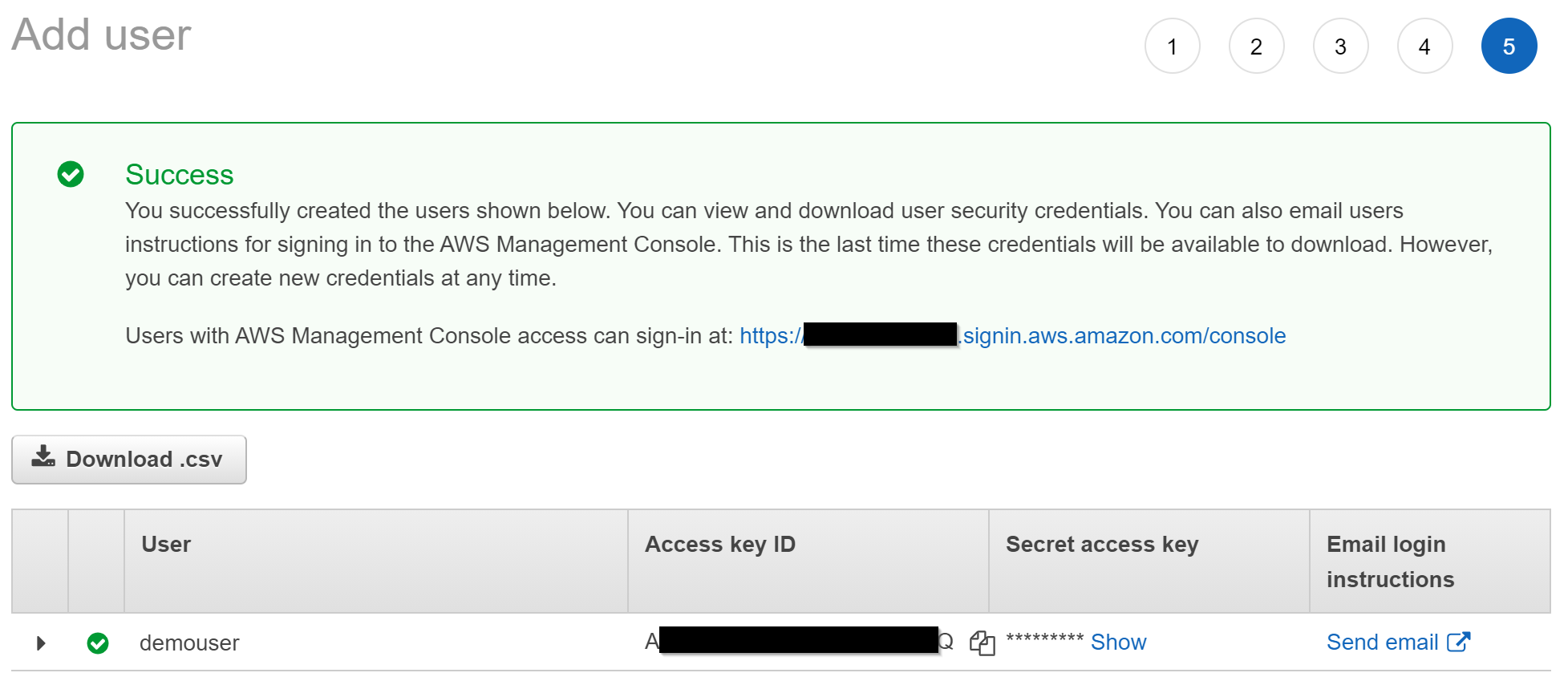
After the user is created, either download the .csv file or make a note of Access Key ID and Secret access key, and we will use them in visual studio to connect to the Amazon S3.
2. Open the Visual Studio and create a new Console Application.
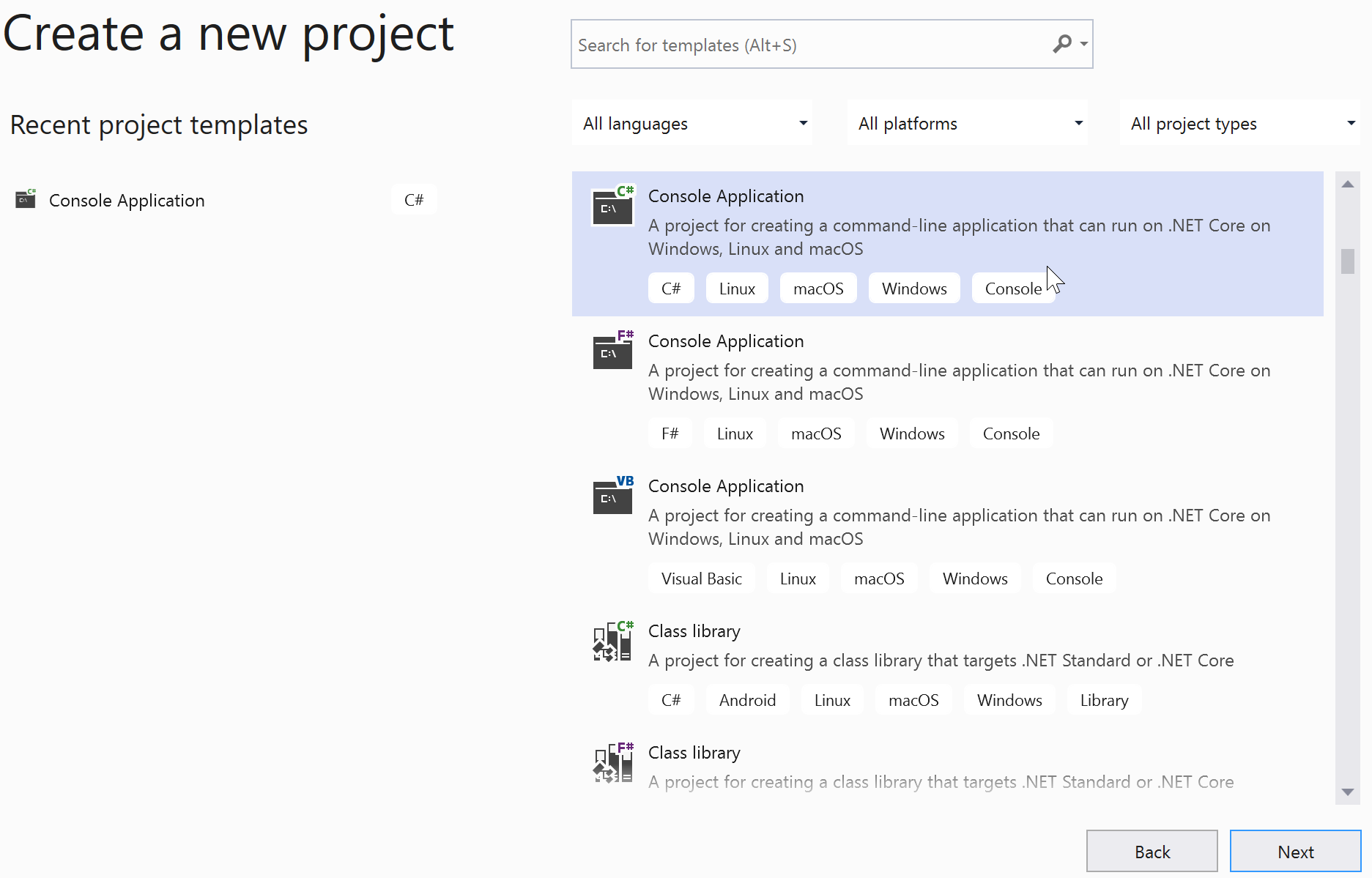
Provide the project name and click on 'Next' and select the Target Framework (In VS 2019, I choose .NET 5.0).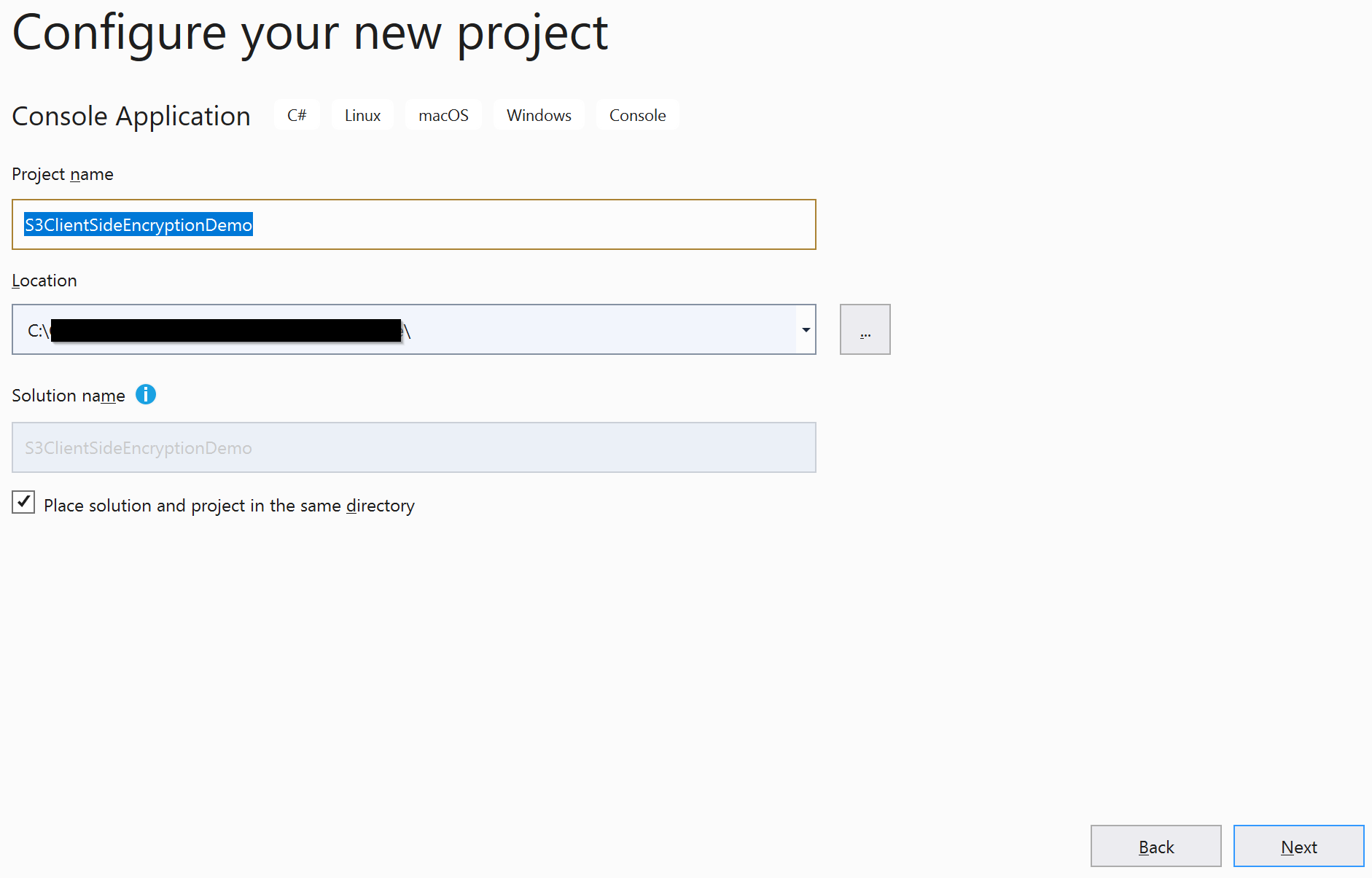
Set up the AWS Toolkit for Visual Studio by following the instructions here.
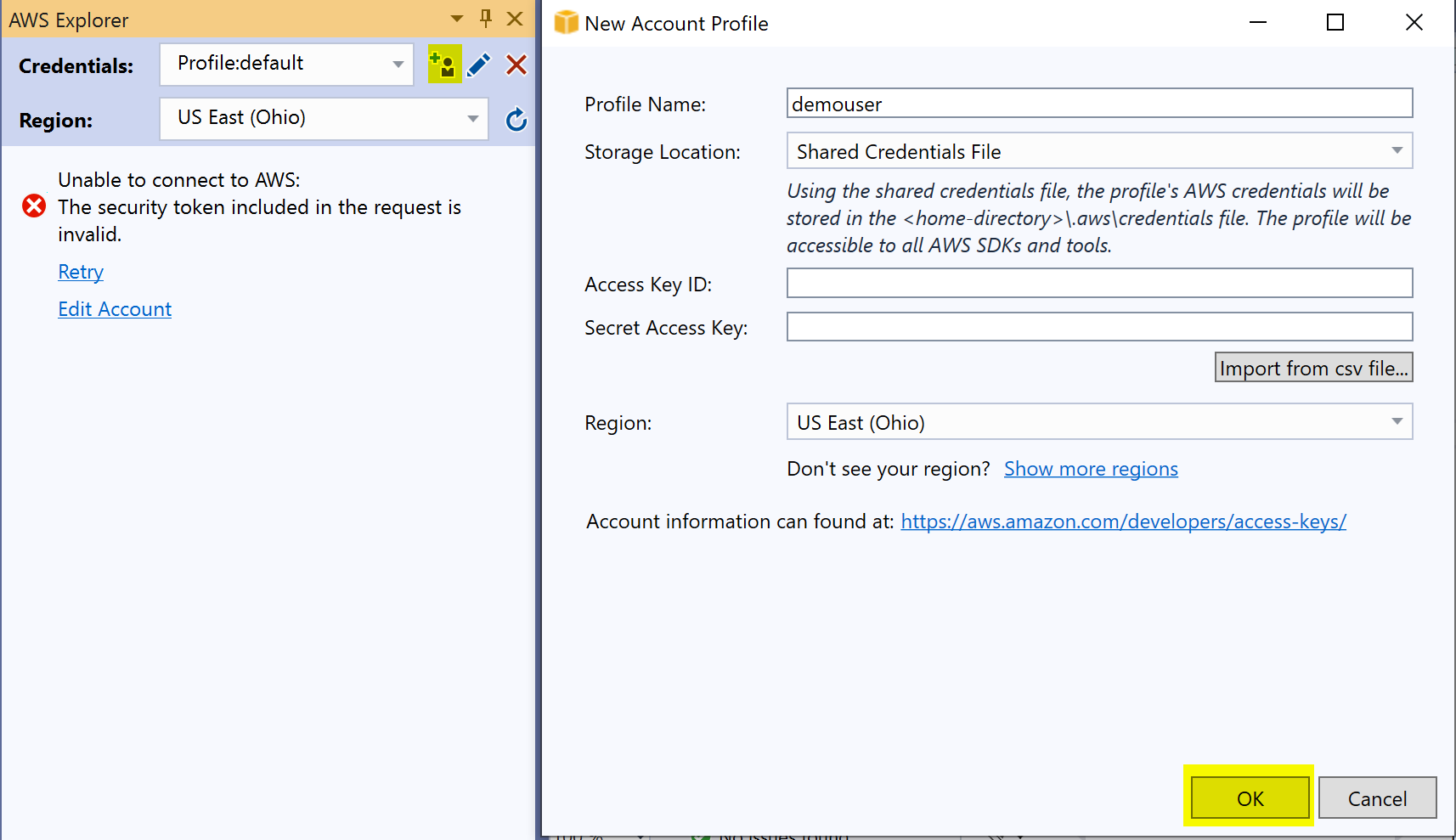
After AWS Toolkit is installed, open the 'AWS Explorer' from the 'View' menu bar in Visual Studio.

You can enter the credentials (Access Key ID and Secret Access Key) OR import the CSV file created in step 1 and click on 'OK.'
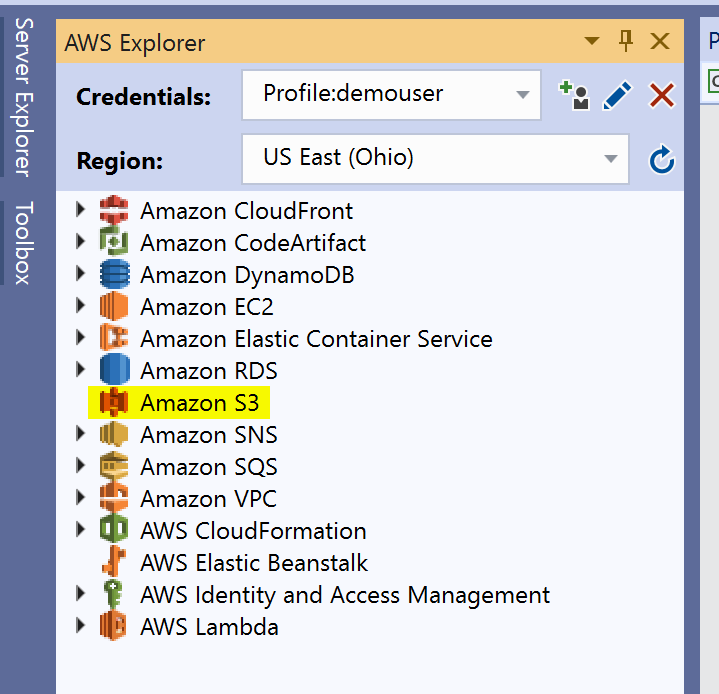
After AWS Toolkit makes the successful connection, AWS Explorer looks like below.
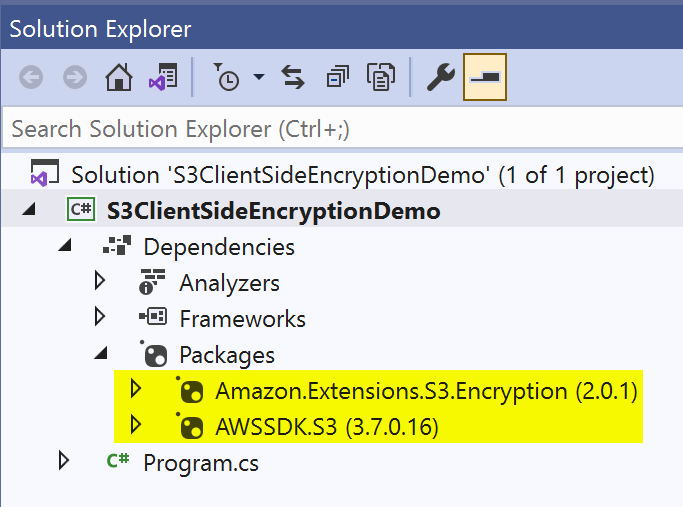
Install the NuGet packages 'AWSSDK.S3' and 'Amazon.Extensions.S3.Encryption' to the console project.
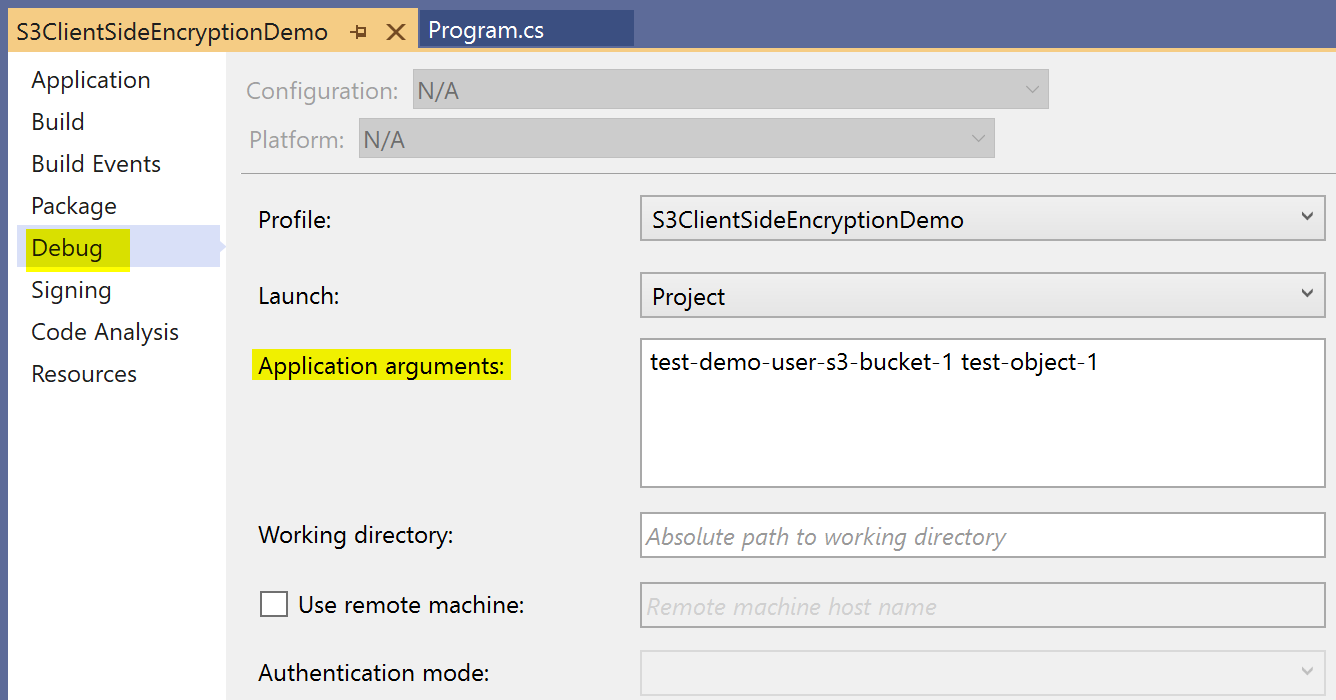
Provide the bucket name and object name as the application arguments. The arguments should be separated by a space.
3. Write the code in the program.cs file.
Using the 'AmazonS3EncryptionClientV2' class, the SDK automatically encrypts data on the client when uploading to Amazon S3 and automatically decrypts it when the data is retrieved.
In AWS, the entire process of encryption and decryption is called 'envelope encryption.' You can read more about this here.
Below is the complete code in the program.cs file:
using System;
using System.IO;
using System.Security.Cryptography;
using System.Threading.Tasks;
using Amazon.Extensions.S3.Encryption;
using Amazon.Extensions.S3.Encryption.Primitives;
using Amazon.S3.Model;
namespace S3ClientSideEncryptionDemo
{
class Program
{
static async Task Main(string[] args)
{
//EncryptionMaterialsV2 object that holds an instance of either an asymmetric algorithm (preferably RSA) or a symmetric algorithm.
var encryptionMaterials = new EncryptionMaterialsV2(RSA.Create(), AsymmetricAlgorithmType.RsaOaepSha1);
// choose to store the key either in object metadata or in an instruction file.
var config = new AmazonS3CryptoConfigurationV2(SecurityProfile.V2AndLegacy)
{
StorageMode = CryptoStorageMode.ObjectMetadata
};
//AmazonS3EncryptionClientV2 class, the SDK automatically encrypts data on the client when uploading to Amazon S3, and automatically decrypts it when data is retrieved.
var s3EncClient = new AmazonS3EncryptionClientV2(config, encryptionMaterials);
try
{
//bucket name
var bucketName = args[0];
//identify object in the Amazon S3
var key = args[1];
//Create the Bucket
Console.WriteLine($"\nCreating bucket {bucketName}...");
var createBucketResponse = await s3EncClient.PutBucketAsync(bucketName);
Console.WriteLine($"Result: {createBucketResponse.HttpStatusCode.ToString()}");
// Create the object in the bucket
var createObjResponse =
await s3EncClient.PutObjectAsync(new PutObjectRequest
{
BucketName = bucketName,
Key = key,
ContentBody = File.ReadAllText("C:\\data-to-store-in-s3.txt")
});
Console.WriteLine($"Result: {createObjResponse.HttpStatusCode.ToString()}");
//Retrieve the object from the bucket
var getResponse =
await s3EncClient.GetObjectAsync(new GetObjectRequest
{
BucketName = bucketName,
Key = key
});
//Display the message
Stream stream = getResponse.ResponseStream;
StreamReader reader = new StreamReader(stream);
Console.WriteLine(reader.ReadToEnd());
Console.ReadLine();
}
catch (Exception e)
{
Console.WriteLine("Caught exception when creating a bucket or placing an object in the bucket:");
Console.WriteLine(e.Message);
}
}
}
}
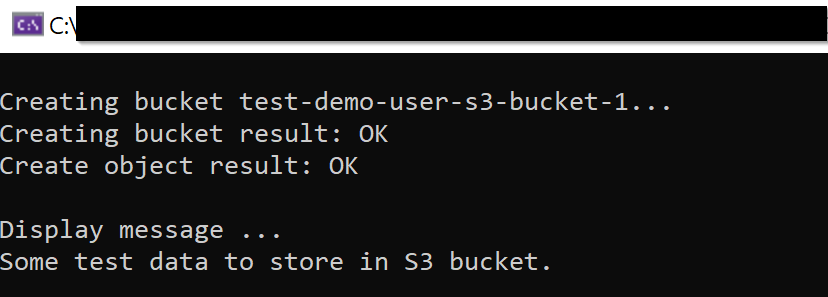
After running the code, the console window displays the message:
Here we have seen how to encrypt the data on the client-side for Amazon S3 object using AWS SDK .NET Core console application.
Opinions expressed by DZone contributors are their own.
Comments