

Azure DevOps Build Pipeline for Jekyll
Setting up this pipeline shows how easily you can have a site triggered and automatically built.

Join the DZone community and get the full member experience.
Join For FreeWe have a Git repository and Azure static website set up. It's time to connect these two with Jekyll build and release pipelines to automate publishing from our machine to static website. This part of the series focuses on a Jekyll build pipeline.
Live demo and source are available! Live demo of Jekyll static blog is here: https://jekyll.gunnarpeipman.com. Source code with sample content is available at my Github repository gpeipman/JekyllBlog.
How a Build Pipeline Works
For the Jekyll experiment, I created a new project on Azure DevOps and cloned it to my laptop from the code repository. When I make a commit to the master branch then the build pipeline is triggered and a static blog is built by Jekyll. After a successful build, the release pipeline takes over and publishes generated files to Azure storage static website.
A build pipeline is actually simple. It's just a virtual machine running Ruby. Using script commands, Jekyll with related tooling is installed and run. If a Jekyll build succeeded then the _site folder is copied to the build pipeline artifacts folder that is accessible for build pipelines.
Creating Jekyll Build Pipeline Definition
I highly recommend that you create a build pipeline from a YAML file hosted in the repository. It's the easiest and fastest way to get it done. Here is the YAML file I'm using. Make sure you have it in your repository root before setting up Jekyll build pipeline.
# Ruby
# Package your Ruby project.
# Add steps that install rails, analyze code, save build artifacts, deploy, and more:
# https://docs.microsoft.com/azure/devops/pipelines/languages/ruby

trigger:
- master

pool:
  vmImage: 'ubuntu-latest'

steps:
- task: UseRubyVersion@0
  inputs:
    versionSpec: '>= 2.5'

- script: |
    gem install jekyll bundler
    bundle install --retry=3 --jobs=4
  displayName: 'bundle install'

- script: |
    bundle install
    jekyll build
  displayName: 'jekyll'

- task: CopyFiles@2
  displayName: 'Copy Files to: $(Build.ArtifactStagingDirectory)'
  inputs:
    SourceFolder: '_site'
    TargetFolder: '$(Build.ArtifactStagingDirectory)'

- task: PublishBuildArtifacts@1
  inputs:
    pathtoPublish: '$(Build.ArtifactStagingDirectory)'
    artifactName: site
Setting up Jekyll Build Pipeline
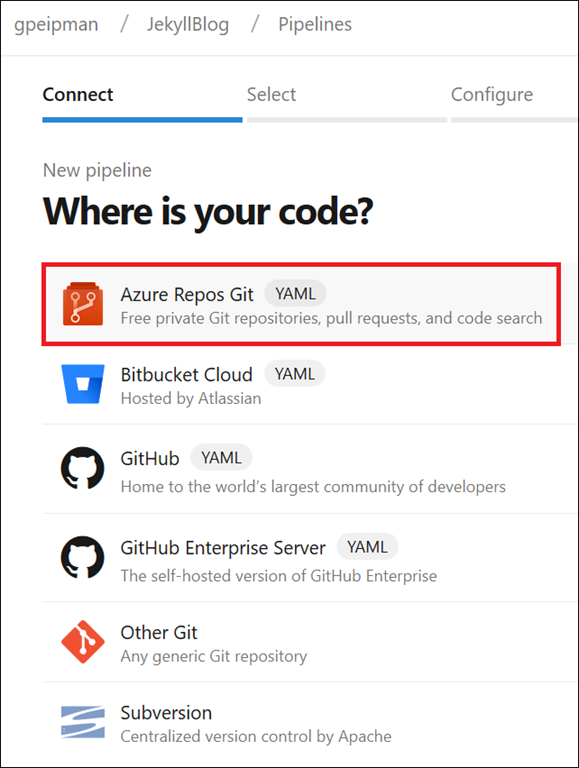
Here is a step-by-step guide for setting up the build pipeline. We start with creating a new build pipeline.
- The first step is creating a connection with source code repository service. Although I'm using Azure DevOps repositories, it's not the only Git service that is supported.
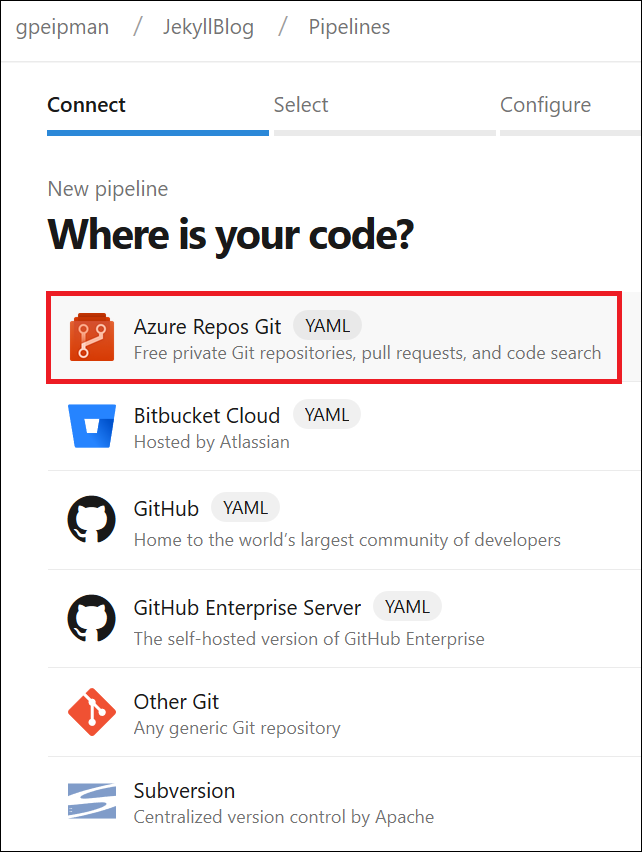
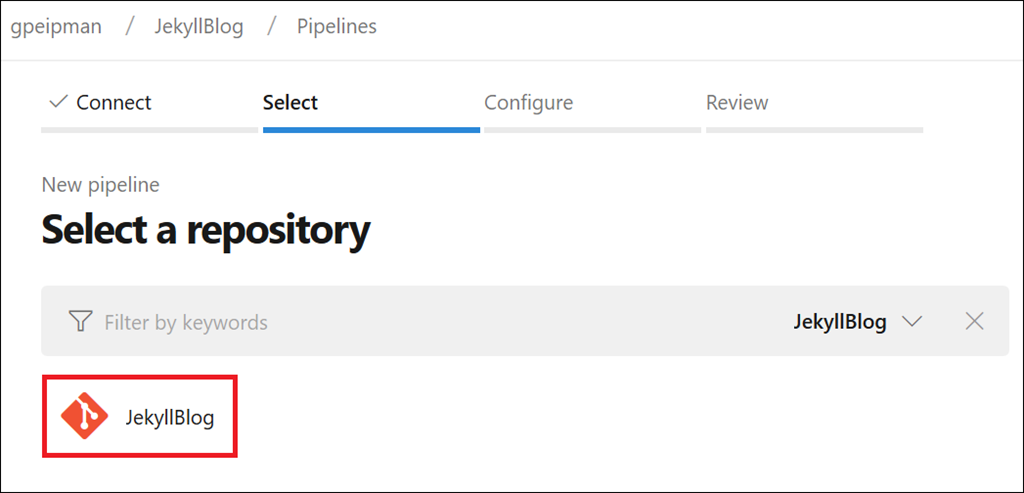
- From a source code repository service, we must check the repository that Jekyll build pipeline listens for changes.
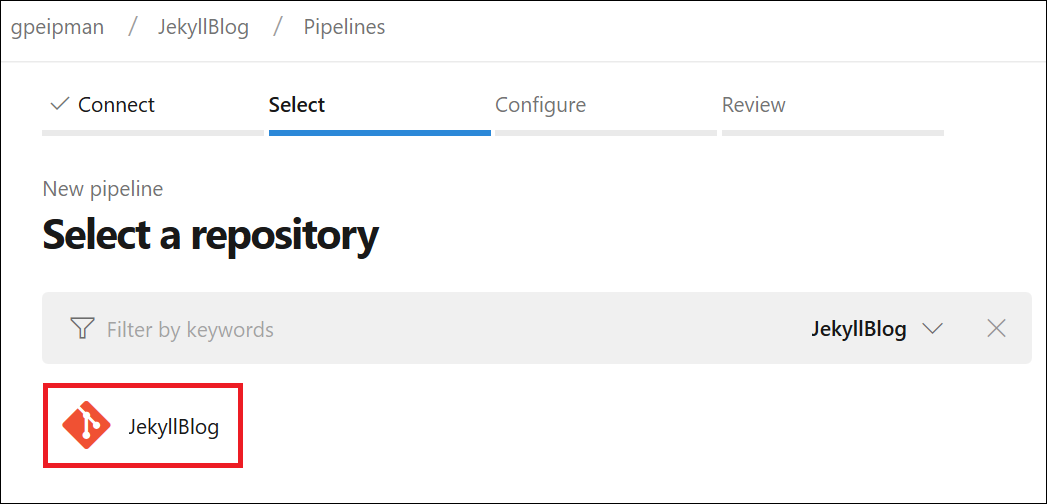
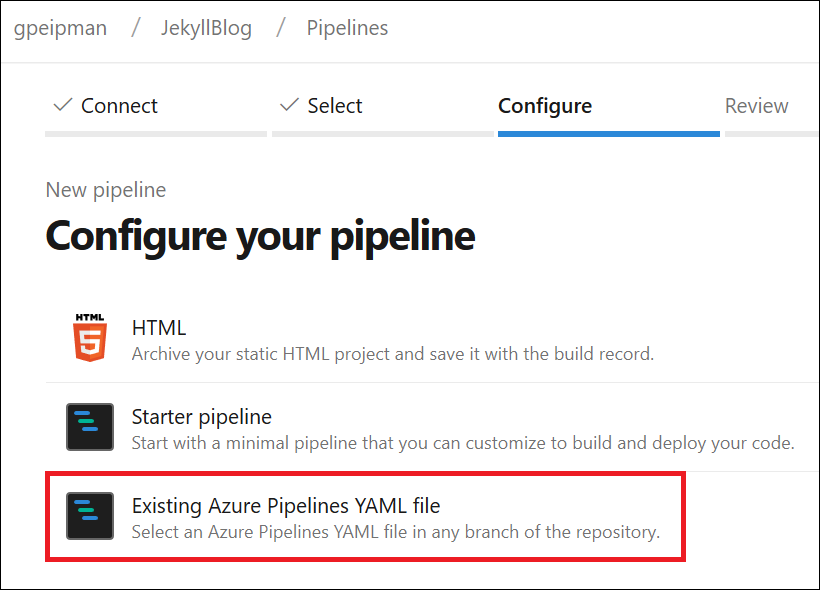
- In our case, the build configuration comes from the YAML file in the repository.
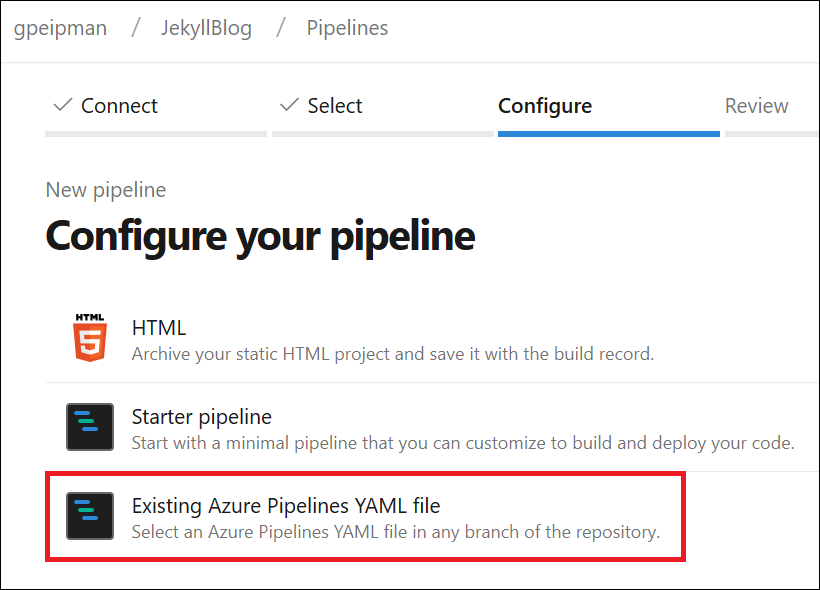
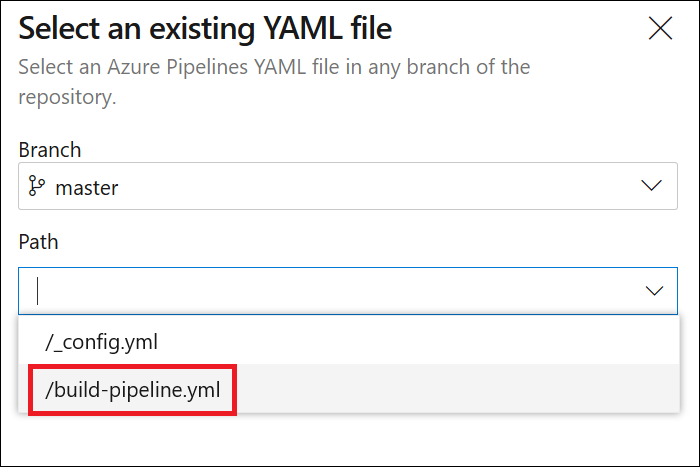
- Now we have to specify the branch and select the build definition file. Notice that the build from the master branch is not the only option. If you use some other logic in your repository then you can choose your build branch instead of master.
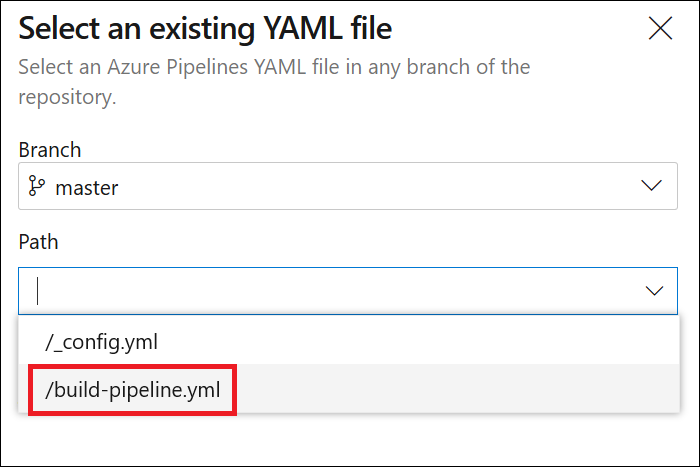
- Review settings and if everything is okay, then run the build pipeline.
If you're successful, then you should see the following build report with all steps turning green.
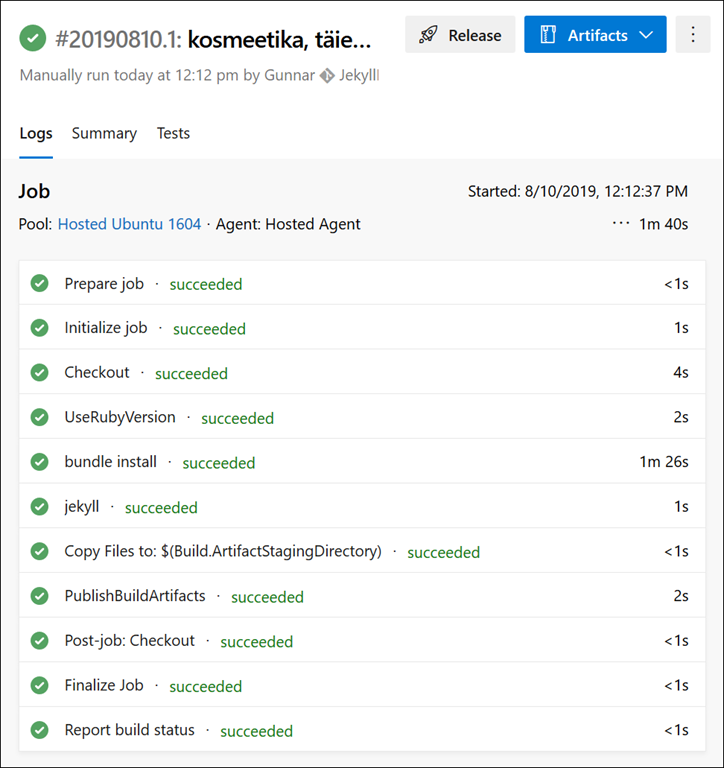
Click on the Artifacts button to see if there is artifact called "site" and open it. If everything went okay, you should see a file tree like shown on the following image.
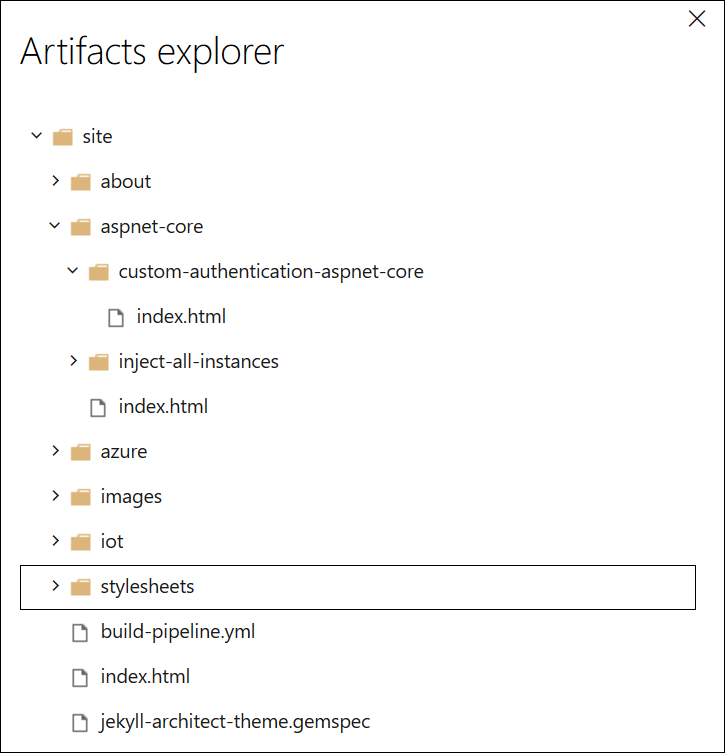
Our Jekyll build pipeline is ready and it works.
Try publishing results. You can download build artifacts and upload these to Azure static website using Azure Storage Explorer to see how the blog looks after being built on the cloud. You can access static website using its primary URL (it's on static website settings page).
Wrapping Up
It's actually easy to create Azure DevOps build pipeline using a YAML definition. We had to add a few commands to get Jekyll installed and a site built on build server. After a successful build, our static site is waiting in the build artifacts folder. We can now write a new blog post, push it to the code repository, and the Jekyll build pipeline activates automatically.
Published at DZone with permission of Gunnar Peipman. See the original article here.
Opinions expressed by DZone contributors are their own.
Comments