

Building Intelligent AI Agents Using Semantic Kernels and Azure OpenAI Models: A Step-By-Step Guide
In this article, we will look into the power of Semantic kernel C# SDK and Open AI combined to create intelligent AI agents.
 CORE
·
CORE
·
Join the DZone community and get the full member experience.
Join For FreeIn this article, we’ll explore how to build intelligent AI agents using Azure Open AI and semantic kernels (Microsoft C# SDK). You can combine it with Open AI, Azure Open AI, Hugging Face, or any other model. We’ll cover the fundamentals, dive into implementation details, and provide practical code examples in C#. Whether you’re a beginner or an experienced developer, this guide will help you harness the power of AI for your applications.
What Is Semantic Kernel?
In Kevin Scott's talk on "The era of the AI copilot," he showcased how Microsoft's Copilot system uses a mix of AI models and plugins to enhance user experiences. At the core of this setup is an AI orchestration layer, which allows Microsoft to combine these AI components to create innovative features for users. For developers looking to create their own copilot-like experiences using AI plugins, Microsoft has introduced Semantic kernel.
Semantic Kernel is an open-source framework that enables developers to build intelligent agents by providing a common interface for various AI models and algorithms. The Semantic Kernel SDK allows you to integrate the power of large language models (LLMs) in your own applications. The Semantic Kernel SDK allows developers to integrate prompts to LLMs and results in their applications, and potentially craft their own copilot-like experiences. It allows developers to focus on building intelligent applications without worrying about the underlying complexities of AI models. Semantic Kernel is built on top of the .NET ecosystem and provides a robust and scalable platform for building intelligent apps/agents.
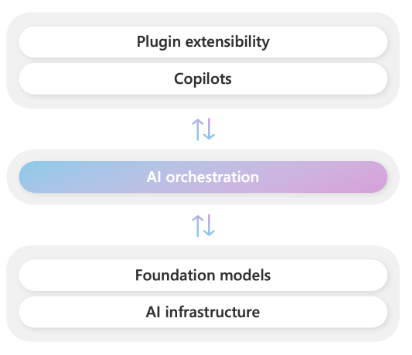
Figure courtesy of Microsoft
Key Features of Semantic Kernel
- Modular architecture: Semantic Kernel has a modular architecture that allows developers to easily integrate new AI models and algorithms.
- Knowledge graph: Semantic Kernel provides a built-in knowledge graph that enables developers to store and query complex relationships between entities.
- Machine learning: Semantic Kernel supports various machine learning algorithms, including classification, regression, and clustering.
- Natural language processing: Semantic Kernel provides natural language processing capabilities, including text analysis and sentiment analysis.
- Integration with external services: Semantic Kernel allows developers to integrate with external services, such as databases and web services.
Let's dive deep into writing some intelligent code using Semantic kernel C# SDK. I will write them in steps so it will be easy to follow along.
Step 1: Setting up the Environment
Let's set up our environment. You will need to install the following to follow along.
- .NET 8 or later
- Semantic Kernel SDK (available on NuGet)
- Your preferred IDE (Visual Studio, Visual Studio Code, etc.)
- Azure OpenAI access
Step 2: Creating a New Project in VS
Open Visual Studio and create a blank empty console DotNet 8 Application.
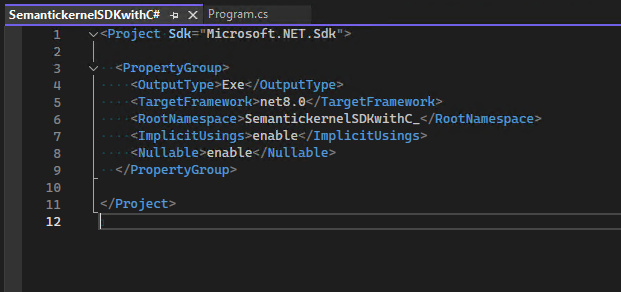
Step 3: Install NuGet References
Right-click on the project --> click on Manage NuGet reference section to install the below 2 latest NuGet packages.
1) Microsoft.SemanticKernel
2) Microsoft.Extensions.Configuration.json
Note: To avoid Hardcoding Azure Open AI key and endpoint, I am storing these as key-value pair into appsettings.json, and using the #2 package, I can easily retrieve them based on the key.
Step 4: Create and Deploy Azure OpenAI Model
Once you have obtained access to Azure OpenAI service, login to the Azure portal or Azure OpenAI studio to create Azure OpenAI resource. The screenshots below are from the Azure portal: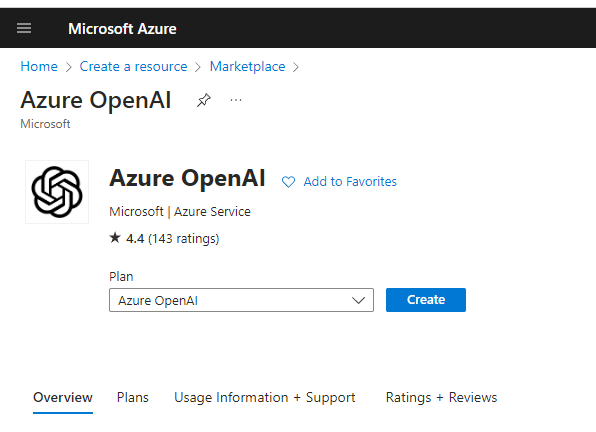
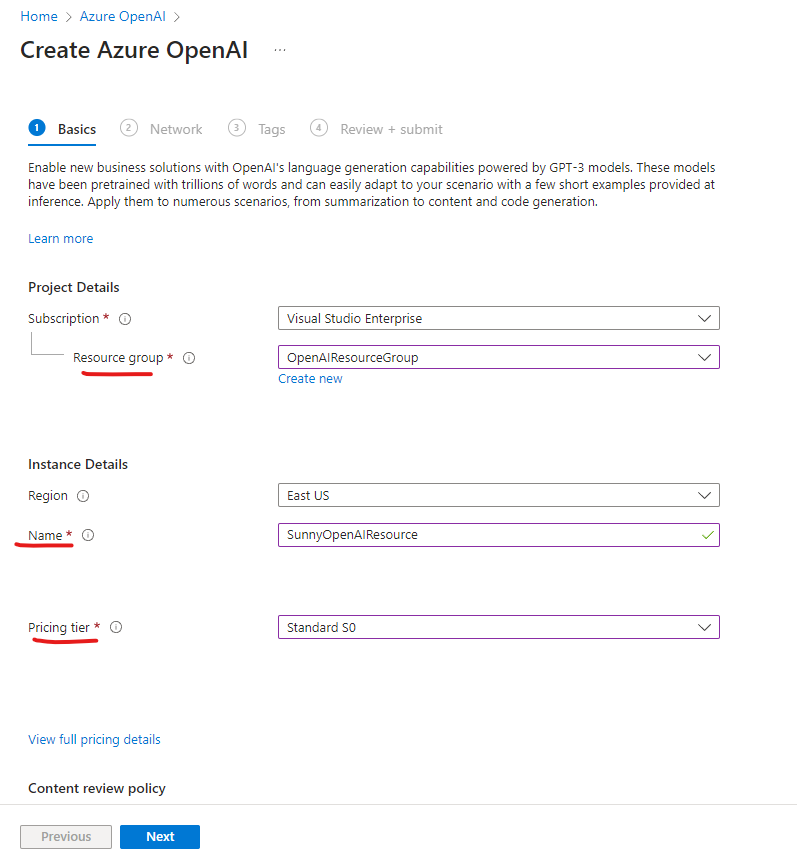
You can also create an Azure Open AI service resource using Azure CLI by running the following command:
az cognitiveservices account create -n <nameoftheresource> -g <Resourcegroupname> -l <location> \
--kind OpenAI --sku s0 --subscription subscriptionID
You can see your resource from Azure OpenAI studio as well by navigating to this page and selecting the resource that was created from:
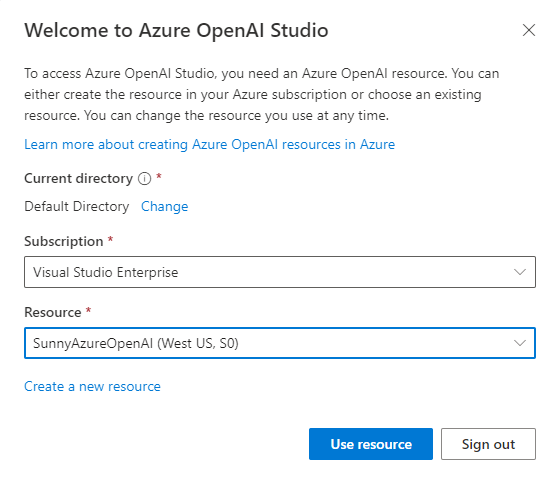
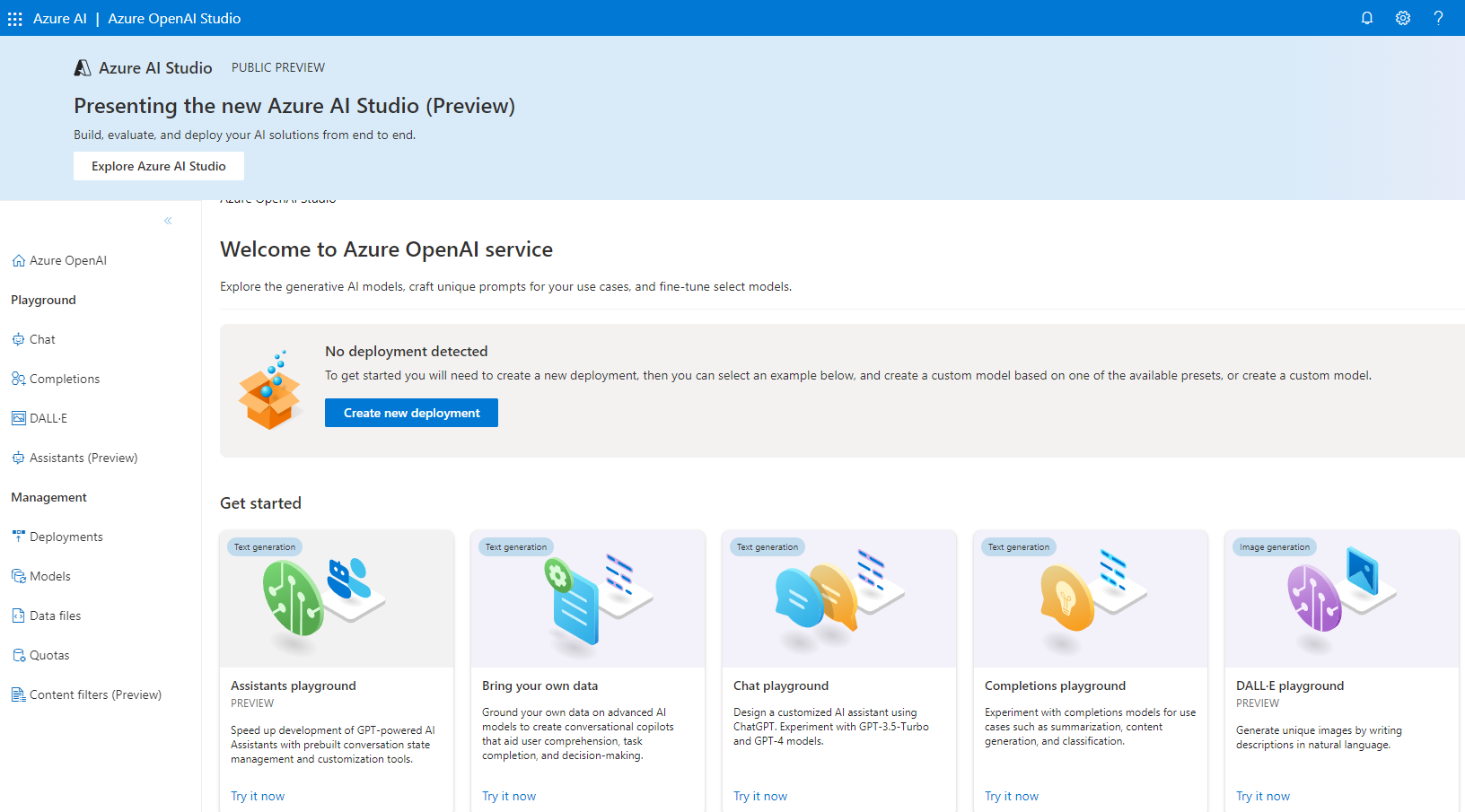
Deploy a Model
Azure OpenAI includes several types of base models as shown in the studio when you navigate to the Deployments tab. You can also create your own custom models by using existing base models as per your requirements.
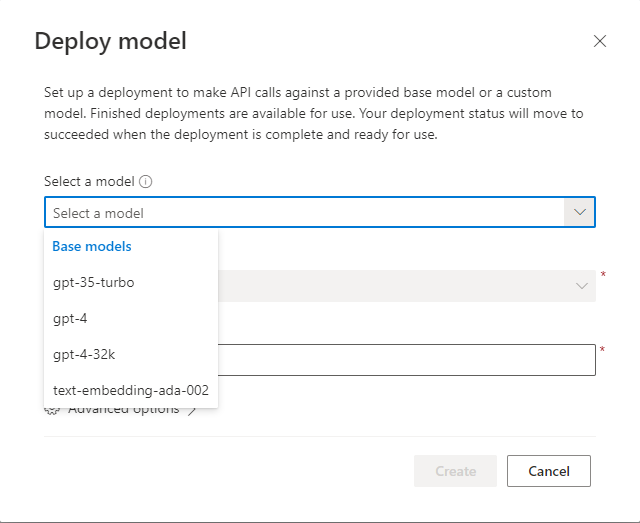
Let's use the deployed GPT-35-turbo model and see how to consume it in the Azure OpenAI studio. Fill in the details and click Create.
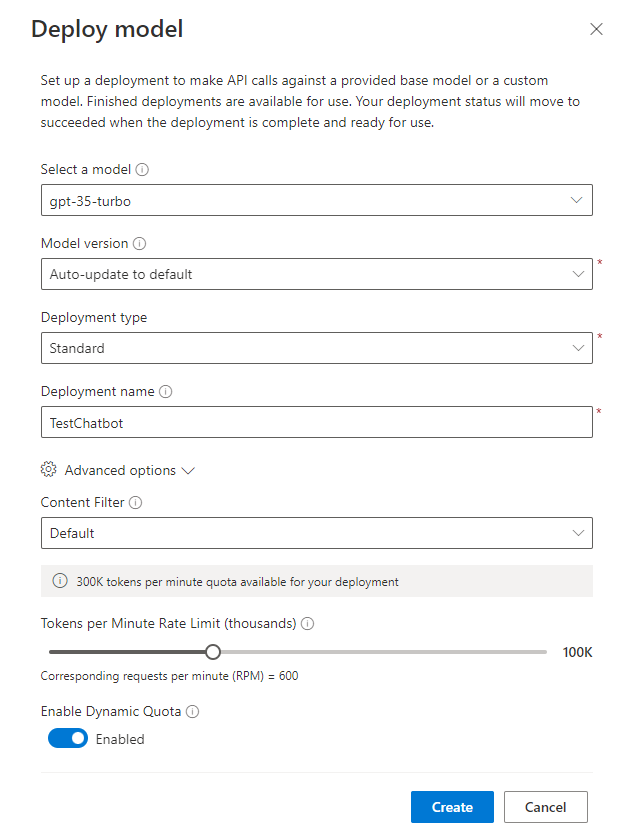
Once the model is deployed, grab the Azure OpenAI key and endpoint to paste it inside the appsettings.json file as shown below
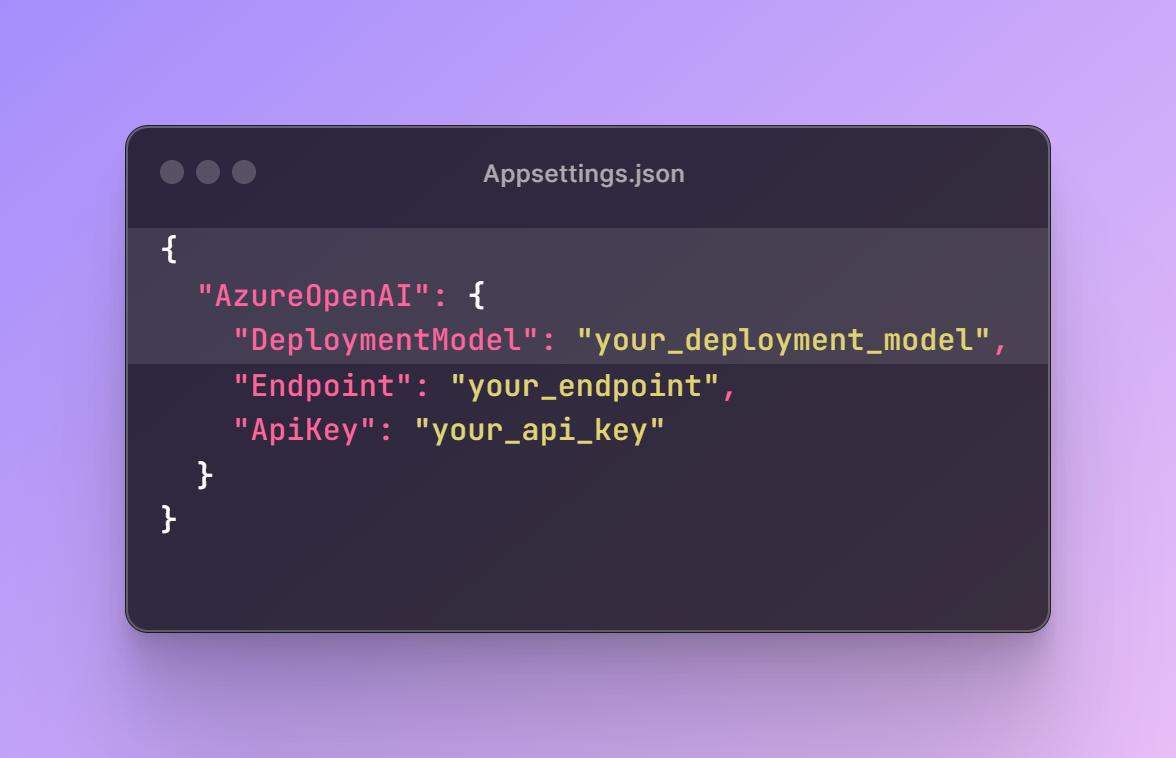
Step 5: Create Kernel in the Code
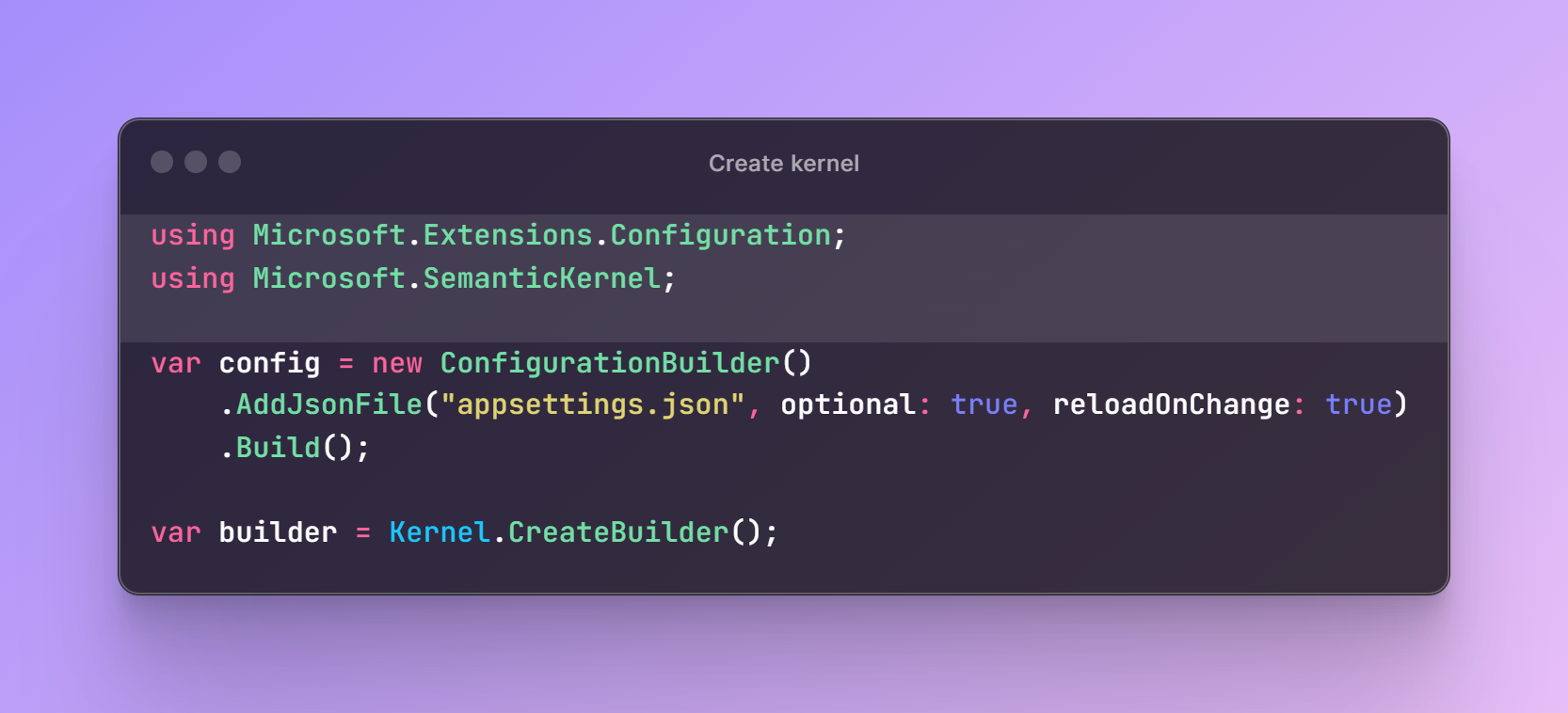
Step 6: Create a Plugin to Call the Azure OpenAI Model
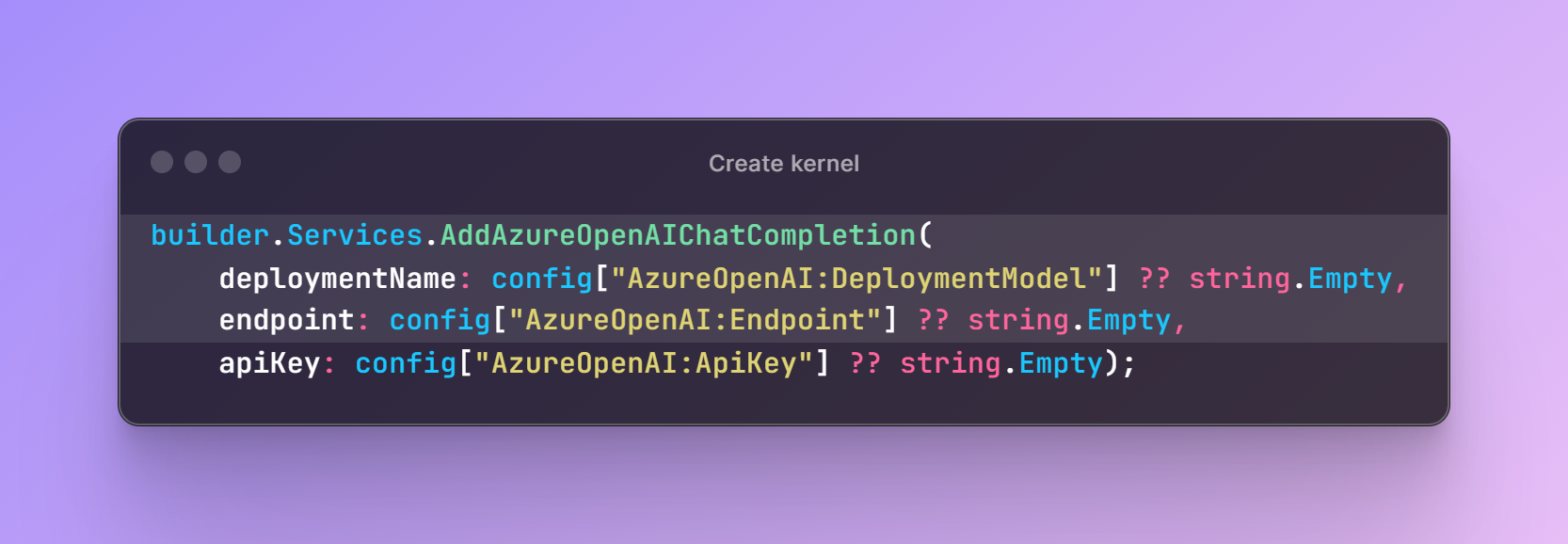
Step 7: Use Kernel To Invoke the LLM Models
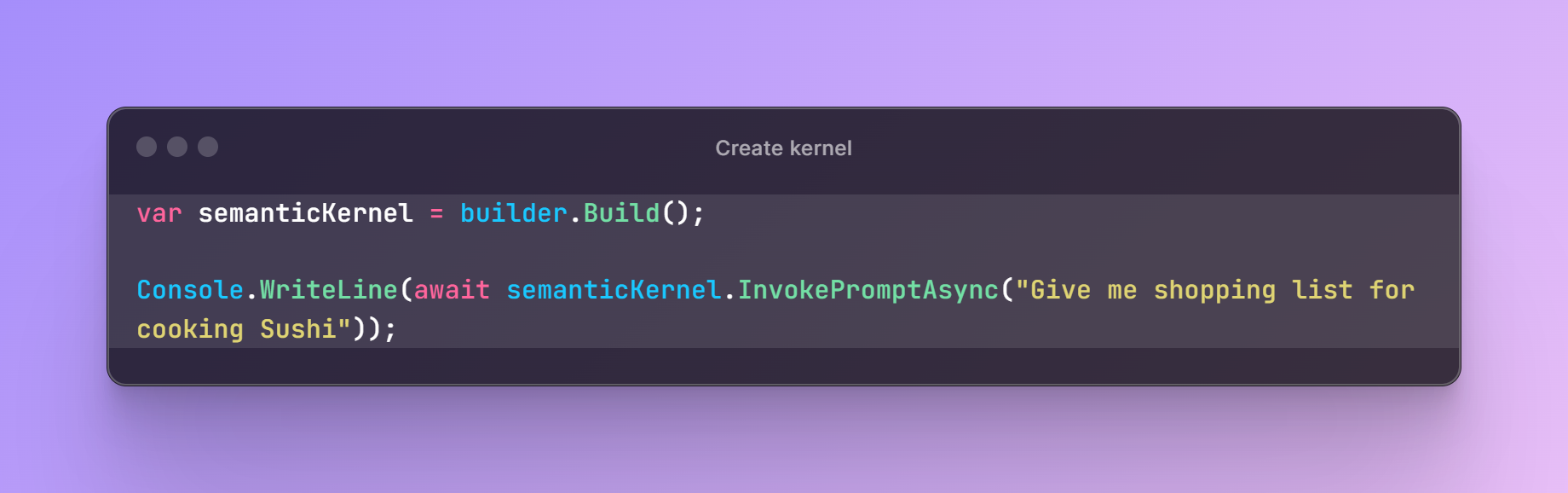
Once you run the program by pressing F5 you will see the response generated from the Azure OpenAI model.
Complete Code
using Microsoft.Extensions.Configuration;
using Microsoft.SemanticKernel;

var config = new ConfigurationBuilder()
    .AddJsonFile("appsettings.json", optional: true, reloadOnChange: true)
    .Build();

var builder = Kernel.CreateBuilder();

builder.Services.AddAzureOpenAIChatCompletion(
    deploymentName: config["AzureOpenAI:DeploymentModel"] ?? string.Empty,
    endpoint: config["AzureOpenAI:Endpoint"] ?? string.Empty,
    apiKey: config["AzureOpenAI:ApiKey"] ?? string.Empty);

var semanticKernel = builder.Build();

Console.WriteLine(await semanticKernel.InvokePromptAsync("Give me shopping list for cooking Sushi"));
Conclusion
By combining AI LLM models with semantic kernels, you’ll create intelligent applications that go beyond simple keyword matching. Experiment, iterate, and keep learning to build remarkable apps that truly understand and serve your needs.
Opinions expressed by DZone contributors are their own.
Comments