

Centralized Configuration Management With Consul
In this article, learn how to set up centralized configuration in Spring Boot using HashiCorp Consul for dynamic, environment-specific settings management.
Join the DZone community and get the full member experience.
Join For FreeWhat Is Centralized Configuration?
In modern microservice architectures, multiple applications often share common configuration data (e.g., database settings). These might be multiple instances of the same service or entirely different services. Regardless of the service behavior, instead of maintaining configuration at the service level, we can centralize it in one place and distribute it across all services. HashiCorp Consul provides a solution for this.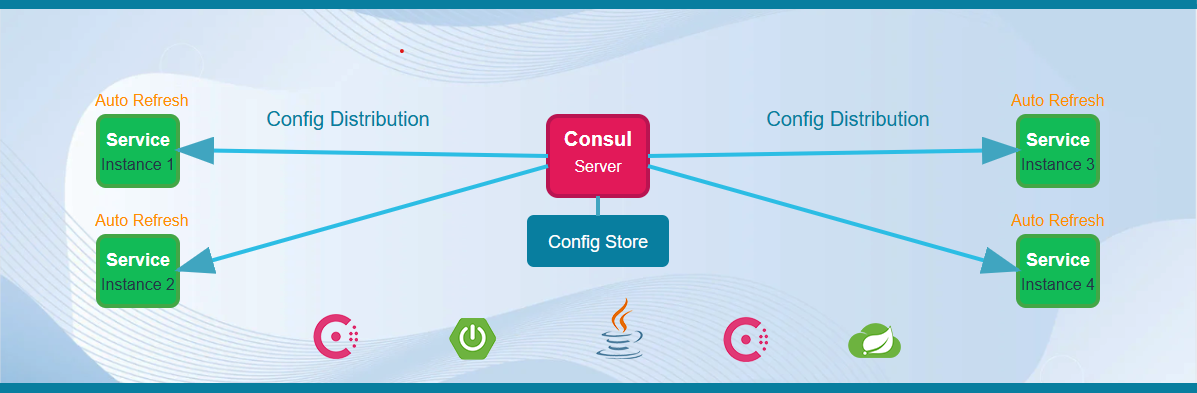
The beauty of this approach is that configuration changes can be made on the fly and will immediately reflect in the services.
Now, let's check out how this works in Spring Boot applications.
Benefits
- Centralized configuration management for all services
- Service-specific configurations for multiple instances
- Global configurations shared across all applications
- Environment-specific configuration support (e.g., dev, qa, prod)
- Ability to modify configurations on the fly with immediate effect
Libraries
- Consul Server
- Spring Boot
- Spring Cloud Gateway
- Spring Cloud Consul
- Spring Boot Actuator
Setting Up
The architecture includes two components.
- Consul server
- User application (a consumer application)
1. Consul
We need to download and configure the Consul service from the official HashiCorp Consul website. For development purposes on Windows, you can start Consul by running below command in PowerShell.
consul agent -devOnce it has successfully started, you can see the dashboard in the browser using the following URL. 8500 is the default port of Consul.
Consul Dashboard
Let's add some configuration to Consul through the dashboard. We can add it through the CLI as well. Here we are adding it as a key value pair, where Key will be the path and Value will have configuration. There is an option to add Key/Value data, located on the left side of the dashboard.
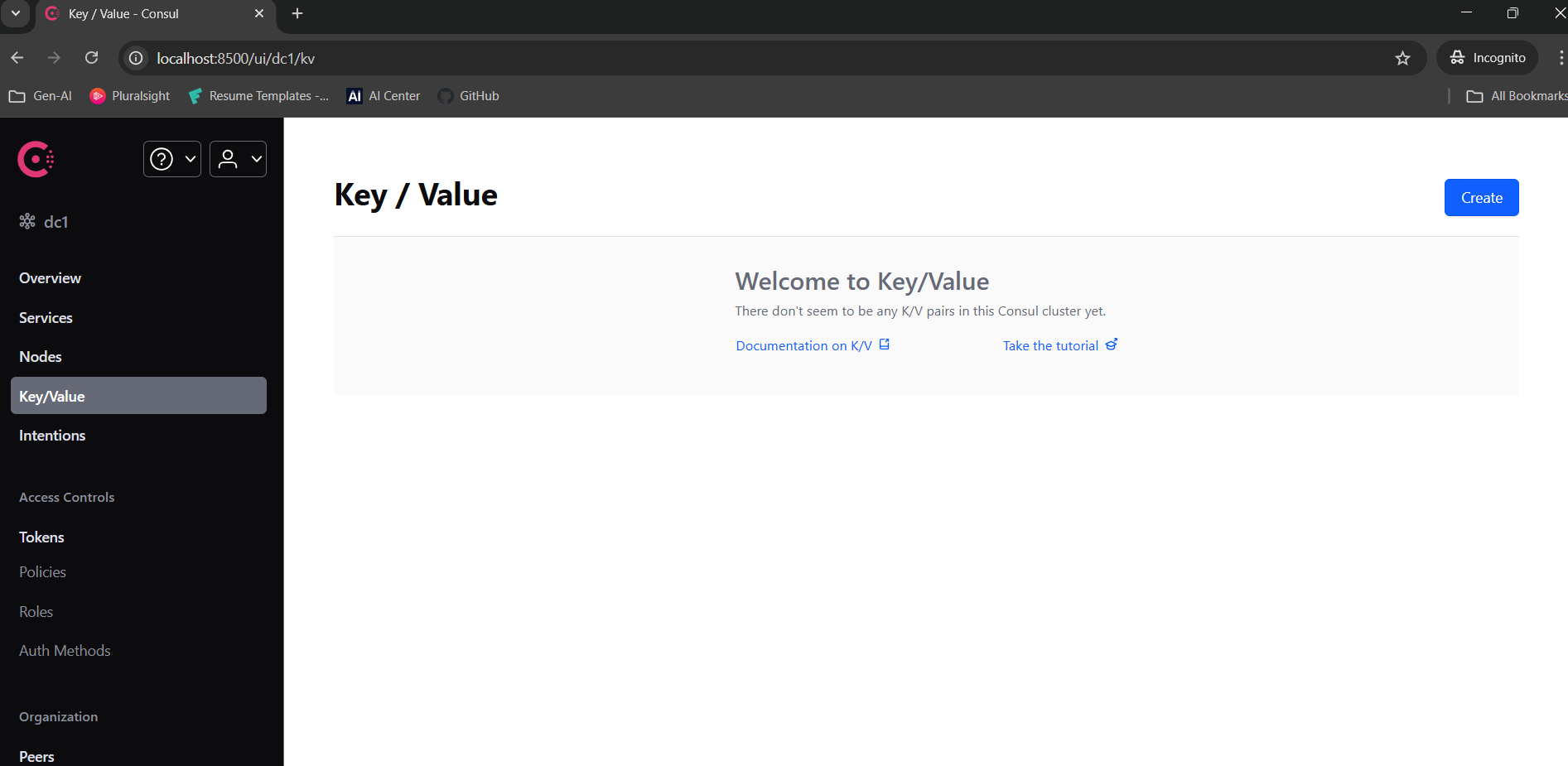
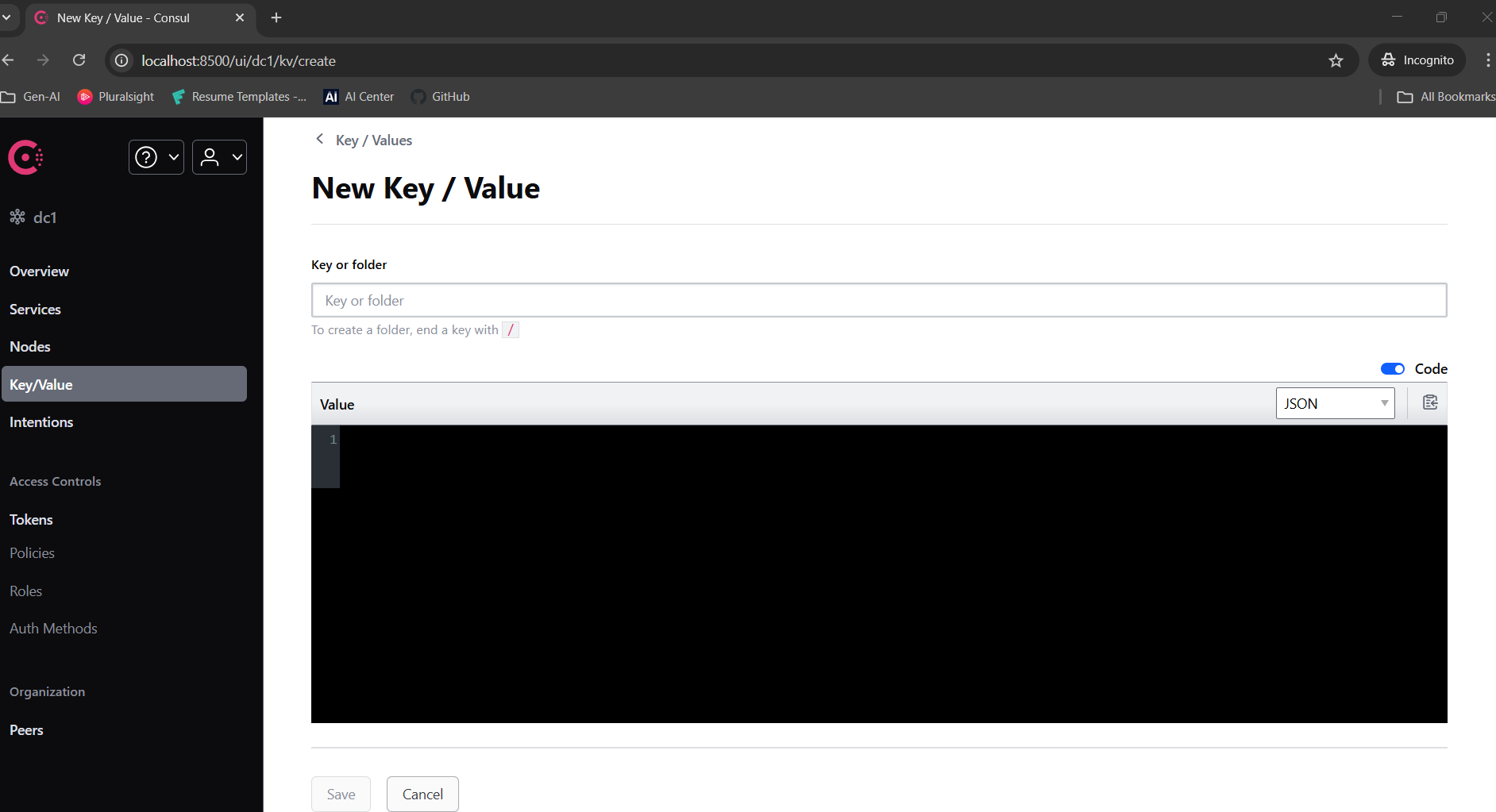
We are adding three sets of Key/Value data to Consul.
1. Key: config/user-app,dev/app.properties
Value:
server.port=3602
sample.config.1=Test data 111
sample.config.2=Test data 222
sample.config.3=Test data 333
sample.config.4=Test data 444
message=Dev configuration of user-app !!
2. Key: config/user-app/app.properties
Value:
server.port=3601
sample.config.1=Test data 11
sample.config.2=Test data 22
sample.config.3=Test data 33
sample.config.4=Test data 44
message=Default configuration of user-app !!
3. Key: config/application/app.properties
Value:
server.port=3600
sample.config.1=Test data 1
sample.config.2=Test data 2
sample.config.3=Test data 3
sample.config.4=Test data 4
message=Common config for all apps !!
Please note that all of the above data is added only for demonstration purposes.
Working
- The Logic is very simple, similar to the legacy property (or YAML) configuration of a Spring Boot application.
- The first one
config/user-app,dev/app.propertiesis specifically created fordevelopmentenv ofuser-appnamed services. - The second one
config/user-app/app.propertiesis created for saving common configurations foruser-appnamed services. - And the last one
config/application/app.propertiesis the kind of common configuration which can be served across all services.
2. User Application (A Consumer Application)
We have to create a simple Spring Boot web service application. Here, it will consume the configuration those are configured in consul.
Maven Configuration
We need to add a dependency below to enable the communication and share the configuration between consul and User application .
<dependency>
    <groupId>org.springframework.cloud</groupId>
    <artifactId>spring-cloud-starter-consul-config</artifactId>
</dependency>
Application Property File
#Application name
spring.application.name=user-app

# Informing the spring boot application to import the configurations from consul
spring.config.import=consul:
logback.log.file.path=./logs/service

# To enable extra logs
logging.level.org.springframework.cloud.consul.config=DEBUG

# Consul Configuration
spring.cloud.consul.host=localhost
spring.cloud.consul.port=8500

# Enabling Consul configuration management
spring.cloud.consul.config.enabled=true

# Declaring the config data format (propreties or yaml)
spring.cloud.consul.config.format=properties

# Declaring the prefix of all config key
spring.cloud.consul.config.prefix=config

# Declaring the data file name which contains configuration
spring.cloud.consul.config.data-key=app.properties

# Declaring the default config path
spring.cloud.consul.config.default-context=application

# It will be used for separating the keyword of profile in consul (Eg :config/user-app,dev/app.properties )
spring.cloud.consul.config.profile-separator=,

# Informing spring boot to load config from dev env
spring.profiles.active=dev- Here in the above configuration, The
consulwill look for the keyconfig/user-app,dev/app.propertiesand return it'sValueto spring boot application. Why because, - The prefix of Key mentioned as
spring.cloud.consul.config.prefix=config - The application name is configured as
spring.application.name=user-app - The profile separator mentioned as
spring.cloud.consul.config.profile-separator=, - The active profile configured as
spring.profiles.active=dev - And finally, the data file name mentioned as
spring.cloud.consul.config.data-key=app.properties - If any of the expected properties are not found in
config/user-app,dev/app.properties, the system will then checkconfig/user-app/app.properties. If the property is still not found, it will fall back to the common configuration atconfig/application/app.properties.
Auto Refresh of Configuration
This is enabled by adding an annotation called @RefreshScope in class level, wherever we are using the data from the property file.
@RestController
@RefreshScope
public class Controller {

    private static final Logger logger = LoggerFactory.getLogger(Controller.class);
    private final PortListener portListener;

    public Controller(PortListener portListener) {
        this.portListener = portListener;
    }

    @Value("${message:Default}")
    String testMessage;
    @Value("${sample.config.1:Default}")
    String sampleConfig1;
    @Value("${sample.config.2:Default}")
    String sampleConfig2;
    @Value("${sample.config.3:Default}")
    String sampleConfig3;
    @Value("${sample.config.4:Default}")
    String sampleConfig4;

    // config from the common config of all apps
    @Value("${global.config:Default}")
    String globalConfig;

    @GetMapping(value = "getStatus", produces = MediaType.APPLICATION_JSON_VALUE)
    public Mono<ResponseEntity<Object>> healthCheck() {
        logger.info("<--- Service to get status request : received --->");

        List<String> stringList = new ArrayList<>();
        stringList.add("Message: "+testMessage);
        stringList.add("Application is running under port: "+portListener.getPort());
        stringList.add("Global :"+globalConfig);
        stringList.add(sampleConfig1);
        stringList.add(sampleConfig2);
        stringList.add(sampleConfig3);
        stringList.add(sampleConfig4);
        logger.info("<--- Service to get status response : given --->");

        return Mono.just(ResponseEntity.ok(stringList));
    }
}
Testing
Right now, if we call the getStatus API, we will receive the following data, which is loaded from Consul.
[
  “Message: Dev configuration of user-app !!”,
  “Application is running under port: 3602”,
  “Global :Default”,
  “Test data 111”,
  “Test data 222”,
  “Test data 333”,
  “Test data 444”
]
After that, if we update the value in the Consul dashboard, then the next time this same api will return newly updated data from Consul.
GitHub
The sample project is available in the repository.
That is all... thanks for reading!
Opinions expressed by DZone contributors are their own.
Comments