

CI/CD With Azure DevOps and Alibaba Cloud Kubernetes (ACK)
In this tutorial, learn how to deploy a sample application to Alibaba Cloud Kubernetes Service (ACK) using Azure DevOps.
Join the DZone community and get the full member experience.
Join For FreeIn this article, we will look at the detailed steps to install Alibaba Cloud Container Service for Kubernetes (ACK) cluster. We will cover the Azure DevOps release pipeline and configure service connection to the Kubernetes cluster using temporary kubeconfig. After that, we will expose the application in Alibaba Cloud Kubernetes using Ingress.
High-level steps:
- Create Kubernetes cluster in Alibaba Cloud
- Create Azure DevOps release pipeline
- Generating temporary kubeconfig and configuring service connection
- Deploy sample app using pipeline
- Expose app to public in Alicloud Kubernetes
Create Kubernetes Cluster in Alibaba Cloud
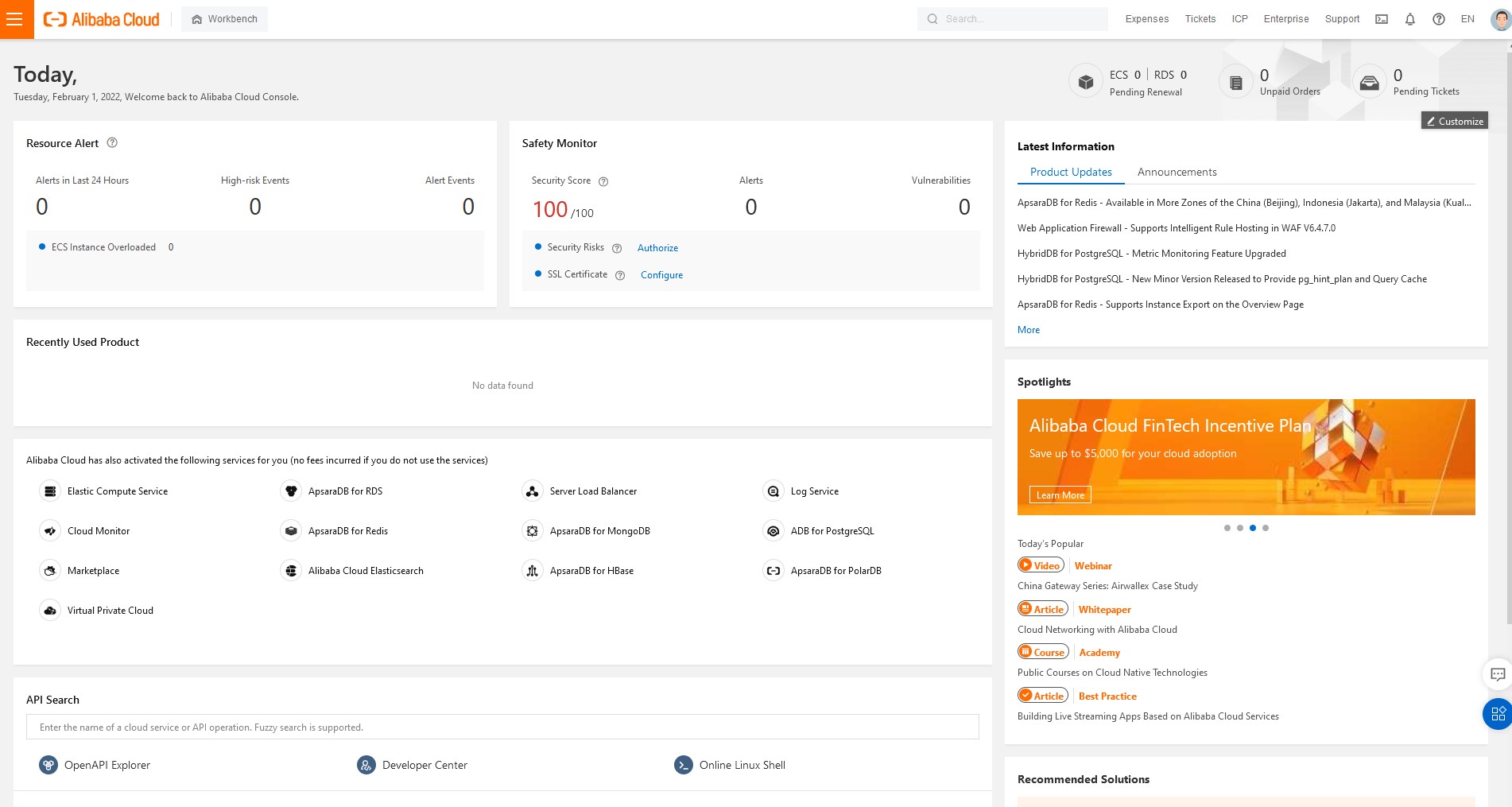
First, we need to log in to Alibaba Cloud Console:
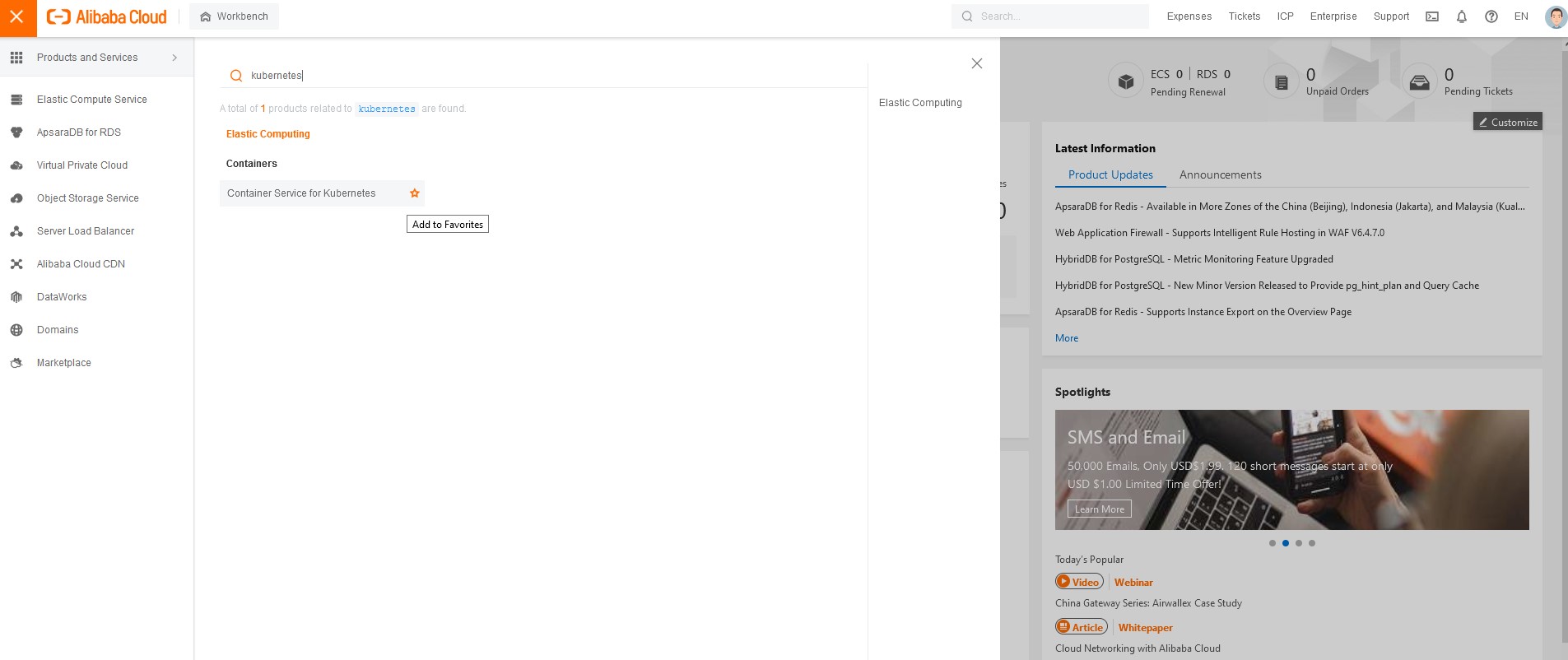
To find Alibaba Cloud Container Service for Kubernetes, click on the top left corner and search for kubernetes.
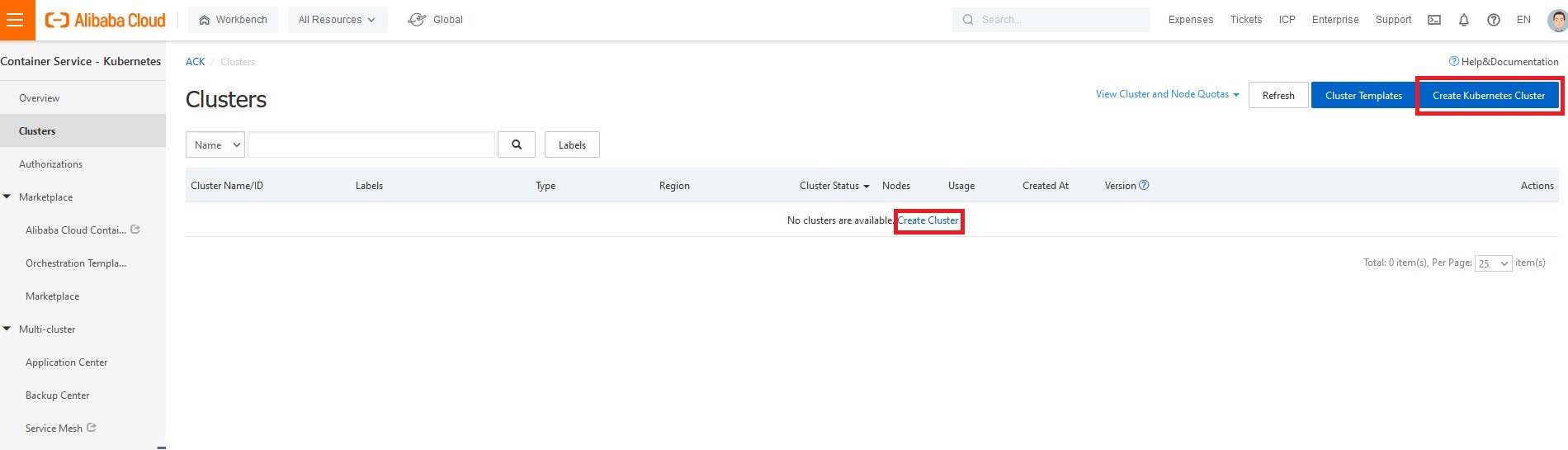
Click on create Kubernetes cluster.
If this is the very first cluster you are creating in your account, you will be prompted for the required cloud resource access authorization.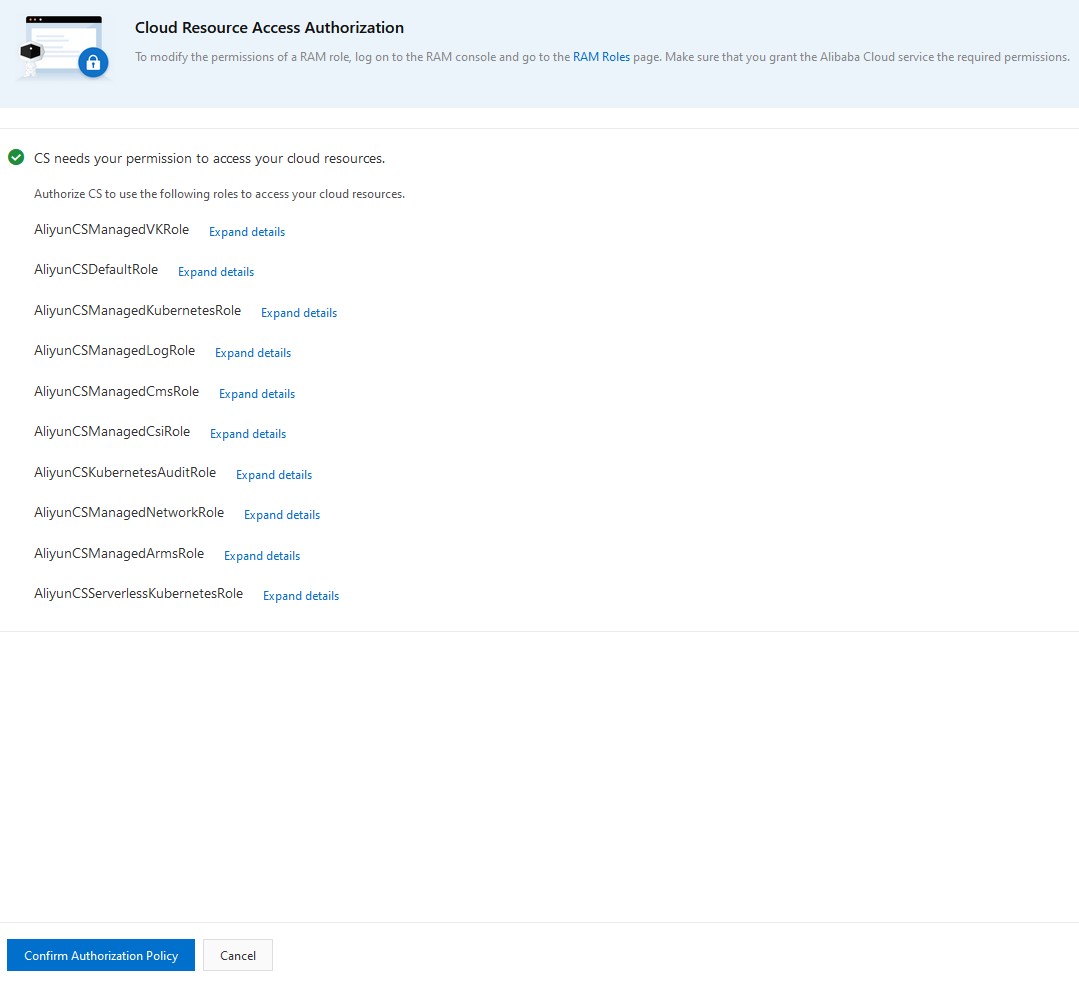
Specify the name, region, and type of your cluster.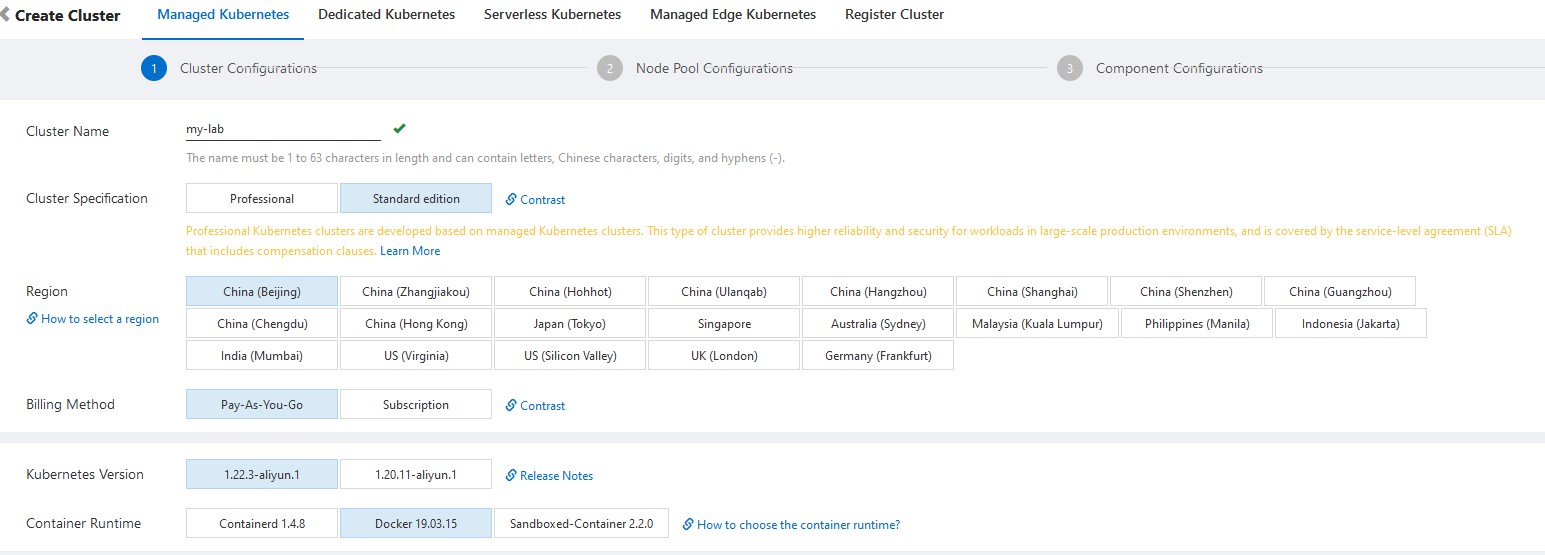
If you are not sure which option to choose, you can click on docs link like "how to select network plug-in for a Kubernetes cluster." It will open a nice small doc window with an explanation:
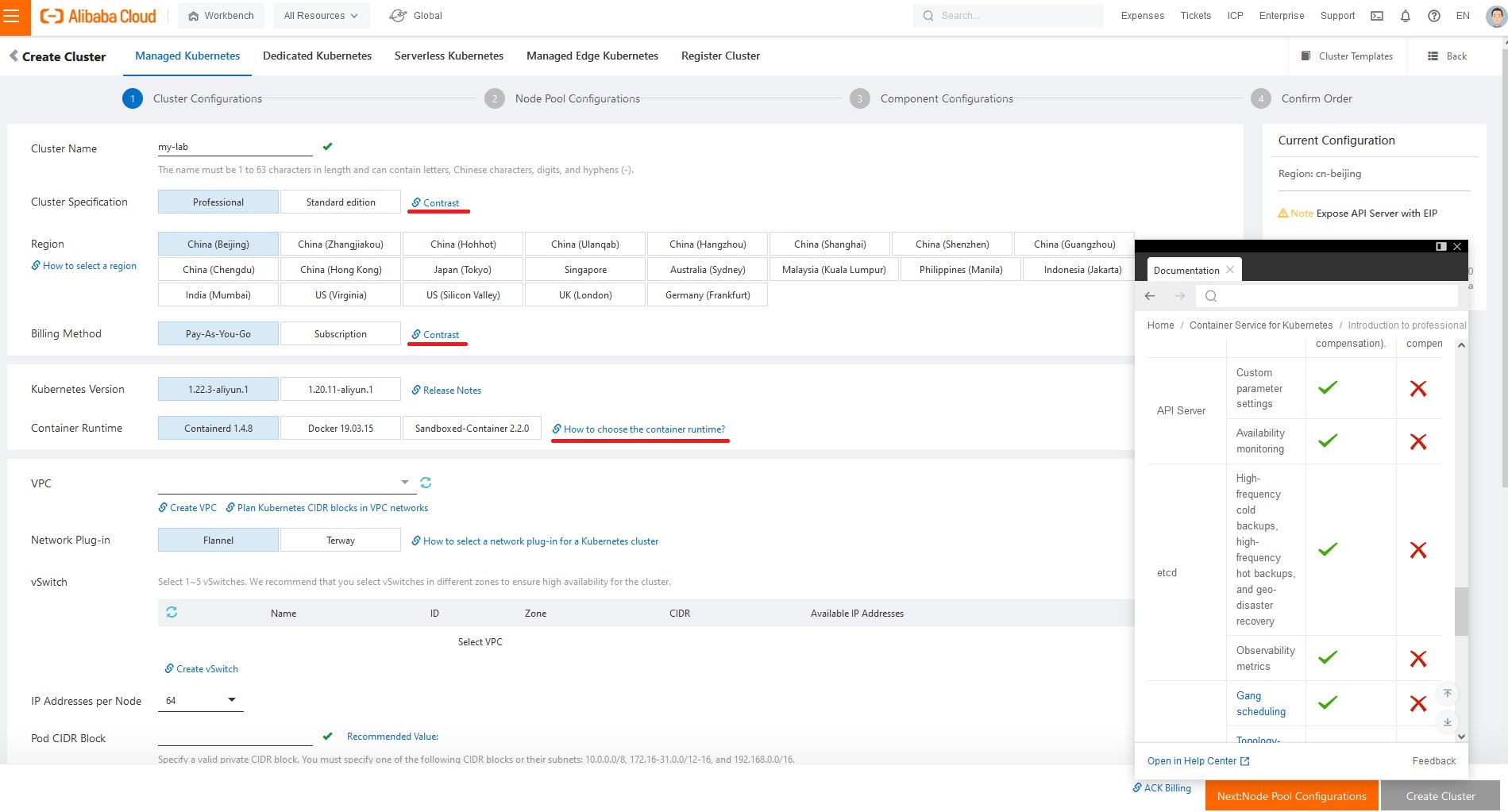
If you are not planning to use Network Policies, you can go with the "Flannel" network plug-in. Otherwise, I would suggest Terway.
As a prerequisite, create VPC and vswitch if you don't have one already deployed in this region.
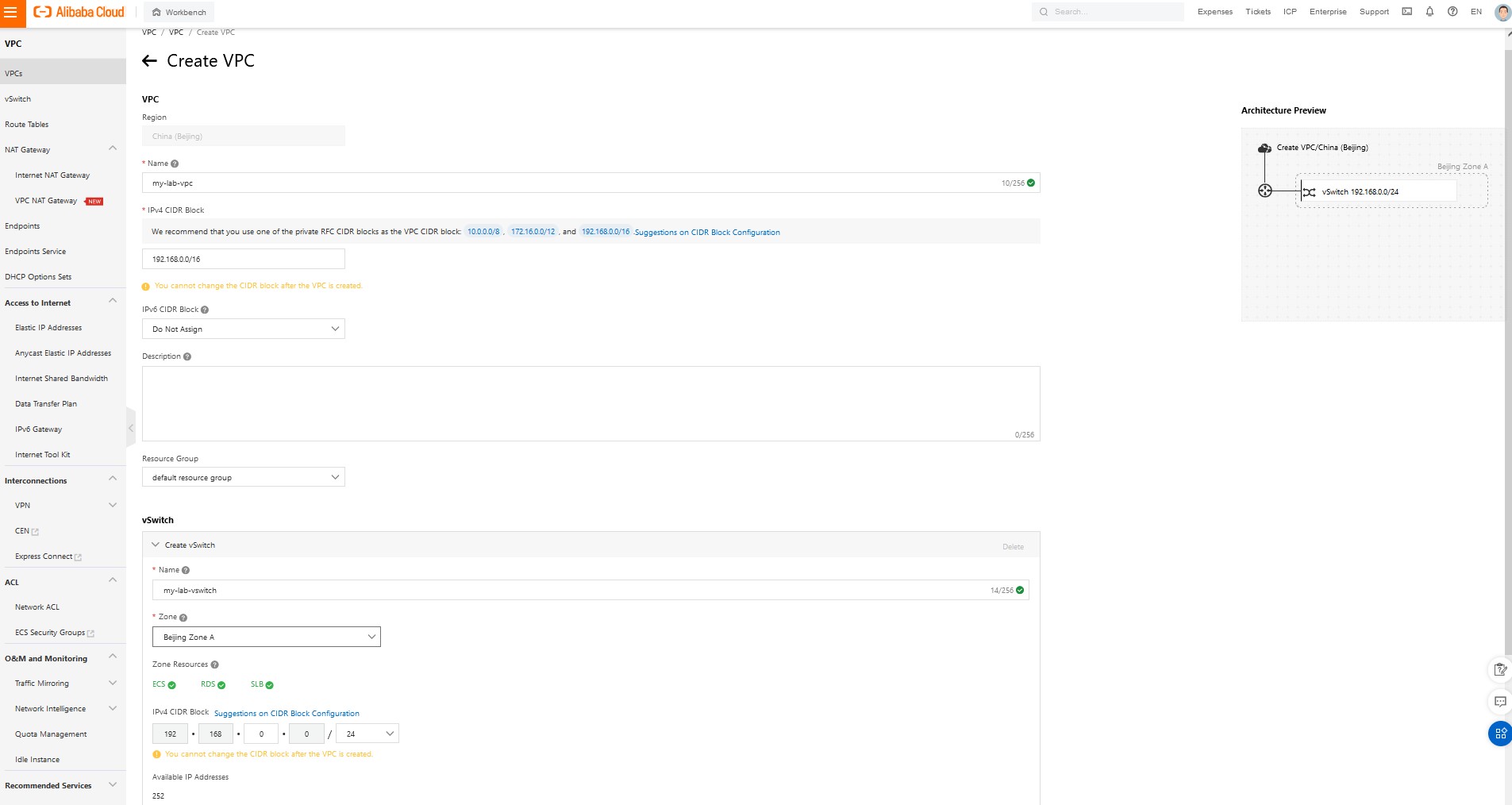
Note: Although it is not required for all cloud resources to be in resource groups (like in Azure), it is still a good idea to add resources to a particular resource group whenever possible. Later, when you will clean up, it might be really handy to have all parts of your cloud infrastructure listed.
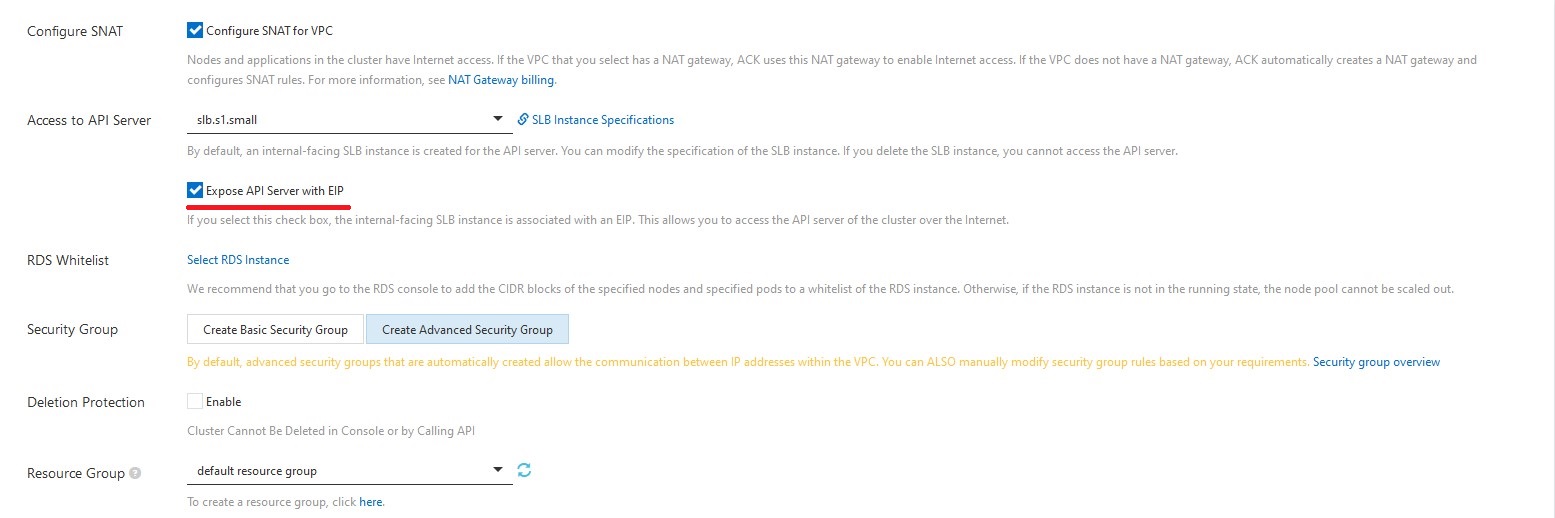
Select checkbox "create expose API server with EIP" to expose your Kubernetes cluster to the public.
Next, you need to provide the Node Pool Name and select the node configuration of your workers.
When it comes to a particular size and amount of worker VMs, you should consider how much CPU and RAM your application required, how much traffic will be used, and how disk-intensive your applications are.
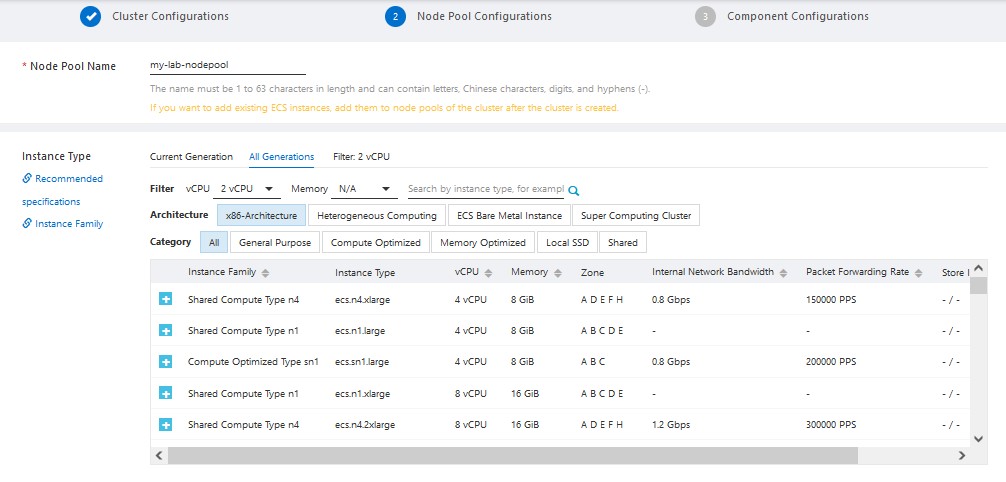
Select K8s worker Operating System. In Alibaba Cloud, the default choice for Linux VMs is their homegrown "Alibaba Cloud Linux 2."
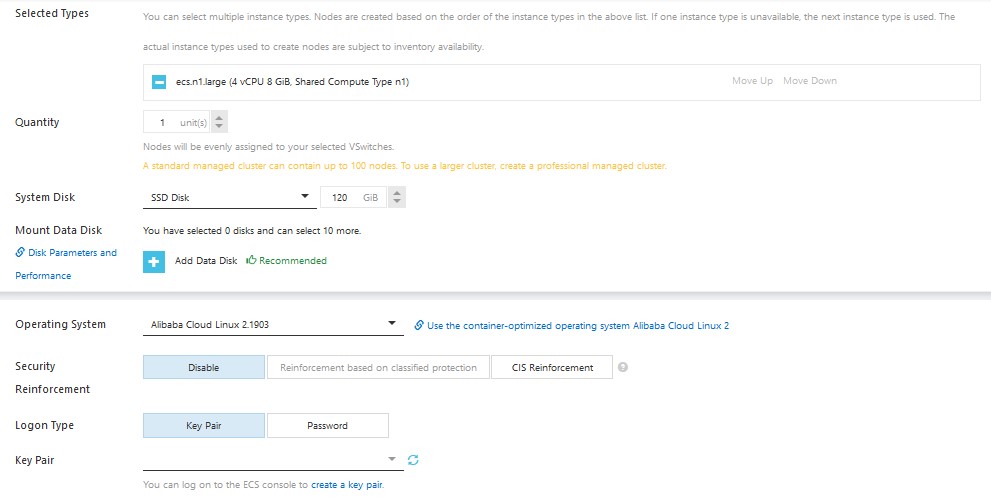
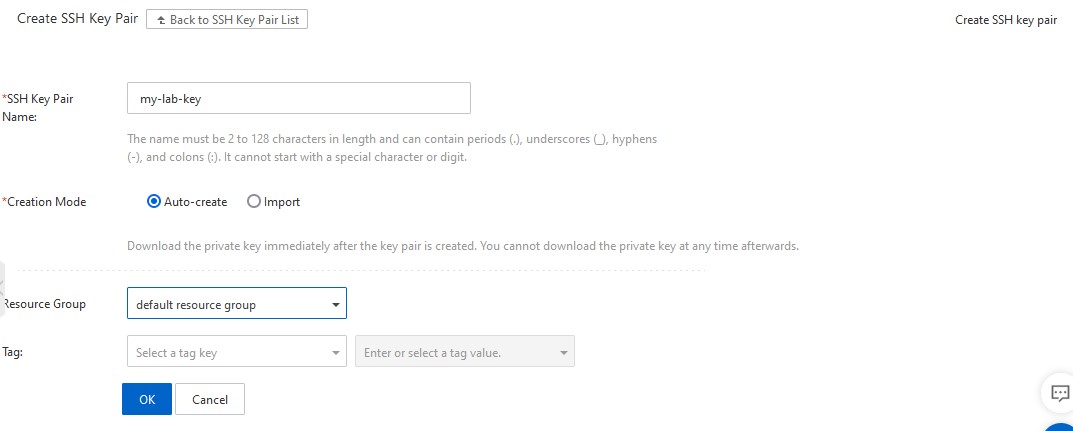
After that, you need to select ssh key-pair or create a new one.
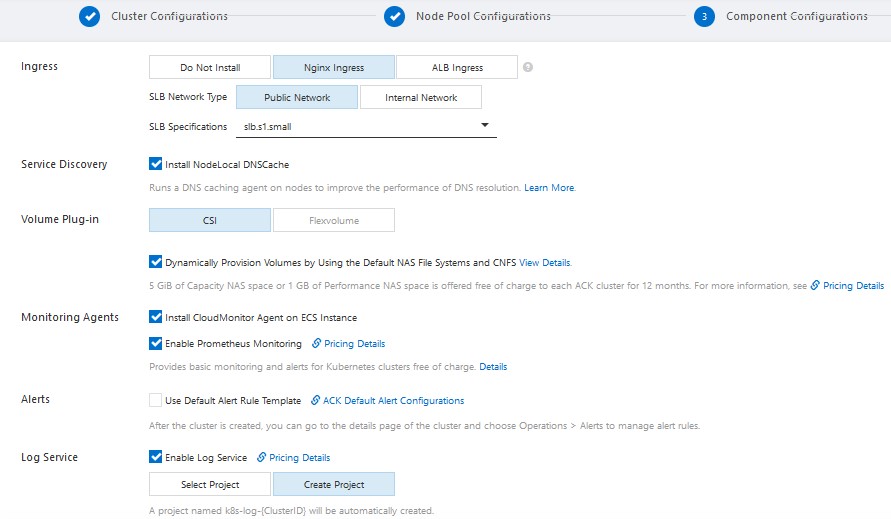
Specify the type of ingress and size of the Server Load Balancer. Since the Nginx Ingress controller is the most popular and widely used one, I'm going to use it.
On the last page, you will see "Dependency Check."
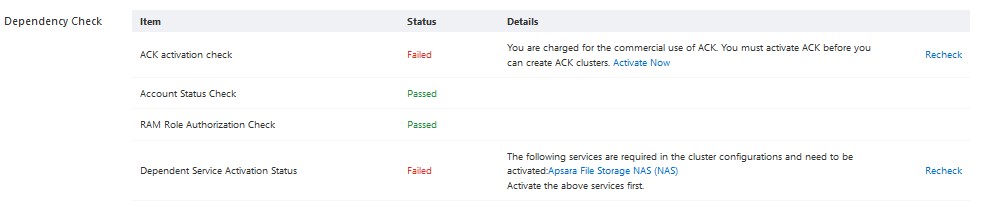
To confirm your order and spin up a cluster, you need to resolve dependencies, such as activating ACK service.
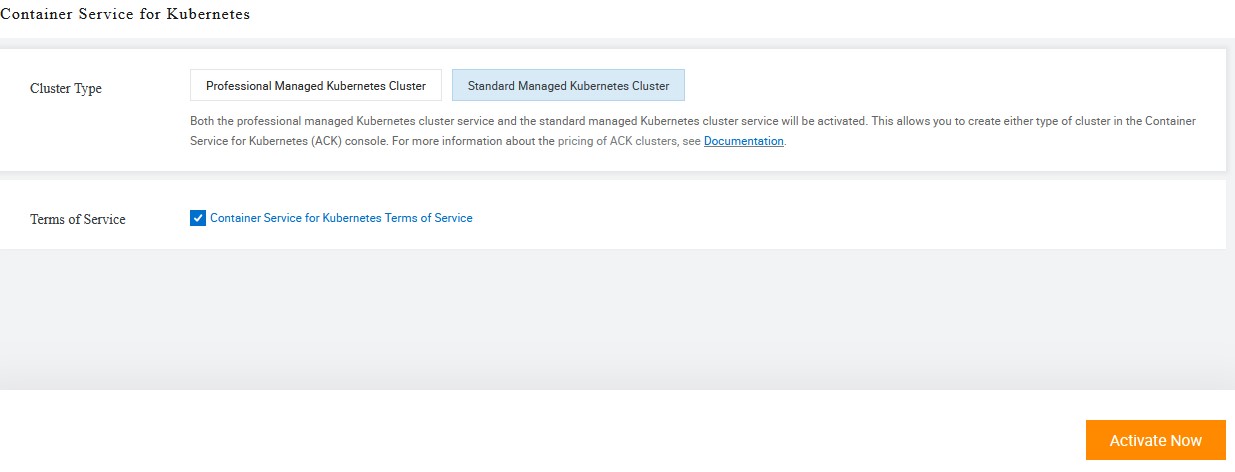
Once all dependencies are resolved, you can review and confirm the order:
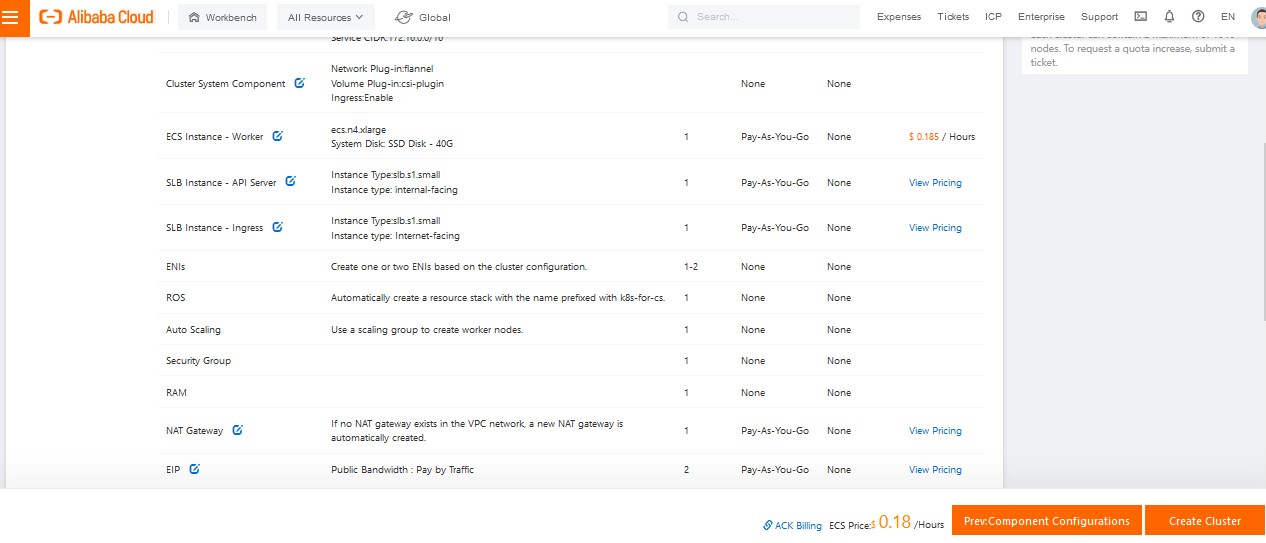
It usually takes a few minutes for a cluster to spin up.
NOTE: If you face an error like "failed to allocate EIP resources," go to VPC/EIP console, manually create elastic IP, and resolve any potential issues that would come up (i.e. activating service or confirming your billing method).
Once the cluster becomes "ready," you can click on it and will see a nice dashboard with an overview of node and application status.

Generating Temporary kubeconfig
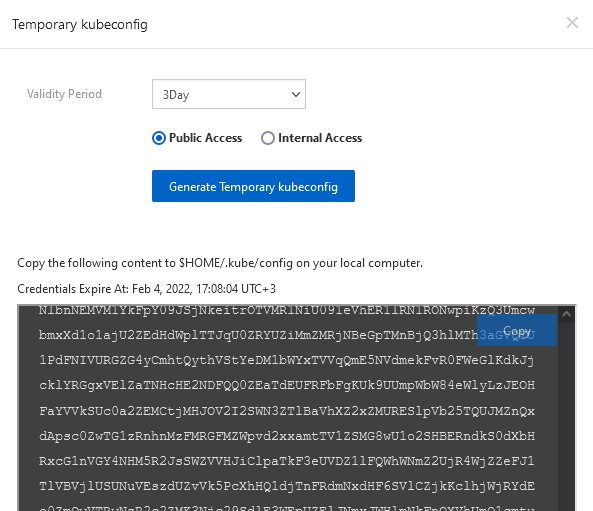
In this tutorial, we are going to use temp kubeconfig, which will expire automatically in a few days.
To do that, you need to navigate to the Kubernetes cluster overview. Go to the "Connection Information" tab, and click on "Generate Temporary kubeconfig."
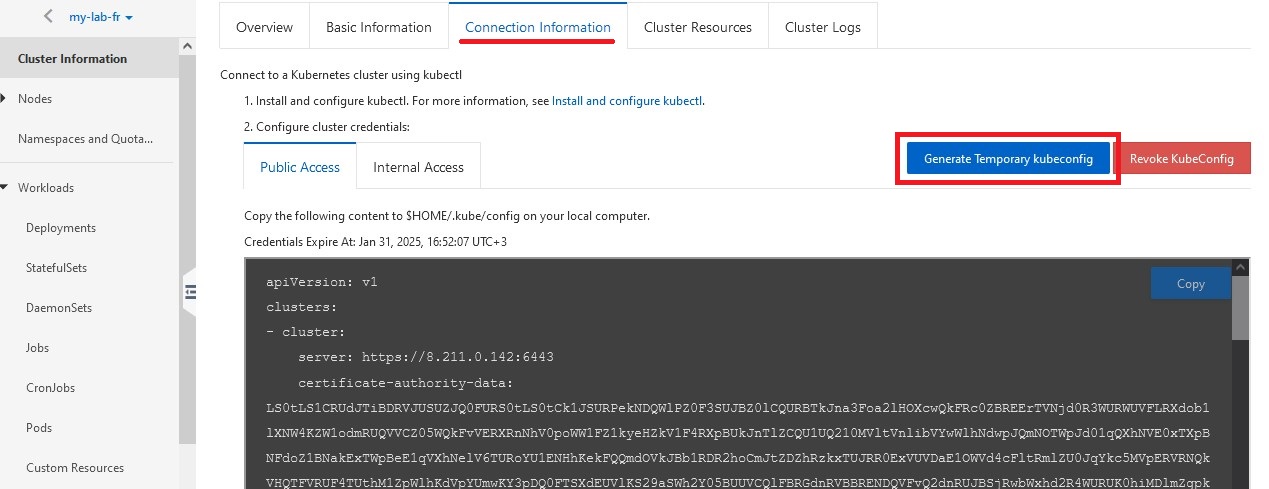
Select public access. Pick Validity Period and copy temp config, which we will use in Azure service connection later.
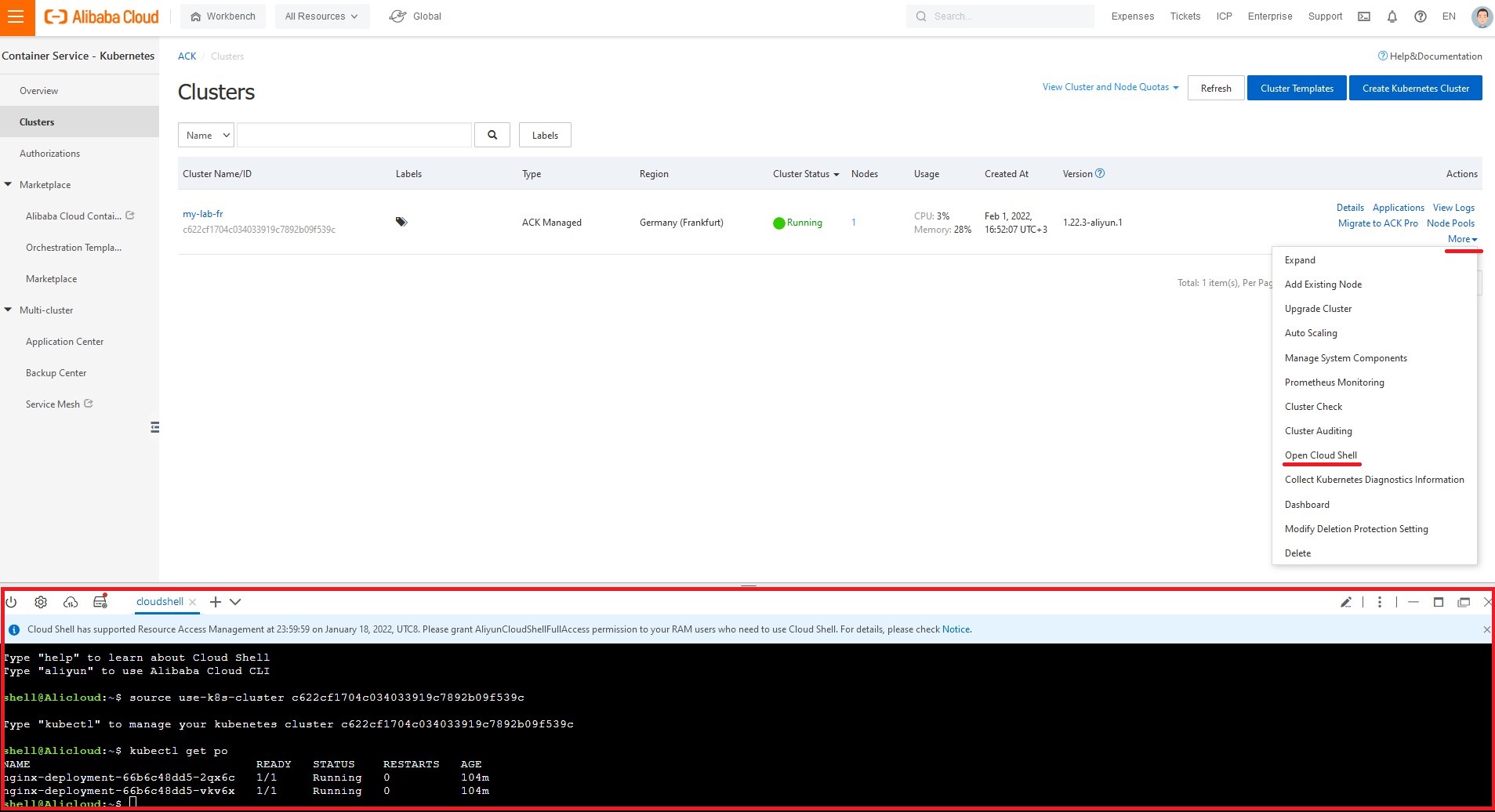
By the way, you can access the Kubernetes cluster with kubectl CLI from a browser by just clicking on "More/Open Cloud Shell."
Create Azure DevOps Release Pipeline
Now we are ready to set up a Continuous Delivery pipeline!
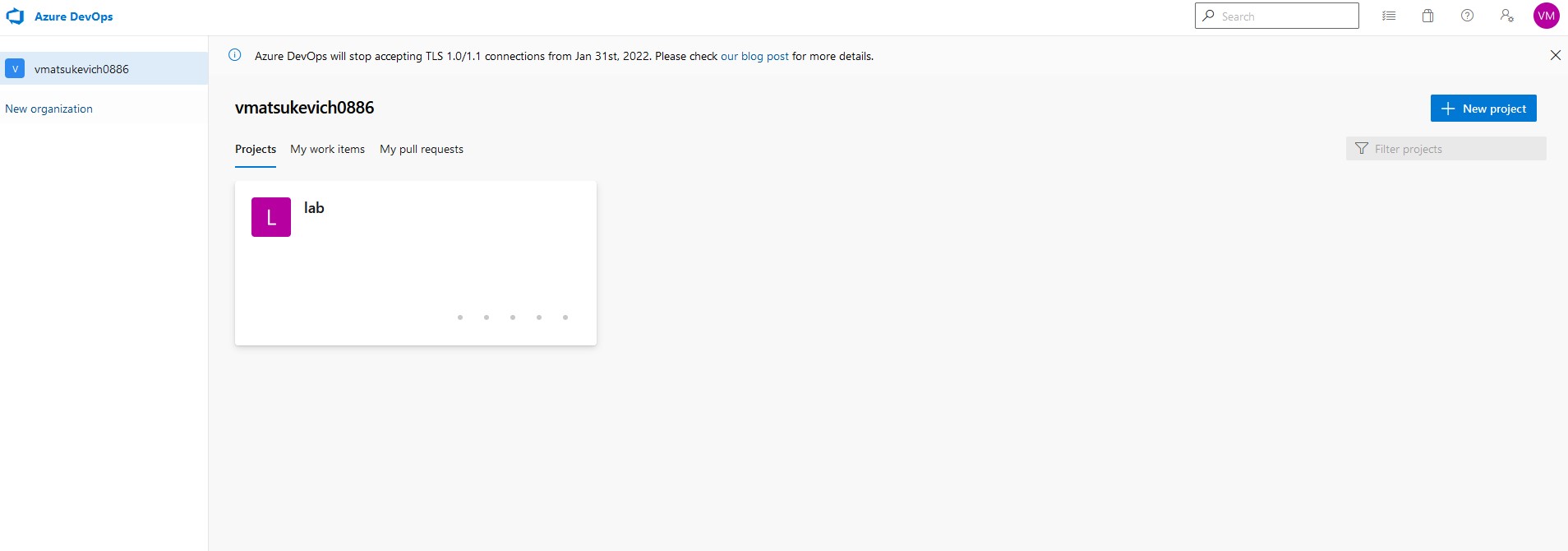
Go to Azure DevOps console and select "project," which you want to use for our exercise.
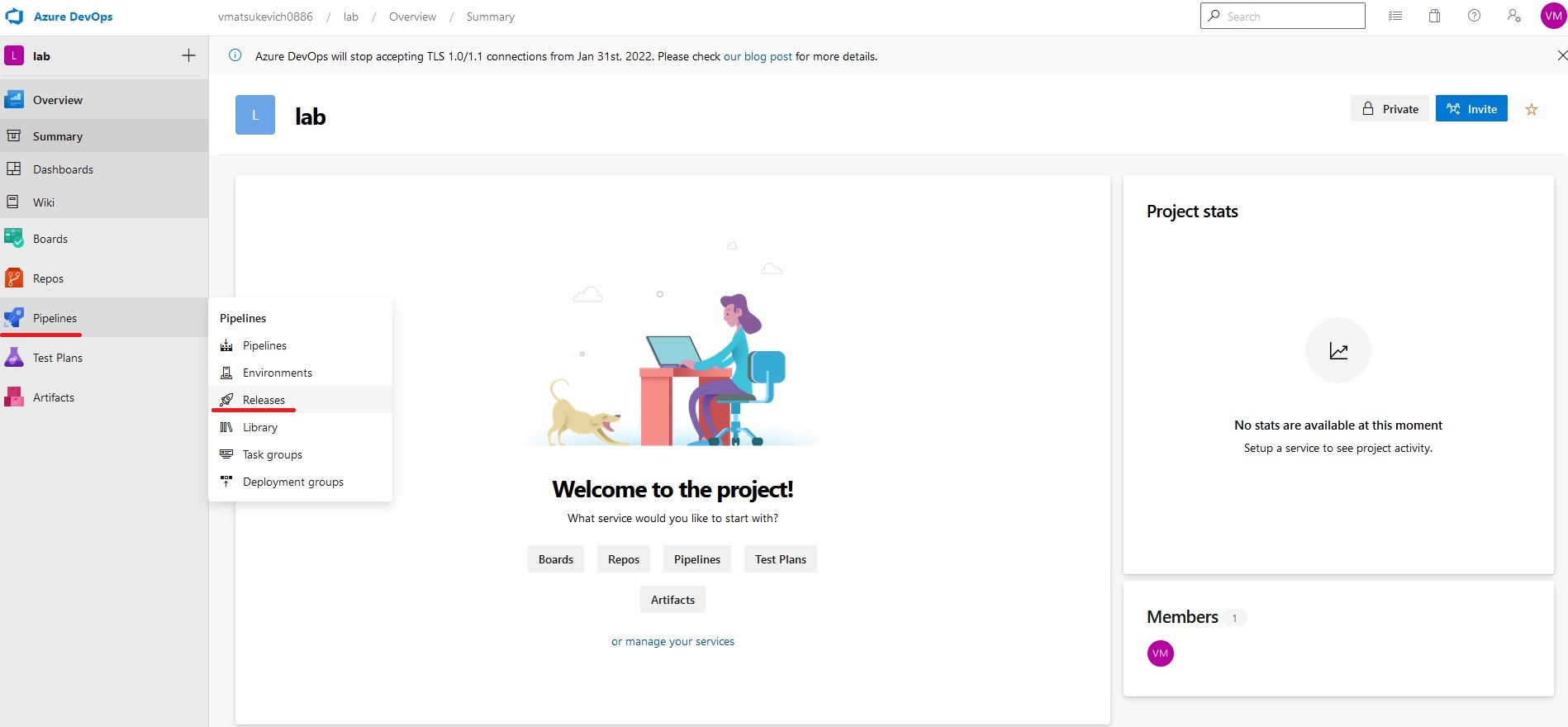
On the left panel, select "Pipelines" and then "Releases."
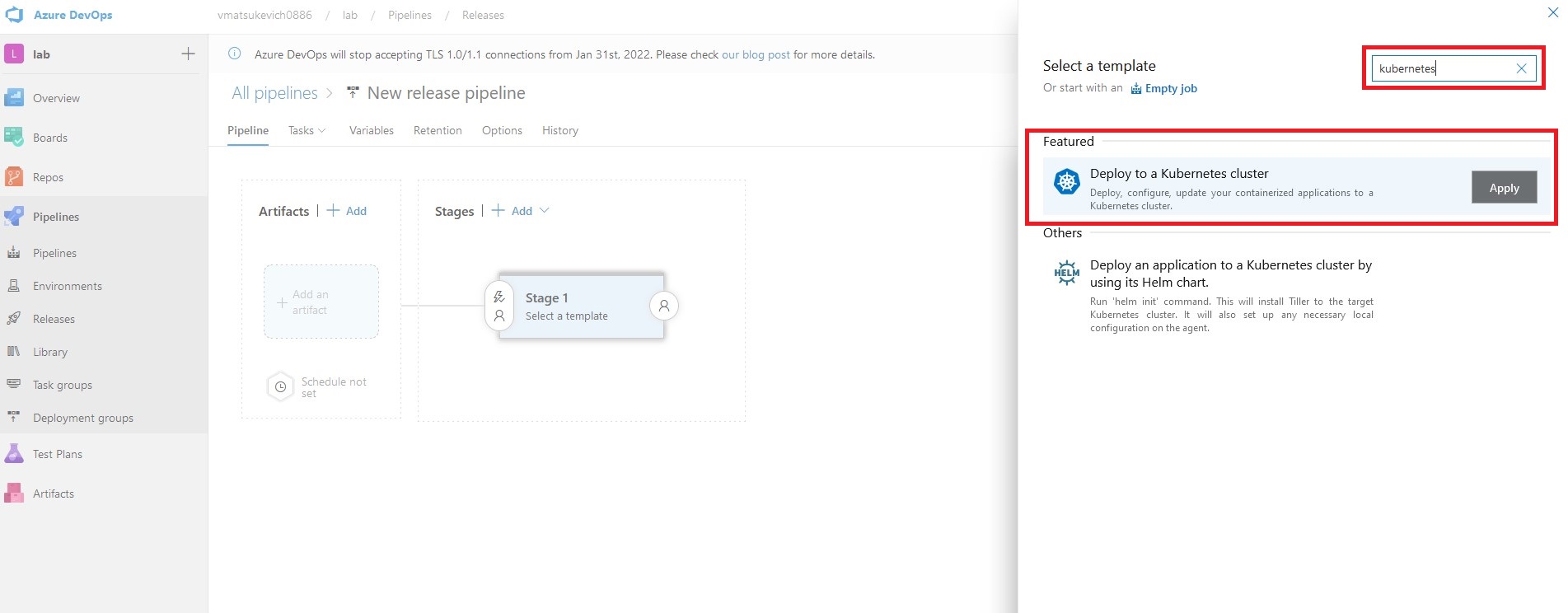
On the right side of the menu, search for Kubernetes, and pick the "Deploy to a Kubernetes cluster" template. For this tutorial, one stage would be more than enough.
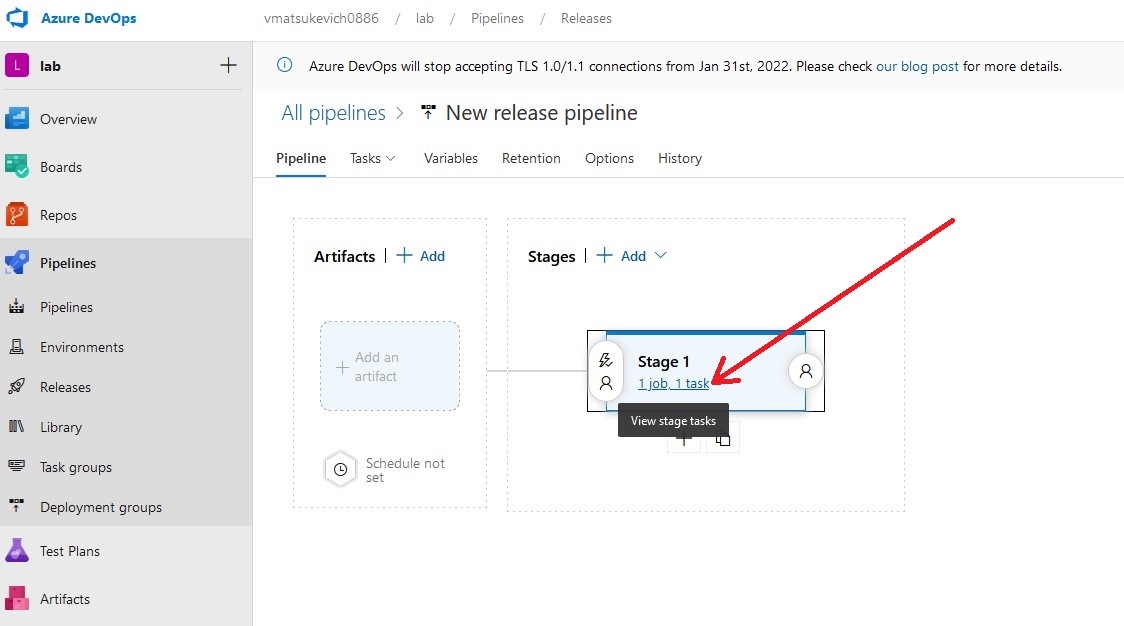
Go to the Stage 1 tasks menu.
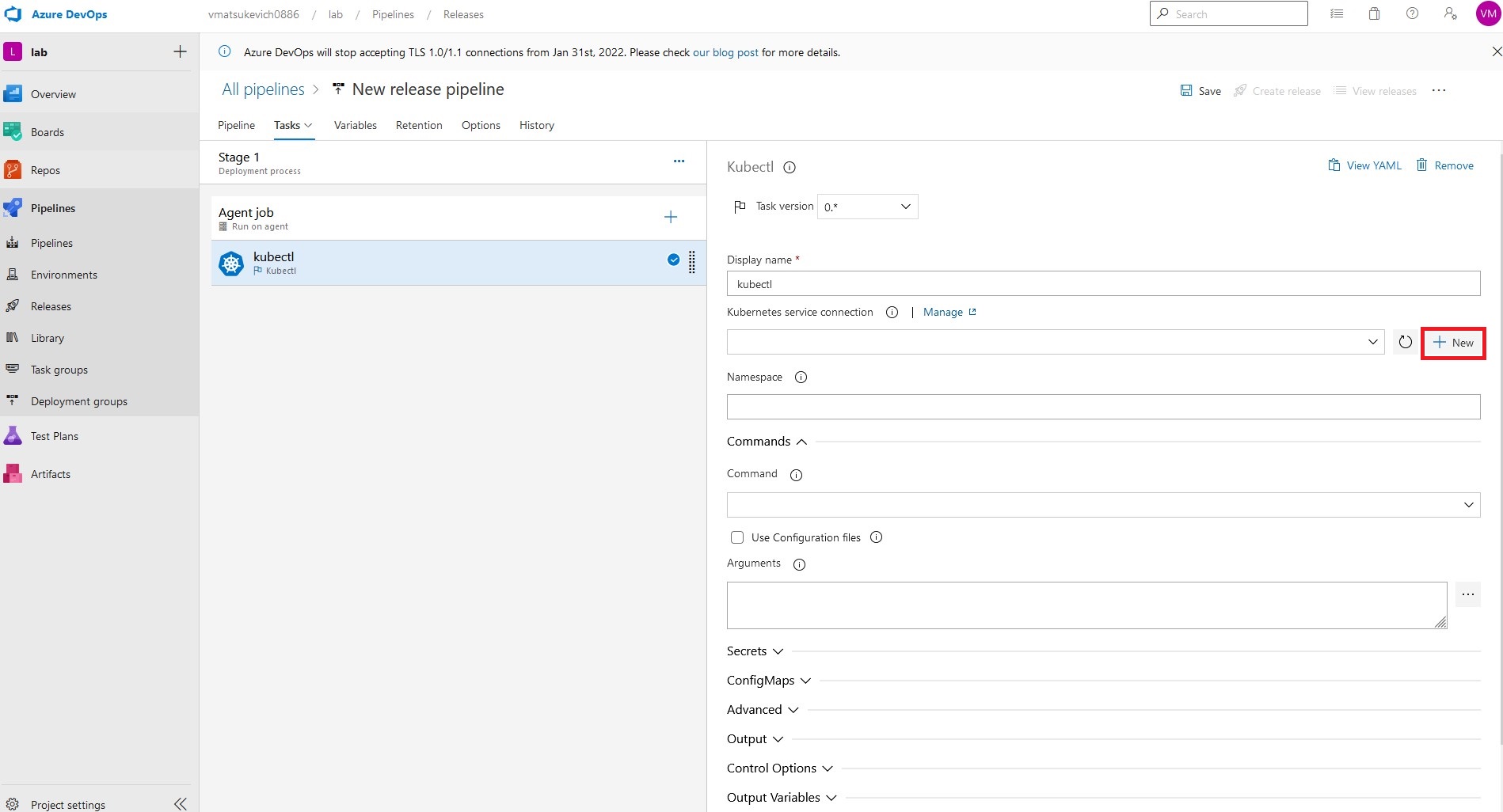
Create Service Connection to Alibaba Cloud K8s
Here is our default "Deploy to a Kubernetes cluster" stage with 2 steps: "Agent job" and "Kubectl".
In "Agent job," we just need to configure the pool of workers where our pipeline will run. All logic of our pipeline will be defined in the "Kubectl" step.
First of all, let's add the Kubernetes service connection. Select the "+ New" button on the right side.
Select kubeconfig, and paste temp kubeconfig created in the"Generating temporary Kubeconfig" section. You might want to select "Accept untrusted certificates" if you are not providing proper certs to the cluster. By clicking "Verify," Azure DevOps will check access to the cluster.

Create a New Release
At this point, connection to the Alicloud Kubernetes cluster has already been established and we can continue configuring kubectl task.
We are going to use the default namespace in this tutorial.
In order to deploy the Nginx container to the ACK cluster, we need to run the following command:
kubectl apply -f https://k8s.io/examples/application/deployment.yamlTo do so, we need to specify apply in the "Command" section and provide the following argument in the "Arguments" section.
-f https://k8s.io/examples/application/deployment.yamlDon't forget to save your changes!
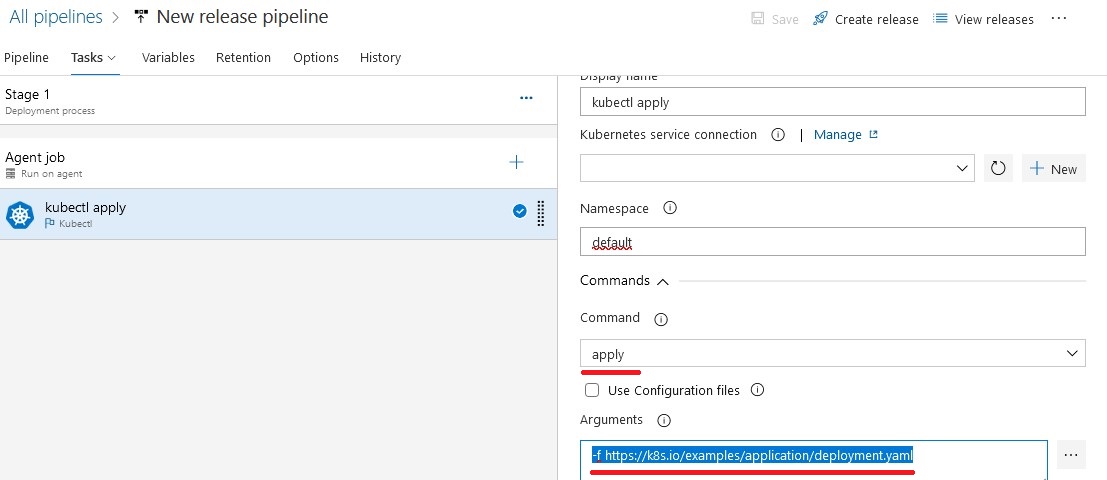
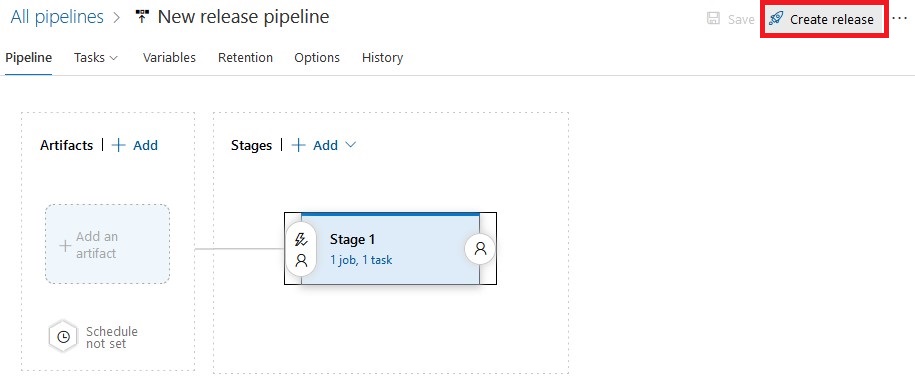
Once ready, click on the "Create release" button. It will create a new instance of a pipeline called "release."
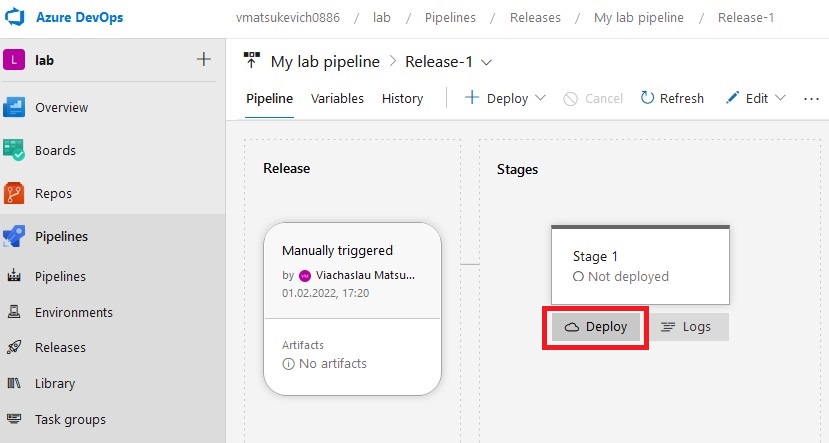
 In the newly created release, click on the "Deploy" button to trigger stage execution.
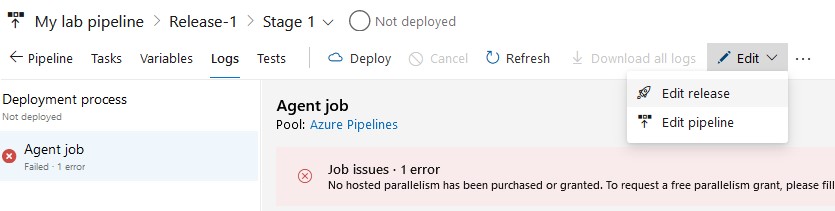
Note: In case of error, you can make changes to the pipeline or particular release. Changes made to the pipeline will be implemented in all new releases. Release changes will be saved only to a particular release.
You can follow the deployment process in the "Logs" section.
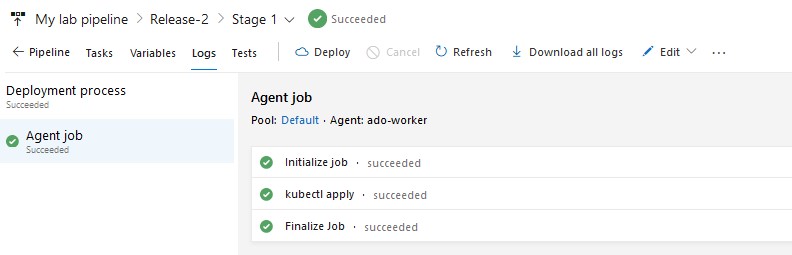
Kubectl application succeeded!

Now we have the Nginx container up and running in our ACK cluster.
Expose App to Public
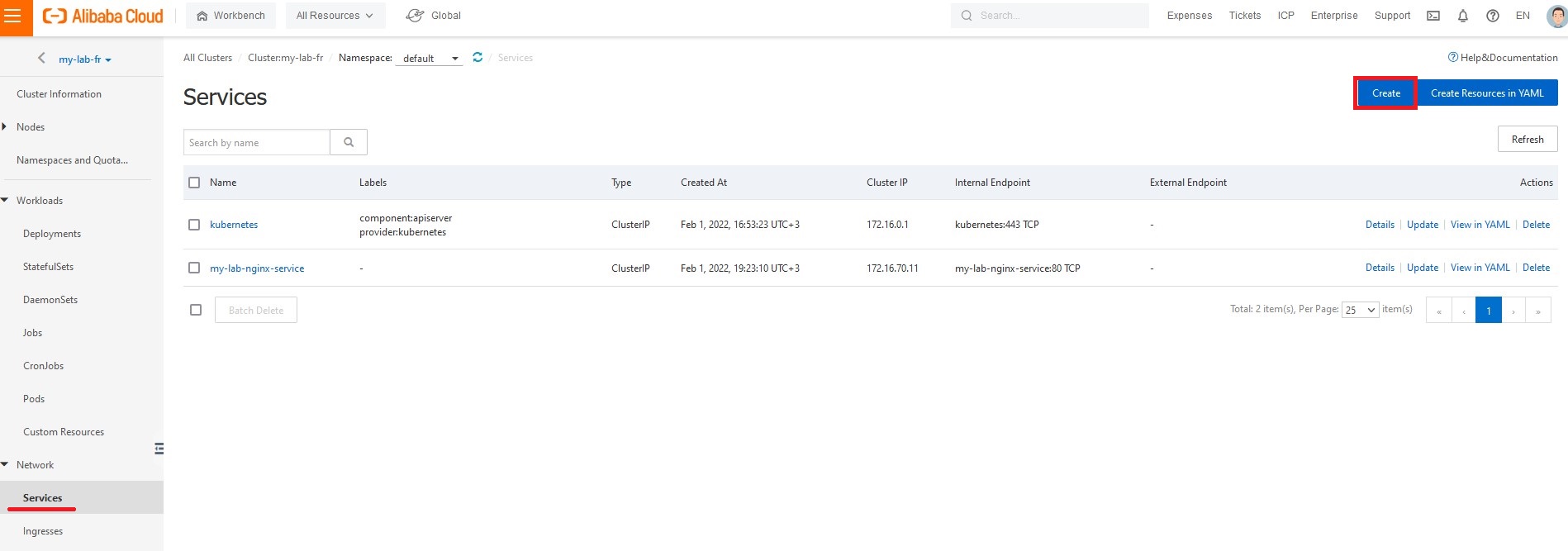
If you want to expose your application to the rest of the world, you need to start with creating a service. In the Alibaba Cloud console, on the left panel select "Services" and then the "Create" button.
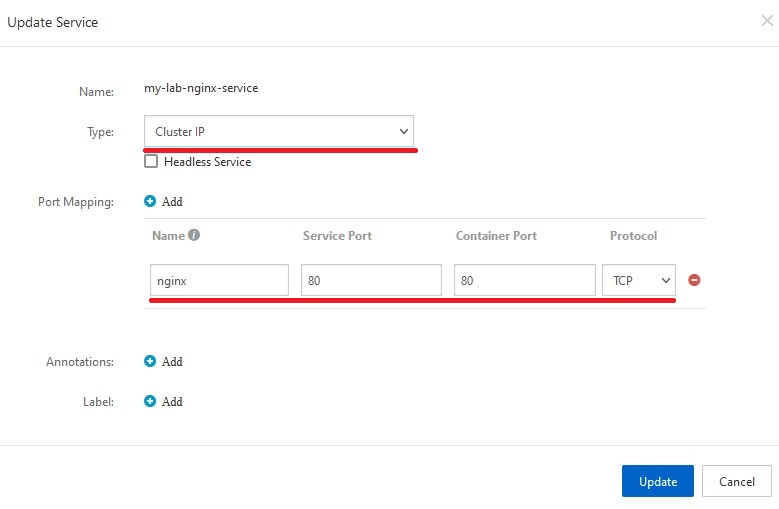
In the pop-up menu, select the type of the service and fill in the Port Mapping section.
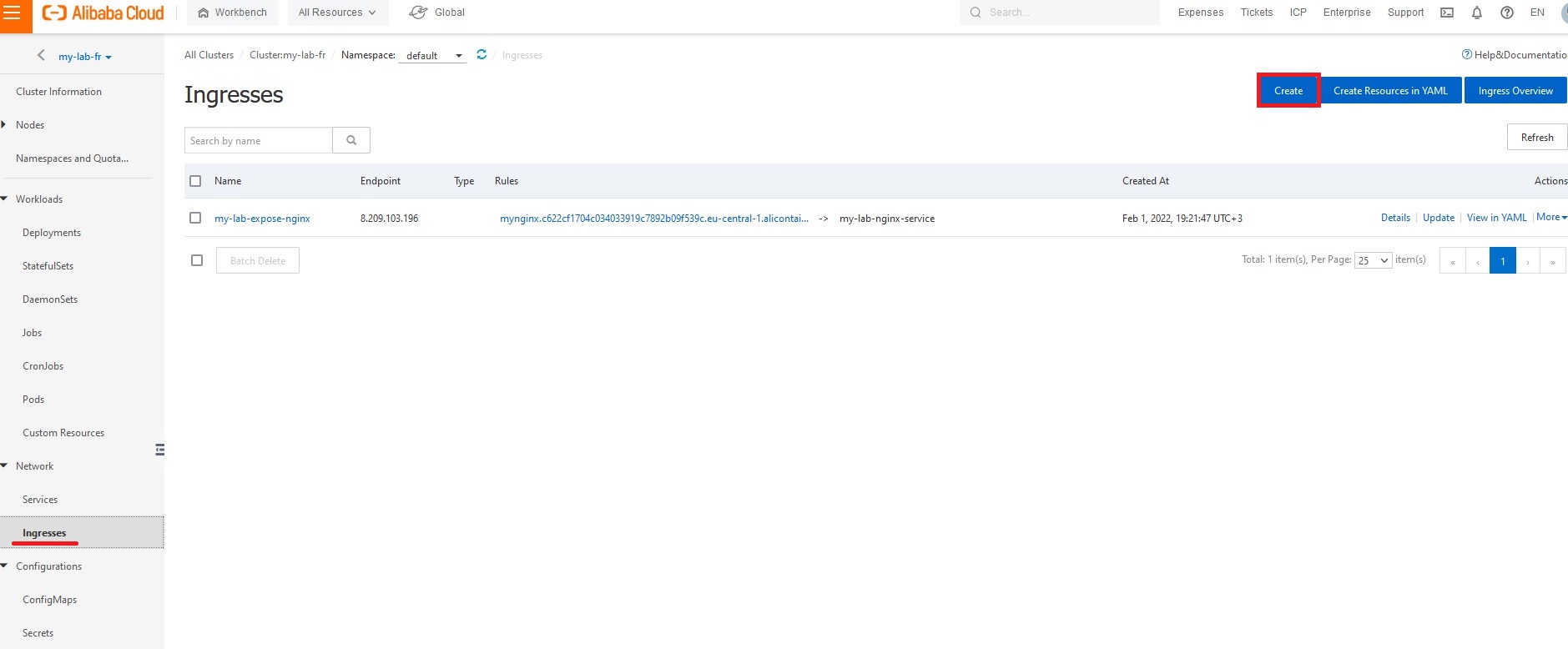
To expose the new service we will use the Nginx ingress controller that we specified during the K8s cluster installation process.
On the left panel, click "Ingress" and then "Create."
In the pop-up menu, provide a name for your ingress. Pick the service you created in previous steps and specify the domain URL.
You can use the temp domain provided by Alicloud and just add a custom name on the left side.
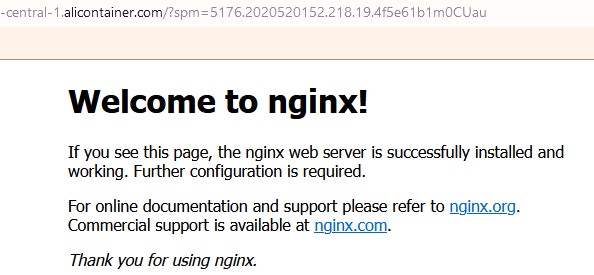
http://mynginx.c622cf1704c03403399c7892b09f539c.eu-central-1.alicontainer.com/?spm=5176.2020520152.218.19.4f5e61b1m0CUau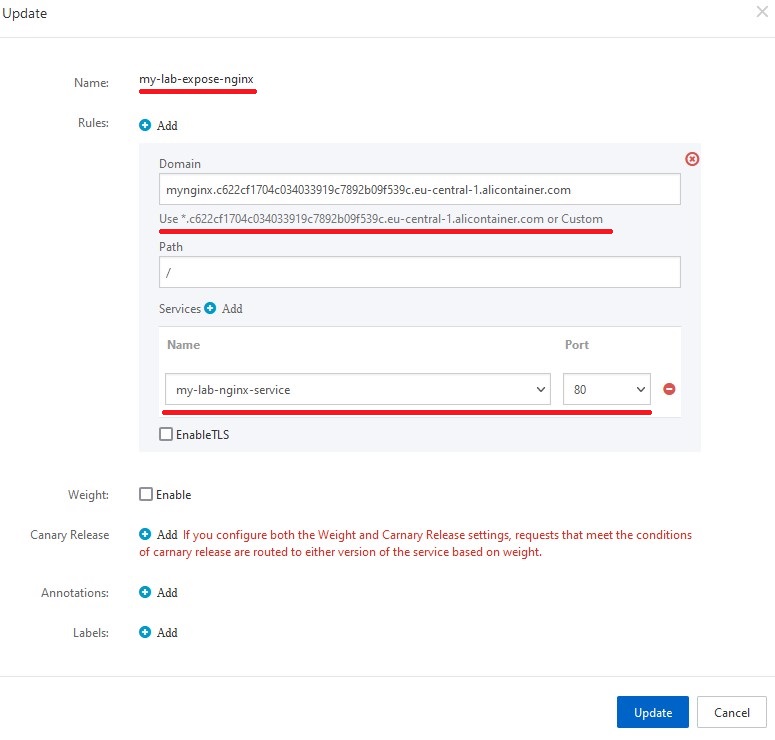
Follow the Ingress link and the standard Nginx page will open!
Summary
In this tutorial, we covered steps to install Alibaba Cloud Kubernetes (ACK), created Azure DevOps release pipeline, configured service connection to Alicloud Kubernetes with temporary kubeconfig, deployed sample Nginx container to Alicloud Kubernetes, and exposed application to the internet using Ingress.
Opinions expressed by DZone contributors are their own.
Comments