

CloudHub Technology Architecture
MuleSoft defines CloudHub as "A cloud-based integration platform as a service (iPaaS) that enables developers to integrate and orchestrate applications and services while giving operations the control and visibility they require for mission-critical demands, all without the need to install or manage middleware or hardware infrastructure. You can deploy applications to CloudHub through Anypoint Runtime Manager, found on Anypoint Platform".
Comparing CloudHub with the other deployment scenarios (Runtime Fabric, Customer-hosted, Pivotal Cloud Foundry), it is the easiest option for deploying Mule applications. However, in this article, we're going to look at how CloudHub works under the hood.
CloudHub as itself and the Mule applications are deployed and executed under an AWS infrastructure. Specifically, each deployed application is running under an EC2 instance with Linux and a Mule runtime within a JVM.
MuleSoft uses the term Mule application instead of the term API implementation due CloudHub does not deal with services.
The following table shows the mapping of each CloudHub worker sizing by EC2 instance type:
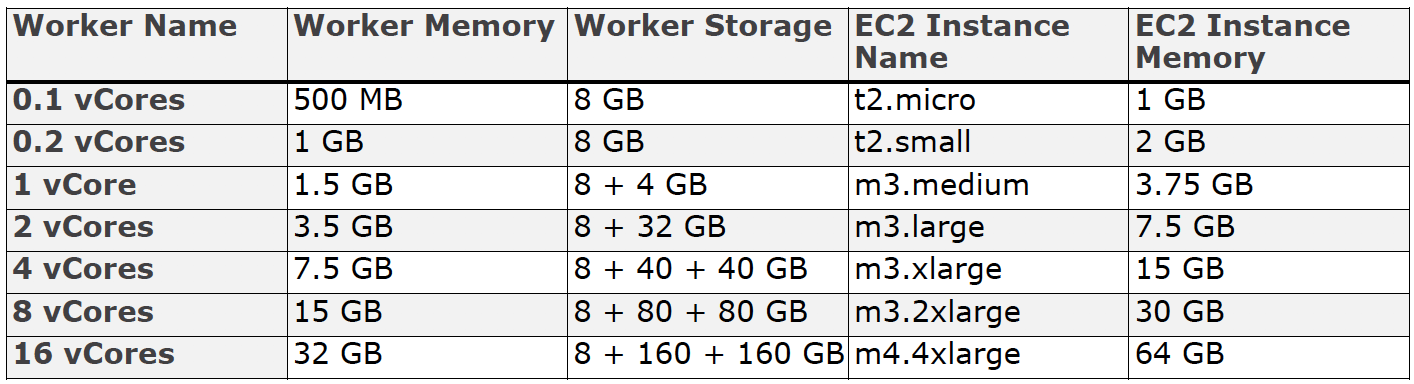
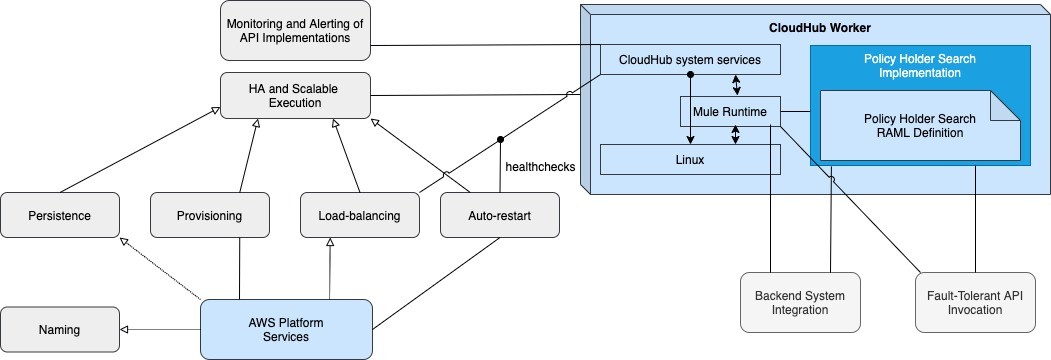
How each instance per worker work is more complex than it may seem. CloudHub workers also execute CloudHub system services on the OS and Mule runtime, which are required for the platform capabilities provided by CloudHub, such as:
- Monitoring of Mule applications in terms of CPU, memory, usage, number of messages and errors, etc. which allow Anypoint Platform to provide analytics and alerts based on these metrics.
- Auto-restarting failed CloudHub workers (including a failed Mule runtime on an otherwise functional EC2 instance).
- Load-balancing only to healthy CloudHub workers.
- Provisioning of new CloudHub workers to increase/reduce capacity.
- Persistence, using Object Stores, of message payloads or other data across the CloudHub workers of a Mule application.
- DNS entries for the CloudHub workers and CloudHub Load Balancer.
Each Mule application is assigned a DNS name maintained by the AWS Route 53 service. In turn, it also receives two other known DNS names that resolve to the public and private IP addresses of all CloudHub workers of the Mule application.
The following diagram represents the high-level architecture in which the API implementations running on each CloudHub Worker are invoked:

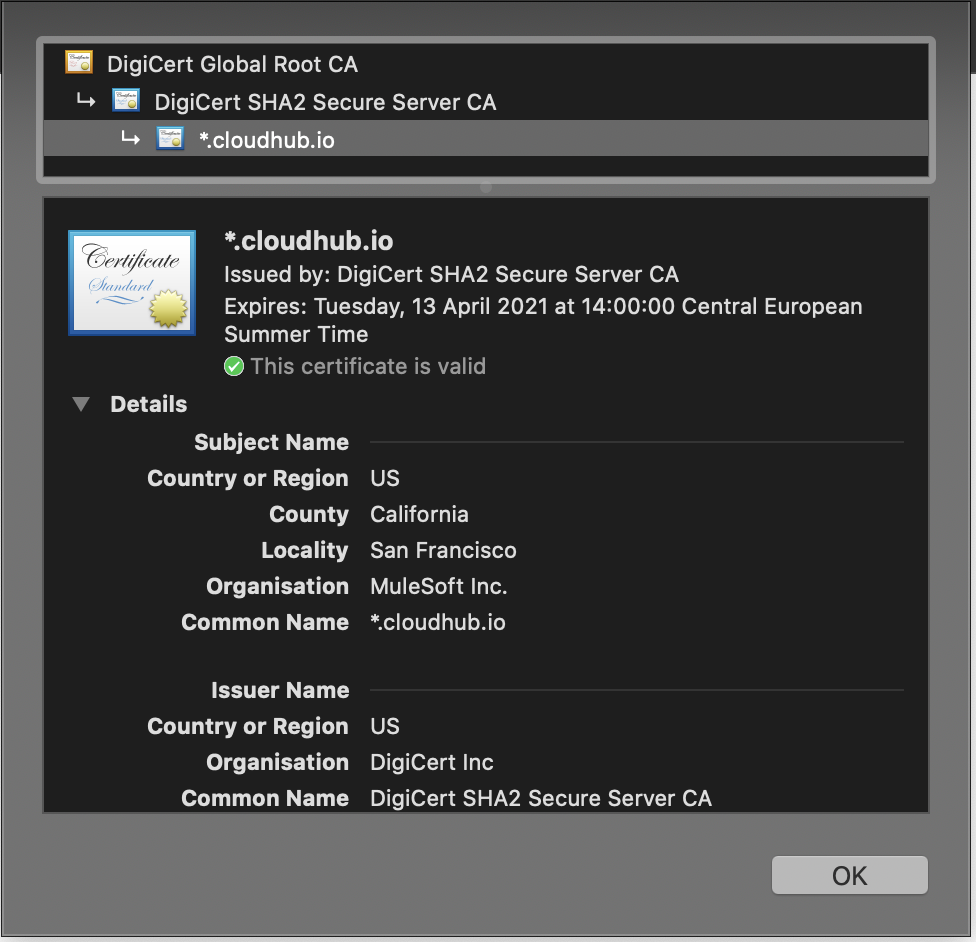
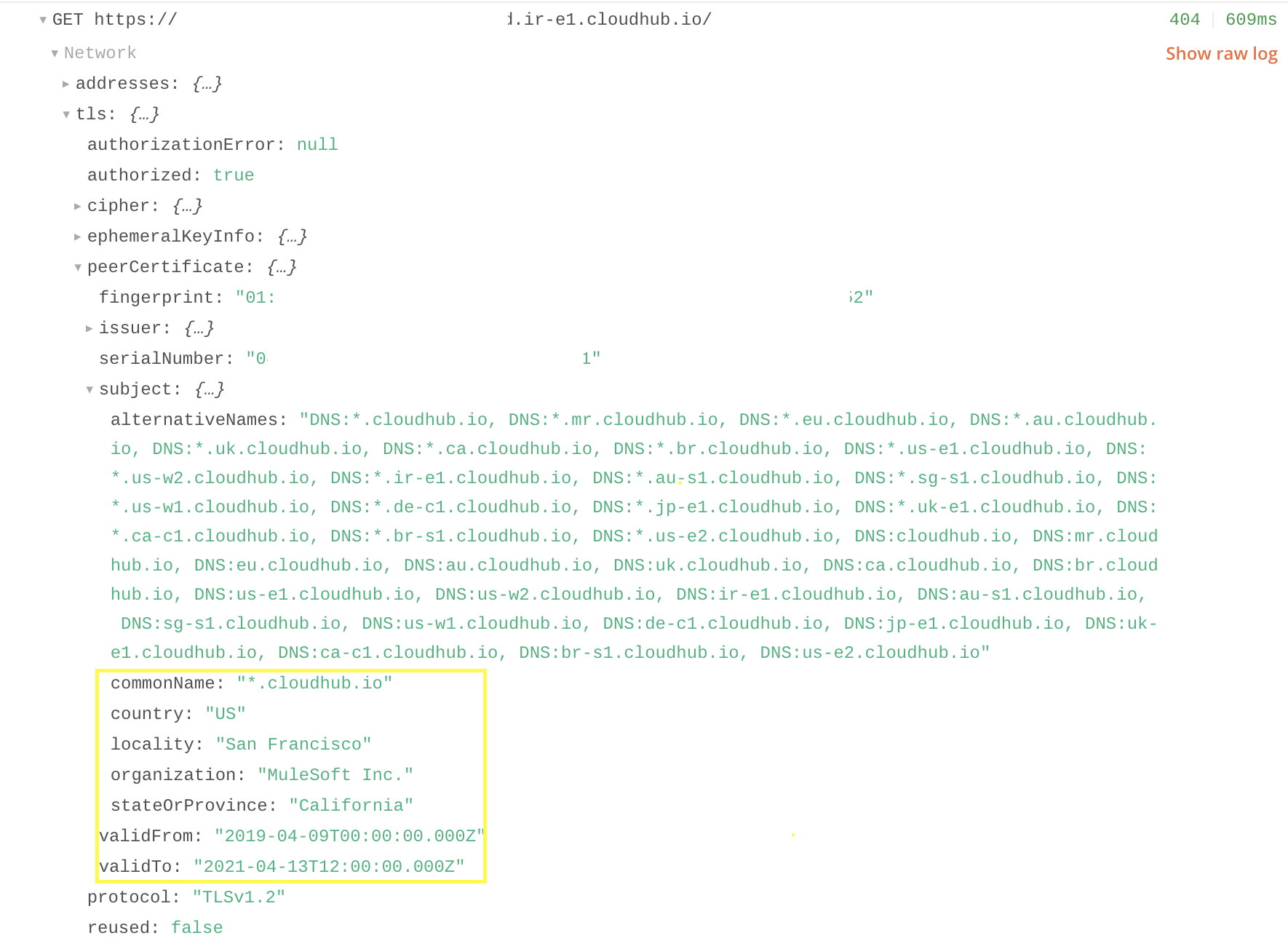
The client certificate associated with the CloudHub Load Balancer only works if it is a dedicated (DLB), not a Shared Load Balancer (SLB). In case of using a Shared Load Balancer, the default certificate of CloudHub will be applied, and the certificate applied in the HTTP Listener component will be replaced by the one in CloudHub. You can check it accessing to the API from the browser:
Or, with Postman Console:
As we have seen in this article, the MuleSoft cloud platform where Mule applications are deployed does not work over its own infrastructure but uses mostly services from the AWS platform. Therefore, CloudHub is a kind of top layer customized only for Mule applications that allow you to:
- Forget about hardware maintenance.
- Use the best solution as architecture with isolated microservices (API-Led Connectivity).
- Focus on your Mule application with a quick configuration without having to worry about the software level (OS, Java versions, Runtime configuration...).
- Have the basic knowledge about Mule application deployment (Not about instance maintenance, deployments depending on the cloud product (AWS, Microsoft, GCloud...).
- And, easily manage network resources (IPs, VPCs, Load Balancers...).
Opinions expressed by DZone contributors are their own.