

Compression Module Mule 4
Join the DZone community and get the full member experience.
Join For FreeWhenever there is a large file or more than one file, we use tools like 7zip, WinZip to compress or create a zip file, and similarly, we decompress or unzip the file.
But what if we have a similar requirement in an Integration project?
Mule 4 comes with a Compression Module which can:
- Compress/Decompress a file or payload
- Zip/Unzip files
NOTE: Github repository with the Mule Project can be found at the end of the post.
Configuration
To add the Compression Module in the Mule Palate:
- Click on "Search on Exchange"
- Search for Compression Module
- Click on add and finish.
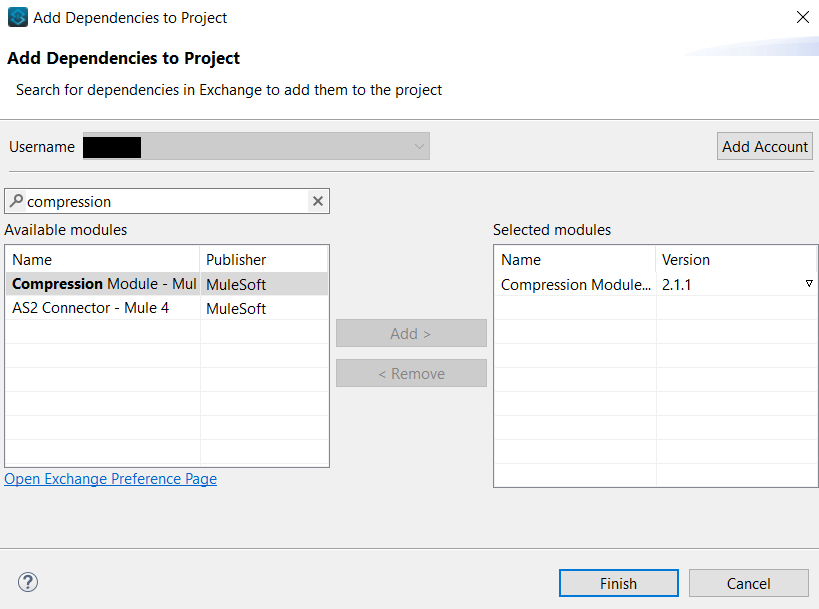
Once you complete the above steps you will be able to see the Compression Module in the Mule Palate
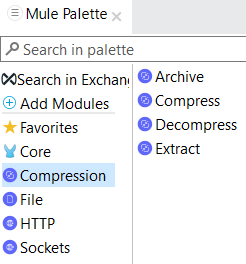
Operations
Archive/Extract
Archive and Extract are the functions used to zip and unzip the files respectively.
Archive
This operation accepts a map where the key is the file name and value is content.
Example:
{
"files/csv.txt": vars.csvText,
"files/html.txt": vars.htmlText,
"files/json.txt": vars.jsonText,
"files/zip.txt": vars.zipText
}
Below is the screenshot of the flow.
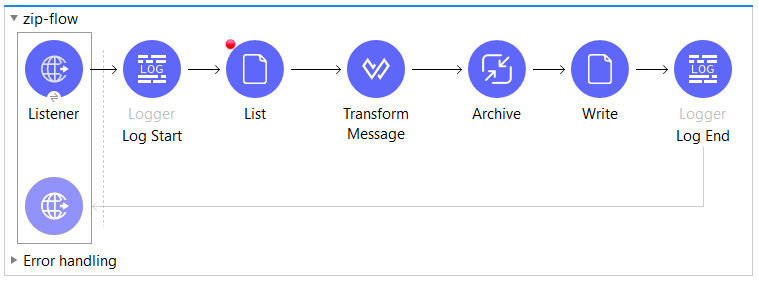
The above flow will create an archive having 4 files in a files folder.
xxxxxxxxxx
+ zipped-file
+ files
- csv.txt
- html.txt
- json.txt
- zip.txt
Extract
This operation accepts an archived file and returns a map.
x
{
"files/csv.txt": "File content",
"files/html.txt": "File content",
"files/json.txt": "File content",
"files/zip.txt": "File content"
}
And the below code will convert the object in an array.
xxxxxxxxxx
payload pluck {
fileName: $$,
content: $
}
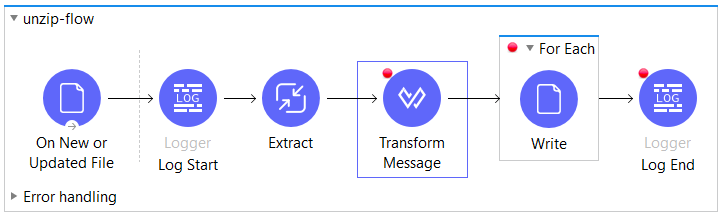
Below is the screenshot of the flow.
Errors
Archive |
|
Extract |
|
Compress/Decompress
The compress and decompress are straight forward.
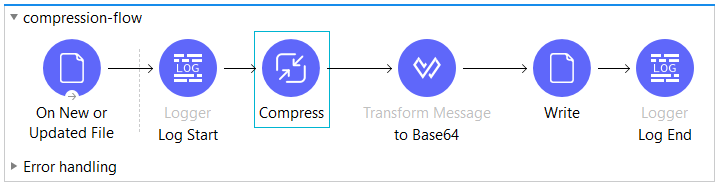
Compress
The module provides 2 compressor techniques:
- Zip Compressor.
- GZip Compressor.
Below is the sample flow:
Decompress
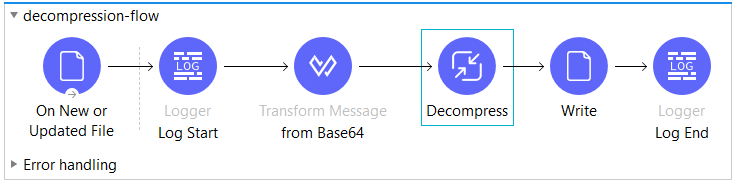
Select the same compressor technique which was used to compress the file.
Below is the sample flow:
Conclusion
If you are dealing with a large payload or if you have a size limit on payload transfer or you need to extract some file or create a zip file, the Compression module is a good fit.
Github Repository
Opinions expressed by DZone contributors are their own.
Comments