

Learn How to Create Thread Pool in Java and How to Reuse Thread
Learn about the thread pool and how to create it in Java from scratch. This post includes an intro, implementation, and testing of a simple thread pool version.
 CORE
·
CORE
·
Join the DZone community and get the full member experience.
Join For FreeCreating and Running Thread
Thread creation is a well-known process and there are two ways to create it:
- Extend Thread and override the run method
- Feed Runnable to Thread constructor
Let's implement both options:
 public static void main(String[] args) throws Exception {
    // Thread from runnable
    Thread thread = new Thread(() -> System.out.println("hey from runnable"));
    // Thead from extened thread class
    Thread myThread = new MyThread();
}

static class MyThread extends Thread {
    @Override
    public void run() {
    System.out.println("hey from thread extended class");
    }
}
Difference Between Start and Run Methods
Each thread provides two methods that start their activity but there is one significant difference:
- The run method executes the instruction in the currently running thread.
- Start method executes the instruction in a new separate thread.
Let's portray both cases:

Thread Pool Pattern stands for reusing existing threads and running all new instructions without allocation of new threads. The thread pool controls the number of running threads and is widely used in production.
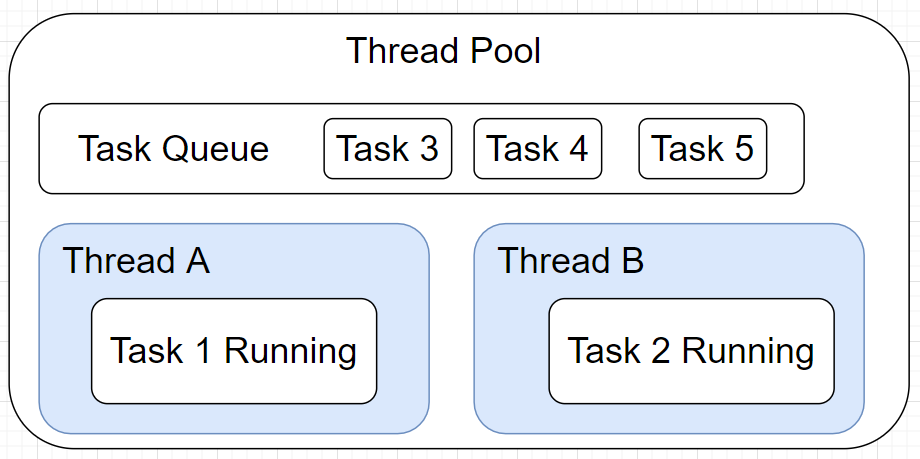
This pattern has implementations in Java:
- Executors.newScheduledThreadPool(THREAD_POOL_NUMBER)
- Executors.newCachedThreadPool()
Here, we won't investigate existent Java thread pools, but try to create our own.
Thread’s Runnable Cannot Be Changed
Existent Thread design does not allow you to change instructions (content in Runnable). Therefore, all available setters are:
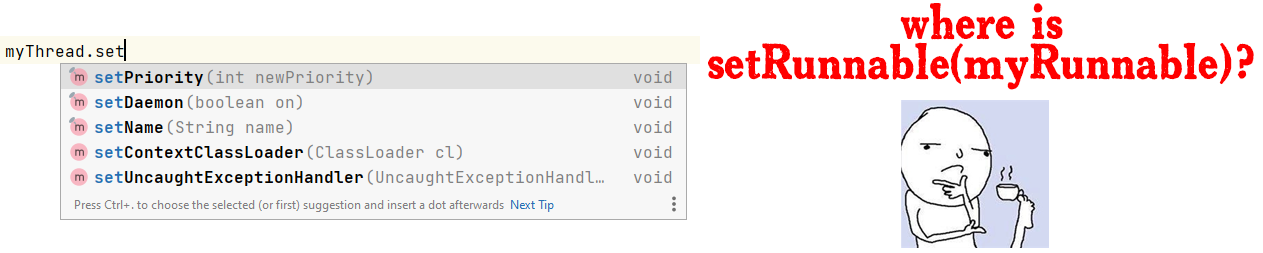
There is no setRunnable among provided setters. Then how does Java's Thread Pool work?
You Can Run Another Runnable Inside Current Thread
Java allows running other runnables right inside the current thread. Therefore, to dynamically "change" runnables we can run runnables inside one thread's loop. Let's create only one worker (thread) that will execute other runnables (tasks) inside the infinity loop:
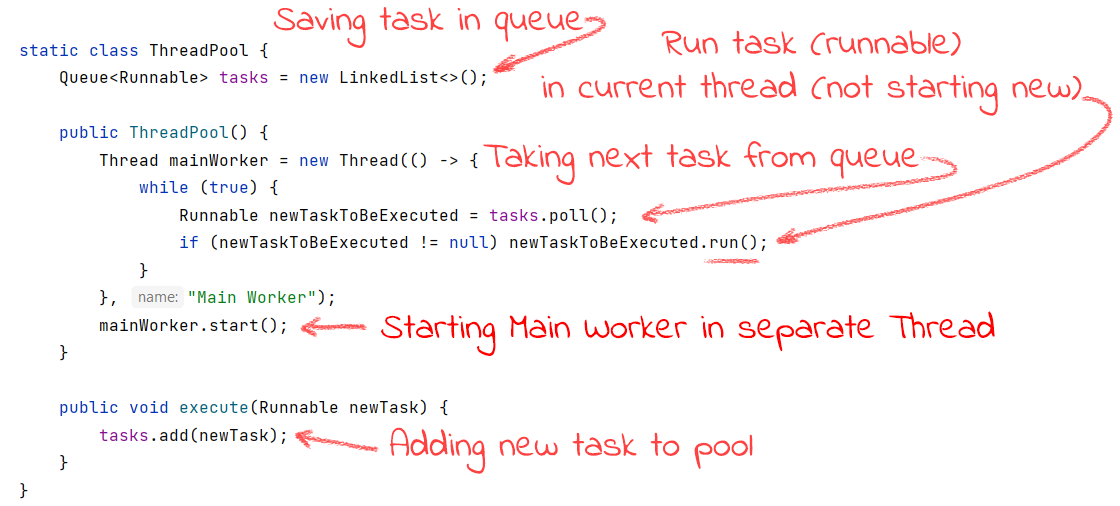
Thread Execute Runnable Inside Without Calling New Thread
As you can see in the previous code, when the Main Thread gets newTaskBeExecuted, it uses run() method instead of the start() one. Doing this doesn't call a new Thread, but executes it right inside. To double-check that no other threads are used we print the current thread name and confirm that there is only one single thread used.
Using Created Thread Pool
Now having our own Thread Pool, we can feed our task (Runnables). Once the main worker (the only one single thread) became available, it will run:
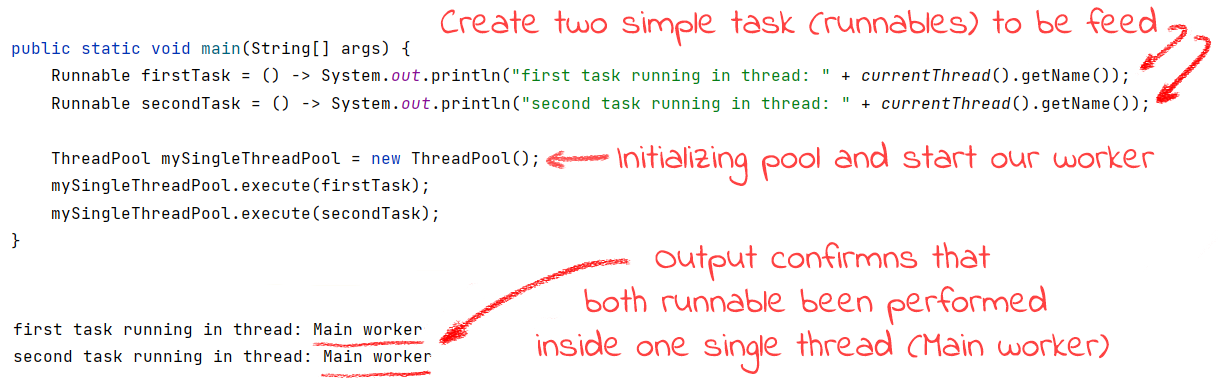
After execution, we can see that different runnables have been executed inside one single Main Worker thread. This proves that our thread pool is working as we expected.
Conclusion
In this article, we reviewed the core idea of the Thread Pool pattern and implemented an oversimplified version. Our example won't fit into production, but it explains how the real Thread Pool works. Here you can copy used examples.
Thanks for reading, and your comments are welcome!
Opinions expressed by DZone contributors are their own.
Comments