

CryPing - Ping HTTP, SMTP, POP3 or NNTP Services
IntelliAdmin - An advanced ping utility – Free Download
"...
Last week Travis emailed me about an interesting utility called CryPing:
“..I use a TCP Ping utility instead of ICMP because it provide more flexibility and better results. The tool I use is CryPing..”
He is right it being more flexible.
Instead of the standard ICMP ping, you can ping an HTTP port on a web server:
One of the options I really like is the audible alarm when ping fails:
cryping -t -alarm -HTTP www.intelliadmin.com
..."
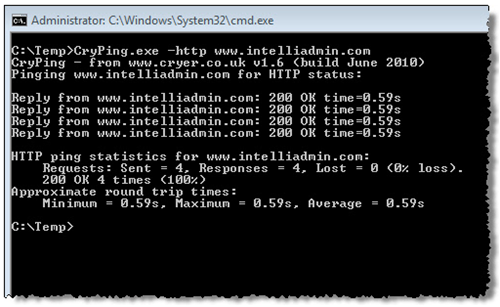
CryPing is a a free and simple to use network connectivity test tool. It is a command line utility that extends the functionality of the traditional ping command to include:
- the ability to ping individual specific ports. With CryPing you can ping a TCP-IP port.
- the ability ping HTTP, SMTP, POP3 or NNTP services. CryPing provides a simple command line way to check that an http web server (HTTP), outgoing email server (SMTP), incoming email server (POP3) or news-server (NNTP) is responding. You can even view the response headers if you wish. This is for when pinging the port just isn't enough.
- allowing the output to be time stamped (useful when left running).
- audible alarms (on failure or success). Useful when plugging and unplugging cables.
System Requirements
CryPing has been tested on Microsoft Windows 2008 server, Windows 2003 server, Windows 7, Vista, XP and 2000. It should run on all versions of Microsoft Windows, but has not yet been tested on other versions.
Download
To download a zip of the executable click here: download cryping.zip [GD: Click through for the download link]
All you need to do to use the utility is to un-zip it. You can either run it directly (i.e. place it in the same folder from which it is to be used) or place it somewhere in the path.
More Information
For more information please refer to one of the following pages:
..."
I've recently needed a HTTP Ping like utility and this could have really come in handy them. And I dig the audiable alarm feature too...

Opinions expressed by DZone contributors are their own.