

Docker Model Runner Makes Running Models Simpler
Running models locally has just gotten simpler with Docker Model Runner. In this tutorial, we will talk about what the runner is about and how we can use it.
 CORE
·
CORE
·
Join the DZone community and get the full member experience.
Join For FreeDocker is a cornerstone for the cloud industry, well-known for running container-based workloads. And the newest addition to their armoury is Docker Model Runner, which takes running models on your desktop to a whole new level. So, let's dive in and explore what a model runner is and how it simplifies local development with LLMs.
The first thing I love about the Docker model runner is that you can package models as Open Container (OCI) artefacts and distribute them using the same registries we already use for container images. Just look at the Docker GenAI registry; it already supports a bunch of popular models like DeepSeek, Gemma, Mistral, LLAMA, and PHI.
Second, it also makes inferencing faster thanks to the host-based execution model. In this architecture, the inferencing happens directly on the host and not on the Docker Desktop virtual machine.
Third, the ability to run it seamlessly on a desktop makes the experience even more convenient and accessible. All that is needed is a couple of commands, and in no time, you will have a model running on your machine.
Finally, it is completely compatible with the OpenAI API spec.
Tutorial on How to Use the Model Runner
Now that we've explored the benefits of using the Docker Model Runner, let’s walk through a simple tutorial. In this section, we’ll cover how to set up the Model Runner locally, invoke it using the exposed API endpoint, and perform inference using a preloaded model.
1. The first step in the process is to have Docker Desktop installed if you don't have one already.
2. Pick one of the models from Docker GenAI. For example, I am choosing the SmolLM2-360M model with 360 million parameters.
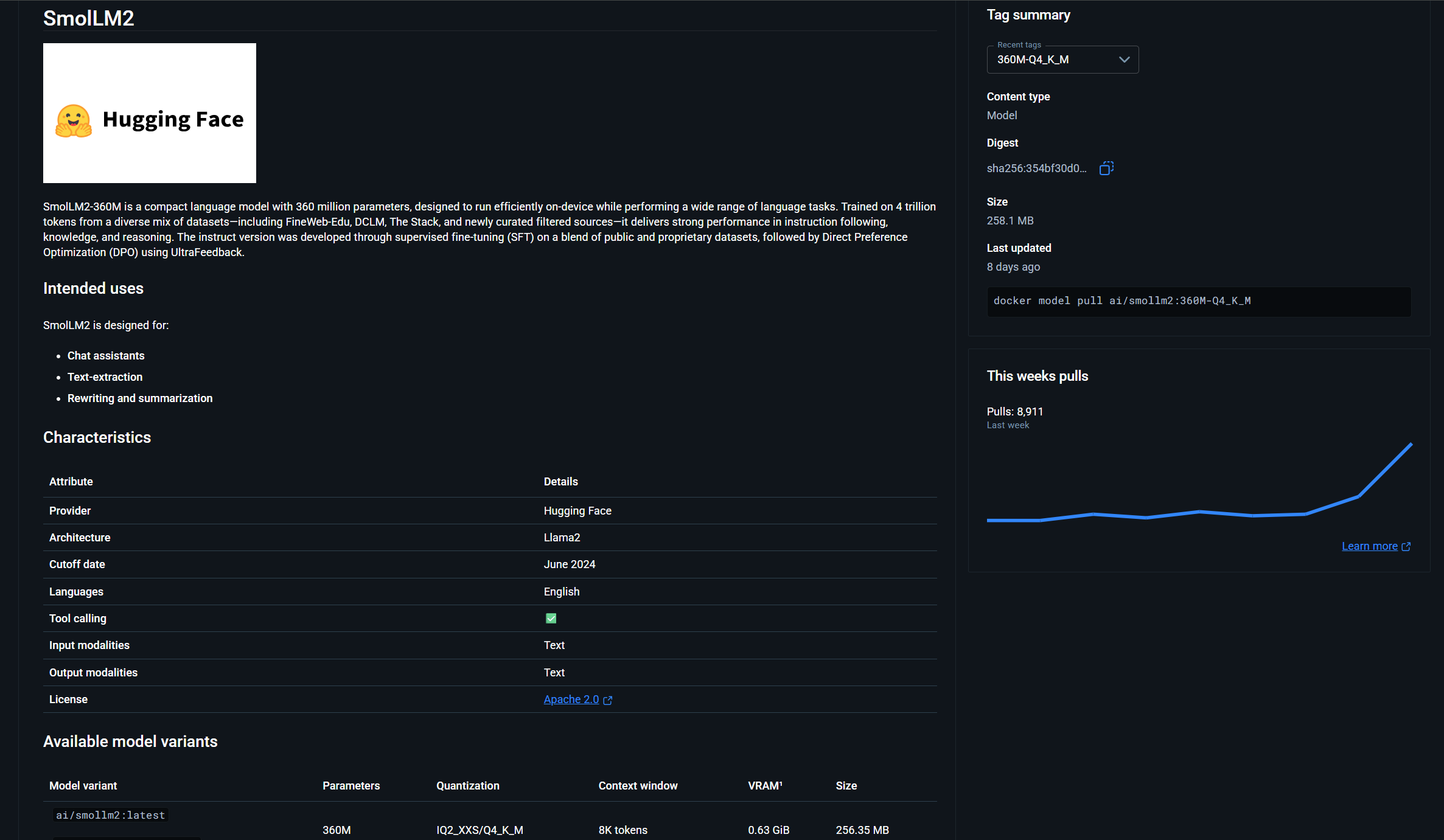
Then issue the Docker model pull command.
docker model pull ai/smollm2:latestOnce the command executes, we will see the following output: "Model pulled successfully".
3. Issue the model run command to start the model.
docker model run ai/smollm2:latestThis will start up an interactive shell. I have asked it to explain the CUDA architecture, and below is the following output we received.
> Explain the CUDA arch
CUDA (Compute Unified Device Architecture) is a GPU-based parallel computing platform developed by NVIDIA, providing a framework for developers to write efficient,
high-performance code. It is designed to be used with NVIDIA GPUs, and it can be  easily integrated with other CUDA-compatible hardware, such as AMD Radeon GPUs,
Intel Xeon processors, or other GPU architectures.
Great! Now that we have seen how to use an interactive shell, let's see how we can interact with it using an API. The first step is to set the TCP port.
docker desktop enable model-runner --tcp 12345In this case, we are using port 12345.
$uri = "http://localhost:12345/engines/llama.cpp/v1/chat/completions"
$headers = @{
    "Content-Type" = "application/json"
}
$body = @{
    model = "ai/smollm2"
    messages = @(
        @{
            role = "system"
            content = "You are a helpful assistant."
        },
        @{
            role = "user"
            content = "Explain about the Java programming language in less than 100 words ?"
        }
    )
} | ConvertTo-Json -Depth 3

$response = Invoke-RestMethod -Uri $uri -Method Post -Headers $headers -Body $body

# Print only the assistant's reply
$response.choices[0].message.content
The above example is a simple PowerShell script that takes in the model parameter, along with messages. As stated earlier, the REST api is completely compatible with the OpenAI API, and running the script gave me the following response.
Java is a general-purpose, object-oriented programming (OOP) language
developed by Sun Microsystems (now owned by Oracle Corporation).
It's known for being platform independent, easy to learn, and has many libraries for
networking and graphics. Java is commonly used for Android app development,
web development, and desktop applications. It's also used in enterprise systems and games.
What we have seen is just the fundamental use case. As Docker is part of the build pipelines, with this new feature, integrating testing your code with LLM infrastructure also becomes easy.
Pushing the LLM Models Into Your Own Repository
Often, we would like to have control over the models by hosting them in our own registry. This is also something the model runner supports
docker model tag ai/smollm2 sirivarma/smollm2:latestHere, we are tagging the downloaded model with a new registry. And finally push it using the following command.
docker model push sirivarma/smollm2:latestArchitecture
It would be unfair not to highlight the architecture behind the scenes, doing all the heavy lifting to make things seamless for us. The model runner consists of four pieces:
1. Model Storage and Client
The model storage is where the model tensors exist. These are stored separately from the image files, and models are not compressible.
Next up, the client is responsible for pulling the images from the registry using the model protocol.
2. Model Runner
This is the core engine responsible for serving all the requests. Docker hosts an inference engine + model in pairs. So, when a request comes in with the model details, it is going to choose the pair that matches the smollm2 model and use that to serve the responses.
Llama.cpp is the secret sauce behind the engine.
$body = @{
    model = "ai/smollm2"
    messages = @(
        @{
            role = "system"
            content = "You are a helpful assistant."
        },
        @{
            role = "user"
            content = "Explain about the Java programming language in less than 100 words ?"
        }
    )
} | ConvertTo-Json -Depth 3
3. Model CLI
We have been using this in the tutorial. CLI is how we can pull and push the models.
4. API Design and Routing
There are two sets of APIs. One is the Docker API, and the other is the OpenAI APIs. Docker APIs are used to pull the images, delete the photos, and OpenAI APIs are used for chat completion, create embedding, and so on.
This is a great article for Docker that explains more in-depth about the model runner architecture. And I recommend reading it.
https://www.docker.com/blog/how-we-designed-model-runner-and-whats-next/
Opinions expressed by DZone contributors are their own.
Comments