

Dynamic Signaling for Managing Communication Between Two Separate BPMN Flows
This post explains how to implement Dynamic Signaling in BPMN processes or event sub-processes to execute particular process instances or threads.
 ·
·
Join the DZone community and get the full member experience.
Join For FreeThis document explains how to implement Dynamic Signaling in BPMN processes or event sub-processes to execute particular process instances or threads.
Problem Statement:
- A signal event is generally used to communicate between two separate BPMN flows.
- However, the signal event has a global scope. It will broadcast the event to all related sub-flows and handlers.
Whenever BPMN interacts with multiple requests, it is difficult for the process engine to identify the exact instance to process. There is also the possibility of the thrown signal getting caught by all active handlers and multiple requests at a time, which may lead to wrong execution.
Solution:
The above-mentioned issue can be overcome with Dynamic Signaling.
- It is possible to map the signal in a dynamic way so that BPMN will broadcast the signal for a particular or specific process instance, based on the configured signal name.
- Dynamic catch signal event configured name will receive that signal and proceed to next task.
- Configured signal name can be anything from process variable, which is unique for that process instance. An example is “business key,” which usually is unique against each process instance. In business key, we can pass any process variable or entity id like orderId.
Ex.: The signal name could be Signal_dynamic_${orderId}.
Steps To Follow:
Create BPMN with throw signal event: 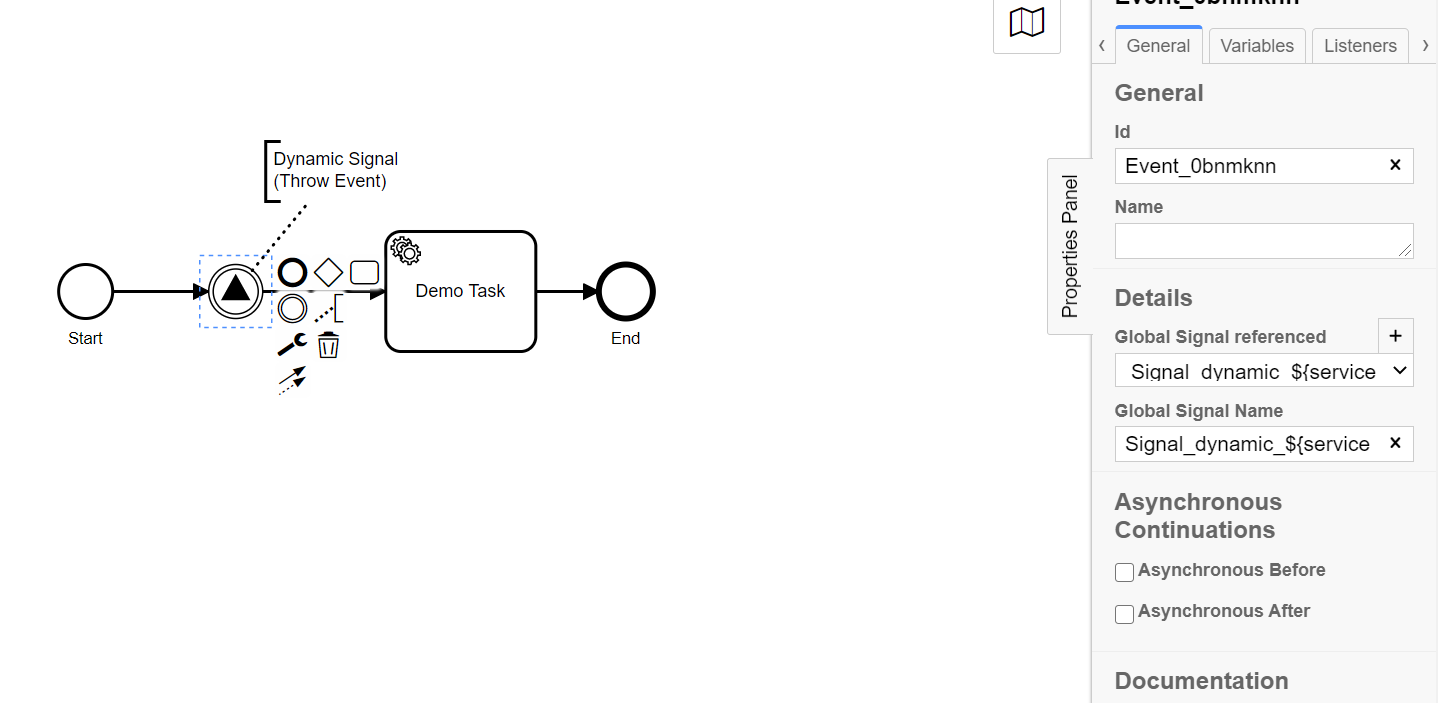
Add Signal Name as Signal_dynamic_${businessKey} example Signal_dynamic_${orderId}.
Create another BPMN with catch signal.
Add same signal name as throw event - Signal_dynamic_${orderId}.

Now, deploy both the files in the Camunda server. Open Camunda Cockpit and check if you have both the processes present in Cockpit.
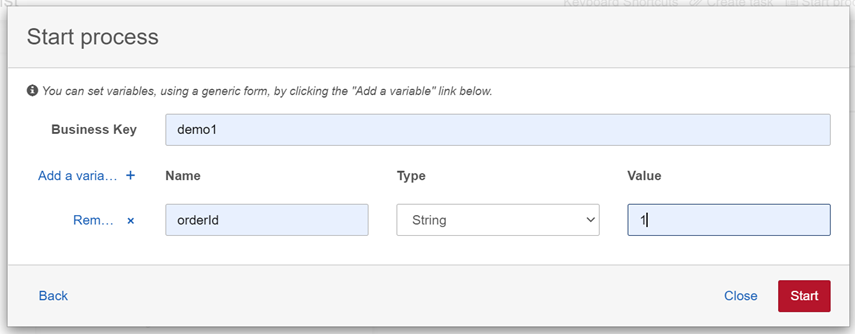
 Now start the process with the catch signal event.
Pass orderId = 1:
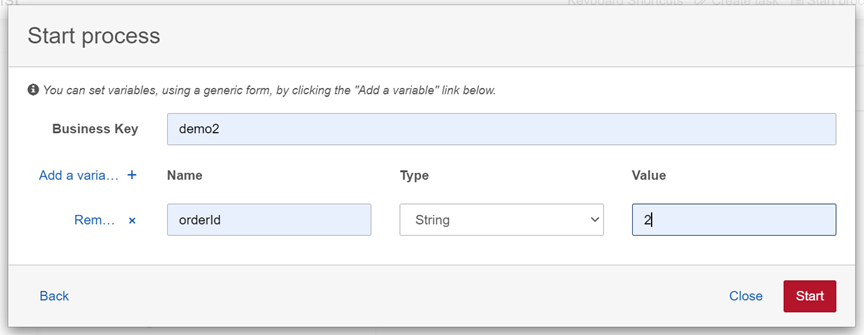
Pass orderId = 2:
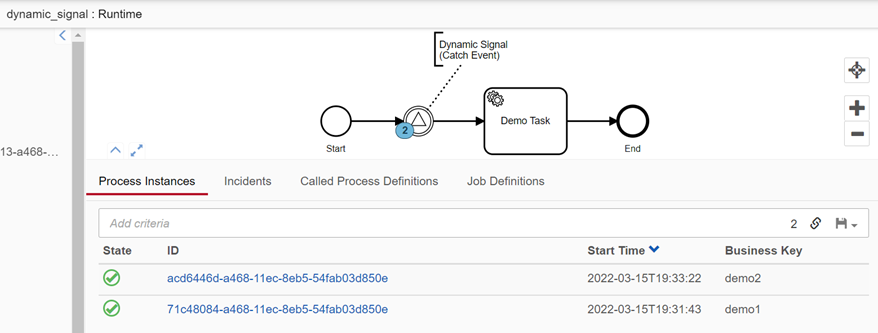
It will create two instances with different orderIds as follows:
Now start another BPMN with throw signal event, and pass orderId as a variable, passing it as orderId = 2.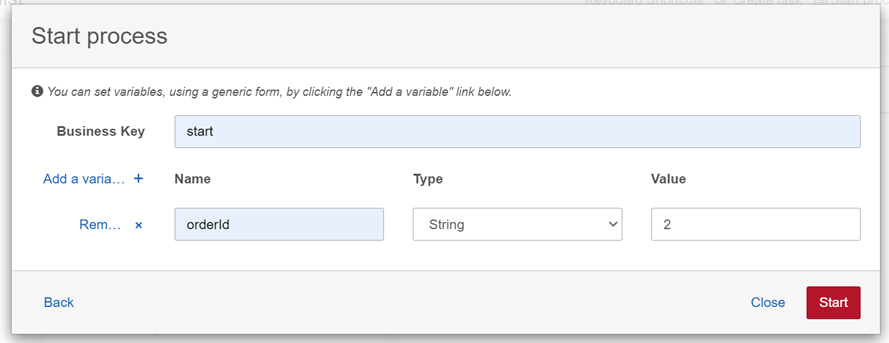
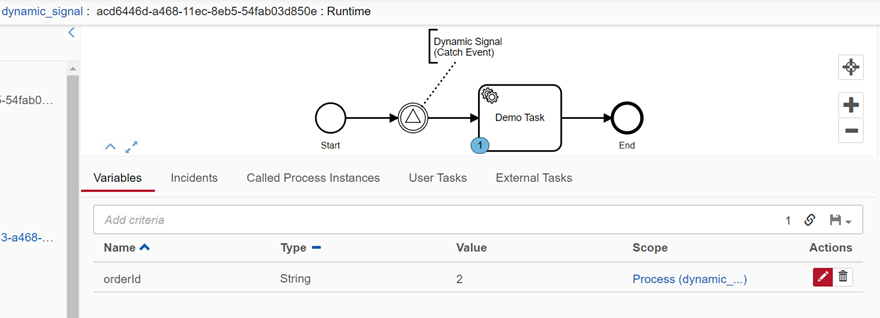
Check the first process with the catch signal event. It will catch signal with orderId = 2, and proceed to the next task.
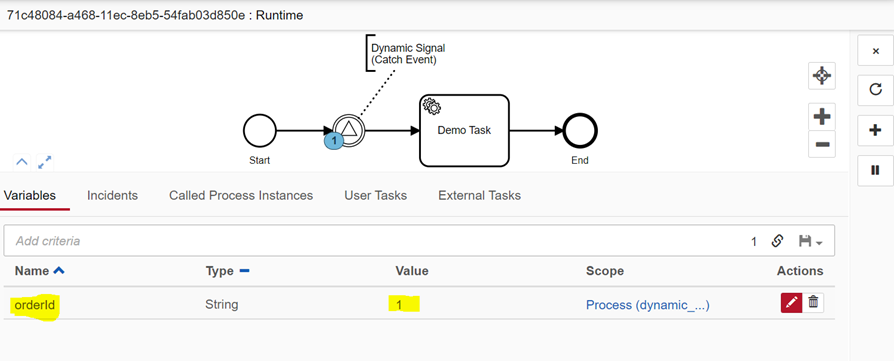
Our first process instance with orderId = 1 will remain at the same position.
Opinions expressed by DZone contributors are their own.
Comments