

Exploring the Coinbase API From a Web2 Starting Point
Confused about where to start with Web3? John Vester shows how easy it is to get started using the Coinbase developer tools.
 CORE
·
CORE
·
Join the DZone community and get the full member experience.
Join For FreeBack in 1977, the aspiring musician in me wanted to learn piano after seeing the movie “Star Wars.” I had a goal to learn how to play the main theme of the movie everyone was talking about, so I bought the sheet music. We had a piano in the house, which was a gift from my grandparents.
The 10-year-old version of me quickly became overwhelmed when I saw all the notes on the page:

I thought maybe I should start with something easier, so I started sifting through the papers inside the piano bench. Then I discovered this really cool note chart template that fit perfectly behind the keys on the piano. I could not find an exact match, but here is an example:

This was a game-changer for me. I tossed all the other music back into the piano bench and got to work, learning how to play Star Wars. Within a short time, I learned to play that song (and piano) without a single lesson.
This made me wonder why such “templates” do not exist in all aspects of life.
The Catch-22 For New Tech
New languages, platforms, frameworks, and design patterns all share one common requirement—developer acceptance and adoption. More often than not, most share another common challenge: steeper-than-desired learning curves.
To me, Web3 is currently in that state, despite having worked through a Web3 example in my “Moving From Full-Stack Developer To Web3 Pioneer” publication.
Bleeding-edge devs are already doing great things with Web3. But what about the next million devs—like me—who want to get started without feeling overwhelmed and frustrated? How can we find a way to onboard them with Web3?
I wanted to find a helper template for Web3 development, which I found when I started exploring the Coinbase SDKs.
The Coinbase SDK/APIs
According to Wikipedia, Coinbase is an American publicly traded company that has operated a cryptocurrency exchange platform since June 2012. Similar to what I have written about with Marqeta, Coinbase provides a collection of application programming interfaces (APIs) and software development kits (SDKs) for developers to utilize who are interested in building applications focused on digital currencies.
One such example is the Coinbase Wallet SDK.
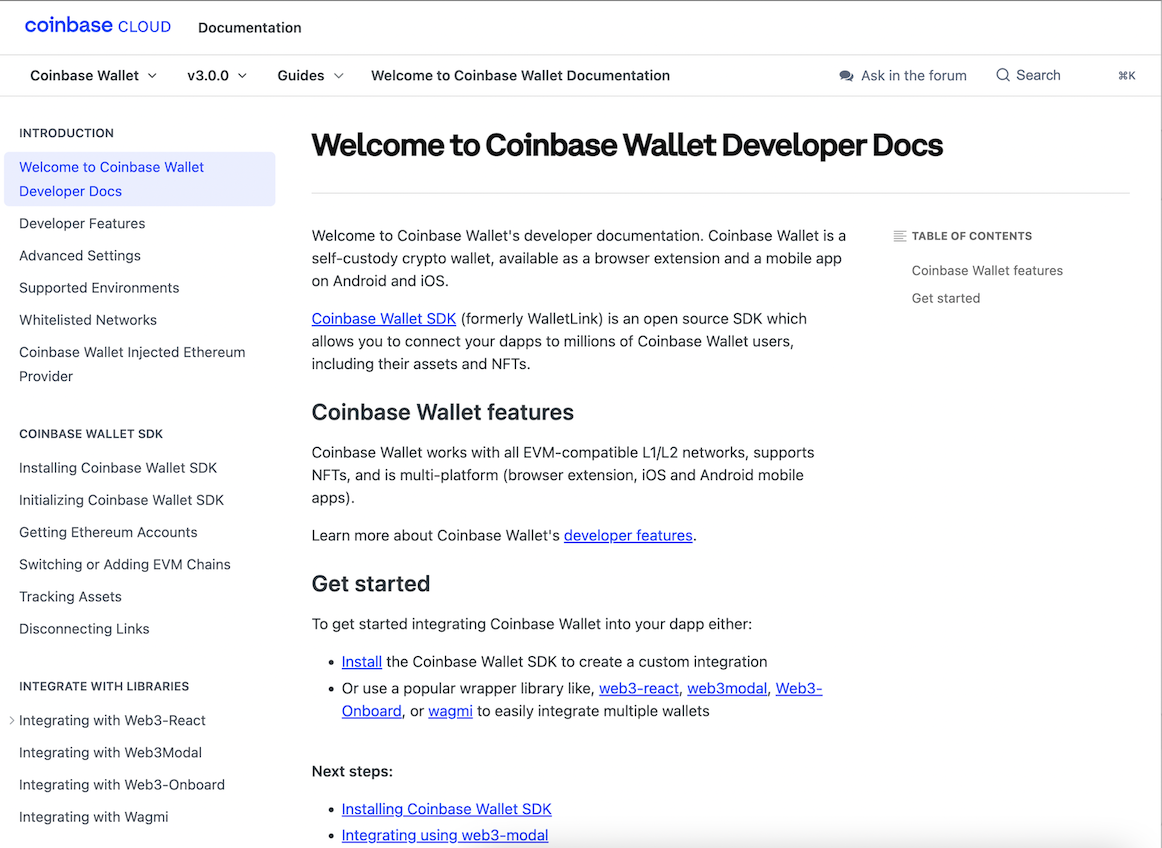
For this publication, I wanted to accomplish the following tasks:
Create a simple Web3 application using React
Integrate my wallet browser extension with the Dapp
Allow users to make a donation using the Coinbase Wallet SDK
Creating a Web3 Application with the Coinbase Wallet SDK
To get started, we can create a React application called coinbase-wallet-example using the React CLI:
npx create-react-app coinbase-wallet-example
After creating the React application, I used the following command to change into the coinbase-wallet-example directory:
cd coinbase-wallet-example
Since newer versions of create-react-app no longer include polyfills support – a necessary requirement to use web3.js properly – this requires an older version of react-scripts:
npm install --save-exact [email protected]
Since we will build a Web3 example, the web3 framework was installed using npm (other options can be found here):
npm install web3
Next, the Coinbase Wallet SDK was installed using npm (other options can be found here):
npm install @coinbase/wallet-sdk
Using the Infura blockchain development suite, I created a new project called coinbase-wallet-example:

Next, I switched to the Ropsten test network and noted the project’s keys and URLs:

Now, we just need to include the following code to initialize the Coinbase Wallet SDK and a Web3 object:
import CoinbaseWalletSDK from '@coinbase/wallet-sdk'
import Web3 from 'web3';

const APP_NAME = 'coinbase-wallet-example';
const APP_LOGO_URL = './coinbase-logo.png';
const DEFAULT_ETH_JSONRPC_URL = 'https://ropsten.infura.io/v3/56f … d69';
const DEFAULT_CHAIN_ID = 3; // 1=Ethereum (mainnet), 3=Ropsten, 5=Gorli
Inside the useEffect() method of my App, I included the necessary code to initialize the Coinbase wallet and Web3:
   const coinbaseWallet = new CoinbaseWalletSDK({
      appName: APP_NAME,
      appLogoUrl: APP_LOGO_URL,
    });

    const walletSDKProvider = coinbaseWallet.makeWeb3Provider(
        DEFAULT_ETH_JSONRPC_URL,
        DEFAULT_CHAIN_ID
    );

   const web3 = new Web3(walletSDKProvider);
For this very simple example, we won’t leverage a smart contract but instead provide a target address to send donations:
const DONATION_ADDRESS = '0x7 ... c94';To reduce risk, the code will be updated to set the DONATION_ADDRESS to the connected address for the wallet in use.
DONATION_ADDRESS = account;
This basically means the code will send funds to the sender, leaving only the gas fees to be taken from the user’s wallet. The React Dapp will allow users to connect their wallets, then provide a donation amount (using WEI units), then push the Donate button to send funds to the DONATION_ADDRESS.
The full source code of this simple Dapp is noted below:
import React, { useEffect, useState } from 'react';
import './App.css';
import CoinbaseWalletSDK from '@coinbase/wallet-sdk'
import Web3 from 'web3';

const APP_NAME = 'coinbase-wallet-example';
const APP_LOGO_URL = './coinbase-logo.png';
const DEFAULT_ETH_JSONRPC_URL = 'https://ropsten.infura.io/v3/56f ... d69';
const DEFAULT_CHAIN_ID = 3; // 1=Ethereum (mainnet), 3=Ropsten, 5=Gorli
const DEFAULT_ETHEREUM_CHAIN_ID = '0x3'; // Should match DEFAULT_CHAIN_ID above, but with leading 0x

let DONATION_ADDRESS = '0x7 ... c94'; // Target donation address goes here, just as a simple example

const App = () => {
  const [isWalletConnected, setIsWalletConnected] = useState(false);
  const [account, setAccount] = useState();
  const [walletSDKProvider, setWalletSDKProvider] = useState();
  const [web3, setWeb3] = useState();
  const [responseMessage, setResponseMessage] = useState();

  useEffect(() => {
    const coinbaseWallet = new CoinbaseWalletSDK({
      appName: APP_NAME,
      appLogoUrl: APP_LOGO_URL,
    });

    const walletSDKProvider = coinbaseWallet.makeWeb3Provider(
        DEFAULT_ETH_JSONRPC_URL,
        DEFAULT_CHAIN_ID
    );

    setWalletSDKProvider(walletSDKProvider);

    const web3 = new Web3(walletSDKProvider);
    setWeb3(web3);
  }, []);

  const checkIfWalletIsConnected = () => {
    if (!window.ethereum) {
      console.log(
          'No ethereum object found. Please install Coinbase Wallet extension or similar.'
      );

      web3.setProvider(walletSDKProvider.enable());

      return;
    }

    console.log('Found the ethereum object:', window.ethereum);

    connectWallet();
  };

  const connectWallet = async () => {
    const accounts = await window.ethereum.request({
      method: 'eth_requestAccounts',
    });

    if (!accounts.length) {
      console.log('No authorized account found');
      return;
    }

    if (accounts.length) {
      const account = accounts[0];
      console.log('Found an authorized account:', account);
      setAccount(account);

      try {
        await window.ethereum.request({
          method: 'wallet_switchEthereumChain',
          params: [{ chainId: DEFAULT_ETHEREUM_CHAIN_ID }],
        });
        console.log('Successfully switched to Ropsten Network');
      } catch (error) {
        console.error(error);
      }
    }

    setIsWalletConnected(true);
  };

  const donate = async () => {
    if (!account || !window.ethereum) {
      console.log('Wallet is not connected');
      return;
    }

    // For this simple example, make the DONATION_ADDRESS the user's address (send to themselves)
    DONATION_ADDRESS = account;

    const donationAmount = document.querySelector('#donationAmount').value;

    web3.eth.sendTransaction({
      from: account,
      to: DONATION_ADDRESS,
      value: donationAmount
    }, function(err, transactionHash) {
      if (!err) {
        setResponseMessage(transactionHash + ' success');
        console.log(transactionHash + " success");
      } else {
        console.error(err);
      }
    });
  };

  return (
    <div className="App">
      <header className="App-header">
        <img src={APP_LOGO_URL} className="App-logo" alt="logo" />
        {isWalletConnected ? (
            <>
              <h4>Donate some funds to yourself</h4>
              <p>Connected Account: {account}</p>
              <div>
                <input
                    type="number"
                    id="donationAmount"
                    defaultValue={1.00}
                />
                <label htmlFor="donationAmount">WEI</label>
                <button onClick={donate} id="donate" type="button">
                  Donate
                </button>
              </div>
            </>
        ) : (
            <button onClick={checkIfWalletIsConnected} id="connect" type="button">
              Connect Wallet
            </button>
        )}
        <p>{responseMessage}</p>
      </header>
    </div>
  );
}

export default App;
Running the React-based Dapp is as easy as using the following command:
npm start
Here is an example, as a link - since I cannot seem to get the embedded GIF working.
Conclusion
Since 2021, I have been trying to live by the following mission statement, which I feel can apply to any IT professional:
“Focus your time on delivering features/functionality which extends the value of your intellectual property. Leverage frameworks, products, and services for everything else.”
- J. Vester
The note chart template that I referenced in my introduction turned out to be a pivotal point in my life. This hidden gem that was stashed inside our piano bench not only led to my ability to play the Star Wars theme, but it catapulted my ability to play music. That simple template and a desire to learn ultimately paved the way for my admission into the Berklee College of Music and the ability to participate in several music productions.
The Coinbase APIs and SDKs – or developer tools – serve a similar purpose for developers eager to get started in the emerging Web3 world. Developers can include these modules into their applications and get started quickly, without getting bogged down in the details.
In both cases, the note chart template and Coinbase developer tools adhere to my mission statement by allowing the individual to remain focused on their primary objective – either learning to play the piano for the first time or doing something cool with Web3.
If you are interested in the source code for this publication, you can find it on GitLab at the following address:
https://gitlab.com/johnjvester/coinbase-wallet-example
Have a really great day!
Opinions expressed by DZone contributors are their own.
Comments