

DZone
Thanks for visiting DZone today,
Edit Profile
  • Manage Email Subscriptions
  • How to Post to DZone
  • Article Submission Guidelines
Sign Out View Profile
  • Post an Article
  • Manage My Drafts
Over 2 million developers have joined DZone.
Log In / Join
Refcards Trend Reports
Events Video Library
Refcards
Trend Reports

Events

View Events Video Library

Related

  • The Bill You Didn't See Coming
  • Engineering Performance: Technical Analysis of telecom-mas-agent vs Google Cloud Pub/Sub in High-Throughput Telecom Automation
  • API Versioning in Microservices Architecture
  • The Ultimate Guide to Cost Management in Google Cloud

Trending

  • DevOps Is Dead, Long Live Platform Engineering
  • Edge Computing in Utility IoT: Two Architecture Patterns That Actually Work
  • Optimizing High-Volume REST APIs Using Redis Caching and Spring Boot (With Load Testing Code)
  • The Hidden Cost of Overprivileged Tokens: Designing Messaging Platforms That Assume Compromise
  1. DZone
  2. Software Design and Architecture
  3. Cloud Architecture
  4. Generate Google Cloud API Credentials [Video]

Generate Google Cloud API Credentials [Video]

This article will help you in creating GCP API keys to interact with Google Cloud Services using your favorite languages like Python, Scala or Java.

By 
Mudit Chhabra user avatar
Mudit Chhabra
·
Jul. 12, 21 · Presentation
Likes (7)
Comment
Save
Tweet
Share
7.9K Views

Join the DZone community and get the full member experience.

Join For Free

This blog is a quick walkthrough for downloading GCP API credentials (keys). The credentials are at the core of any cloud computing service. Different public cloud service providers use different types of credentials to connect their services through API. So, without much ado, here are the steps required to generate API keys for GCP (Google Cloud Platform).

If you feel lazy reading this blog, here is a 100 seconds long step-by-step video to generate API keys for GCP.

If you are unable to play the video, here are the steps with screenshots.

Step 1

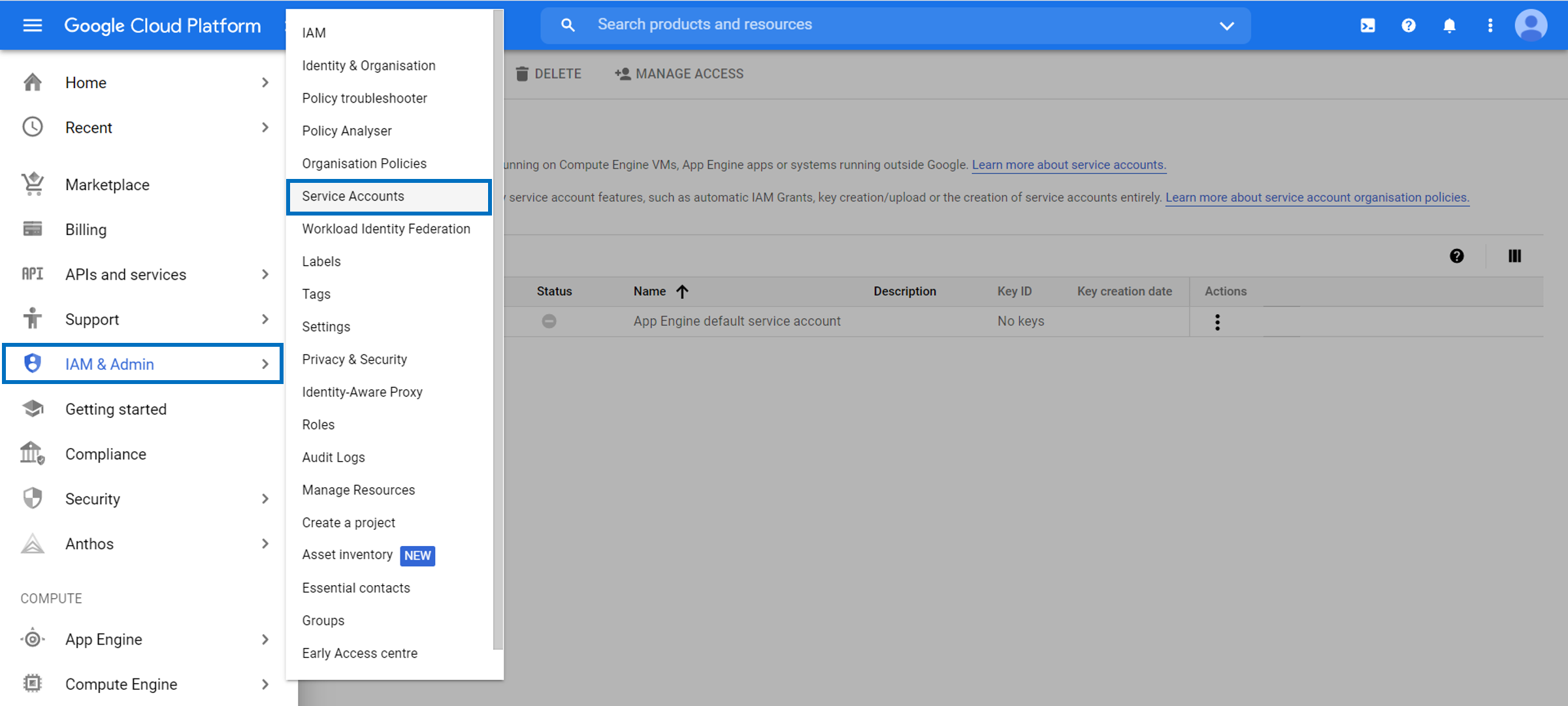
Login to your GCP console and click on the hamburger icon (three vertical lines). Select IAM and Admin from the list and choose Service Accounts.Selecting Service Accounts
Step 2

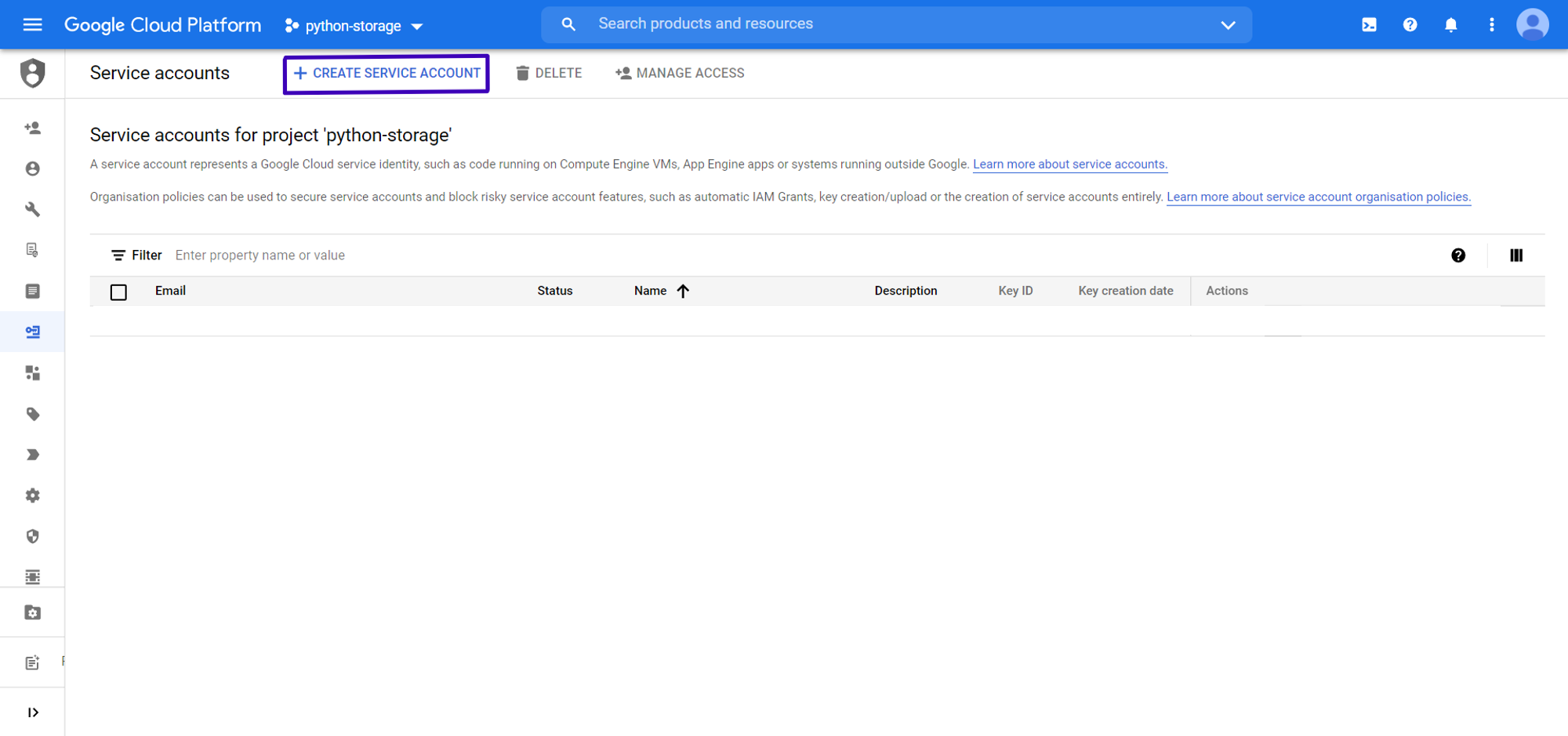
Click on Create Service Account.Selecting Create Service Account
Step 3

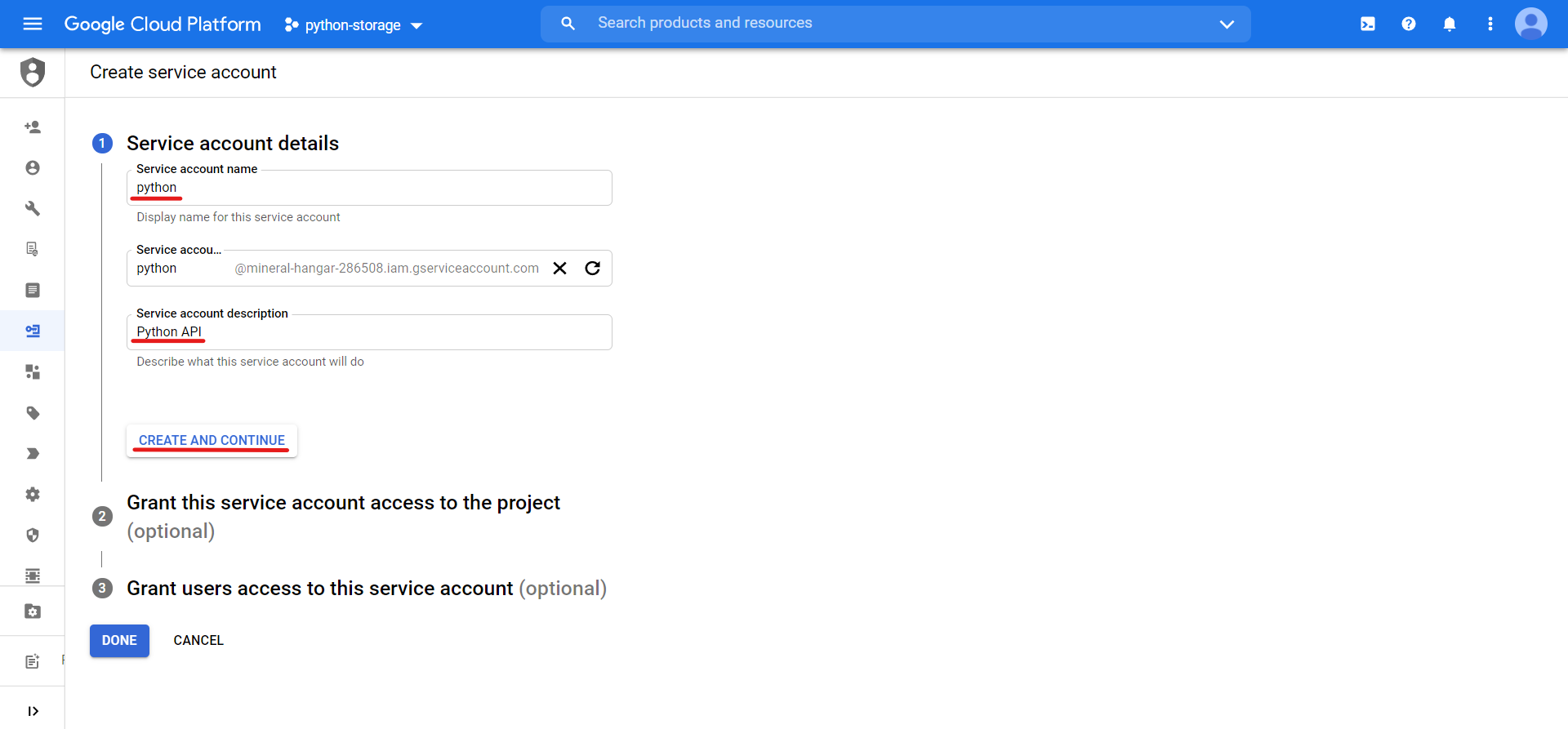
Add Service account details and click on Create and Continue.Entering Service Account Details
Step 4

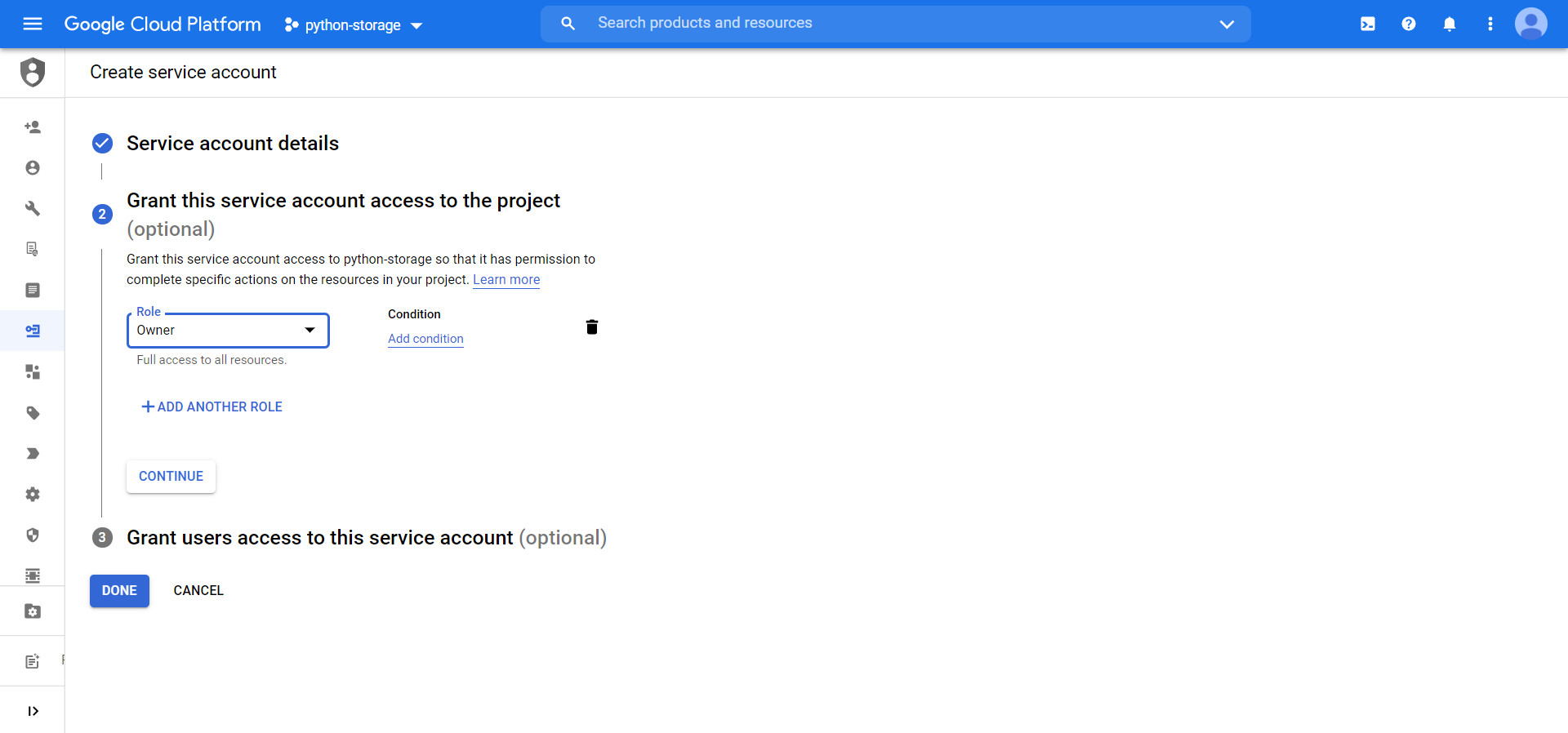
Select permissions for the service account and click on Continue. Then, Click on Done.Selecting Permissions for Service Account
Step 5

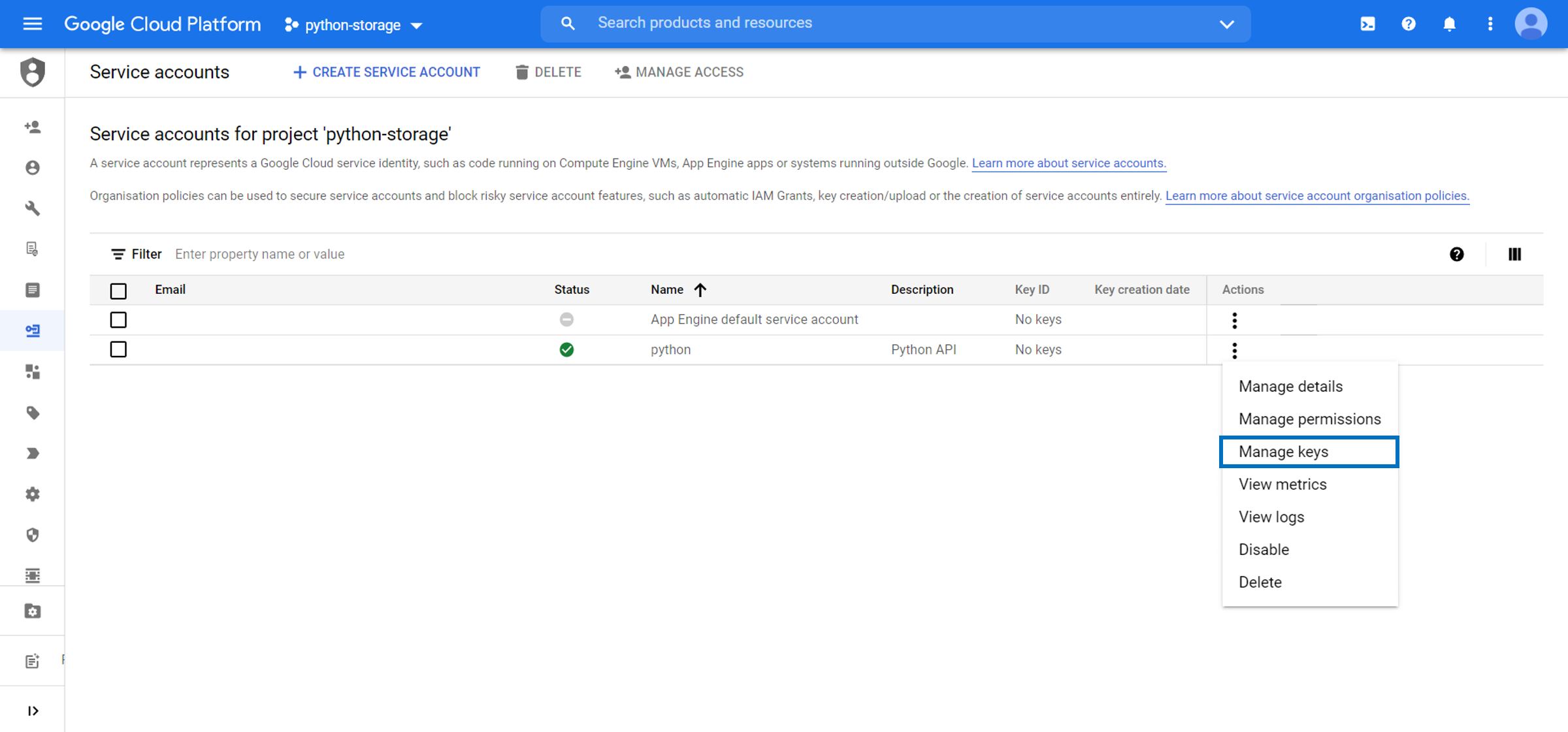
Click on three dots icon and select Manage Keys.Selecting Manage Keys
Step 6

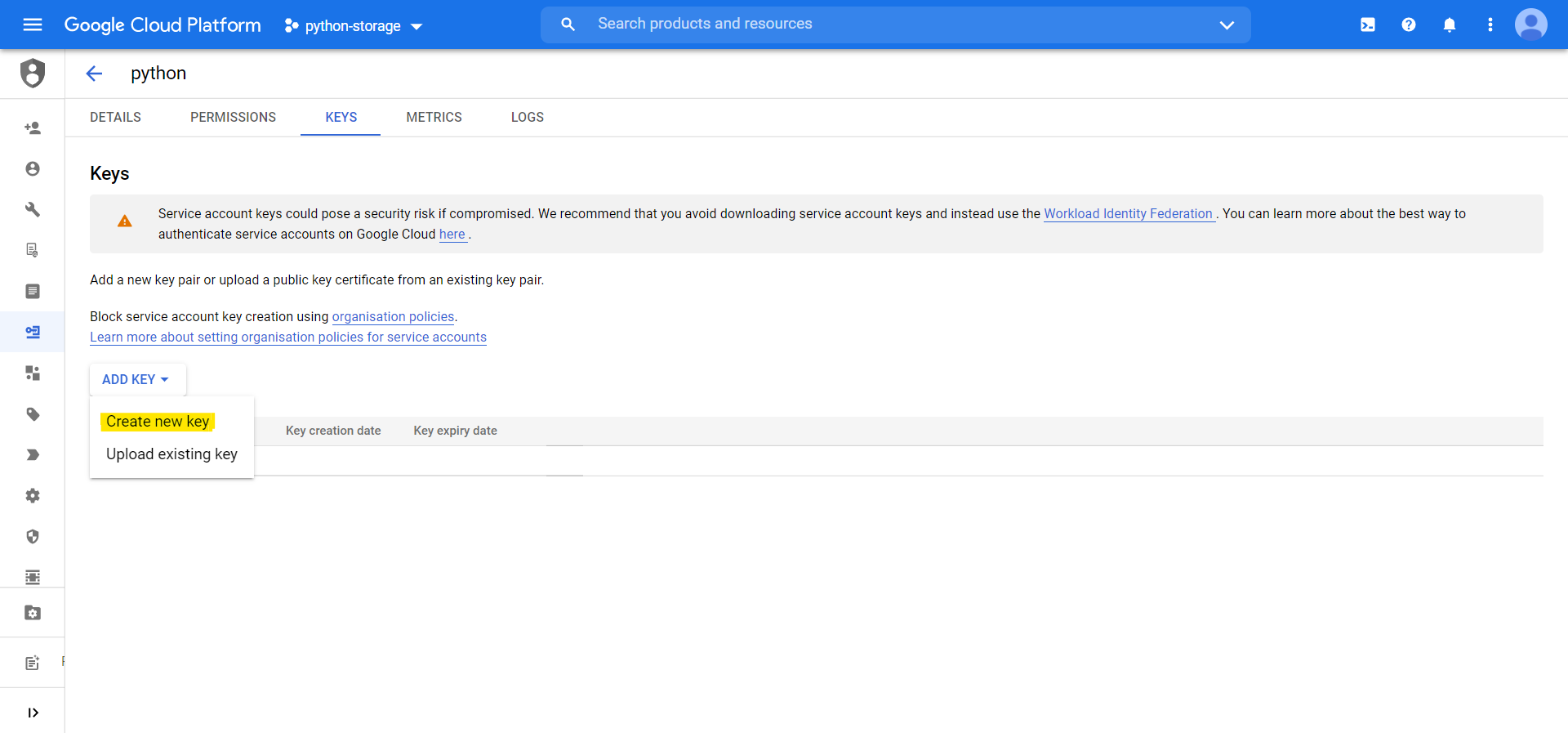
Click on Add Key and select Create new key.Creating a New Key
Step 7

Select JSON and click on Create. This will download the credentials file on your system.
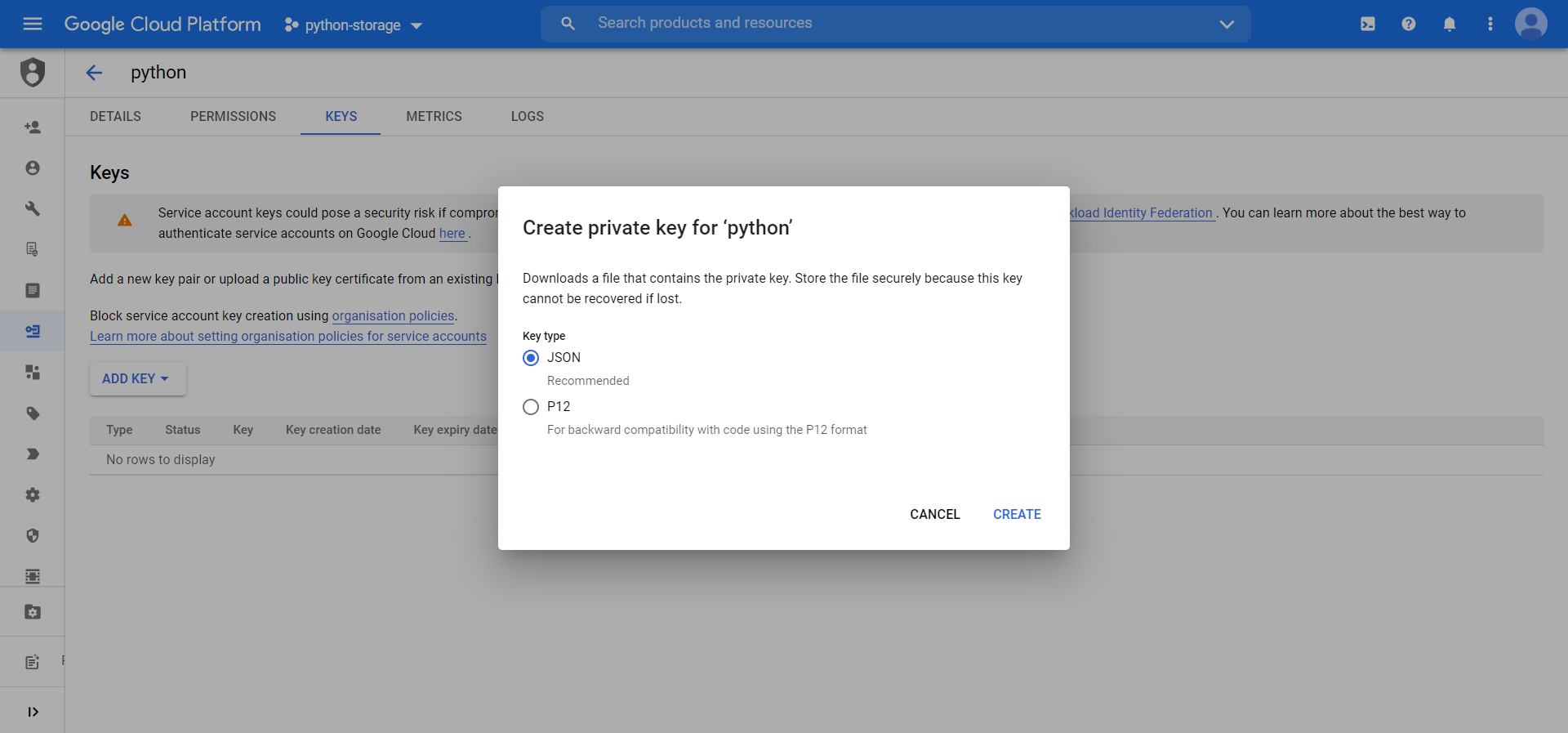
Select JSON Option and Create

You can now use the credentials file to access GCP services with a programming language of your choice using the GCP APIs.

Thanks for reading the blog and/or watching the video.

API Cloud computing Google (verb)

Opinions expressed by DZone contributors are their own.

Related

  • The Bill You Didn't See Coming
  • Engineering Performance: Technical Analysis of telecom-mas-agent vs Google Cloud Pub/Sub in High-Throughput Telecom Automation
  • API Versioning in Microservices Architecture
  • The Ultimate Guide to Cost Management in Google Cloud

Partner Resources

×

Comments

The likes didn't load as expected. Please refresh the page and try again.

  • RSS
  • X
  • Facebook

ABOUT US

  • About DZone
  • Support and feedback
  • Community research

ADVERTISE

  • Advertise with DZone

CONTRIBUTE ON DZONE

  • Article Submission Guidelines
  • Become a Contributor
  • Core Program
  • Visit the Writers' Zone

LEGAL

  • Terms of Service
  • Privacy Policy

CONTACT US

  • 3343 Perimeter Hill Drive
  • Suite 215
  • Nashville, TN 37211
  • [email protected]

Let's be friends:

  • RSS
  • X
  • Facebook