

Level Up Your Engineering Workflow with Copilot Templates
Templates help you write cleaner code faster by converting repetitive patterns to reusable prompts. Copilot can streamline test generation, reduce manual effort, and accelerate productivity.
Join the DZone community and get the full member experience.
Join For FreeSoftware engineers often find themselves writing the same patterns of code again and again. Unit tests, API endpoints, error handling wrappers, and configuration files — these are essential parts of building robust applications, but they are also repetitive and time-consuming.
Enter GitHub Copilot. Many engineers already use Copilot as a “pair programmer” to autocomplete functions and suggest code snippets. But Copilot becomes far more powerful when you combine it with structured templates. Templates allow you to guide Copilot, enforce best practices, and generate high-quality, standardized code quickly.
This article explores how to create and use Copilot templates, why they work so well, and how they can speed up engineering workflows without sacrificing quality.
Why Copilot Templates Matter
Copilot is a pattern-matching engine at heart. It learns from context and expands on what it sees. If you start writing tests in a consistent format, Copilot will continue writing more tests that follow the same structure. If you scaffold an API handler in a clear template, Copilot can fill in the missing logic. It adheres to the company coding standards and best practices and creates consistency in the Code base.
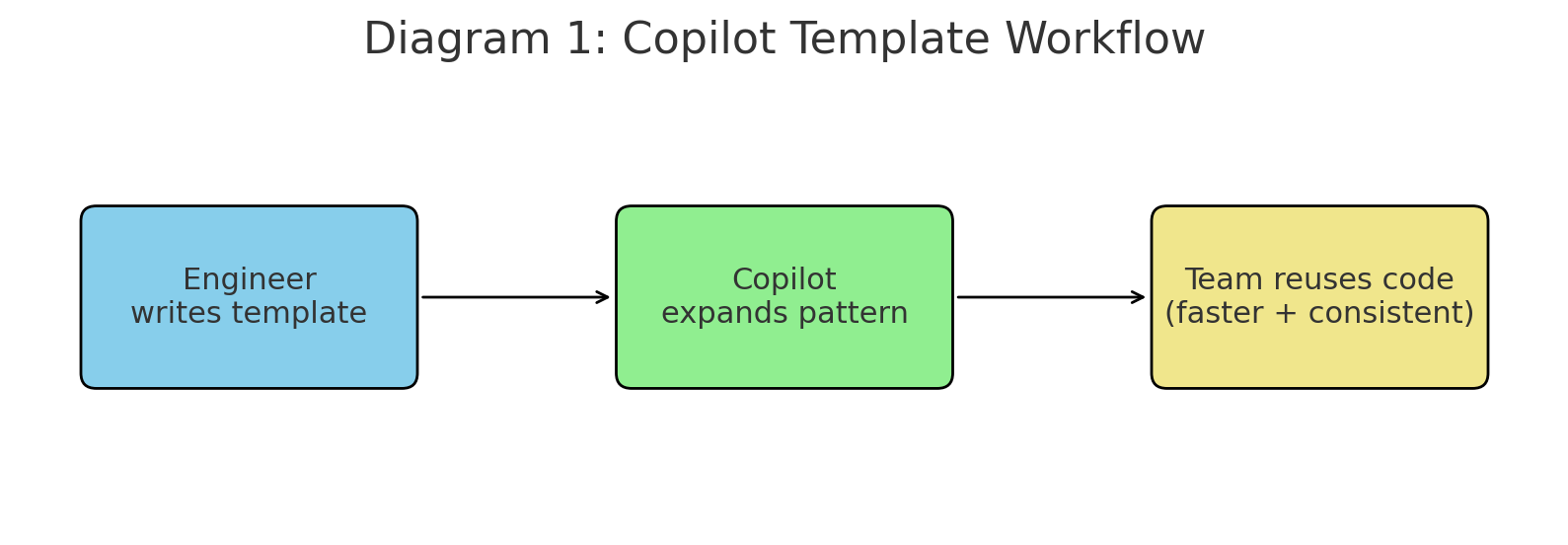
Think of Copilot templates as productivity multipliers:
- Reduce Repetition – Instead of writing the same boilerplate, Copilot expands the template.
- Consistency Across Teams – Everyone follows the same structure automatically.
- Faster Onboarding – New engineers can start delivering faster with clear patterns.
- Encourage Best Practices – Templates encode good habits (error handling, parameter validation, logging).
In short: Copilot amplifies what you give it. If you feed it sloppy or inconsistent patterns, you’ll get messy output. But if you provide strong templates, you’ll get cleaner, more reliable suggestions.
Test Generation with Templates
Testing is one of the best use cases for Copilot templates. Writing exhaustive test cases manually is tedious, but Copilot can generate variations quickly once it sees the format.
Example: Jest / Vitest Template
describe("<function>", () => {

  it("should <expected behavior>", () => {

    const result = <function>(<inputs>);

    expect(result).toBe(<expected>);

  });


  it("should throw error for <invalid case>", () => {

    expect(() => <function>(<bad_input>)).toThrow();

  });

});
After you write one or two cases, Copilot suggests more test cases automatically. You can even add a comment like // more edge cases, and Copilot will generate them.
Example: Pytest Parametrized Tests
import pytest

from my_module import add_numbers


@pytest.mark.parametrize("a,b,expected", [

    (1, 2, 3),

    (0, 0, 0),

    (-1, 1, 0),

])

def test_add_numbers(a, b, expected):

    assert add_numbers(a, b) == expected
Copilot recognizes the structure and suggests additional (a, b, expected) values, covering more edge cases without extra typing.
Now, instead of writing 10 separate tests by hand, you can seed the pattern and let Copilot fill in the rest.
JSDoc & Docstring Templates
Copilot works best when it understands intent. Adding structured comments like JSDoc or Python docstrings gives Copilot the context it needs to suggest meaningful code and tests.
/**

 * @function calculateTax

 * @description Calculate tax on income

 * @param {number} income - annual income

 * @param {string} state - two-letter state code

 * @returns {number} tax amount

 * @throws {Error} if invalid input

 */
Now, when you write tests for calculateTax, Copilot already knows:
-
Inputs (income, state)
-
Expected return type (number)
-
Edge cases (invalid input)
That context leads to smarter test suggestions, reducing the time you spend thinking about trivial cases.
API Endpoint Templates
API development is another area where Copilot templates shine. Most API endpoints follow a similar structure: accept input, validate, call a service, return JSON, and handle errors.
Here’s a reusable Express.js template:
// Express.js route template

app.<method>("/<route>", async (req, res) => {

  try {

    const { <params> } = req.body;

    const result = await <service>.<method>(<params>);

    res.json({ success: true, data: result });

  } catch (err) {

    res.status(500).json({ error: err.message });

  }

});
Start writing app.post("/users"... and Copilot will expand into a complete handler, reusing the same structure for other routes.
This doesn’t just save keystrokes—it ensures your APIs are consistent across the codebase.
VSCode Snippet + Copilot Combo
You can take templates one step further by combining VSCode snippets with Copilot. Snippets give you a skeleton, and Copilot fills in the details.
Example snippet for Jest tests (snippets.code-snippets):
{
  "Jest Test Case": {
    "prefix": "jesttest",
    "body": [
      "it('should ${1:description}', () => {",
      "  const result = ${2:functionUnderTest}(${3:inputs});",
      "  expect(result).toBe(${4:expected});",
      "});"
    ]
  }
}
Now, when you type jesttest, VSCode inserts the skeleton, and Copilot suggests the rest of the test logic.
This combo is extremely powerful for repetitive work like writing dozens of test cases, setting up CRUD endpoints, or scaffolding new services.
Best Practices for Engineers
Using Copilot templates effectively requires some discipline. Here are five best practices:
-
Seed with Clarity – The clearer your first example, the better Copilot’s suggestions.
-
Use Structured Comments – JSDoc, docstrings, or checklists act as hidden prompts.
-
Think in Patterns, Not One-offs – Copilot learns from repeated structures.
-
Review Everything – Copilot is fast, but it’s not infallible. Validate logic before committing.
Standardize as a Team – Share templates in a team repo so everyone benefits from consistency.
6. A Real Workflow Example
Imagine you’re building a financial app with dozens of utility functions.
Write a function with a docstring:
def calculate_interest(principal: float, rate: float, years: int) -> float:
    """Calculate compound interest.
    principal: initial amount
    rate: annual interest rate as decimal
    years: number of years
    returns: final amount
    """
Write the first test case:
def test_calculate_interest_basic():
    assert calculate_interest(1000, 0.05, 2) == 1102.5
Add a comment # more edge cases.
Copilot will suggest tests for:
-
Zero years
-
Negative rate
-
Very large numbers
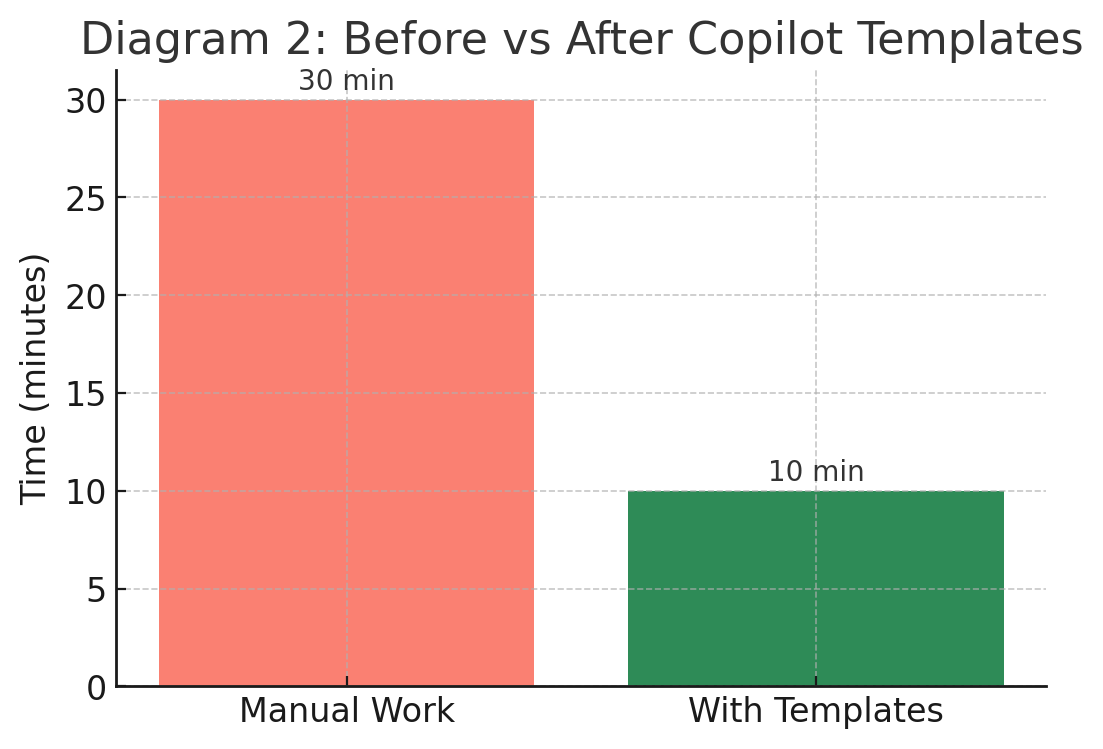
What would take 30 minutes of manual test writing now takes 5 minutes.
Final Thoughts
GitHub Copilot is more than just an autocomplete tool—it’s a pattern amplifier. Templates transform Copilot from a helpful assistant into a productivity engine that can enforce standards, reduce boilerplate, and speed up development.
For individual engineers, templates mean faster iteration and fewer repetitive tasks. For teams, they mean consistency, reliability, and onboarding efficiency.
If you want to get the most out of Copilot:
-
Start with 3–5 reusable templates (tests, APIs, utility functions).
-
Encourage your team to use them consistently.
-
Expand over time as new patterns emerge.
By combining the creativity of engineers with the power of Copilot, you can focus more on solving business problems and less on writing the same code over and over.
Opinions expressed by DZone contributors are their own.
Comments