

Message Queue (Rabbit MQ): A Beginners Introduction
This article is a beginner's guide to Message Queue. The article outlines the message model, Rabbit MQ, and discusses the different types of exchanges.
Why Message Queue?
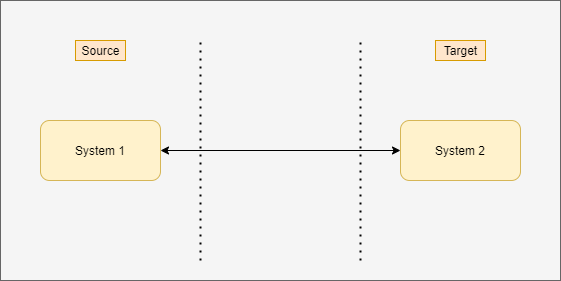
In the days of monolithic architecture, application components were tightly coupled, which means they were directly connected.
Consider a simple eCommerce application; we have a payment service, and it needs to communicate with a payment gateway service, which would be done directly through a TCP connection.
This thing had some limitations such as:
- As soon as checkout sends the message, it would need to hear a reply before it could move on to the next task.
- If the inventory service went down, it would try over and over again until it was able to make that connection.
- If a lot of checkouts happened at once, the inventory service wouldn't be able to keep up and the whole system would get stuck.
So, that's why message queues/brokers were created.
Message Queues sits in between the two services that need to communicate with one another, as shown in the below diagram: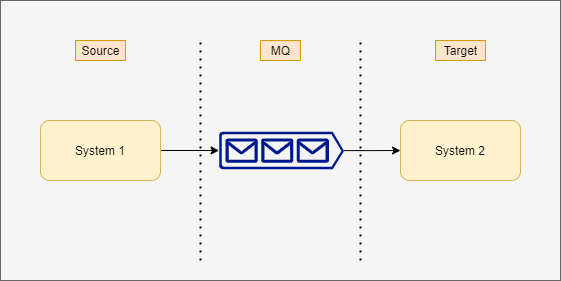 A producer (System 1) can add a message to the queue and immediately move on to the next task.
Similarly, the consumer (System 2), when it's ready, can consume from the queue, process the message, then immediately consume the next message; this is going to decouple the two applications.
A message broker also helps with the scalability; if a lot of checkouts happen at once, the queue begins to fill, which means we can have more consuming service. In our case, more than one consumer (System 2) to read from the queue to handle the amount of workload that the checkout is producing. This is going to make the system more scalable.
Another big benefit of message queues is that the queue itself can sit on its own machine/server. So, in that case, it can offload some of the work that's done by the web application and make the whole system more performant.

So, let's talk about RabbitMQ. RabbitMQ is an implementation of the AMQP message model, which stands for Advanced Message Queuing Protocol.
With this type of message model, the producer, in our case, checks out the service that produces the messages. Instead of producing directly to a message queue, it's going to produce to exchange. We can think of the exchange as a post office; it's going to receive all messages and then distribute them according to how they are addressed.
An exchange could be connected to many queues. In our case, we are going to do two (Consumer 1, Consumer 2, Consumer 3..) and, then, the queues are connected to the consuming services or consumers.
So, we will have one called Consumer 1 and one called Consumer 2, 3, and so forth. They might need to consume from checkout.
Flow, the checkout will send a message to exchange, and the exchange is connected to queues through connections called bindings. These bindings can be referenced by the binding key.
Then, it will go to our consumer applications or consuming services or consumers -- those subtribes to queues.

Message flexibility is referred to as which messages can be moved through the system, and that flexibility is largely in part to the different type of exchanges available.
Let's discuss the types of exchange available.
Fanout Exchange
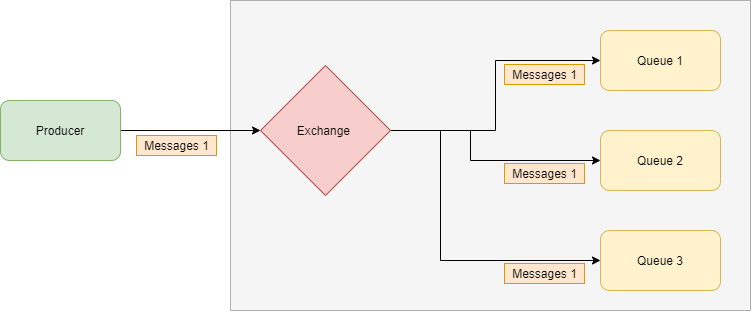
A fanout exchange routes messages to all of the queues that are bound to it and the routing key is ignored. If N queues are bound to a fanout exchange when a new message is published to that exchange, a copy of the message is delivered to all N queues.
In simple words, the producer will produce messages to exchange and, in turn, the exchange will duplicate the message and send it to every single queue that it knows about.
Fanout exchanges are ideal for the broadcast routing of messages.
Direct Exchange
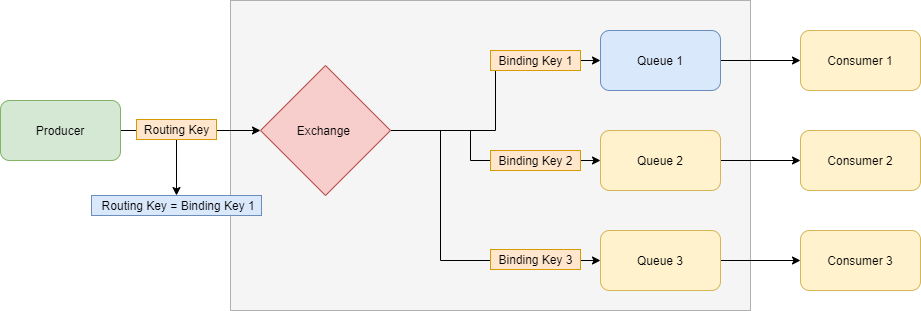
A direct exchange delivers messages to queues based on the message routing key. A direct exchange is ideal for the unicast routing of messages.
In simple words, the producer will produce the message and that message will get the routing key. The routing key is being compared to the binding key and, if it's an exact match, then the message will move through the system accordingly.
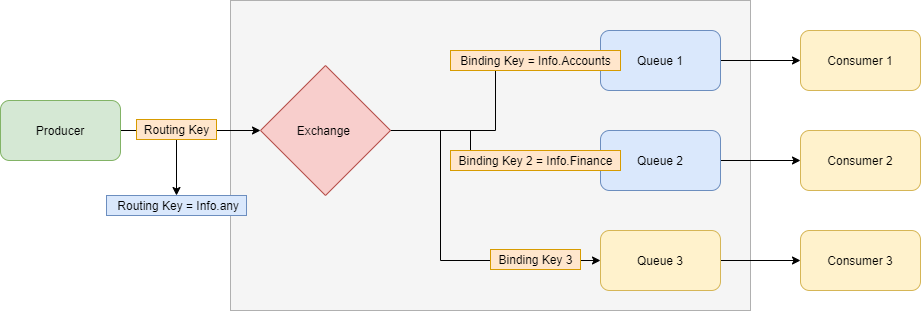
Topic Exchange
Topic exchanges route messages to one or many queues based on matching between a message routing key and the pattern that was used to bind a queue to an exchange Topic.
Exchanges are commonly used for the multicast routing of messages.
In simple words, with the topic exchange, we can do a partial match between the routing key and the binding key.
Header Exchange
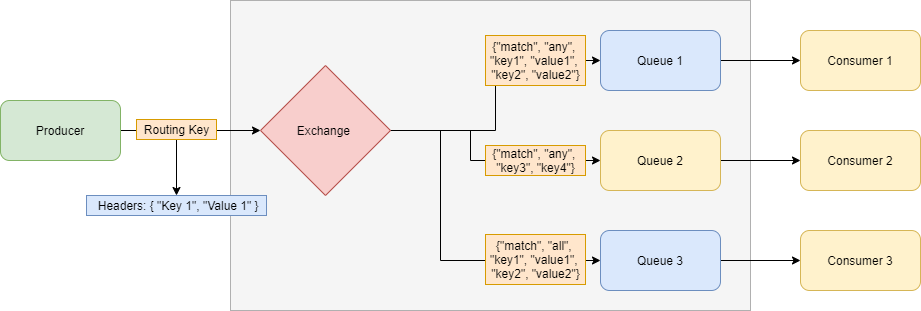
Header exchanges ignore the routing key attribute.
A headers exchange is an exchange that routes messages to queues based on message header values.
In simple words, the routing key is ignored completely and the message moves through the system according to header values.
Default Exchange
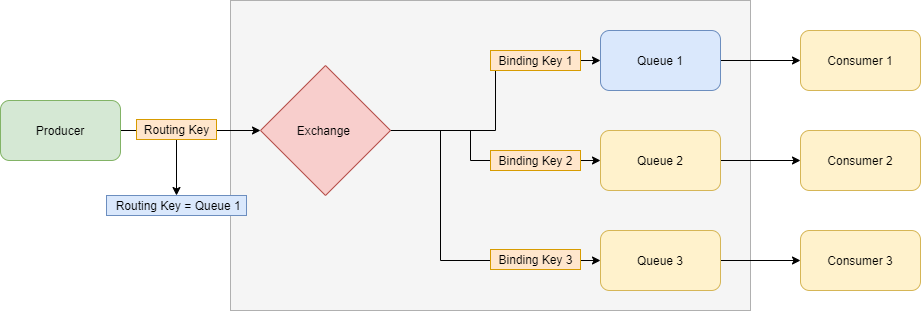
The default exchange is a direct exchange with no name (empty string) pre-declared by the broker.
It has one special property that makes it very useful for simple applications: every queue that is created is automatically bound to it with a routing key which is the same as the queue name.
In simple words, the routing key of the message is tied to the queue name itself.
High-Level Benefits
- Flexible.
- Cloud Friendly.
- Fault Tolerance.
- Cross-Language.
- Security over communication.
- Message Acknowledgement.
- Open Source.
Opinions expressed by DZone contributors are their own.