

Sponsored Content
Mule 4 MUnit multipart/form-data Payload
Mule 4 MUnit multipart/form-data Payload
The following article gives an example of posting multipart/form-data payload in MUnit.
 CORE
·
CORE
·
Join the DZone community and get the full member experience.
Join For FreeThe following article gives an example of posting a multipart/form-data payload in MUnit.
- Mule version: 4.2.2
- MUnit version: 2.2.2
This article assumes that you have already built a RAML and have a POST method accepting multipart/form-data content and asserting it can be done as per your requirements.
The POST method in this article expects the following:
- JSON - JSON file as a part
- Multiple binary files as part
When the request is made to this POST method from Postman or ARC, the content type is selected as multipart/form-data, and files are selected using the select/choose file button. But to make the same request in MUnit where the mock request needs to be sent to the POST method, use the following example.
You might also want to read: File Attachment Handling in Mule 4 (Use of multipart/form-data)
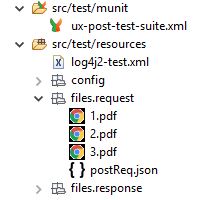
Under src/test/resources in your application, create folder files/request.
Under files/request folder, copy the mock request files for multipart.
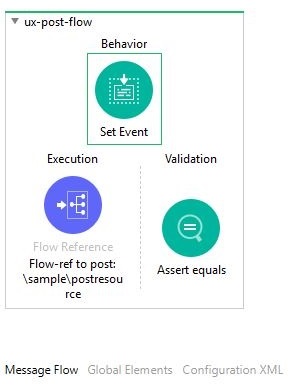
From the src/test/munit folder, open the test suite file and drop Set Event under Behavior from Palette -> MUnit.
Go to Set Event properties under the General tab and update the payload Media type to multipart/form-data and the value.
Note: Remember to include #[ ] to make it an expression since the button is not available here.
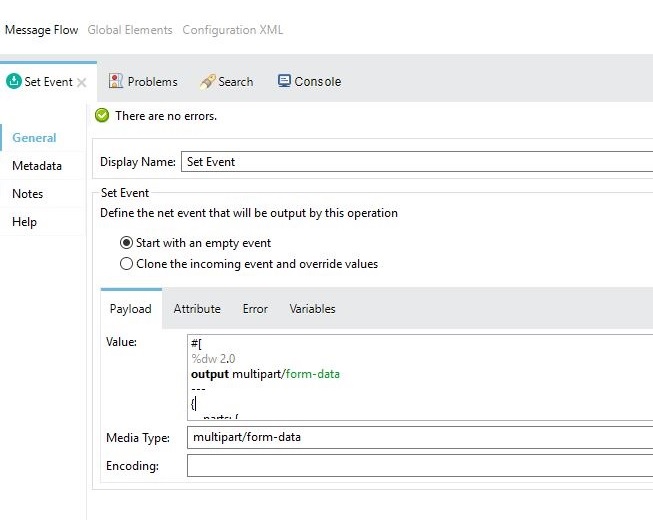
Here is the complete payload value with #[ ]
#[
%dw 2.0
output multipart/form-data
---
{
parts: {
json: {
headers: {
"Content-Disposition": {
name: "json",
subtype: "form-data",
filename: "postReq.json"
},
"Content-Type": "application/json",
"Content-Transfer-Encoding": "binary"
},
content: MunitTools::getResourceAsStream('files/request/postReq.json')
},
one: {
headers: {
"Content-Disposition": {
name: "one",
subtype: "form-data",
filename: "1.pdf"
},
"Content-Type": "application/pdf",
"Content-Transfer-Encoding": "binary"
},
content: MunitTools::getResourceAsStream('files/request/1.pdf')
},
two: {
headers: {
"Content-Disposition": {
name: "two",
subtype: "form-data",
filename: "2.pdf"
},
"Content-Type": "application/pdf",
"Content-Transfer-Encoding": "binary"
},
content: MunitTools::getResourceAsStream('files/request/2.pdf')
},
three: {
headers: {
"Content-Disposition": {
name: "three",
subtype: "form-data",
filename: "3.pdf"
},
"Content-Type": "application/pdf",
"Content-Transfer-Encoding": "binary"
},
content: MunitTools::getResourceAsStream('files/request/3.pdf')
}
}
}
]
Thanks for reading!
Further Reading
Testing REST API File Uploads in JMeter
Transforming multipart/form-data Into XML Using MuleSoft and JavaScript
Opinions expressed by DZone contributors are their own.
{{ parent.title || parent.header.title}}
{{ parent.tldr }}
{{ parent.linkDescription }}
{{ parent.urlSource.name }}