

Mule4 Automated Policy
Automated policies enable the Anypoint Platform instance to automatically apply the same set of policies to all APIs running in a single environment.
Join the DZone community and get the full member experience.
Join For FreeTypes of Mulesoft Policy
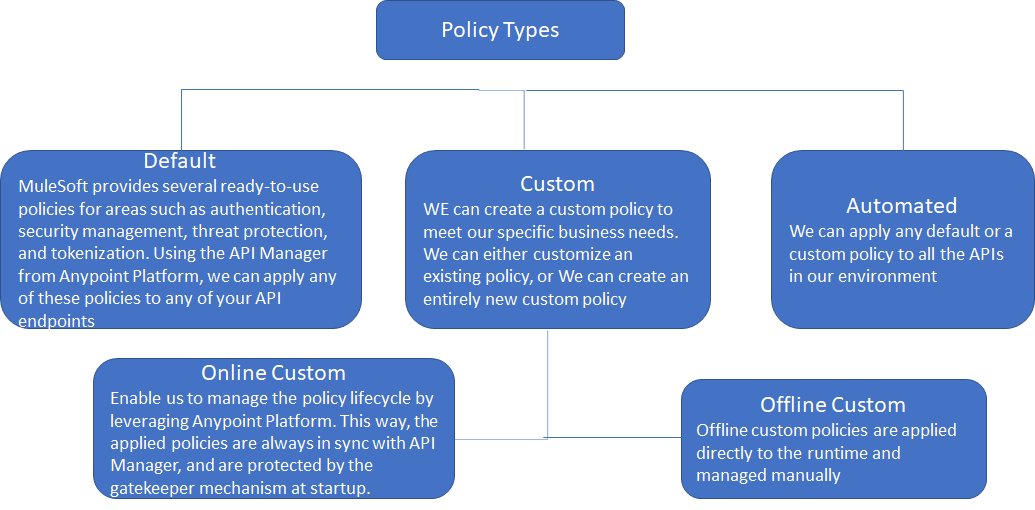
Support for Automated Policies
-
Automated policies are only available for Mule runtime engine (Mule4) APIs using a MuleSoft-hosted control plane.
-
All runtime deployment targets support automated policies (CloudHub, Runtime Fabric, and Hybrid).
-
Automated policies have priority over the same types of policies already applied to a specific API proxy.
-
As an administrator, we can apply policies specific to external identity providers (IdPs, such as OpenID) if the environment to which you want to apply policies includes them.
Steps to Apply Automated Policy
-
In the API Manager, select Automated Policies from the navigation menu on the left.
-
Click Apply new automated policy.
-
Select the provided policy that you want to configure.
-
Apply to a specific set of runtimes.
-
Click Apply.
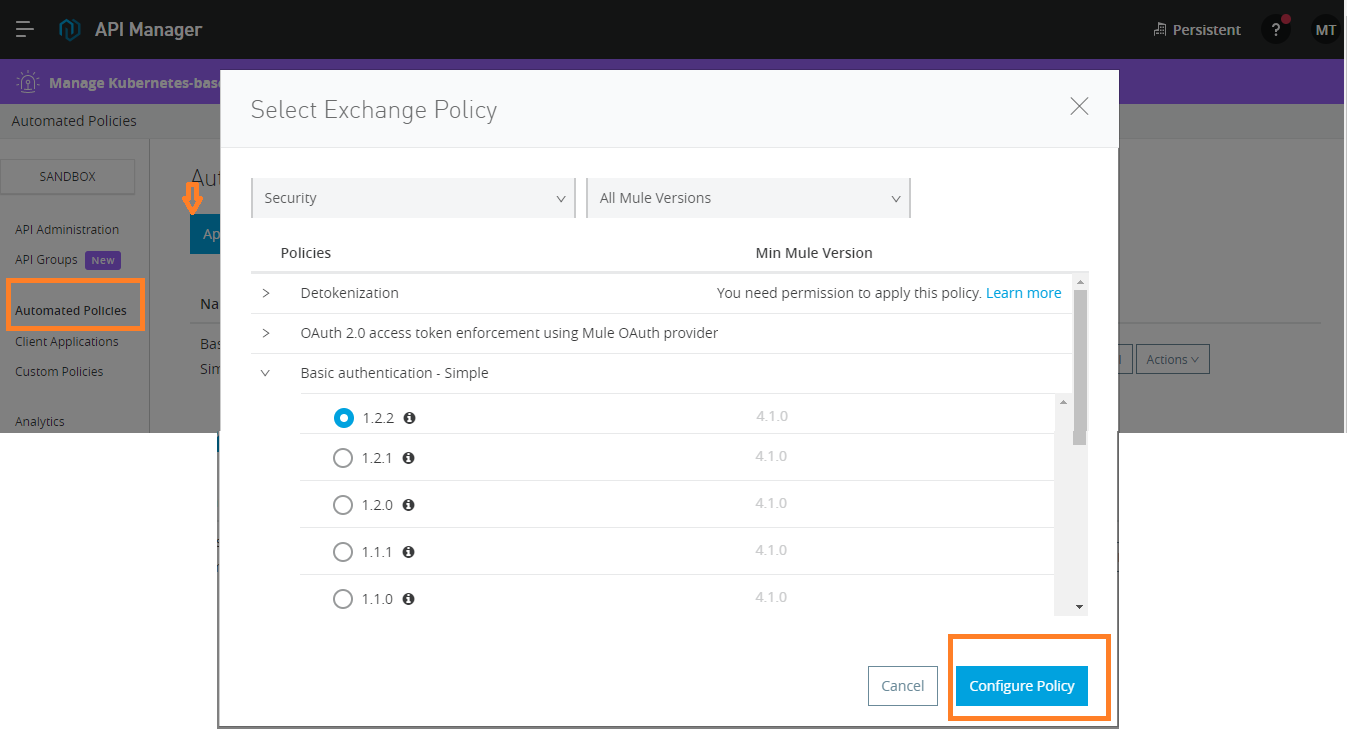
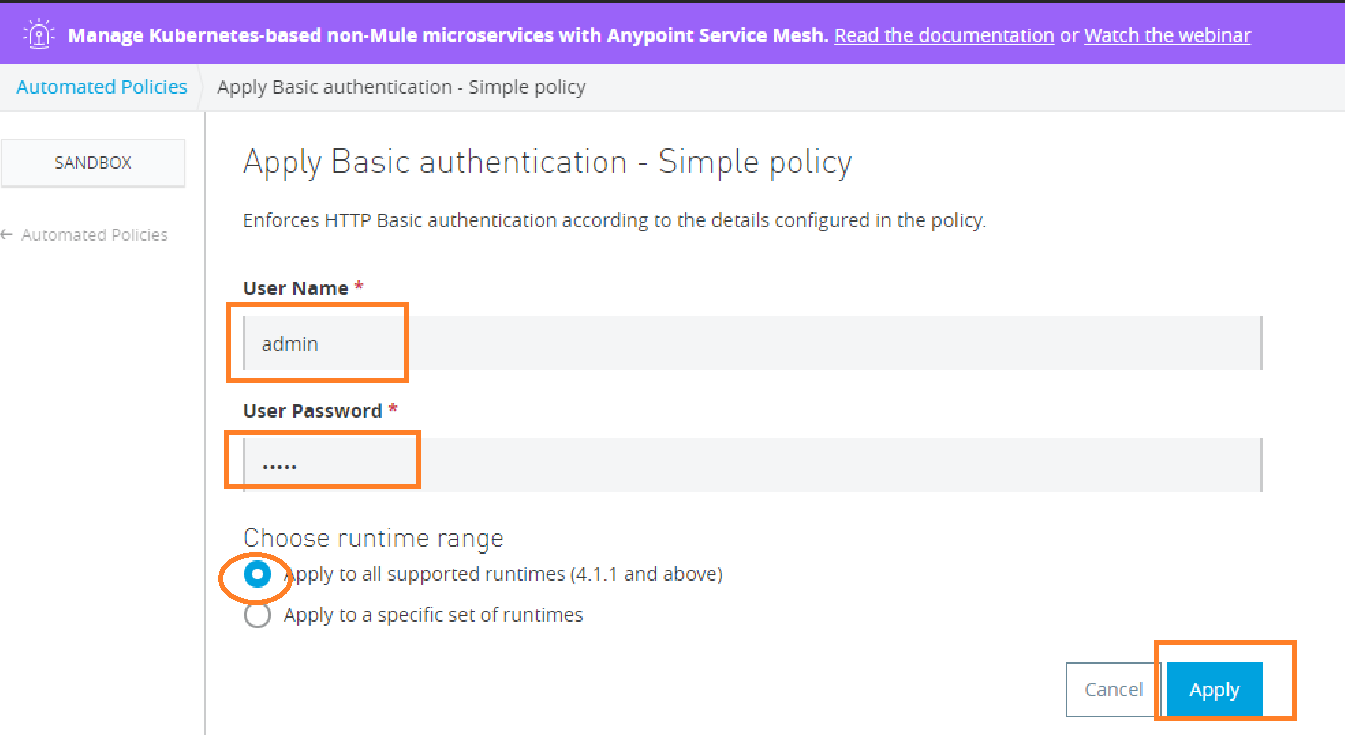
There are three different ways to manage an API:
- API by API from Exchange,
- Create new API,
- Import RAML.
Most of the time we create from exchange for quick demonstration creating a new HTTP API.
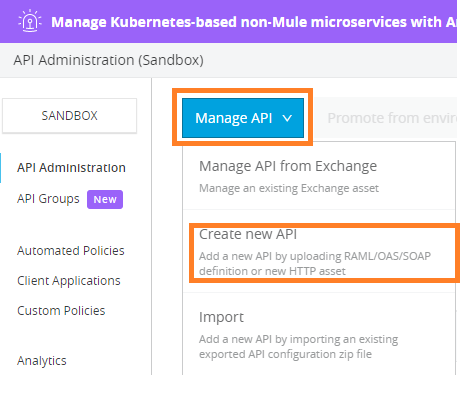
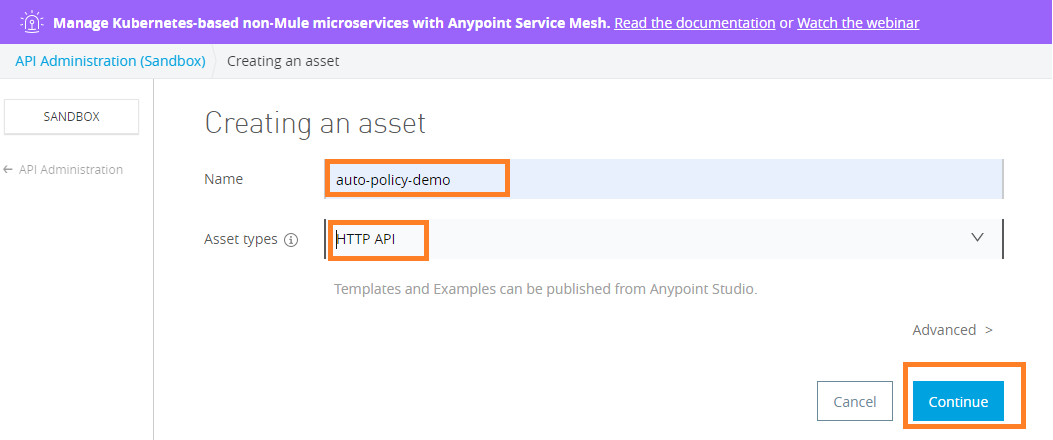
Provide Name, Asset Type and click on Continue finally click on Save as below
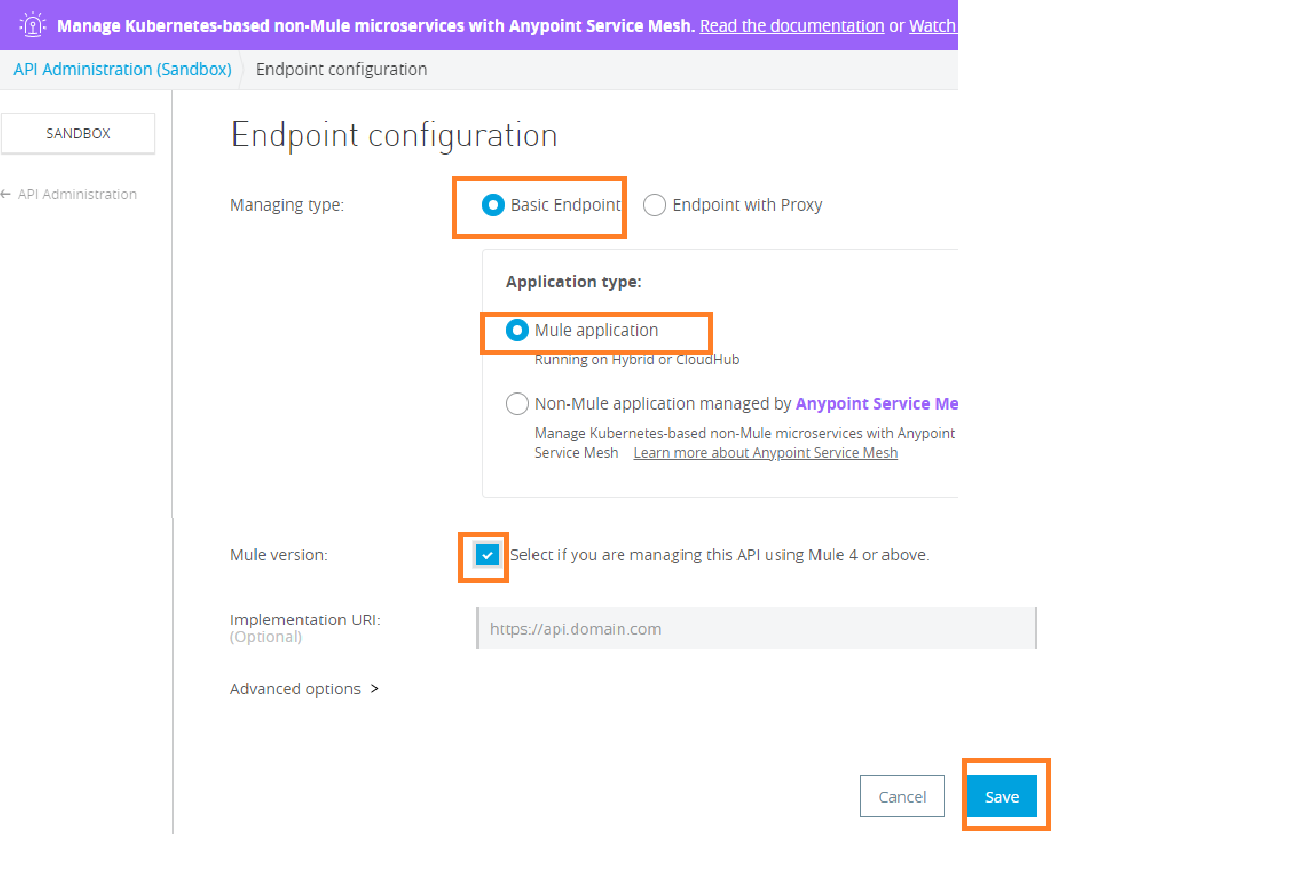
Select Managing type, Application type, check Mule version, and Save.
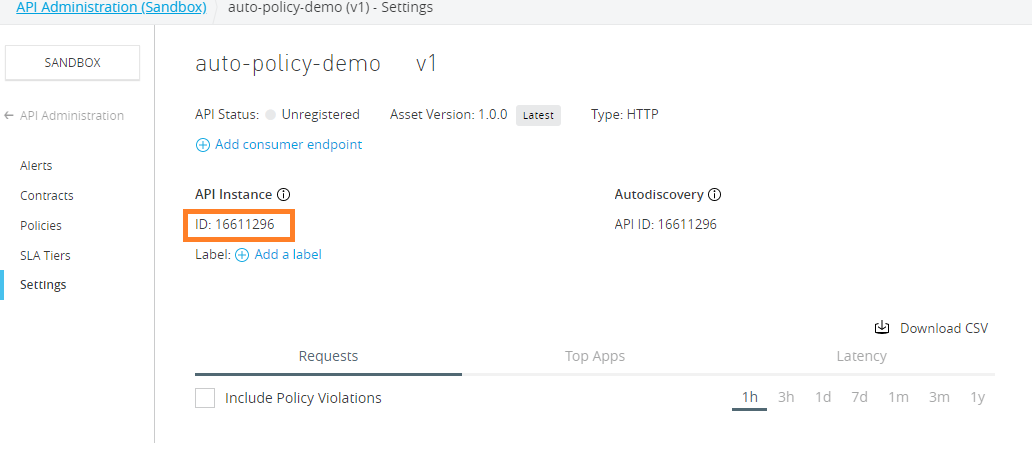
After save you can see API instance has been created. Copy ID to use in the implementation. It establishes a relationship between API created in API Manager and API deployed in Runtime Manager.
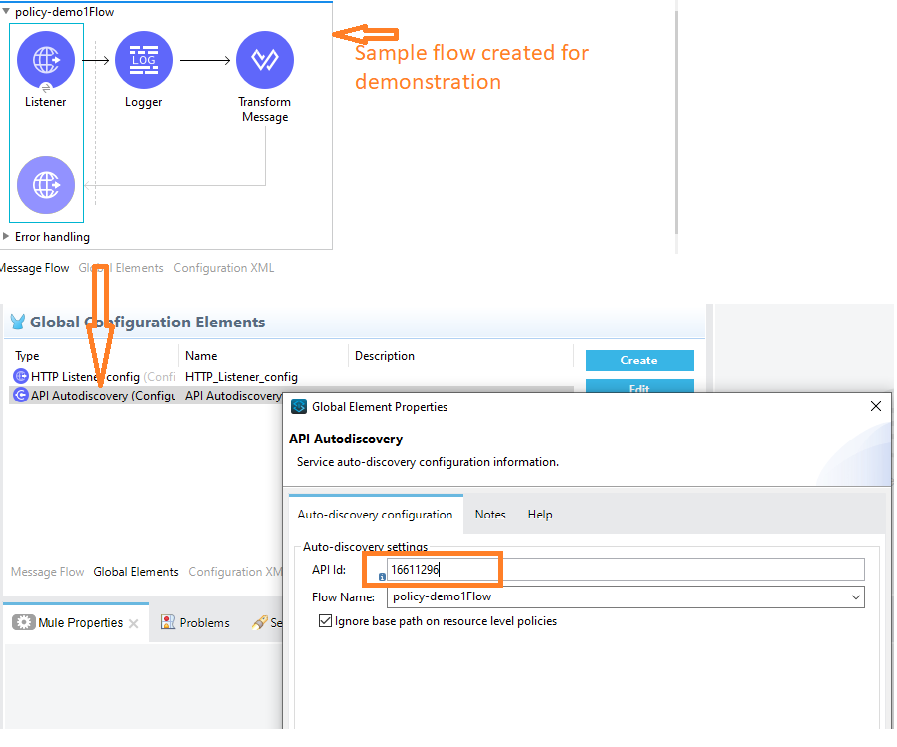
Simple Implementation flow to demonstrate automated policy and show the use of API Id created in previous steps.
As you can see basic authentication has been applied on deployed applications. It asks for credentials while accessing the API.
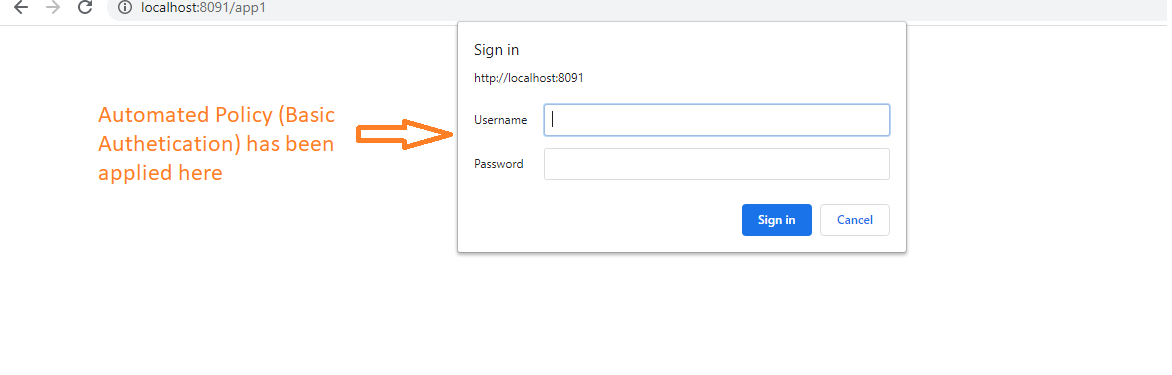
The basic authentication policy will be applied automatically for any new application deployed on the runtime manager.
A conflict occurs when adding an automated policy that it is already applied as an API Level policies:
- Automated policies have higher priority over API level policies.
- A popup with the list of conflicting APIs will be displayed.
- We can either select the APIs from the list of already configured APIs and manually disable or remove the conflicting policy or choose to override all conflicting policies for the already configured APIs.
- The API policy will be re-enabled automatically if an Automated Policy is removed.
When managing new APIs, in the Policies tab, you can see information regarding the status of automated policies applied to your environment:
- Automated policies are not shown until the application is in Active Status.
- A list of applied automated policies will be listed in the Policies tab of the API after the application is deployed.
- Users with View Policies role for the environment will be able to see the list of automated policies applied.
- A notification will be sent to the organization, and environment administrators if an application is deployed to an environment that has an automated policy that doesn’t cover the deployed runtime.
Opinions expressed by DZone contributors are their own.
Comments