

Parameterize Jenkinsfile in MultiBranch Jobs
Select different Jenkinsfiles as a parameter in MultiBranch Jobs
 ·
·
Join the DZone community and get the full member experience.
Join For FreeThere is no need to spend time on telling how super useful the MultiBranch Job is in Jenkins. However, there is one drawback; You can define and use only one Jenkinsfile in a given repository which will be the default Jenkinsfile for all scanned branches.
As this may sound complicated, from time to time you may need to use different use Jenkinsfiles in the given repository for different purposes. In this case, your only option is to define different Pipeline Jobs with different Jenkinsfile and branch settings.
Until now!
With the latest release of the Remote Jenkinsfile Provider plugin, it is possible to parameterize Jenkinsfile as an input ( String, choice, etc.. ) before running the child (Workflow/Branch) jobs which are discovered by scanning. For example, you can run Jenkinsfile1 for the master branch while you can run Jenkinsfile2 for another branch in the same repository!
How To
For having this feature, please follow the steps below.
- Install the latest, newer than 1.18v, Remote Jenkinsfile Provider Plugin
- Store Jenkinsfiles in the repository. Do not forget to put default Jenkinsfile which is named Jenkinsfile. This file will be run once when a new branch is discovered by scanning.
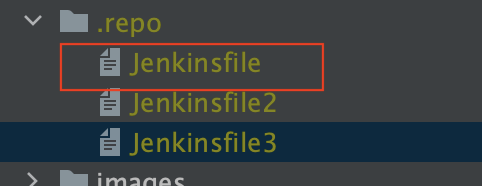
- Put the below parameter section into all your Jenkinsfiles. As this parameter section will be processed when the job is run, the pipeline needs to have this for providing parameters screen on the next run!
Please note that there is no restriction on using other parameters with the below one.
- Configure MultiBranch job with Remote Jenkinsfile Provider.
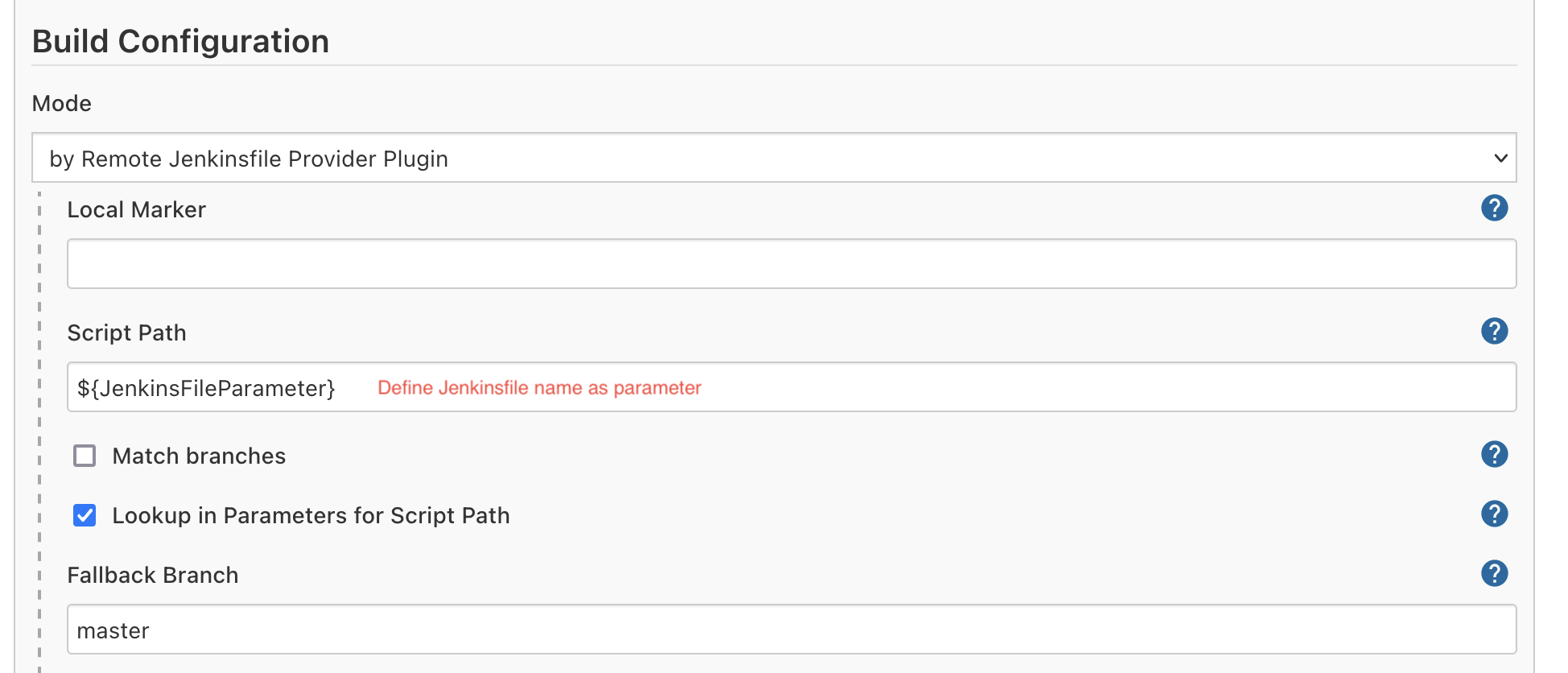
- Save!
After saving the MultiBranch Job, It will scan the repository for branches ( If it doesn't scan automatically, do it manually ).
In the first discovery of a branch, default Jenkinsfile will run.

After the first run, child jobs will start asking for the Jenkinsfile parameter before running.
You can select/provide Jenkinsfile name in the input section of each Workflow/Branch Job.

Selected/provided Jenkinsfile will run!

Enjoy!
Opinions expressed by DZone contributors are their own.
Comments