

PyCharm Fix for Certificate Verify Failed: Unable To Get Local Issuer Certificate
This article presents a PyCharm resolution for when a security app like Zscalar makes URLS inaccessible for testing code.
When your organization installs a security monitoring app like Zscaler on your workstation, it could hinder your productivity by blocking many existing third-party apps you have been using for your development or testing deliverables.
In many cases, once installed, you will have no problem accessing public URLs via browser but will still face challenges when trying to access via terminal or IDE. Although when organizations install security apps, they add company-generated certificates in the system cert, some applications like Java, Python, IDE, NPM, etc. do not use default system cert and have their own custom trust store, which fails to validate Zscaler-generated server certificates, and the TLS connection fails.
Despite going through Zscalar documentation (referenced) on how to add company root CA certificate to these apps (IDE and Python, in this case), IDE failed to establish a successful connection to public URLs and was timing out with an error:
[SSL: CERTIFICATE_VERIFY_FAILED] certificate verify failed: unable to get local issuer certificate (_ssl.c:1129)')))
One easy workaround to overcome this would be to set verify=False in your endpoint requests, but I discourage this approach because the verify=False parameter in request library calls is used to disable SSL certificate verification when making HTTPS requests. However, it is generally not recommended to use verify=False unless you have a specific reason to do so. Here are a few reasons why it's not recommended:
- Security risks: SSL certificate verification is an essential part of secure communication over the internet. Disabling certificate verification means that your requests are vulnerable to man-in-the-middle attacks, where an attacker can intercept and tamper with the data being transmitted.
- The authenticity of the server: SSL certificate verification ensures that you are connecting to the intended server and not an imposter. By disabling verification, you lose the guarantee that you communicate with the correct server, increasing the risk of exposing sensitive information to malicious entities.
- Compliance requirements: In certain industries or contexts, there might be regulatory or compliance requirements that mandate SSL certificate verification. Ignoring these requirements can lead to legal or regulatory consequences.
- Stability and reliability: Disabling certificate verification may result in connection failures or unreliable communication due to network intermediaries or server configurations. By enabling certificate verification, you can ensure a more stable and reliable connection.
If you encounter issues with SSL certificate verification, it's generally better to address the root cause rather than bypassing it by disabling verification. It's important to prioritize security and integrity when making requests over HTTPS. Disabling SSL certificate verification by using verify=False should be done only when you fully understand the risks involved and have a compelling reason to do so.
Here is a set of step-by-step instructions that helped to overcome without compromising security policy:
- Download Zscalar CA root certificate: There are several ways to download the CA root cert depending on if you have Administrative access or not and which platform you have on your workstation. Here, I will show two ways to get methods to do so:
- On Mac:
- Find the certificate: On MacOS, SSL certificates are accessible from the KeyChain Access app under Applications → Utilities → KeyChain Access.

- Under system->“Certificates,” look for the Zscaler certificate
- Export the certificate to a .pem file: Right-click and use the KeyChain Access app’s export option. Make sure to choose the .pem format.
- Find the certificate: On MacOS, SSL certificates are accessible from the KeyChain Access app under Applications → Utilities → KeyChain Access.
- From Browser:
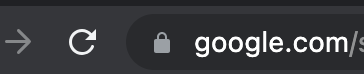
- Find the certificate: Open and click on the lock icon at the beginning:
- Click on the option "Connection is secure"

- Click on "Connection is valid"
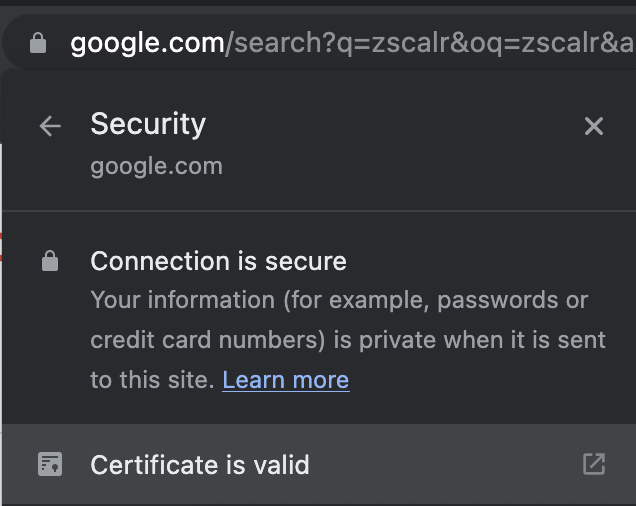
- Switch to the "detail" tab and click on root certificate ->export(at the bottom), save the cert into .cer format
- Execute the below command from shell to convert .cer to .pem format :
openssl x509 -in mycert.crt -out mycert.pem -outform PEM
- Find the certificate: Open and click on the lock icon at the beginning:
- Add .env file under the root directory of the project in IDE (PyCharm) and add env variable in it: REQUESTS_CA_BUNDLE=/<full path to .pem CA root cert on your workstation>/
- On Mac:
I hope the solution suggested saves some of your time when you run into such an issue.
Opinions expressed by DZone contributors are their own.