

React Lifecycle Hooks, Part 1
In this post, we go over the basics of lifecycle hooks in React and demonstrate how to use them in your JavaScript code.
I am basically Dotnet and Angular developer but recently I have done a project in React.js. Based on what I experienced I am going to share my knowledge on React lifecycle hooks.
In React a component will have four stages. 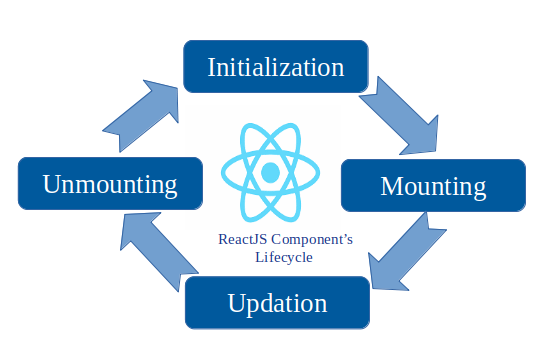
Initialization
Mouning
Updating
Unmounting
Lifecycle hooks generally mean the flow of data or the loading of data, rendering of data or pages, and the triggering of any methods or events in a component
Initilization
Here we define the initial and default values for the props and states. The two methods in this phase are:
getDefaultProps()getInitialState() The getInitialState method enables us to set the initial state value that is accessible inside the component via this.state.
getDefaultProps can be used to define any default props which can be accessed via this.props.
Each component in React contains several lifecycle methods that one can override to run code at particular times within the lifecycle. The methods that contain the word ‘will’ are called before an event happens while the methods that contain the word ‘did’ happen after an event.
Mounting
When the component is initially rendered and inserted into the DOM, the mounting methods are called. During mounting no update occurs. The methods used during mounting are called in this order:
constructor(): This method is called before the component is rendered and generally used to assign the default state value. We can also bind methods of the component with the ‘this’ keyword.componentWillMount(): the method will be called before rendering HTML in the DOM. Generally API fetching is done in this hook. You can compare thengOnInithook of Angular with this.render(): In this method the HTML will be rendered.componentDidMount(): After loading the data into the DOM this method will be called. React recommends using thesetStatemethod in this lifecycle hook.
Another way you can check which is renderd first is to try to access a DOM property and try to change it’s color. In componentWillMount(), it will throw an error at that time the render method is not called, hence the DOM is not created. But in the componentDidMount() method it will work fine.
import React, { Component } from 'react';
import { render } from 'react-dom';
import './style.css';

class App extends Component {
  constructor() {
    super();
    this.state = {
      name: 'React'
    };
  }

  componentWillMount(){
    console.log("Before rendering html");
  //document.getElementById('test').style.color = 'red';  //this will give error


  }

  componentDidMount(){
      console.log("After rendering html");
      document.getElementById('test').style.color = 'red';
  }

  render() {
    return (
      <div>

        <p id="test">
          Start editing to see some magic happen :)
        </p>
      </div>
    );
  }
}

render(<App />, document.getElementById('root')); Opinions expressed by DZone contributors are their own.