

Request-Reply Pattern Using Correlation ID Mule4 Using ActiveMQ
A software architect and developer shows us how to use ActiveMQ to create and exchange a request/reply queue and then how to test that the exchange worked.
Join the DZone community and get the full member experience.
Join For FreeAgenda
- Introduction.
- Create a request/reply queue.
- Create and an exchange and bind it with the request-queue.
- Develop a Mule 4 flow to comply with the correlation-id.
Introduction
When the requester generates a request message, it assigns a request ID to the request—an identifier that is distinct from these for all other presently outstanding requests, that is, requests that do not yet have replies. When the replier treats the request, it keeps the request ID and adds that ID to the reply as a correlation ID. When the requester processes the reply, it uses the correlation ID to identify which request the reply is for. This is called a Correlation Identifier because of the way the caller uses the identifier to associate (i.e., match, show the relationship) each reply to the request that generated it.
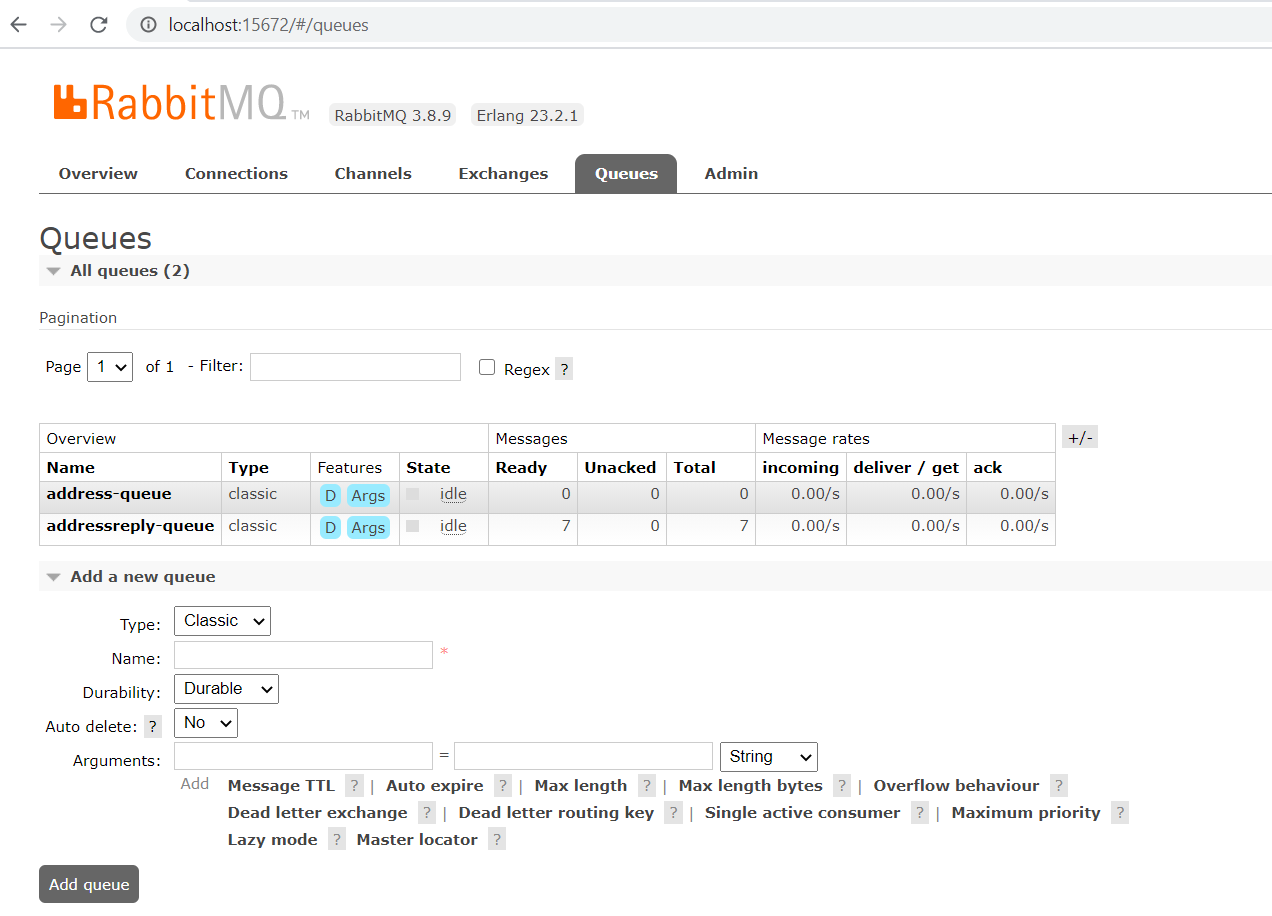
Create a Request/Reply Queue
Request queue is created: address-queue.
Reply queue is created: addressreply-queue.
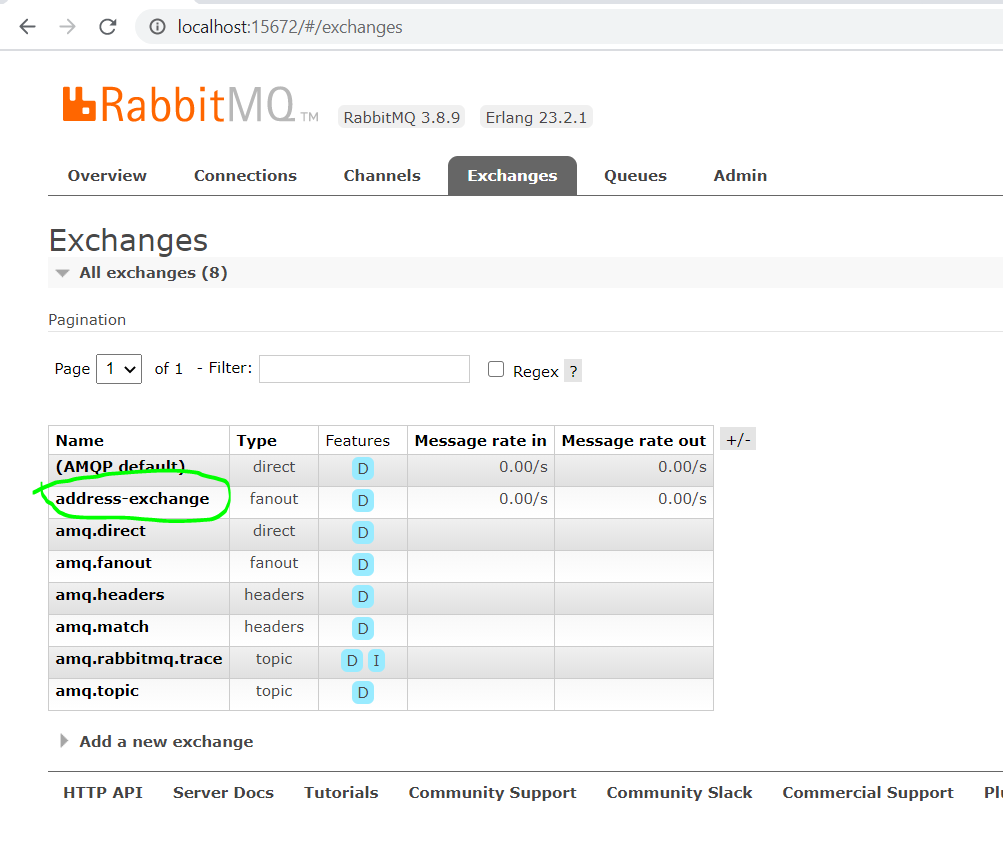
Create an Exchange and Bind it With Request-Queue
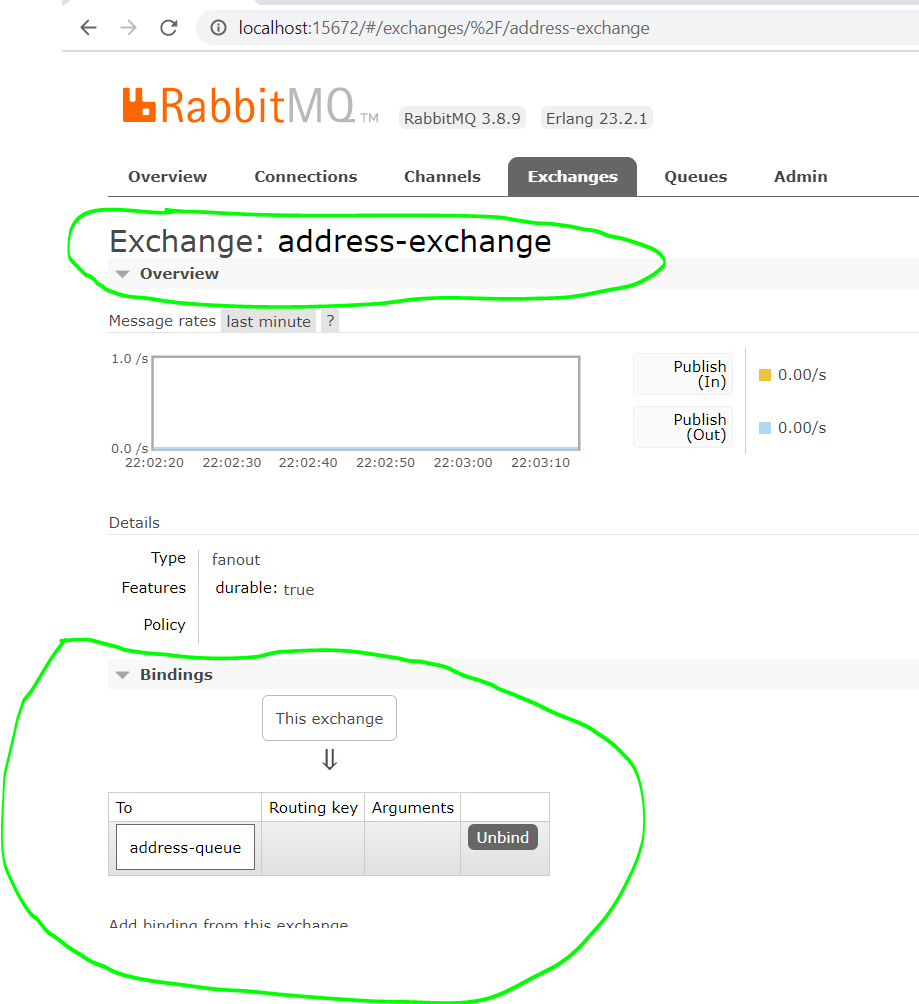
Now bind it with the request queue as shown below.
Code for the Request-Reply Pattern in Mule 4
<mule xmlns:ee="http://www.mulesoft.org/schema/mule/ee/core" xmlns:salesforce="http://www.mulesoft.org/schema/mule/salesforce"
xmlns:validation="http://www.mulesoft.org/schema/mule/validation"
xmlns:amqp="http://www.mulesoft.org/schema/mule/amqp"
xmlns:http="http://www.mulesoft.org/schema/mule/http"
xmlns="http://www.mulesoft.org/schema/mule/core" xmlns:doc="http://www.mulesoft.org/schema/mule/documentation" xmlns:xsi="http://www.w3.org/2001/XMLSchema-instance" xsi:schemaLocation="http://www.mulesoft.org/schema/mule/core http://www.mulesoft.org/schema/mule/core/current/mule.xsd
http://www.mulesoft.org/schema/mule/http http://www.mulesoft.org/schema/mule/http/current/mule-http.xsd
http://www.mulesoft.org/schema/mule/amqp http://www.mulesoft.org/schema/mule/amqp/current/mule-amqp.xsd
http://www.mulesoft.org/schema/mule/validation http://www.mulesoft.org/schema/mule/validation/current/mule-validation.xsd
http://www.mulesoft.org/schema/mule/ee/core http://www.mulesoft.org/schema/mule/ee/core/current/mule-ee.xsd">
<flow name="requestor-flow" doc:id="d8e92a34-d34d-4e1a-bce3-7405b9010241" >
<http:listener doc:name="Listener" doc:id="88476dbb-04af-429d-83f3-20714be8d406" config-ref="HTTP_Listener_config" path="/address">
<http:error-response statusCode="400" />
</http:listener>
<set-variable doc:name="Save Payload" doc:id="290893b4-3248-45ab-a168-73359123e11d" variableName="payload" value="#[payload]"/>
<logger level="INFO" doc:name="Logger" doc:id="ccde0f6d-cc70-4b05-a68c-60f644381b1e" message="one correlation : --- #[correlationId]"/>
<amqp:publish-consume doc:name="Request Reply using Correlation ID" doc:id="d7d6a1ee-f3e2-4376-ac6f-68e89c6817e7" config-ref="AMQP_Config" exchangeName="${rabbitmq.addexchange}" sendCorrelationId="ALWAYS" deliveryMode="PERSISTENT">
<amqp:message >
<amqp:body ><![CDATA[#[payload.event.eventPayload.address.address1]]]></amqp:body>
<amqp:properties replyTo="${rabbitmq.addressreplyqueue}"/>
</amqp:message>
</amqp:publish-consume>
<ee:transform doc:name="Update and Send Response" doc:id="bfeeab27-6f01-4ea1-a46a-1a65c5aa0021" >
<ee:message >
<ee:set-payload ><![CDATA[%dw 2.0
output application/json
var outputJson = vars.payload
---
outputJson mapObject (value, key) -> (key):
value ++ payload]]></ee:set-payload>
</ee:message>
</ee:transform>
<logger level="INFO" doc:name="Logger" doc:id="658ced7a-1b65-4094-ae99-4c97f4e7b59c" message="three correlation : --- #[correlationId]"/>
</flow>
</mule>
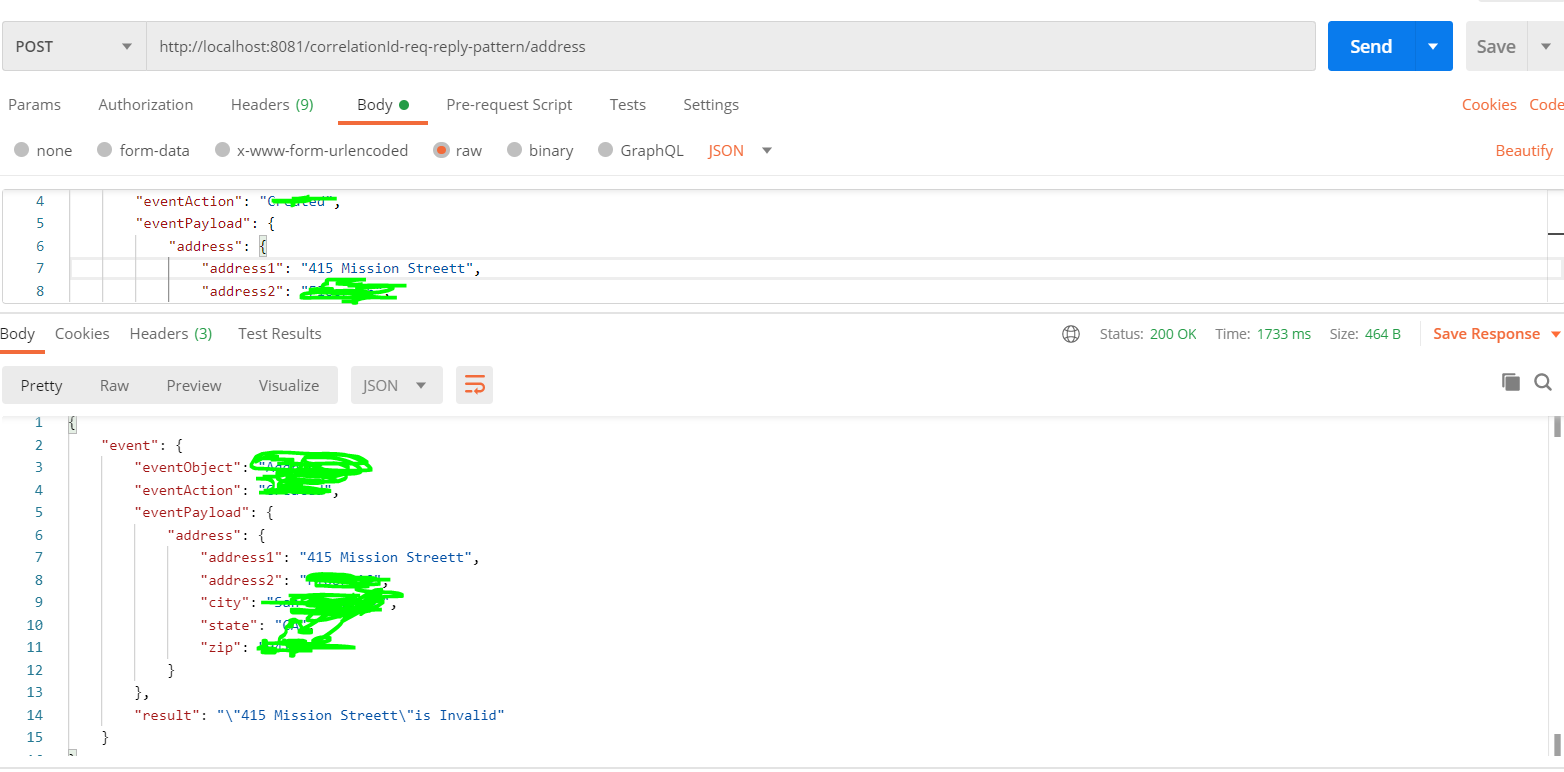
Test the Application
Validate the Correlation ID in the Logs
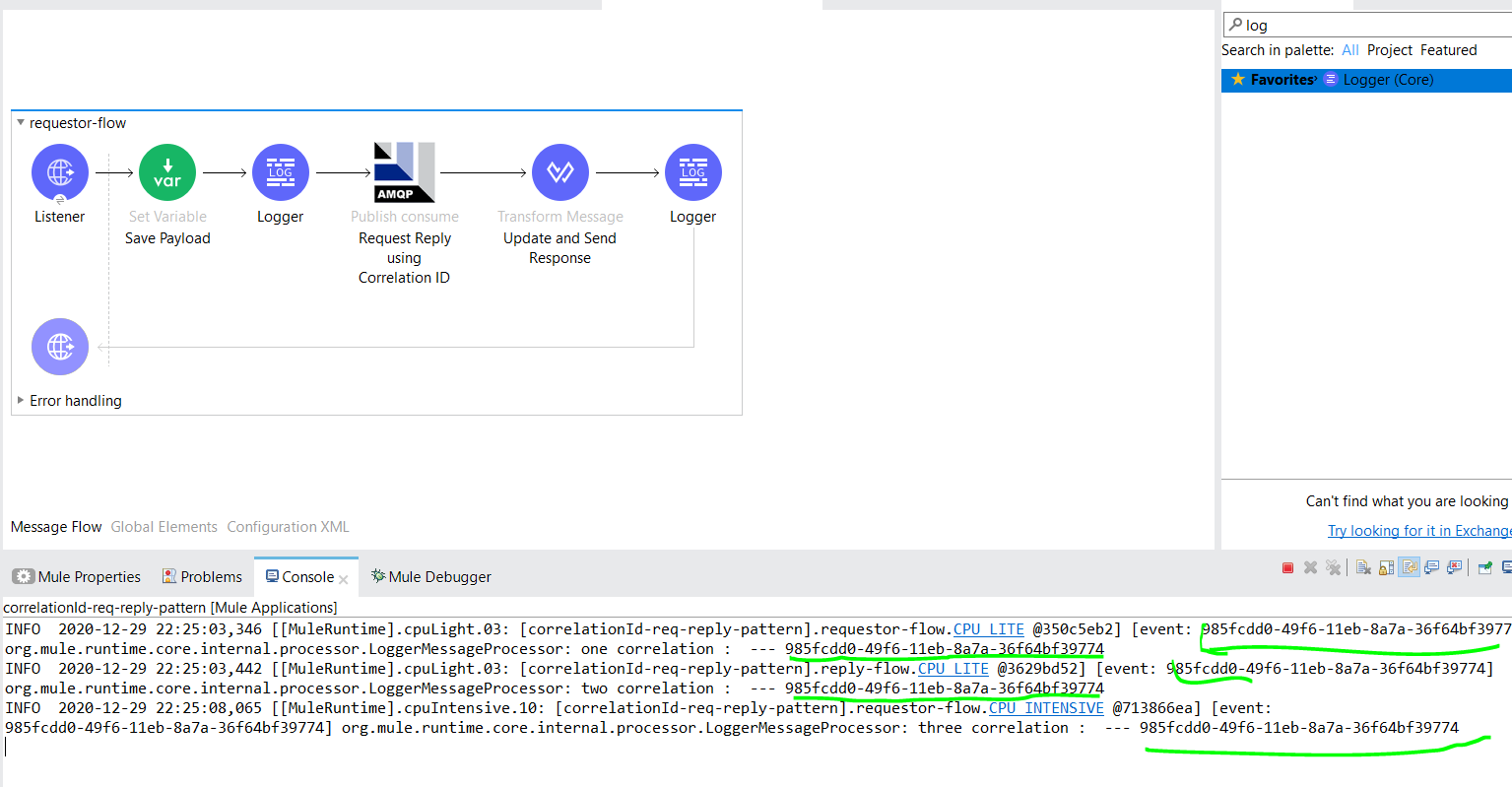 Here, we can validate how our request moved from the request to reply queue with the correlation id. It helps to identify the request and respective requests.
Opinions expressed by DZone contributors are their own.
Comments