DZone
Thanks for visiting DZone today,
Edit Profile
  • Manage Email Subscriptions
  • How to Post to DZone
  • Article Submission Guidelines
Sign Out View Profile
  • Post an Article
  • Manage My Drafts
Over 2 million developers have joined DZone.
Log In / Join
Refcards Trend Reports
Events Video Library
Refcards
Trend Reports

Events

View Events Video Library

Related

  • How to Install VPN on Linux?
  • AWS Managed Database Observability: Monitoring DynamoDB, ElastiCache, and Redshift Beyond CloudWatch
  • Architecting Petabyte-Scale Hyperspectral Pipelines on AWS
  • Why SAP S/4HANA Landscape Design Impacts Cloud TCO More Than Compute Costs

Trending

  • Detecting Bugs and Vulnerabilities in Java With SonarQube
  • Ujorm3: A New Lightweight ORM for JavaBeans and Records
  • Pragmatica Aether: Let Java Be Java
  • Slopsquatting: Building a Scanner That Catches AI-Hallucinated Packages Before They Reach Production
  1. DZone
  2. Coding
  3. Tools
  4. Set Up AWS EC2 Instance: RedHat Enterprise Linux 8 (RHEL 8)

Set Up AWS EC2 Instance: RedHat Enterprise Linux 8 (RHEL 8)

By 
Enrico Rafols Dela Cruz user avatar
Enrico Rafols Dela Cruz
·
Updated May. 22, 20 · Tutorial
Likes (3)
Comment
Save
Tweet
Share
23.0K Views

Join the DZone community and get the full member experience.

Join For Free

Amazon EC2 instances are the most widely used Virtual Machines. In general, EC2 or Elastic Compute Cloud instances run on the hypervisors, it's like a remote computer running a Windows or Linux OS on which you can install whatever software you want, including a Web Server running PHP application and a Database Server. 

In this article, I'm gonna show you how to set up an AWS EC2 instance - RedHat Enterprise Linux (RHEL8) and to access it remotely using SSH client from a local computer.

PREREQUISITES:

  • AWS Account 
  • Any SSH Client Application (I'm using Git Bash https://gitforwindows.org/ for this tutorial) 

INSTRUCTIONS:

1. Log in to AWS Management Console, under Services, Click the EC2
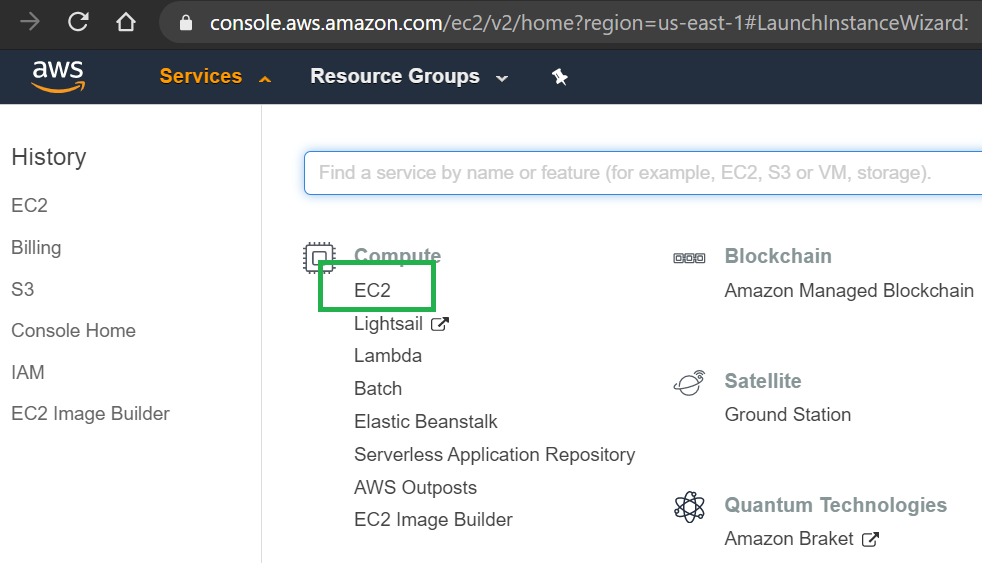
AWS Management Console

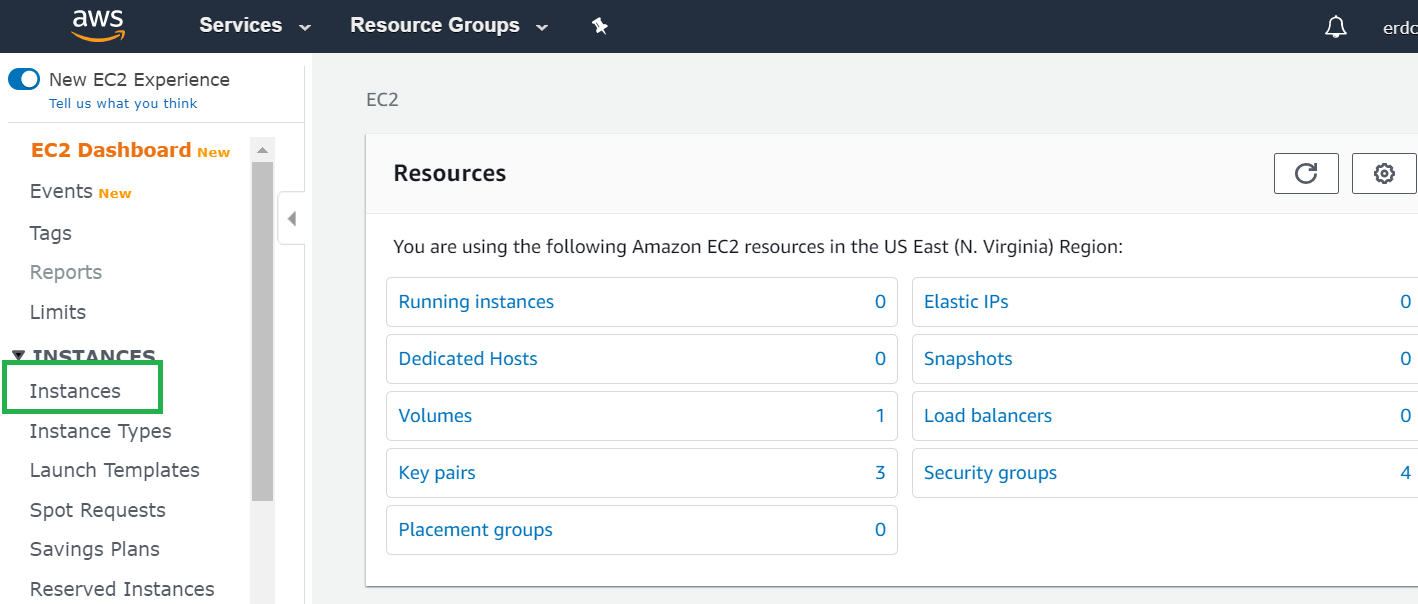
2. In EC2 Menu, click Instances

EC2 Instances

3. Click Launch Instance to create a new instance
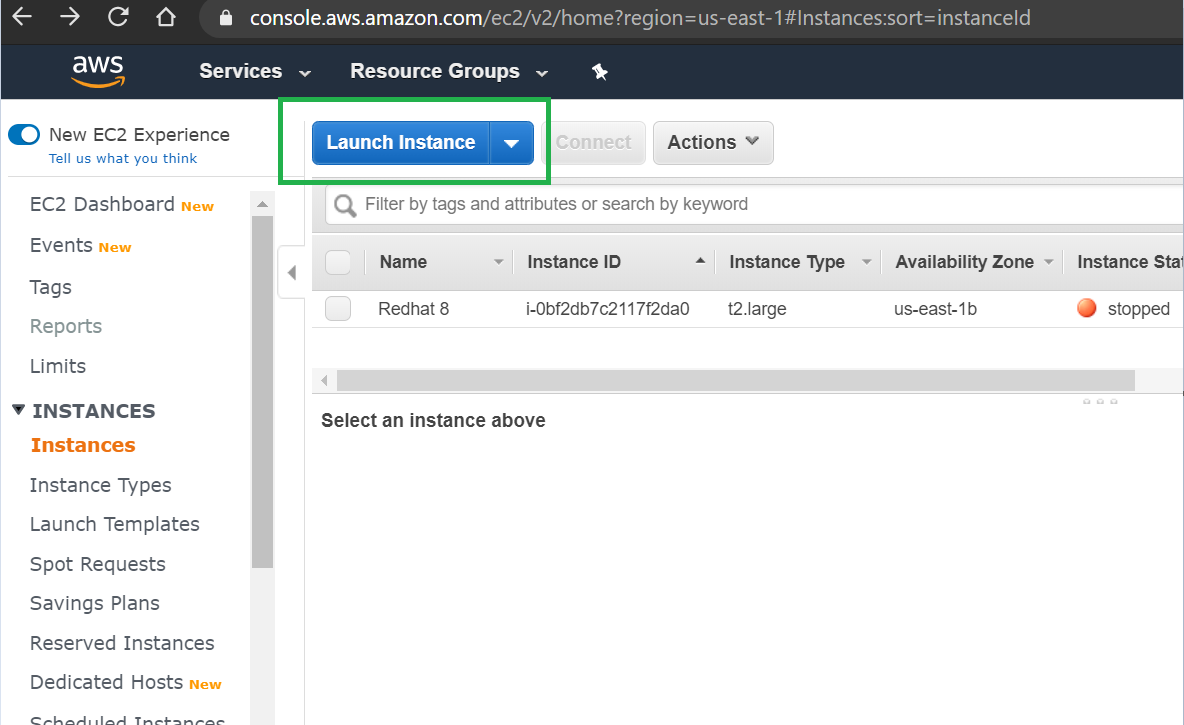
Launching the instance

4. Choose your Amazon Machine Image, in this tutorial I'm gonna select RHEL 8 64-bit (x86), then click Next
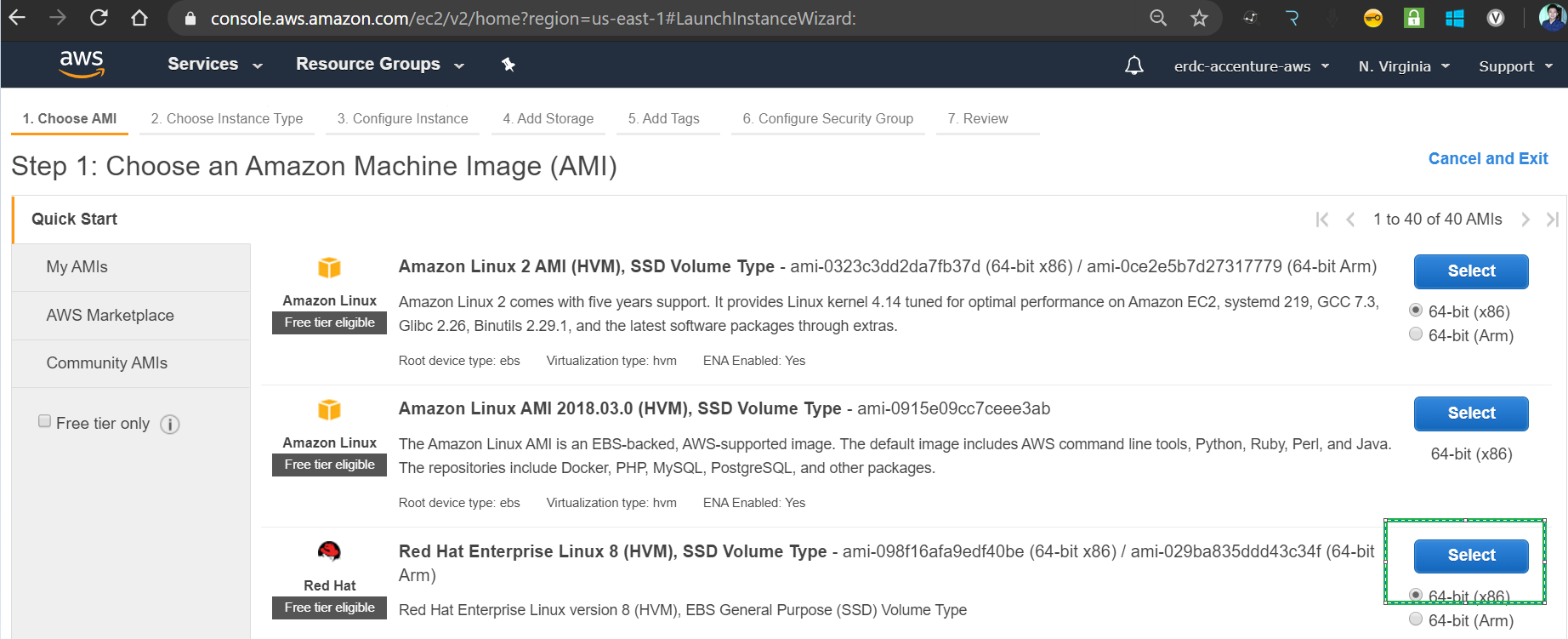
Selecting Amazon Machine Image

5. Choose the desire Instance Type, click Next
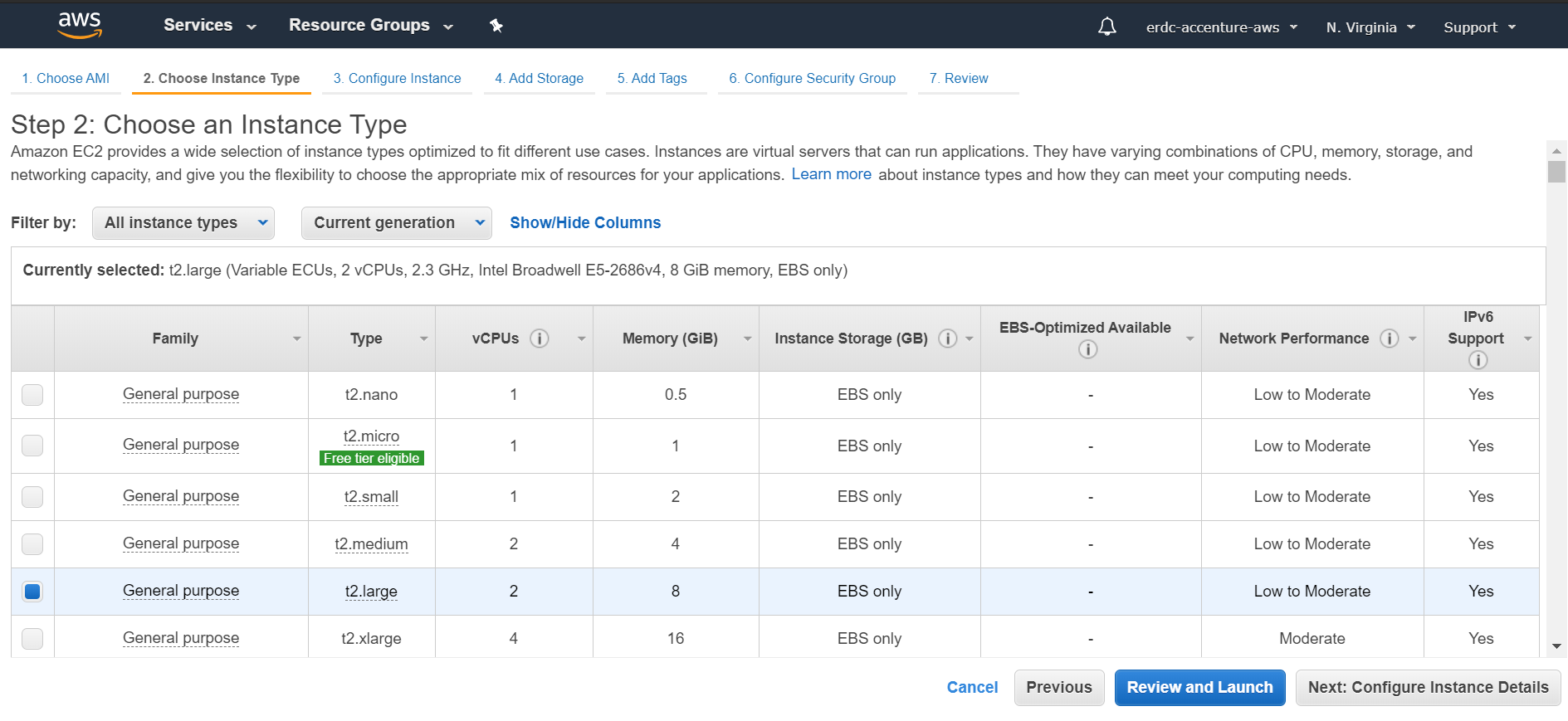
Selecting Image type

6. On this page, you can configure your desire VPC settings, configure the number of instances for scaling and assign an IAM Role. In my case, I'm gonna leave the default values, click Next
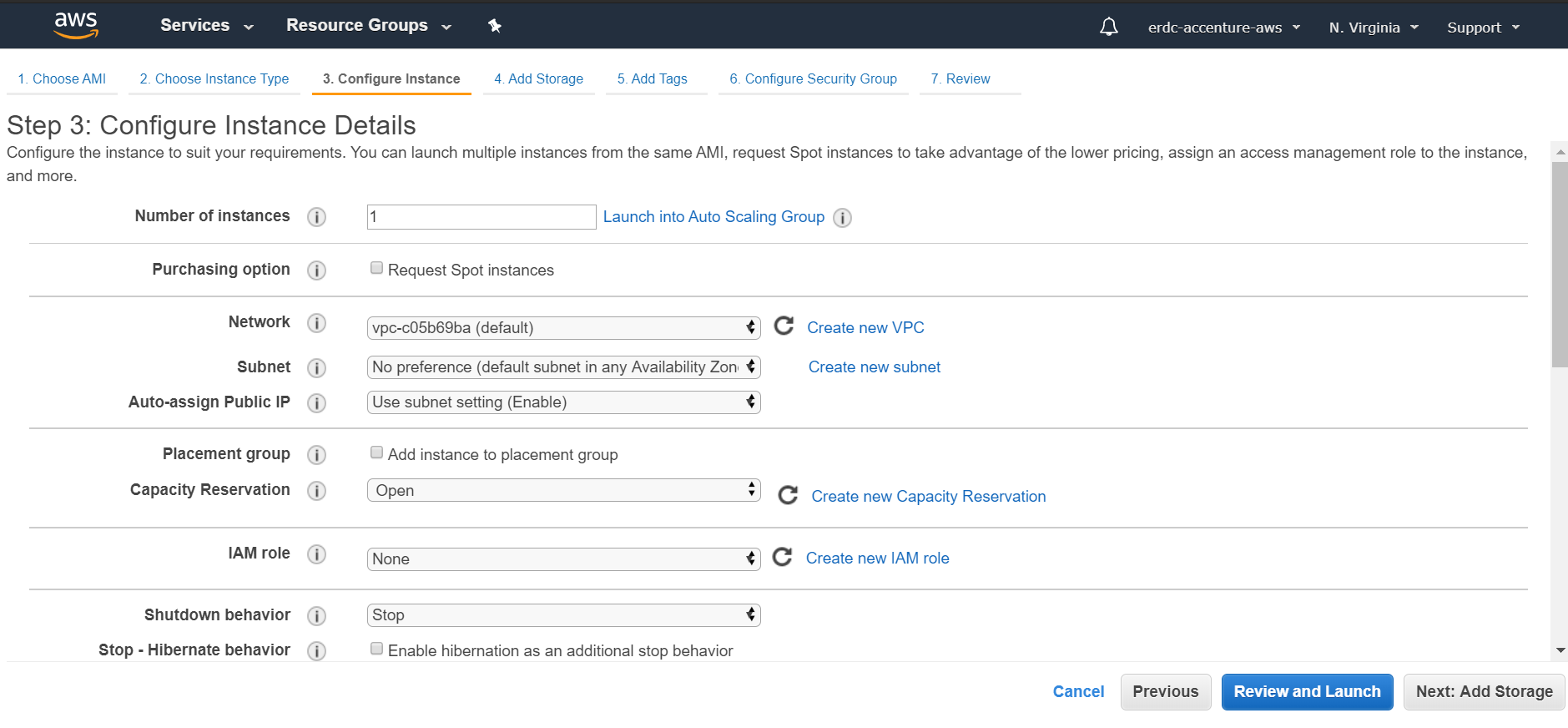
Configure Instance details

7. Configure your desire storage capacity, click Next
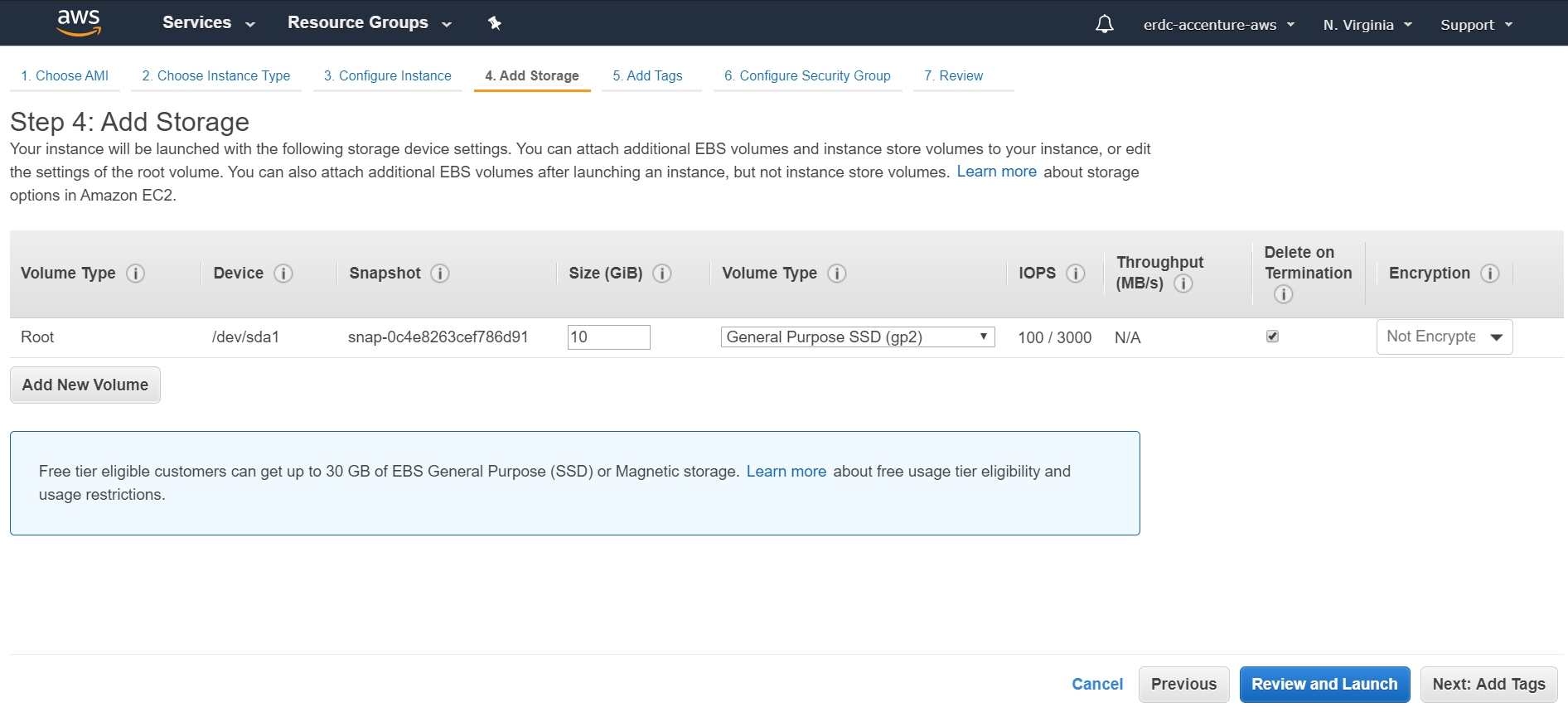
Configuring storage capacity

8. Just click Next if you don't want to add a custom tag for your instance. 
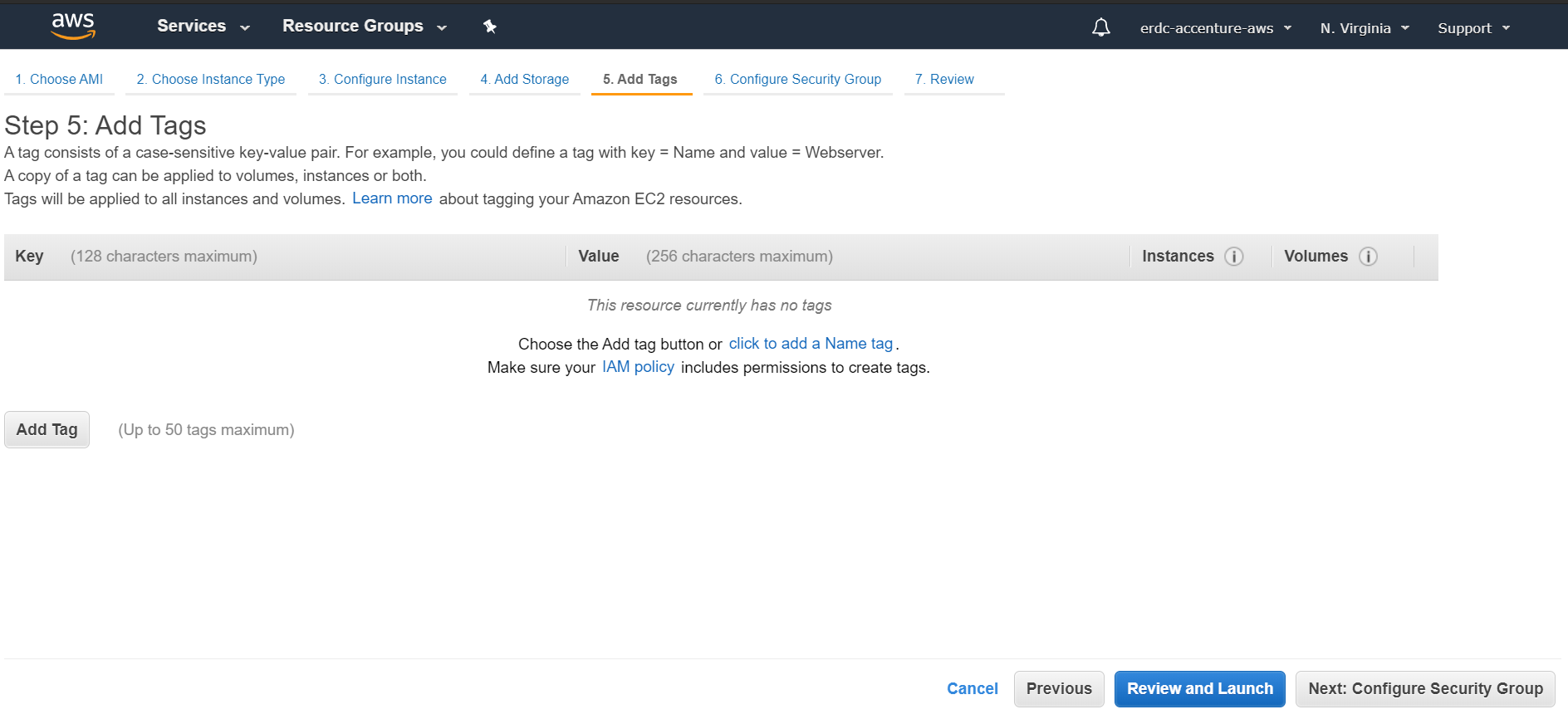
Adding custom tag

9. On this page, I'm gonna create a new Security Group and add a rule for SSH port 22

The Source will be my public IP address which will allow me to connect remotely from my computer via SSH.

You can get your own public IP address here https://www.whatismyip.com/what-is-my-public-ip-address/
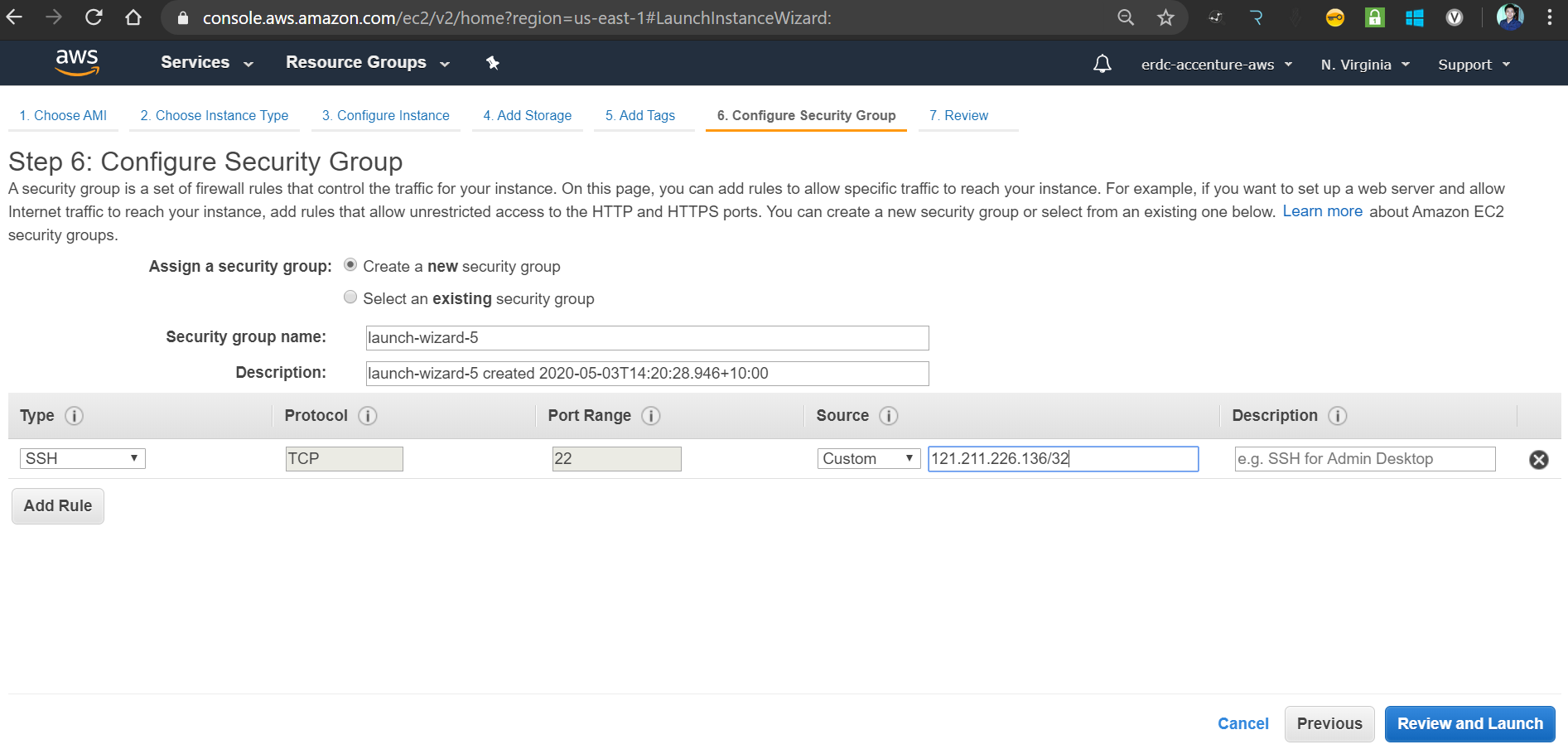

Getting public IP address

10. Review the configuration and click Lunch
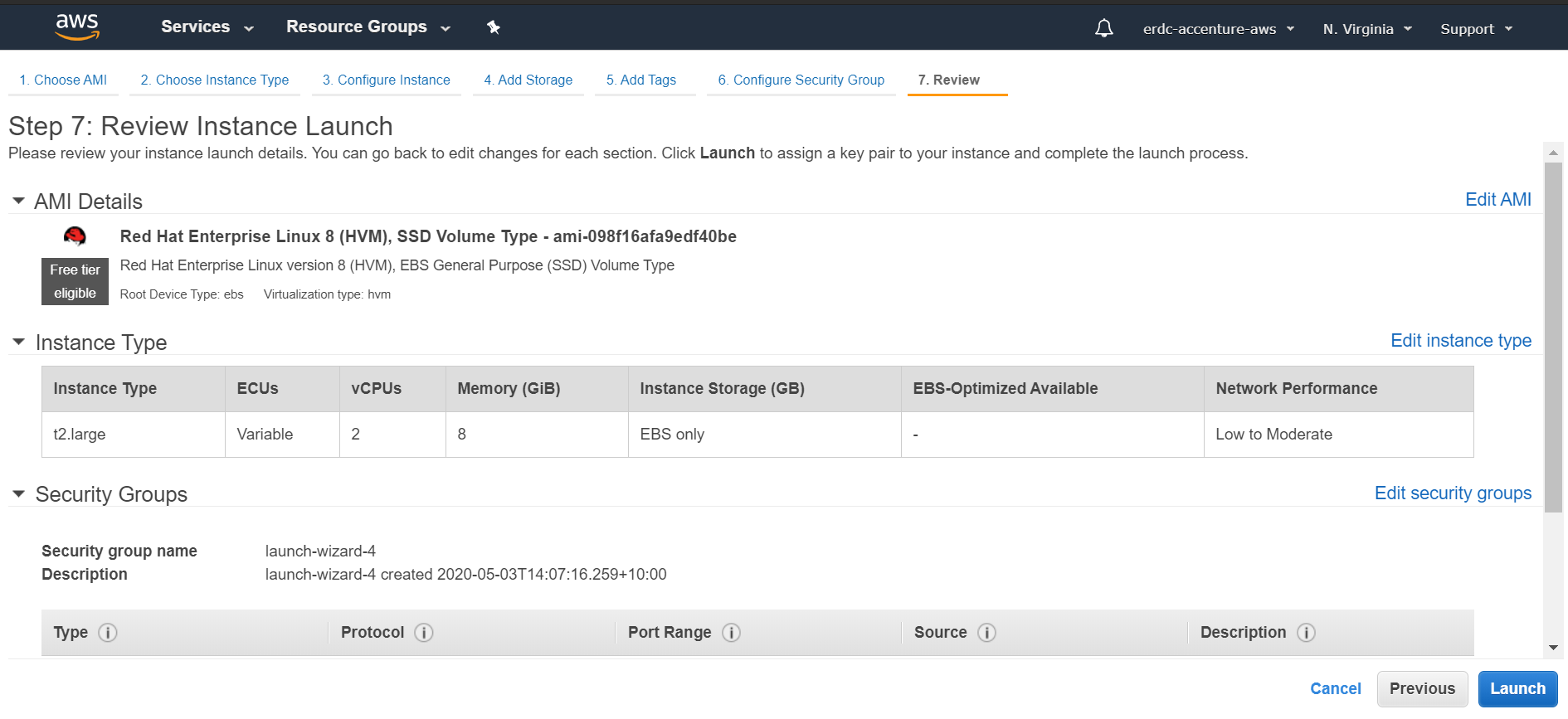
Reviewing configuration

11. On the Dialog Box, select the Create a new key pair and provide a value for the Key Pair Name.

Download the PEM file by clicking Download Key Pair button, we will use the PEM file for SSH authentication.

Click Launch Instances once you have the PEM file.
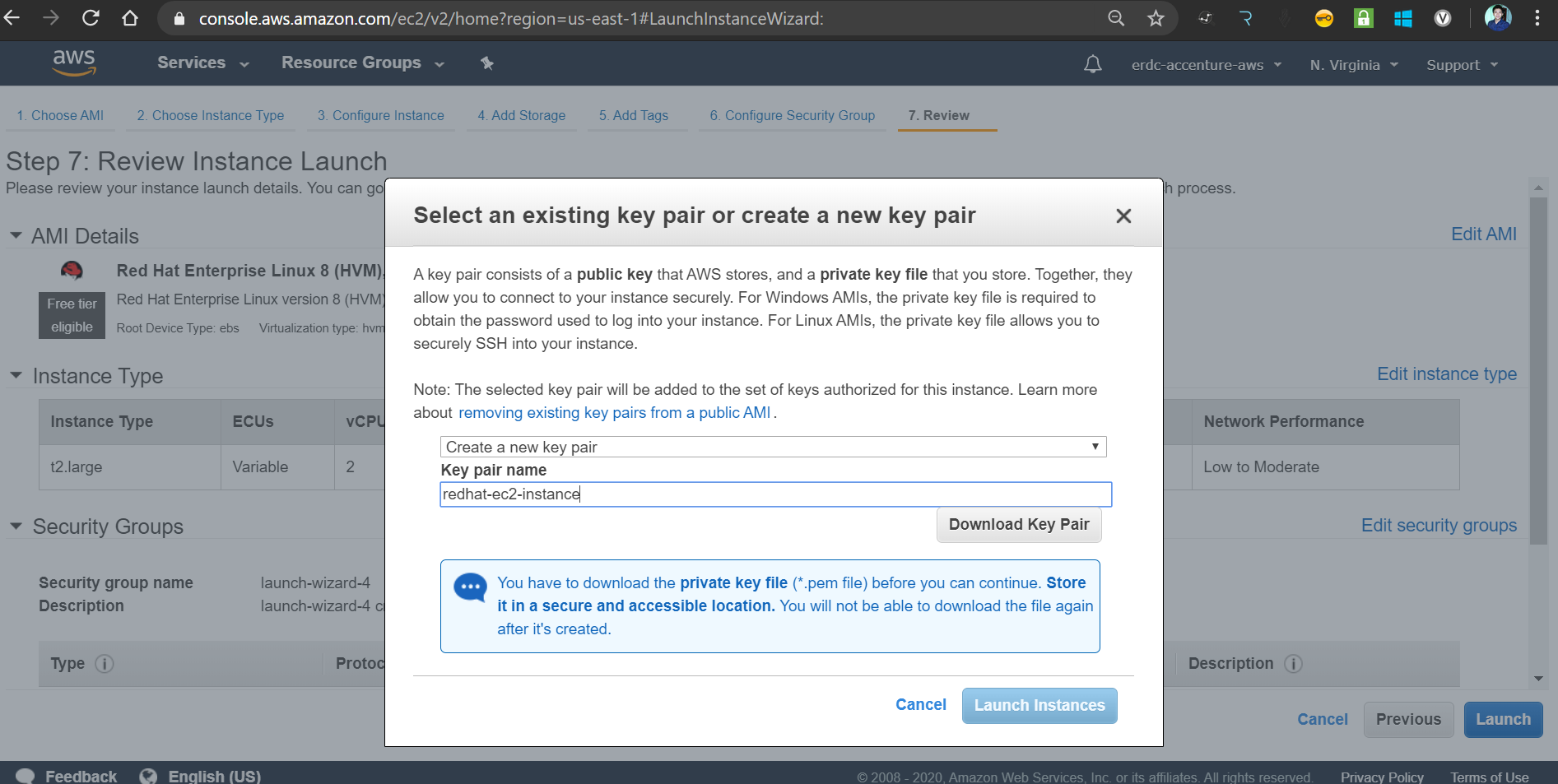
Launching instances

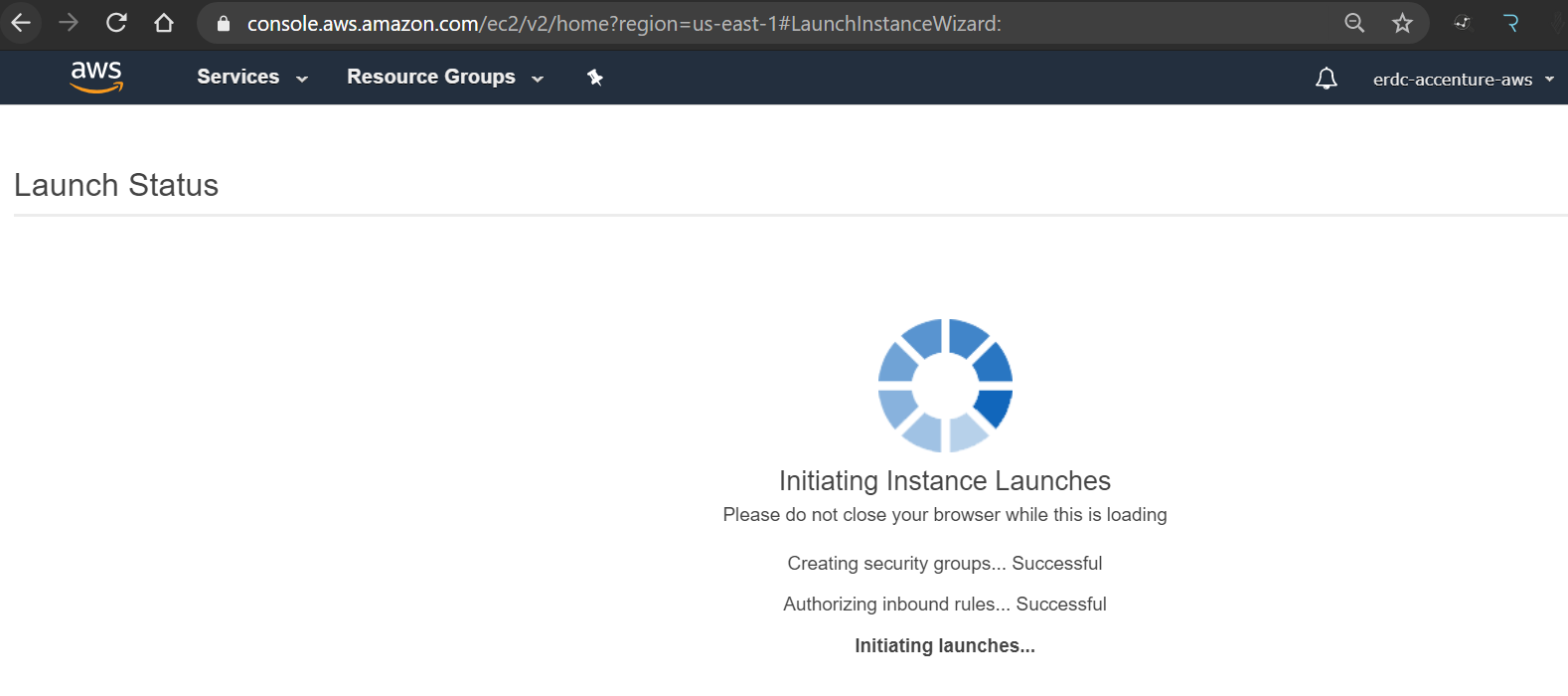
Launching status

12. The newly created instance status should be running, take note of the Public DNS of the EC2 instance, we will use this on our SSH client.
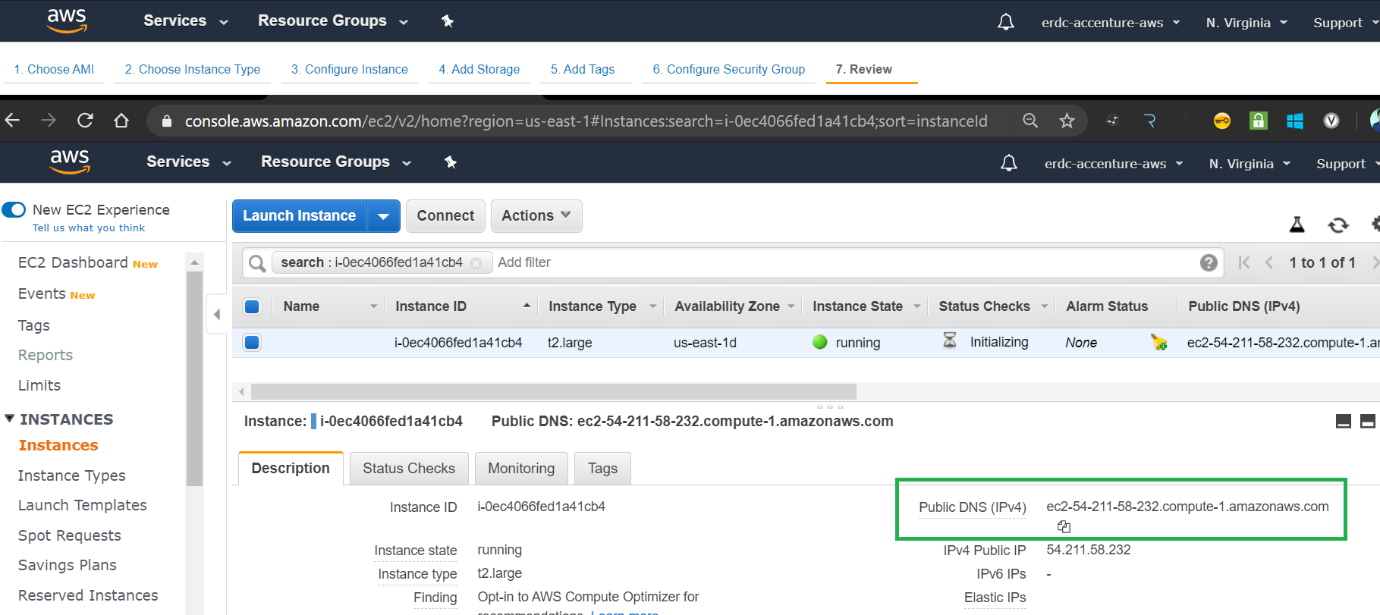
Using SSH client

13. Open the Git Bash, execute the command ssh -i <PEM file> <username>@<Public DNS>

The default username for RHEL is ec2-user.

You should be able to login successfully.
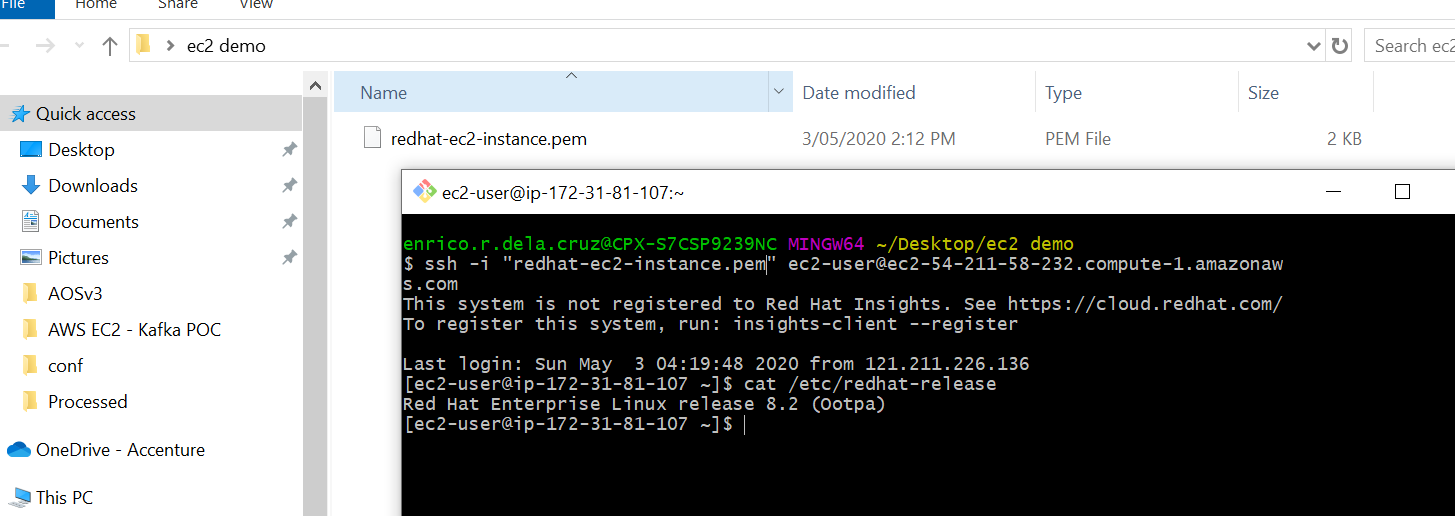
Logging into instance


That's it, hope this helps!

AWS Linux (operating system)

Opinions expressed by DZone contributors are their own.

Related

  • How to Install VPN on Linux?
  • AWS Managed Database Observability: Monitoring DynamoDB, ElastiCache, and Redshift Beyond CloudWatch
  • Architecting Petabyte-Scale Hyperspectral Pipelines on AWS
  • Why SAP S/4HANA Landscape Design Impacts Cloud TCO More Than Compute Costs

Partner Resources

×

Comments

The likes didn't load as expected. Please refresh the page and try again.

  • RSS
  • X
  • Facebook

ABOUT US

  • About DZone
  • Support and feedback
  • Community research

ADVERTISE

  • Advertise with DZone

CONTRIBUTE ON DZONE

  • Article Submission Guidelines
  • Become a Contributor
  • Core Program
  • Visit the Writers' Zone

LEGAL

  • Terms of Service
  • Privacy Policy

CONTACT US

  • 3343 Perimeter Hill Drive
  • Suite 215
  • Nashville, TN 37211
  • [email protected]

Let's be friends:

  • RSS
  • X
  • Facebook