

Testcontainers Explained: Bringing Real Services to Your Test Suite
Testcontainers enables realistic integration testing with broad language support while balancing fidelity, performance, and nuanced adoption strategies.
 CORE
·
CORE
·
Join the DZone community and get the full member experience.
Join For FreeBuilding robust, enterprise-grade applications requires more than just writing code — it demands reliable automated testing. These tests come in different forms, from unit tests that validate small pieces of logic to integration tests that ensure multiple components work together correctly. Integration tests can be designed as white-box (where internal workings are visible) or black-box (where only inputs and outputs matter). Regardless of style, they are a critical part of every release cycle.
Modern enterprise applications rarely operate in isolation. They often have to interact with external components like databases, message queues, APIs, and other services. To validate these interactions, integration tests typically rely on either real instances of components or mocked substitutes.
- Real instances provide a near-production experience, but they can be fragile during rapid development and often require costly infrastructure.
- Mocks offer speed, reliability, and isolation, but they may fall short when advanced features or realistic behaviors are needed. As applications evolve, maintaining mocks can also add overhead to the delivery cycle.
This creates a dilemma → how do we balance realism with reliability without incurring heavy setup costs or maintenance burdens?
Imagine if you could spin up disposable, production-like components on demand — lightweight, isolated, and tailored to your testing needs. No complex setup, no fragile infrastructure, and support for a wide range of programming languages and frameworks.
Enter Testcontainers.
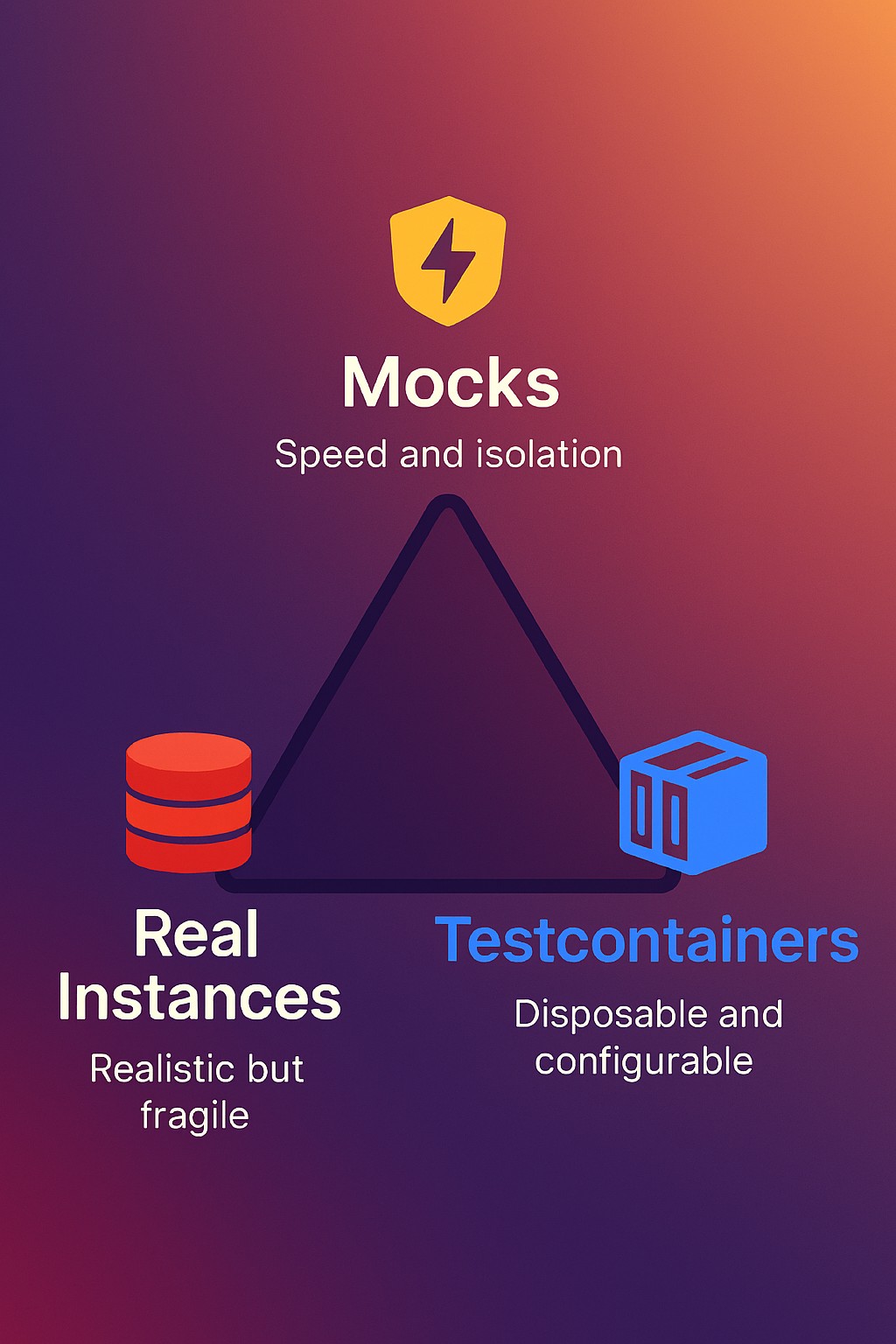
Testcontainers
Testcontainers provides throwaway, lightweight instances of various external components like databases, message queues, APIs, or anything that can run in a Docker container — even your own application.
All we need to do is define the required dependency container as code. During test execution, the container is created and eventually deleted (irrespective of test results — passed or failed). The complete lifecycle of the container is managed transparently, with little or no overhead.
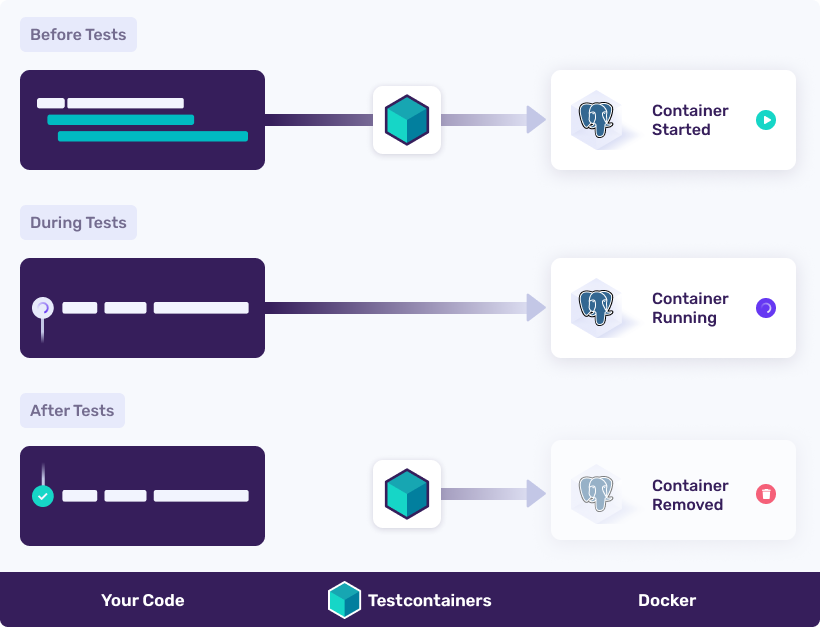
Next, let’s consider a sample application with a peculiar requirement and see how Testcontainers can help in this situation.
Sample Application
The sample application, along with the test code discussed in this article, is available here.
Consider an Order Management System built using the Command Query Responsibility Segregation (CQRS) pattern. It accepts orders, manages the order lifecycle, and allows users to search orders. The application is written in Java, and all APIs are synchronous over HTTP.
The high-level architecture overview is as follows →
┌─────────────┐      ┌──────────────┐      ┌─────────────┐
│   HTTP      │ ───> │   Order      │ ───> │   Oracle    │
│   Client    │      │   Service    │      │   Database  │
└─────────────┘      └──────────────┘      └──────┬──────┘
                            │                     │
                            │                     │ CDC Events
                            │                     ↓
                            │              ┌──────────────┐
                            │              │  Debezium    │
                            │              │  Embedded    │
                            │              └──────┬───────┘
                            │                     │
                            │ Search Query        │ Index
                            ↓                     ↓
                     ┌──────────────────────────────┐
                     │      Elasticsearch           │
                     └──────────────────────────────┘
The system state (i.e., writes and updates) is managed using Oracle RDBMS, while read queries are served by Elasticsearch. An embedded Debezium component provides Change Data Capture (CDC).
Thus, for the Order Management System to function, two external components are required — Oracle DB and Elasticsearch. A typical integration testing approach would be to use:
- An in-memory database (e.g., H2)
- Mocked Elasticsearch APIs to mimic desired search behavior for test data
However, as previously discussed, this approach has its shortcomings. Moreover, in this case, H2 won’t suffice, as it doesn’t support CDC via Debezium as of Jan ’26.
End-to-End Integration Testing with Testcontainers
For end-to-end (E2E) integration tests, let’s explore how Testcontainers can help in this situation. We will attempt both white-box and black-box tests.
Prerequisites and Setup
The only requirement for Testcontainers is the availability of a Docker API–compatible runtime. For local development, Docker Desktop (Windows and macOS) suffices.
Testcontainers supports a wide range of testing frameworks. Since the sample application is written in Java, the available options are JUnit 4/5 or Spock. We choose JUnit 5 for both white-box and black-box tests.
White-Box Testing
For white-box tests, along with HTTP endpoints, the service code is verified directly, as shown in the test architecture below →
┌─────────────────────────────────────────────────────────────┐
│                    Test Environment                         │
├─────────────────────────────────────────────────────────────┤
│  ┌──────────────┐    ┌─────────────────┐    ┌────────────┐  │
│  │   JUnit 5    │───>│  OrderService   │───>│  Oracle    │  │
│  │   Tests      │    │  OrderController│    │  Container │  │
│  └──────────────┘    └─────────────────┘    └────────────┘  │
│         │                    │                              │
│         │                    ↓                              │
│         │            ┌─────────────────┐                    │
│         └───────────>│  Elasticsearch  │                    │
│                      │  Container      │                    │
│                      └─────────────────┘                    │
└─────────────────────────────────────────────────────────────┘
To indicate that the JUnit E2E test class should utilize Testcontainers, annotate the test class with @Testcontainers. For both Oracle and Elasticsearch, a @Container configuration is specified as shown below →
@Testcontainers
@TestInstance(TestInstance.Lifecycle.PER_CLASS)
@TestMethodOrder(MethodOrderer.OrderAnnotation.class)
class OrderManagementE2EWhiteBoxTest {

    private static final DockerImageName ELASTICSEARCH_IMAGE =
            DockerImageName.parse("docker.elastic.co/elasticsearch/elasticsearch:8.17.0");
    private static final DockerImageName ORACLE_IMAGE =
            DockerImageName.parse("gvenzl/oracle-free:23-slim-faststart");

    @Container
    static OracleContainer oracleContainer = new OracleContainer(ORACLE_IMAGE)
            .withCreateContainerCmdModifier(cmd -> cmd.withName("e2e-wb-oracle-db"))
            .withDatabaseName("testdb")
            .withUsername("testuser")
            .withPassword("testpass")
            .withStartupTimeout(Duration.ofMinutes(5));

    @Container
    static ElasticsearchContainer elasticsearchContainer = new ElasticsearchContainer(ELASTICSEARCH_IMAGE)
            .withCreateContainerCmdModifier(cmd -> cmd.withName("e2e-wb-elasticsearch"))
            .withEnv("discovery.type", "single-node")
            .withEnv("xpack.security.enabled", "false")
            .withEnv("ES_JAVA_OPTS", "-Xms512m -Xmx512m")
            .withStartupTimeout(Duration.ofMinutes(3));
The remaining test class follows the regular structure — i.e., @BeforeAll / @BeforeEach and @AfterAll / @AfterEach, along with the relevant tests. These methods require no additional consideration with respect to Testcontainers and can cleanly interact with the code under verification, just like any normal test suite.
When the test class is executed, Testcontainers automatically spins up the specified containers. The code under verification interacts with these containers transparently.
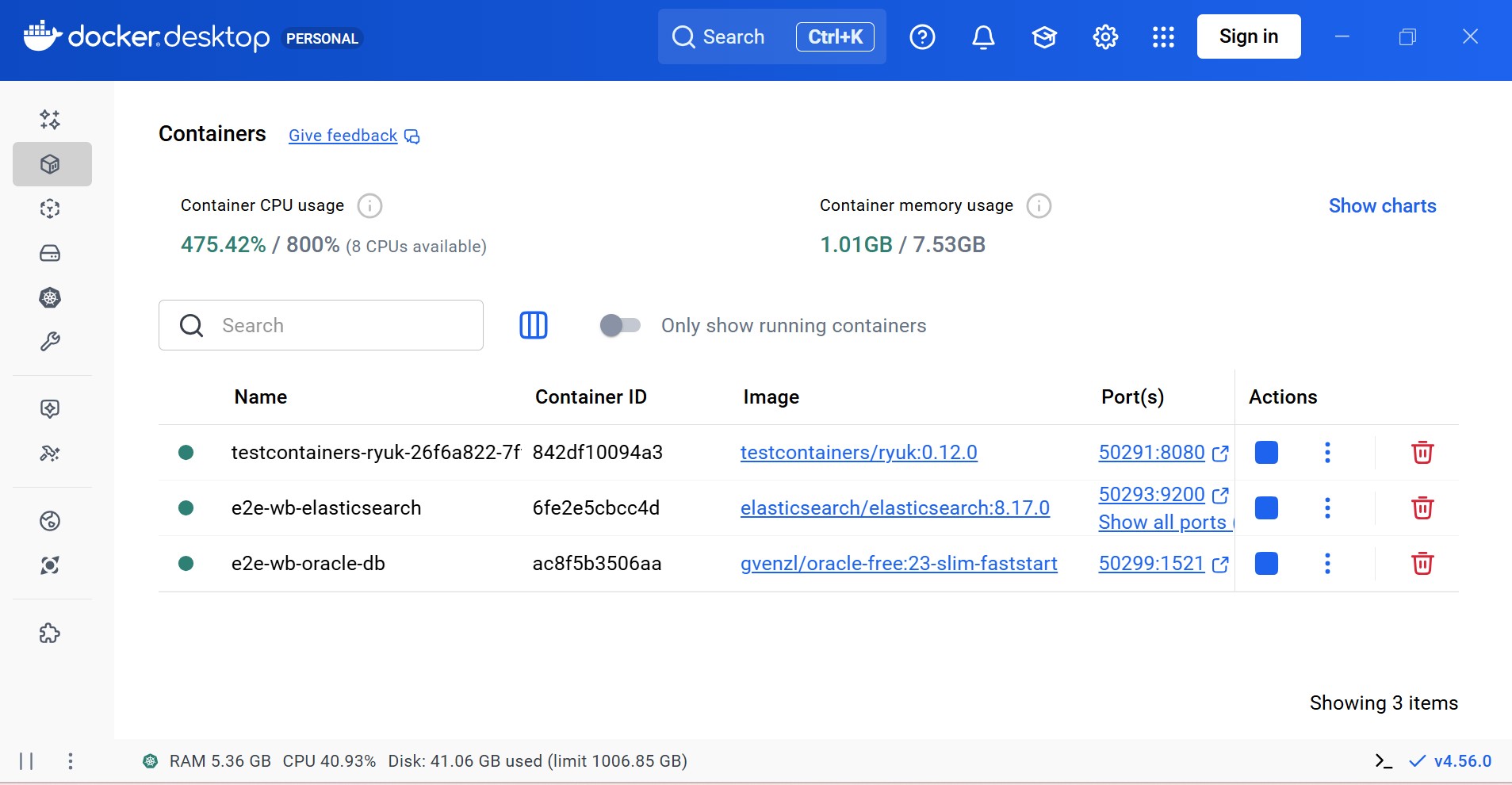
Once the test execution completes, the containers started previously are cleaned up (irrespective of the test outcome).
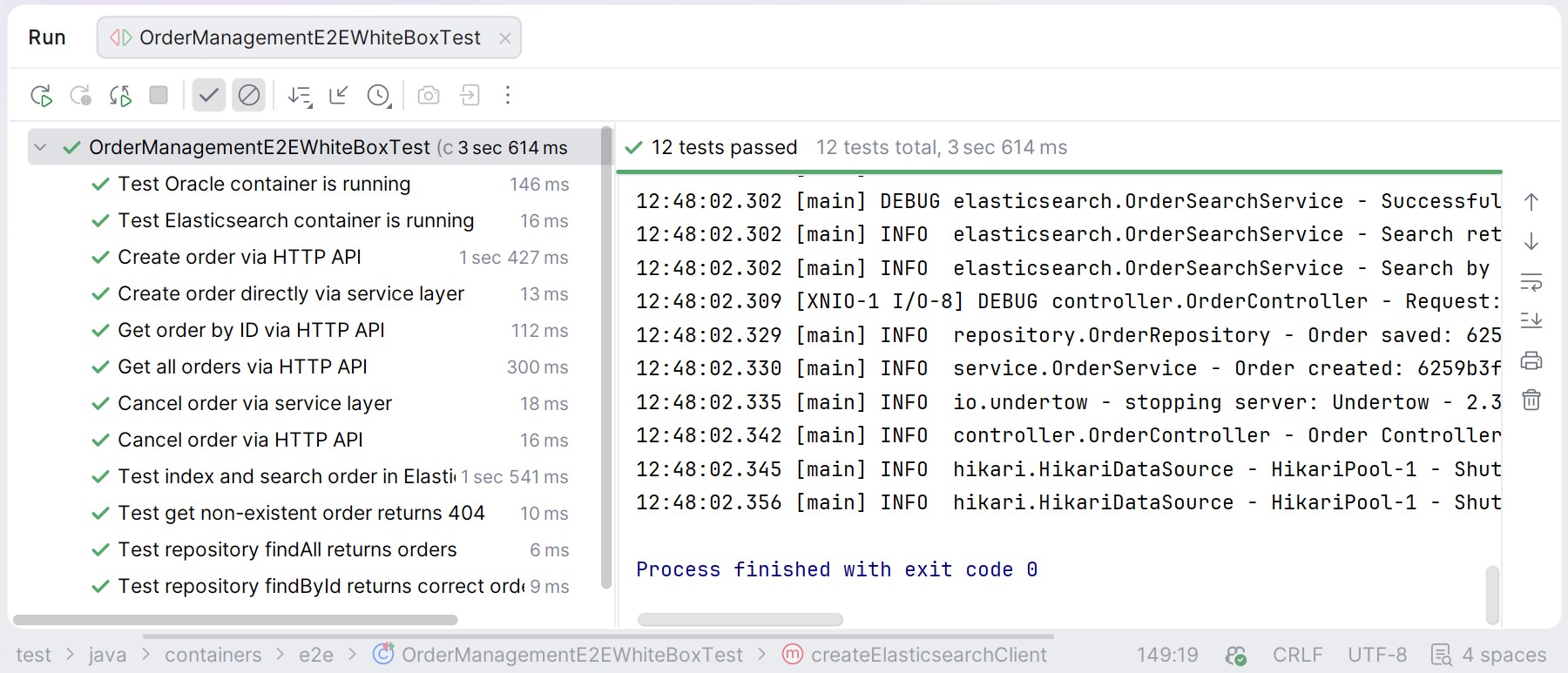
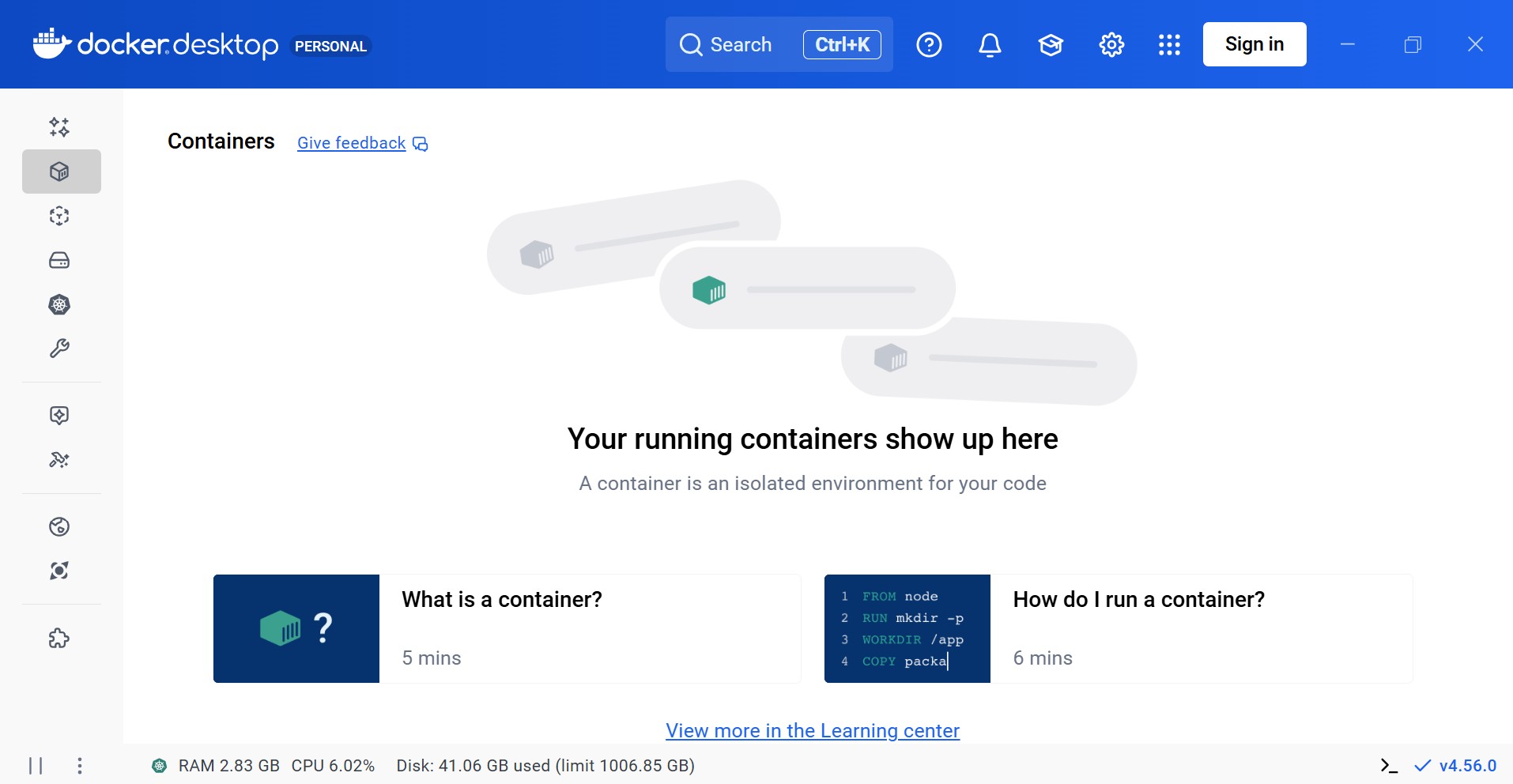
Since the images used for test containers are real components, their behavior — and thus system behavior — is verified in a production-like environment. As all component features are available, Testcontainers enables early feedback during build time itself.
Black-Box Testing
For black-box tests, only the HTTP endpoints (via a pre-built application image) are verified, as shown in the test architecture below →
┌─────────────────────────────────────────────────────────────┐
│                    Test Environment                         │
├─────────────────────────────────────────────────────────────┤
│  ┌──────────────┐    ┌─────────────────┐    ┌────────────┐  │
│  │   JUnit 5    │───>│  Application    │───>│  Oracle    │  │
│  │   Tests      │    │  Container      │    │  Container │  │
│  │   (HTTP)     │    │  (test-         │    └────────────┘  │
│  └──────────────┘    │  containers:1.0)│                    │
│                      └────────┬────────┘                    │
│                               │                             │
│                               ↓                             │
│                      ┌─────────────────┐                    │
│                      │  Elasticsearch  │                    │
│                      │  Container      │                    │
│                      └─────────────────┘                    │
│                                                             │
│                      [Shared Docker Network]                │
└─────────────────────────────────────────────────────────────┘
Similar to the white-box test, the test class is annotated with @Testcontainers. Oracle and Elasticsearch containers are configured as before. Additionally, an application container is required. This application image is spun up during the test, and the tests are executed against it.
@Testcontainers
@TestInstance(TestInstance.Lifecycle.PER_CLASS)
@TestMethodOrder(MethodOrderer.OrderAnnotation.class)
class OrderManagementE2EBlackboxTest {

    // Configure via system property (Maven), environment variable, or use default
    private static final String APP_IMAGE = System.getProperty("app.image.name",
            System.getenv().getOrDefault("APP_DOCKER_IMAGE", "test-containers:1.0"));

    private static final DockerImageName ELASTICSEARCH_IMAGE =
            DockerImageName.parse("docker.elastic.co/elasticsearch/elasticsearch:8.17.0");
    private static final DockerImageName ORACLE_IMAGE =
            DockerImageName.parse("gvenzl/oracle-free:23-slim-faststart");

    // Shared network for all containers
    private static final Network network = Network.newNetwork();

    @Container
    static OracleContainer oracleContainer = new OracleContainer(ORACLE_IMAGE)
            .withCreateContainerCmdModifier(cmd -> cmd.withName("e2e-bb-oracle-db"))
            .withDatabaseName("testdb")
            .withUsername("testuser")
            .withPassword("testpass")
            .withNetwork(network)
            .withNetworkAliases("oracle-db")
            .withStartupTimeout(Duration.ofMinutes(5));

    @Container
    static ElasticsearchContainer elasticsearchContainer = new ElasticsearchContainer(ELASTICSEARCH_IMAGE)
            .withCreateContainerCmdModifier(cmd -> cmd.withName("e2e-bb-elasticsearch"))
            .withEnv("discovery.type", "single-node")
            .withEnv("xpack.security.enabled", "false")
            .withEnv("ES_JAVA_OPTS", "-Xms512m -Xmx512m")
            .withNetwork(network)
            .withNetworkAliases("elasticsearch")
            .withStartupTimeout(Duration.ofMinutes(3));

    // Application container - using pre-built image
    @Container
    static GenericContainer<?> applicationContainer = new GenericContainer<>(DockerImageName.parse(APP_IMAGE))
            .withCreateContainerCmdModifier(cmd -> cmd.withName("e2e-bb-test-container-app"))
            .withExposedPorts(8080)
            .withNetwork(network)
            .withNetworkAliases("app")
            .dependsOn(oracleContainer, elasticsearchContainer)
            .withEnv("SERVER_HOST", "0.0.0.0")
            .withEnv("SERVER_PORT", "8080")
            .withEnv("DB_URL", "jdbc:oracle:thin:@//oracle-db:1521/testdb")
            .withEnv("DB_USERNAME", "testuser")
            .withEnv("DB_PASSWORD", "testpass")
            .withEnv("ELASTICSEARCH_HOST", "elasticsearch")
            .withEnv("ELASTICSEARCH_PORT", "9200")
            .waitingFor(Wait.forHttp("/orders")
                    .forPort(8080)
                    .forStatusCode(200)
                    .withStartupTimeout(Duration.ofMinutes(2)));
Note: If this black-box test is executed independently, ensure the application image is pre-built. Testcontainers also provides an option to build the Docker image before running the test. The choice between using a pre-built image or building one on the fly depends on the requirements and customization needs.
Similar to white box, the remaining test class follows the regular structure and flow. When the test class is executed, Testcontainers automatically spins up all the specified containers. The test code then interacts with these containers transparently.
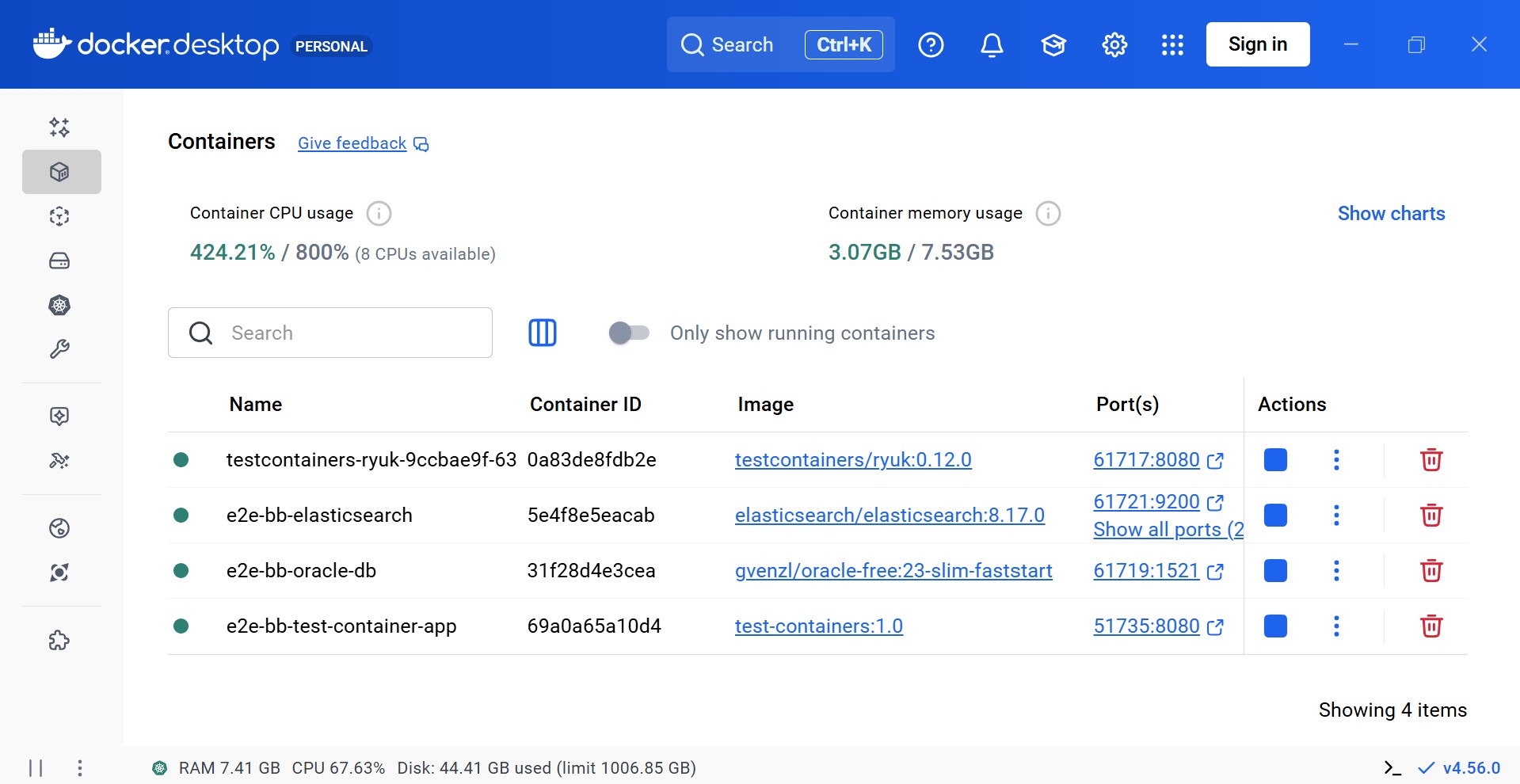
Notice an additional container of application spined up with name e2e-bb-test-container-app. The JUnit test connects to this container for verification instead of the application code — which was the case with white box test.
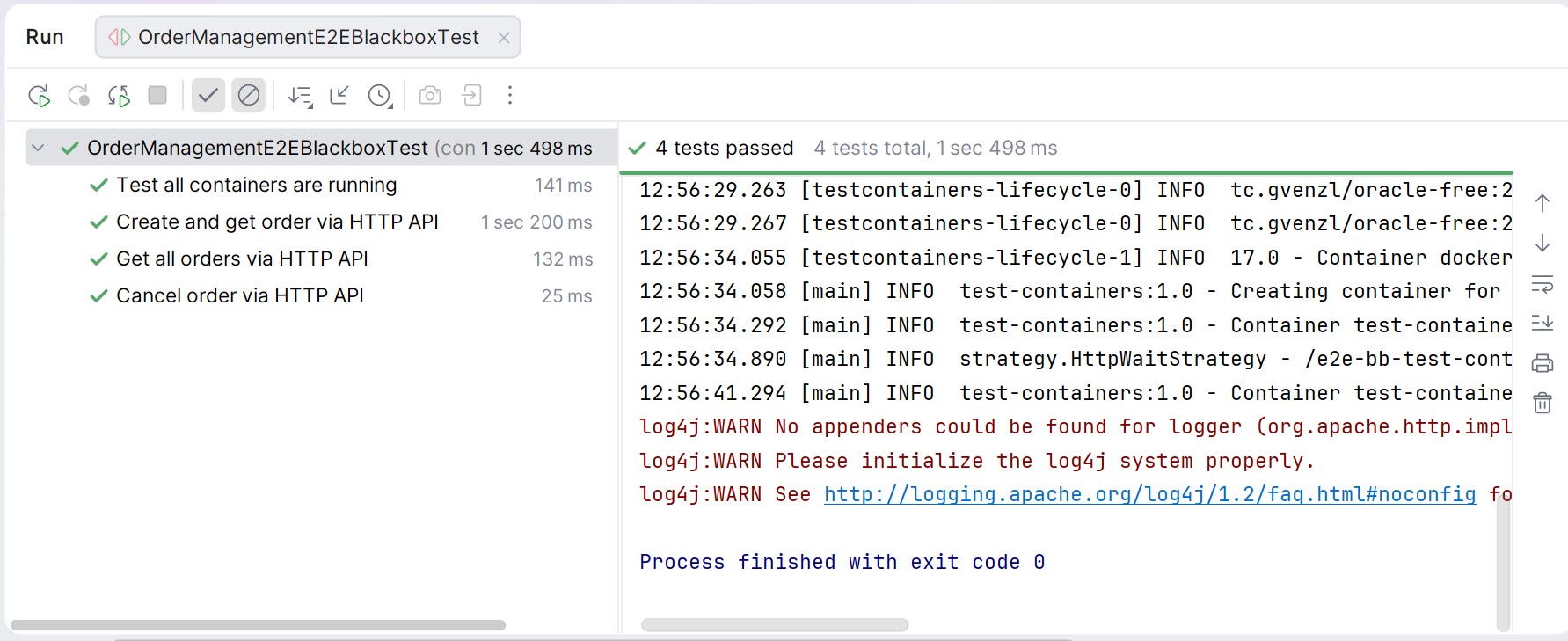
Once the test execution completes, all containers — including the application container — are cleaned up automatically, irrespective of the test outcome.
Important Considerations
It is imperative to be aware of the following when using Testcontainers →
- The JUnit Testcontainers extension mandates sequential test execution, as parallel execution may lead to unintended side effects. This can be enforced using
@TestMethodOrder(MethodOrderer.OrderAnnotation.class)at the class level and@Order(...)on test methods. - Containers should be declared as
staticif they are to be reused across test methods. Instance-level containers are created and destroyed per test. Reuse should be chosen carefully, as startup time and shared data may introduce hard-to-debug issues. - Containers can also be reused across multiple test executions by enabling
testcontainers.reuse.enable=trueand callingwithReuse(true). When using JUnit extension, the@Containerannotation should be dropped as it manages the container lifecycle automatically. Thus, a manual call to start the container is required in@BeforeAllmethod. This is recommended only for local development and should be used cautiously in CI/CD pipelines. - Containers start sequentially by default, in the order they are declared. Parallel startup can be enabled using
Startable.deepStart(oracleContainer, elasticsearchContainer).join()or@Testcontainers(parallel = true)with JUnit 5. - Readiness checks can be implemented using custom logic or simple assertions like
oracleContainer.isRunning(). Custom checks are recommended if post-startup initialization is required. A sample custom check can be found here. - For large test suites, a Singleton Container pattern can reduce execution time by sharing containers across test classes. With this approach, a container once started is available for entire test suite (across test classes) and reduces the execution time. The containers would be destroyed only once entire test suite is executed. However, this increases the risk of data coupling and should be used cautiously.
- If Docker is unavailable, tests fail by default. To gracefully skip such tests, use
@Testcontainers(disabledWithoutDocker = true).
CI Setup — GitHub Actions
Testcontainers are supported in CI/CD pipelines using either Docker-in-Docker (DinD) or Docker-outside-of-Docker (DooD). The sample application uses GitHub Actions.
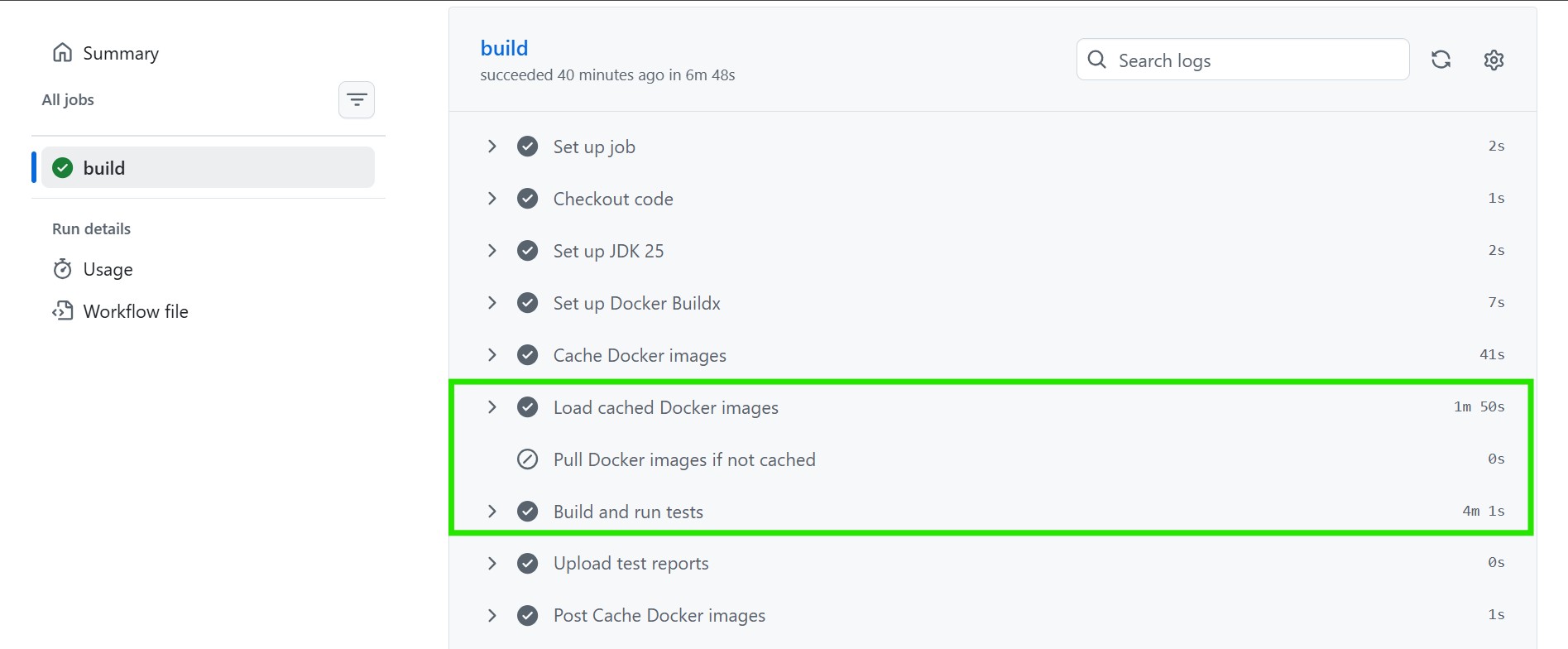
The build configuration remains largely the same as any standard application. Since Oracle and Elasticsearch images are large, caching them significantly improves build performance. No additional Testcontainers-specific configuration is required.
 # Cache Docker images to avoid re-pulling large images (Oracle ~2.5GB, ES ~1.2GB)
      - name: Cache Docker images
        uses: actions/cache@v4
        id: docker-cache
        with:
          path: ~/docker-images
          key: docker-images-${{ env.ORACLE_IMAGE }}-${{ env.ELASTICSEARCH_IMAGE }}

      - name: Load cached Docker images
        if: steps.docker-cache.outputs.cache-hit == 'true'
        run: |
          docker load -i ~/docker-images/oracle.tar || true
          docker load -i ~/docker-images/elasticsearch.tar || true

      - name: Pull Docker images if not cached
        if: steps.docker-cache.outputs.cache-hit != 'true'
        run: |
          docker pull ${{ env.ORACLE_IMAGE }}
          docker pull ${{ env.ELASTICSEARCH_IMAGE }}
          mkdir -p ~/docker-images
          docker save ${{ env.ORACLE_IMAGE }} -o ~/docker-images/oracle.tar
          docker save ${{ env.ELASTICSEARCH_IMAGE }} -o ~/docker-images/elasticsearch.tar

      - name: Build and run tests
        run: mvn clean verify --batch-mode --no-transfer-progress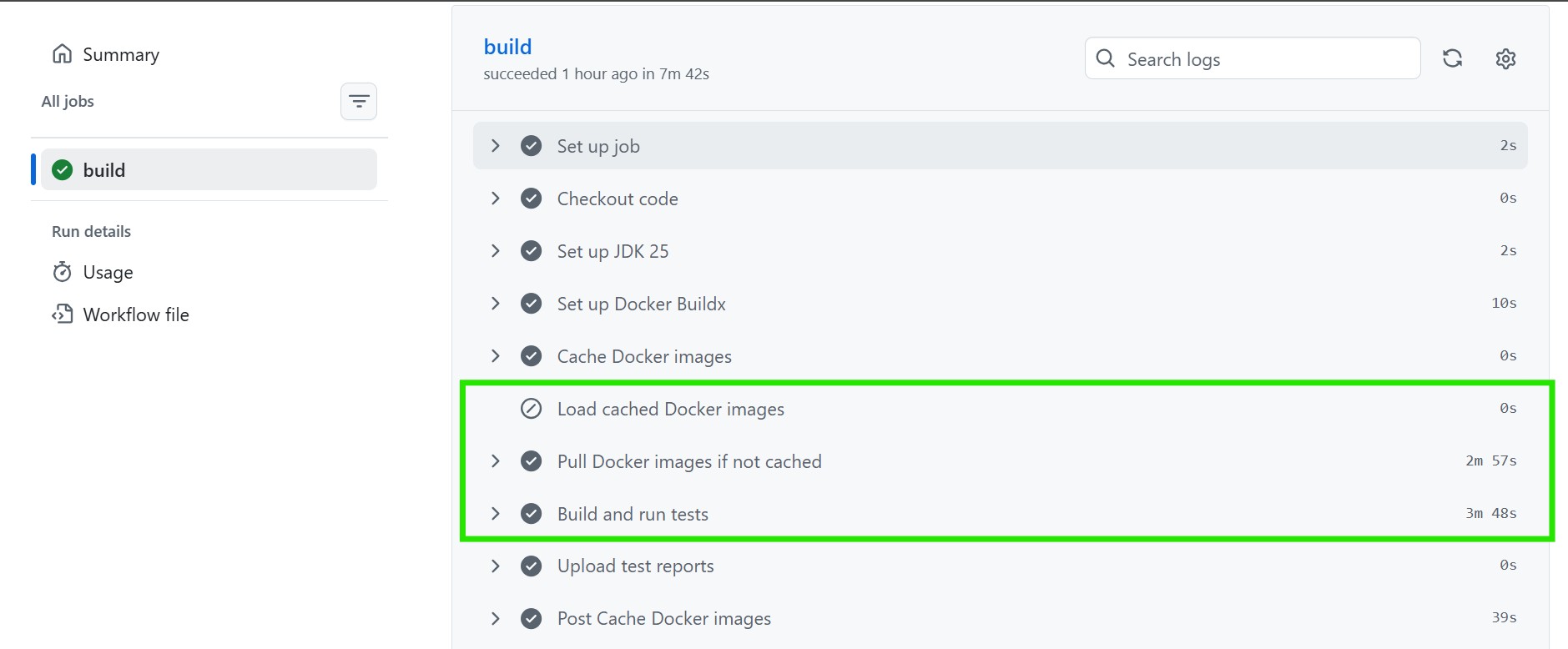
Conclusion
Testcontainers bridges the gap between unit testing and full-scale integration testing by allowing developers to validate against real services without managing external environments. Its broad ecosystem support — spanning Java, .NET, Node.js, Python, Go, and multiple testing frameworks — makes it accessible across diverse technology stacks.
However, successful adoption requires a thoughtful strategy. While Testcontainers provides production-like fidelity, teams must consider trade-offs such as container startup time, CI resource usage, and data-sharing risks when reusing containers. Optimization patterns like singleton containers, parallel startup, and image caching can help, but they require careful governance.
In essence, Testcontainers is not just a tool but a mindset shift. It encourages treating integration testing as a first-class citizen in the development lifecycle. When applied thoughtfully, it enables faster feedback, stronger reliability, and tests that faithfully reflect real-world production behavior.
Published at DZone with permission of Ammar Husain. See the original article here.
Opinions expressed by DZone contributors are their own.
Comments