

Learning to Code With Swift Playgrounds
Swift Playgrounds from Apple is a slick integrated coding education tool — how far does go it to teach one of the hottest languages of the past 5 years?
 CORE
·
CORE
·
Join the DZone community and get the full member experience.
Join For FreeMany years back (well, five or so, but that's an eternity in technical worlds), I used to be the editor of the mobile channel of a developer website. This was when app-building was the hottest thing in town, and well, Objective-C, the default language for building iOS apps, was looking ancient.
Then in 2014, Apple announced, Swift, a new modern option for building apps in the Apple ecosystem, and with an increasing amount of cross-platform, server-side support, it was always a language I had a lot of hope for and kept a keen eye on.
But that was then, and I haven't touched Swift ever since, as I did not need to. When Apple announced Swift playgrounds for iPad, I was intrigued, especially at the promise of a tablet app for (learning) development. Still, it took the announcement of the macOS version for me to sit up and notice.
The entire application is an integrated tutorial and playground (forgive the pun) that walks you through each step in abstract concepts to begin with, and gradually increasing complexity.
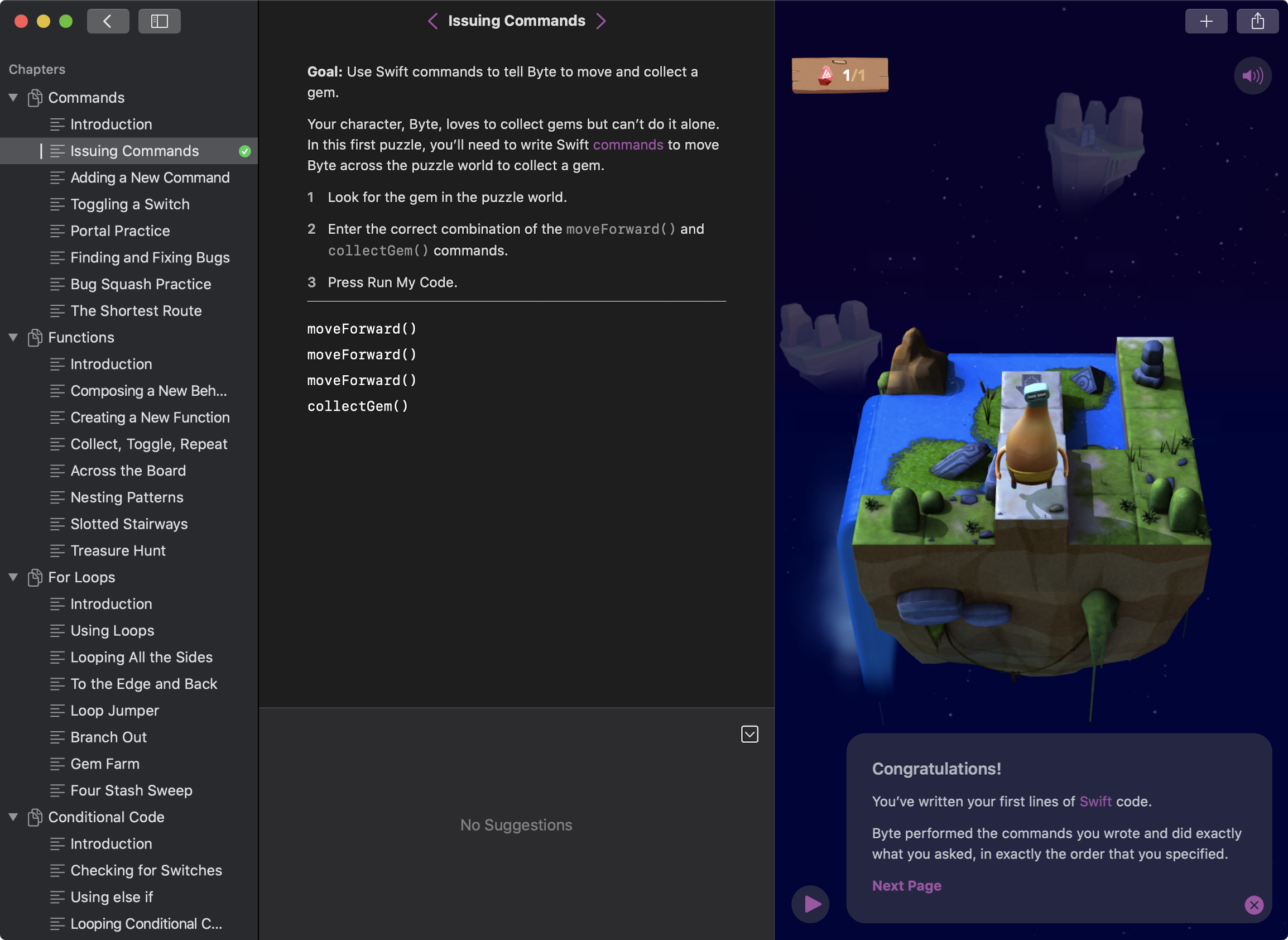
Like other playground type learning tools, it encourages you to only progress to the next lesson until you provide a correct solution.
I tried the beginner lessons, and they consist of issuing simple functions to meet a goal, for example, moving a character called "Byte" to collect a gem with abstract functions such as:
moveForward()
moveForward()
moveForward()
collectGem()
These cause Byte to walk forward three times and collect a gem, but don't flesh out what the function does in detail.
If you make mistakes as you go, then Byte reacts comically, and you can restart the lesson. Some of the lessons feel more like lessons in spatial awareness and game theory than coding (figuring out which way Byte should face, for example). There is also a debugger of sorts that allows you to step through your code slowly, and as lessons progress, it teaches you about fixing bugs by walking through existing code to see what commands are incorrect and moving them.
As the lessons progress, Playgrounds teaches using functions as a way to identify and create repeatable code that you can call from other parts of your code, and nest inside other functions.
Playgrounds teach repetition, first by introducing for loops for performing a fixed number of steps, and then after teaching conditional code, and logic introduces while loops, and even nested loops.
In the final lesson of the first official playground, Playgrounds combines everything learned so far to introduce algorithms and trying to not only find a way to achieve a task, but the most efficient way to achieve a task.
Taking Learning Further
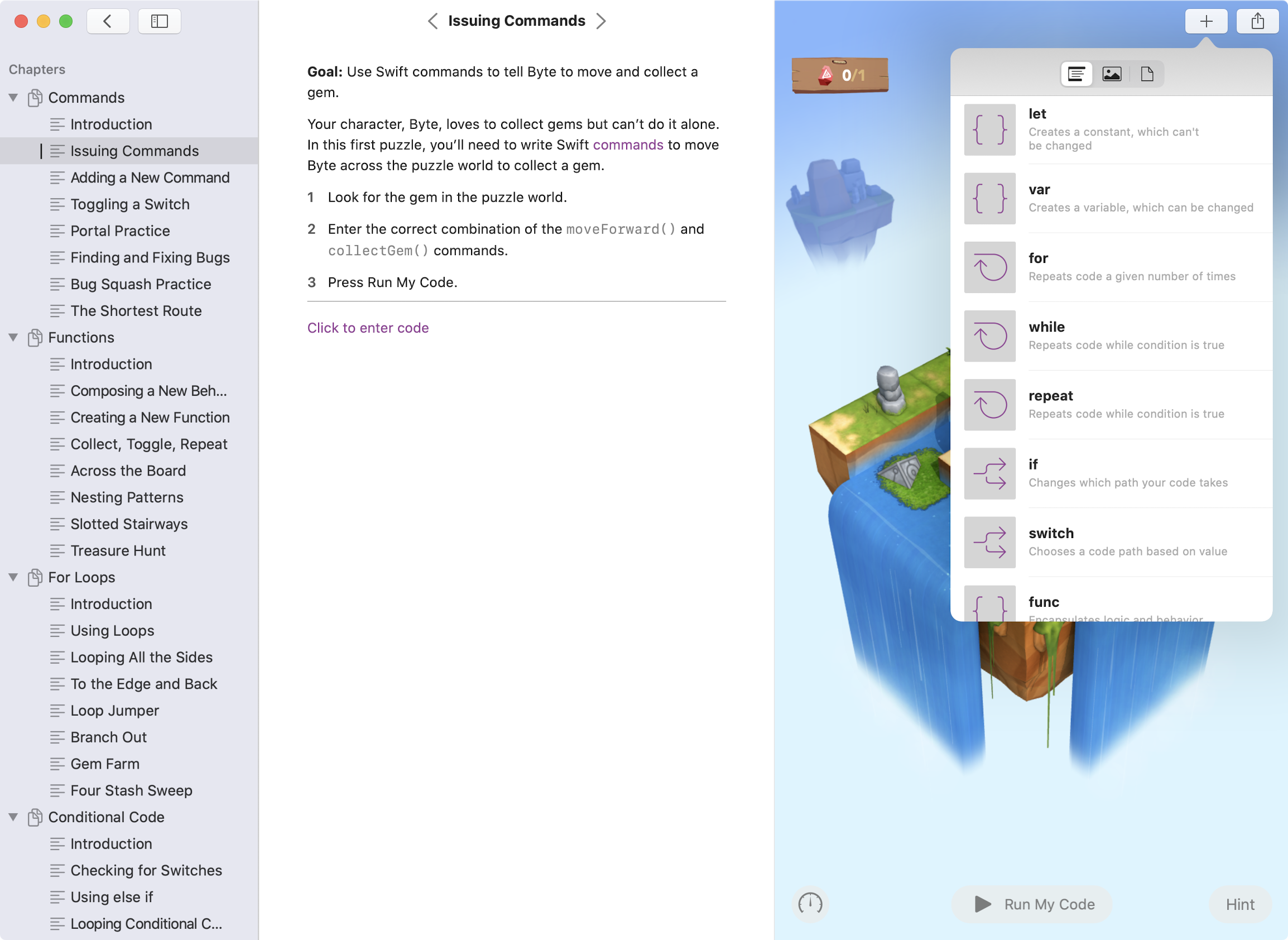
Playgrounds let you go surprisingly far, with templates set up for moderately advanced learning for creating games, graphing, media, interaction with sensors on the iPad, and the ability to connect to and control other devices. It also introduces you to basic IDE features such as code completion, inline-documentation, a limited syntax library for those who want to experiment as they go. The depth and quality of some of the lessons vary, with the ones made by Apple by far the best quality and most user friendly to use.
One of the main concepts Playgrounds doesn't (or can't) teach us things like dependencies and using external libraries. Apple claims that you can open Playgrounds in XCode, but I could not figure out how. It's also confusing, as XCode already has a feature called playgrounds, which are slightly similar, but not the same thing.
One thing you can definitely do with XCode is to create content for Swift Playgrounds using starting templates.
Opinions expressed by DZone contributors are their own.
Comments