

I Built AIBrowser With Claude Code: A Desktop Version of Manus
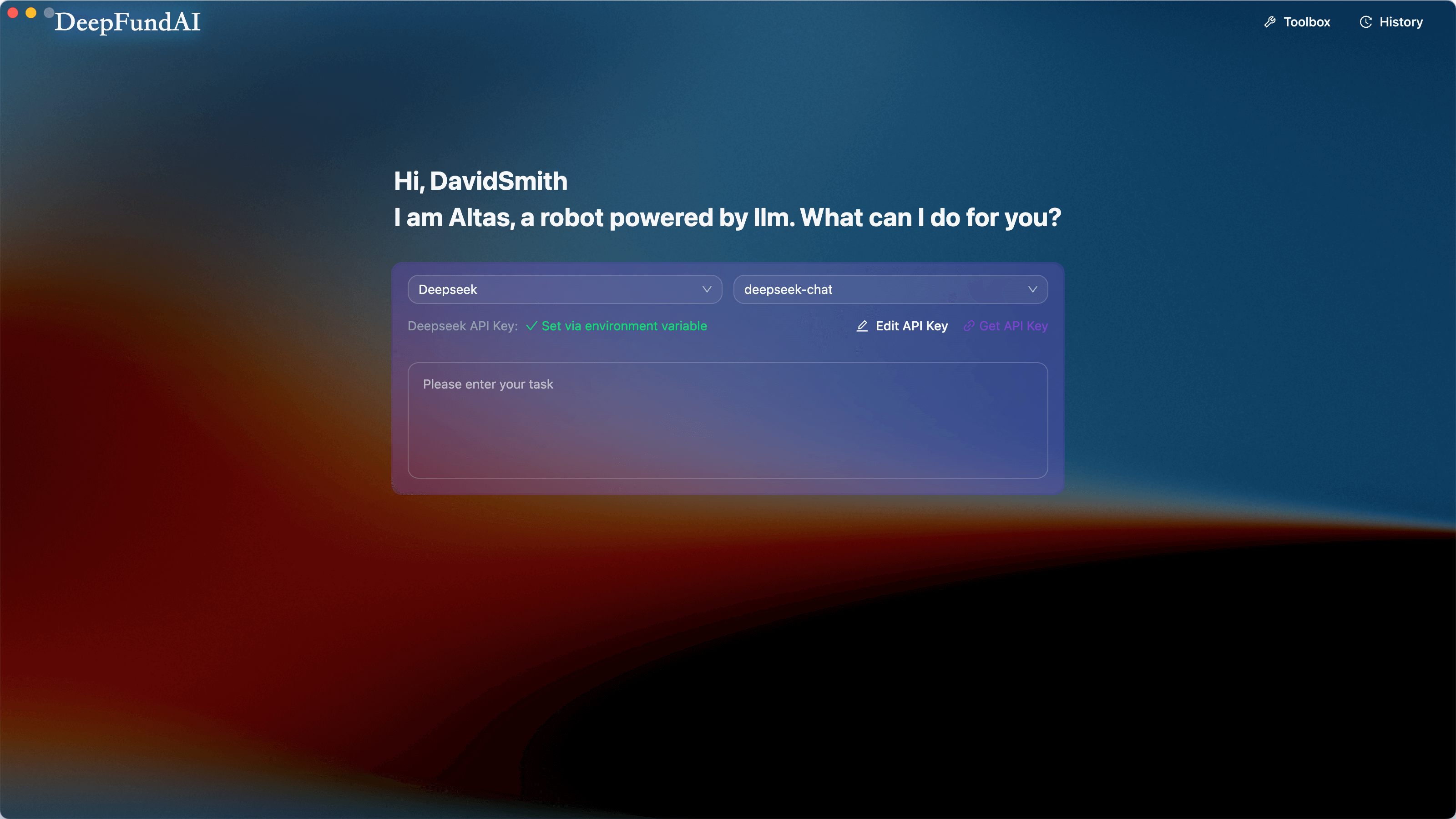
AI Browser (Altas) is an open-source Electron app that lets you control a browser with natural language to automate tasks, scrape data, and monitor sites.
AI Browser (Altas) is an open-source Electron app that lets you control a browser using plain English (or any language). Just describe what you want to do, and the AI figures out how to do it.
- GitHub: https://github.com/DeepFundAI/ai-browser
- Try download it: https://www.deepfundai.com/altas
Why I Built This
As a developer, I got tired of:
- Writing Puppeteer scripts for simple web scraping tasks
- Manually checking websites for updates
- Repeating the same browser workflows every day
I wanted something simpler: tell the AI what to do, and let it handle the details.
Current status: I'm actively job hunting and would love feedback from the community. If this project resonates with you, a star on GitHub would mean a lot for my portfolio!
What It Does
1. Natural Language Task Execution
Type something like:
- "Collect the top 10 posts from Hacker News."
- "Search for 'AI news' and summarize the results."
- "Monitor this GitHub repo and notify me when stars increase."
The AI plans the steps and executes them automatically.
2. Visual Task Execution
The left side shows the AI's thought process and tool calls. The right side shows the live browser preview.
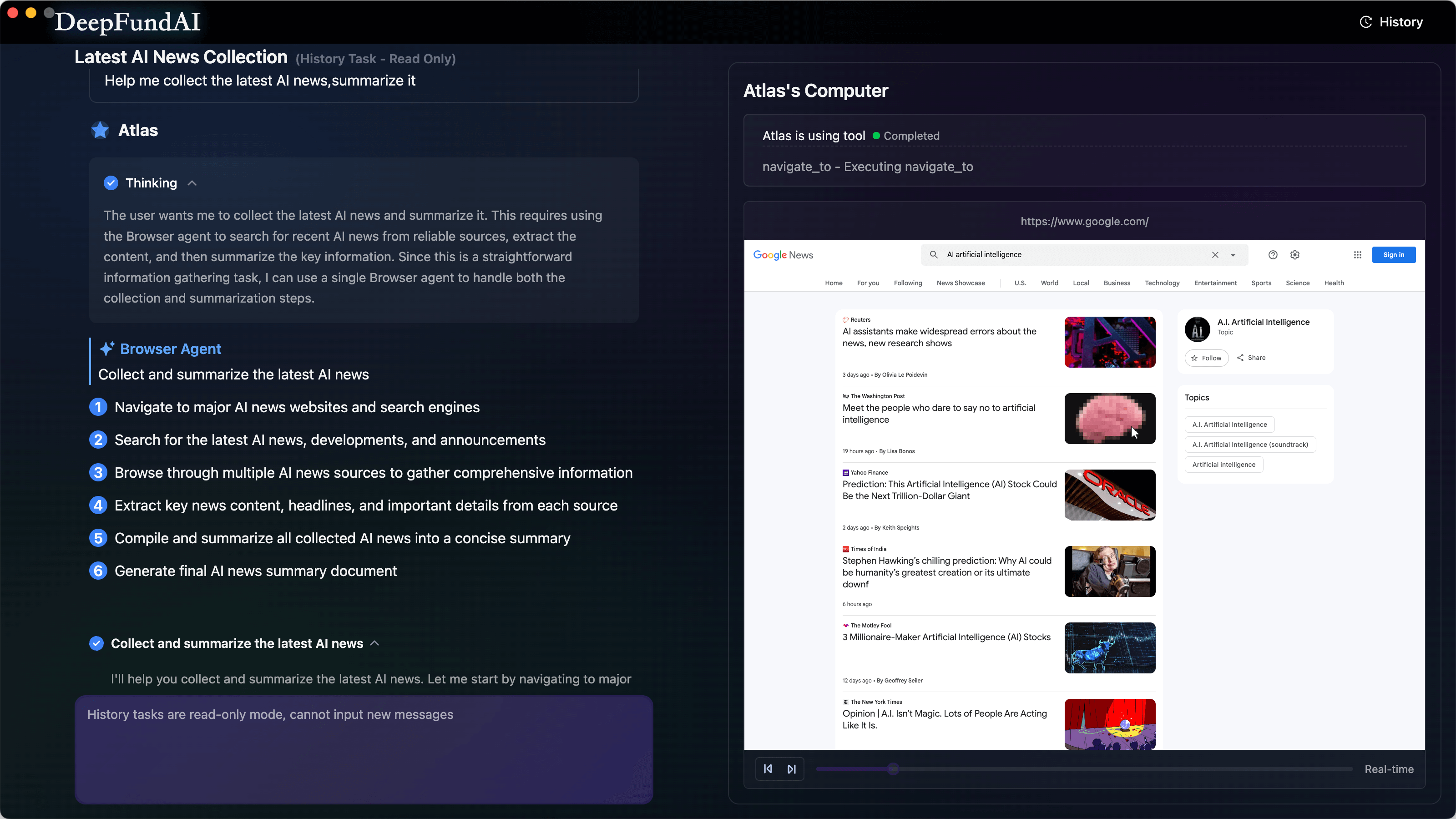
You can see exactly what the AI is doing at each step.
3. Scheduled Tasks
Set up recurring tasks to run at specific intervals.
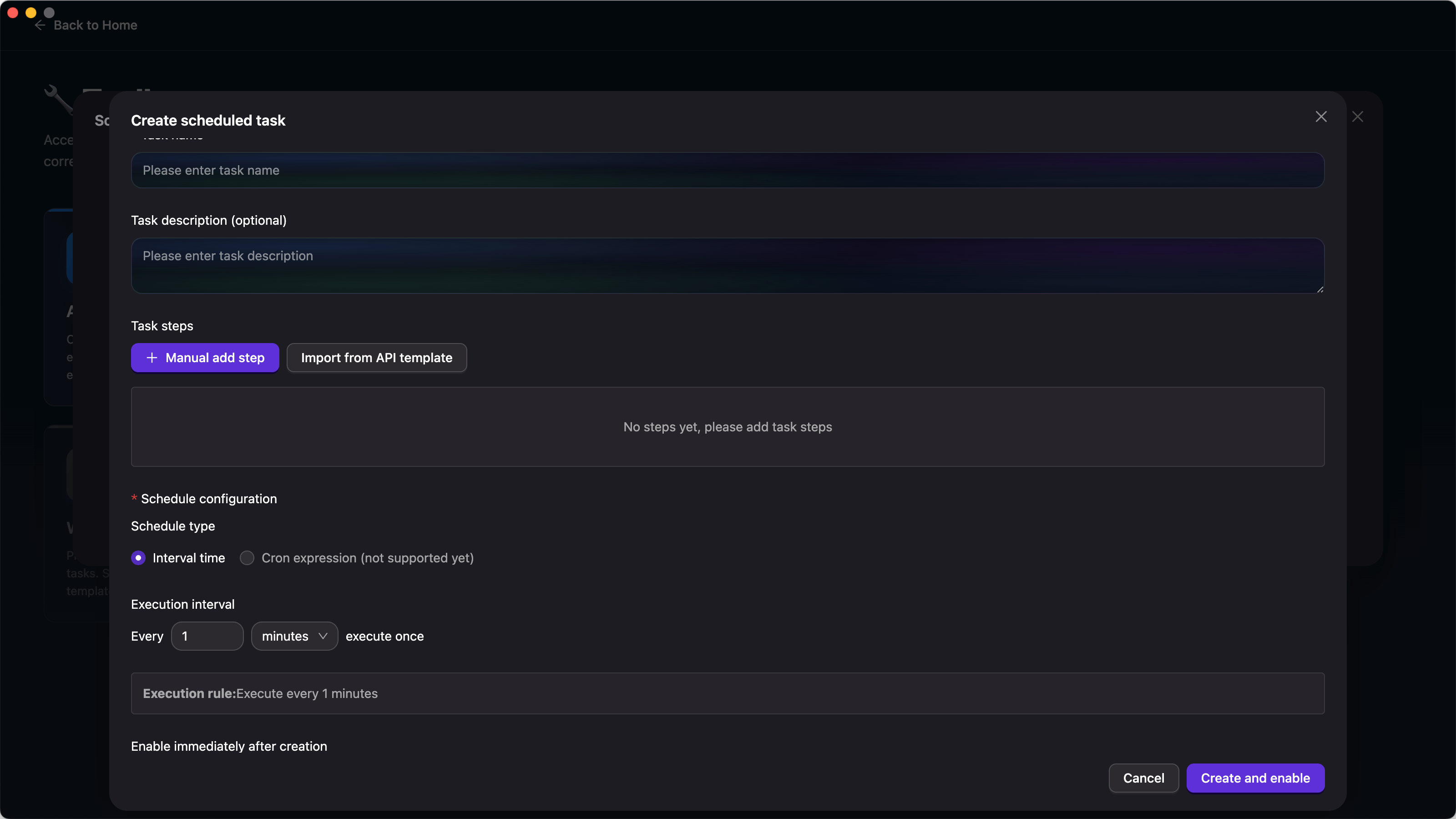
Examples:
- Scrape news every morning at 9 AM.
- Check crypto prices every hour.
- Monitor competitor websites daily.
4. Toolbox
Centralized hub for accessing all system features and configurations.
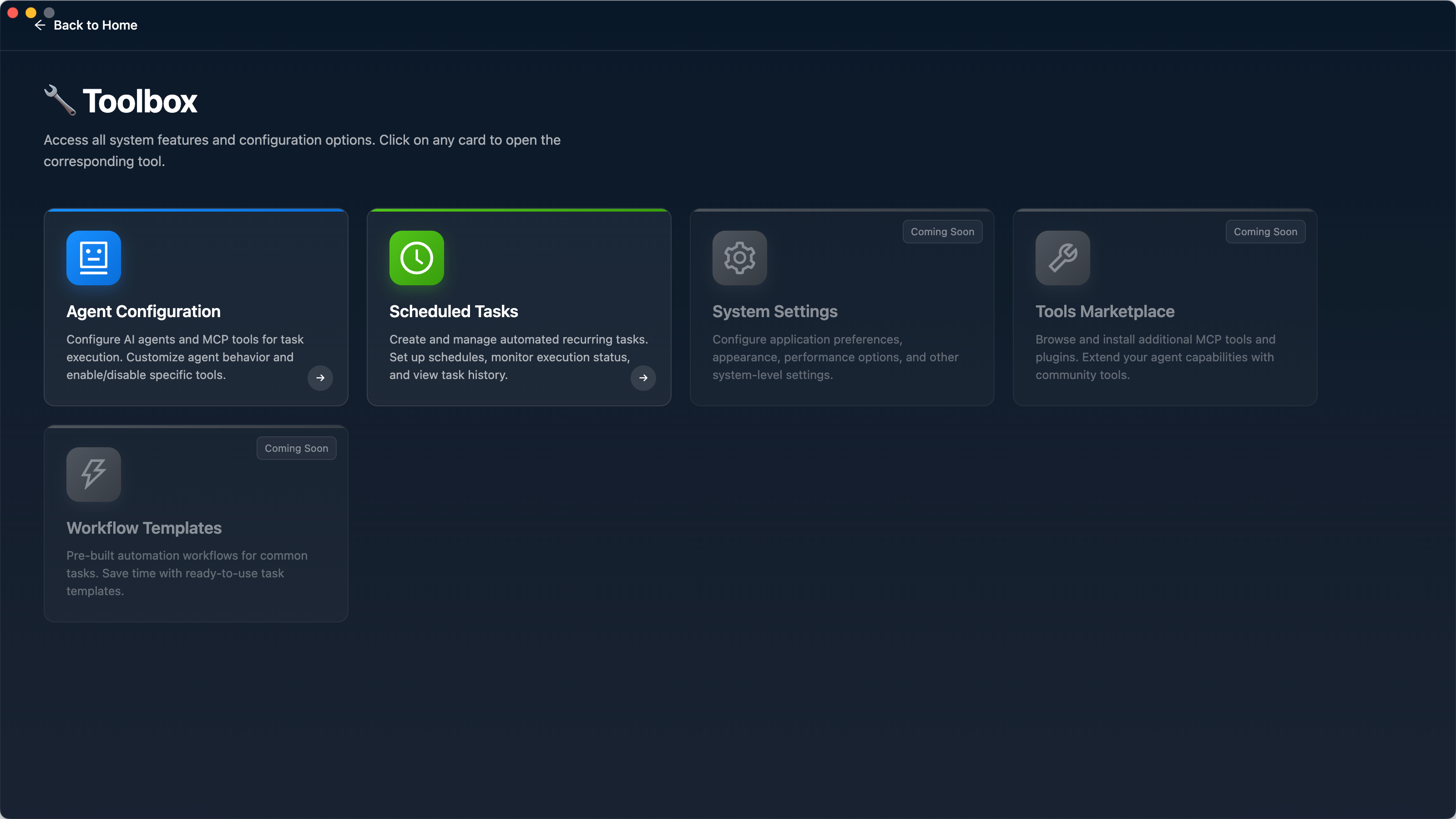
Quick access to:
- Agent configuration
- Scheduled tasks management
- System settings
- Additional tools
5. Agent Configuration
Customize your AI agent's behavior with custom prompts and manage MCP tools for enhanced capabilities.
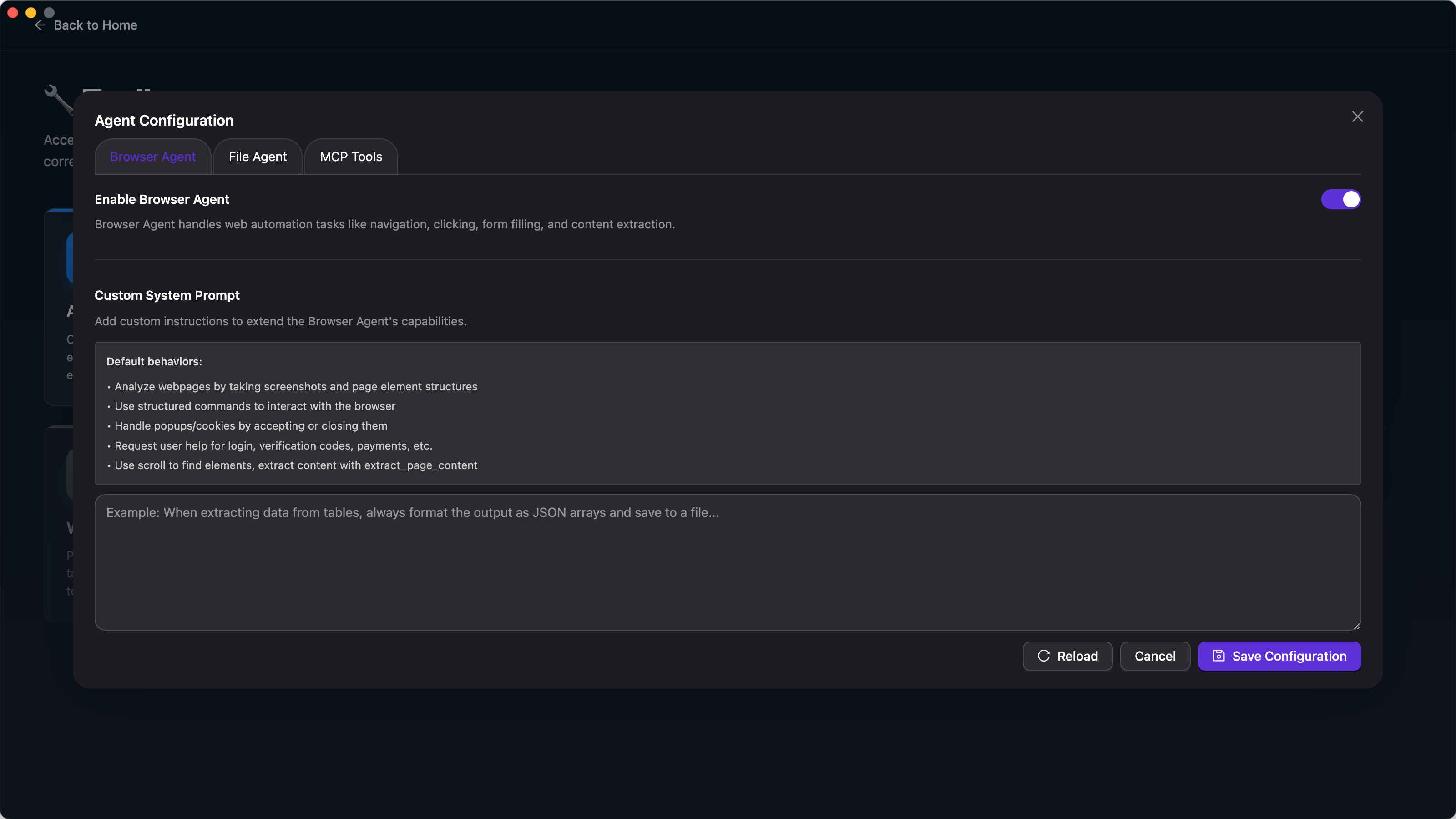
Features:
- Custom system prompts: Define how the AI agent behaves and responds.
- MCP tools management: Enable/disable specific tools the agent can use.
- Fine-tune capabilities: Tailor the agent to your specific workflow needs.
- Tool visibility control: Choose which browser automation tools are available.
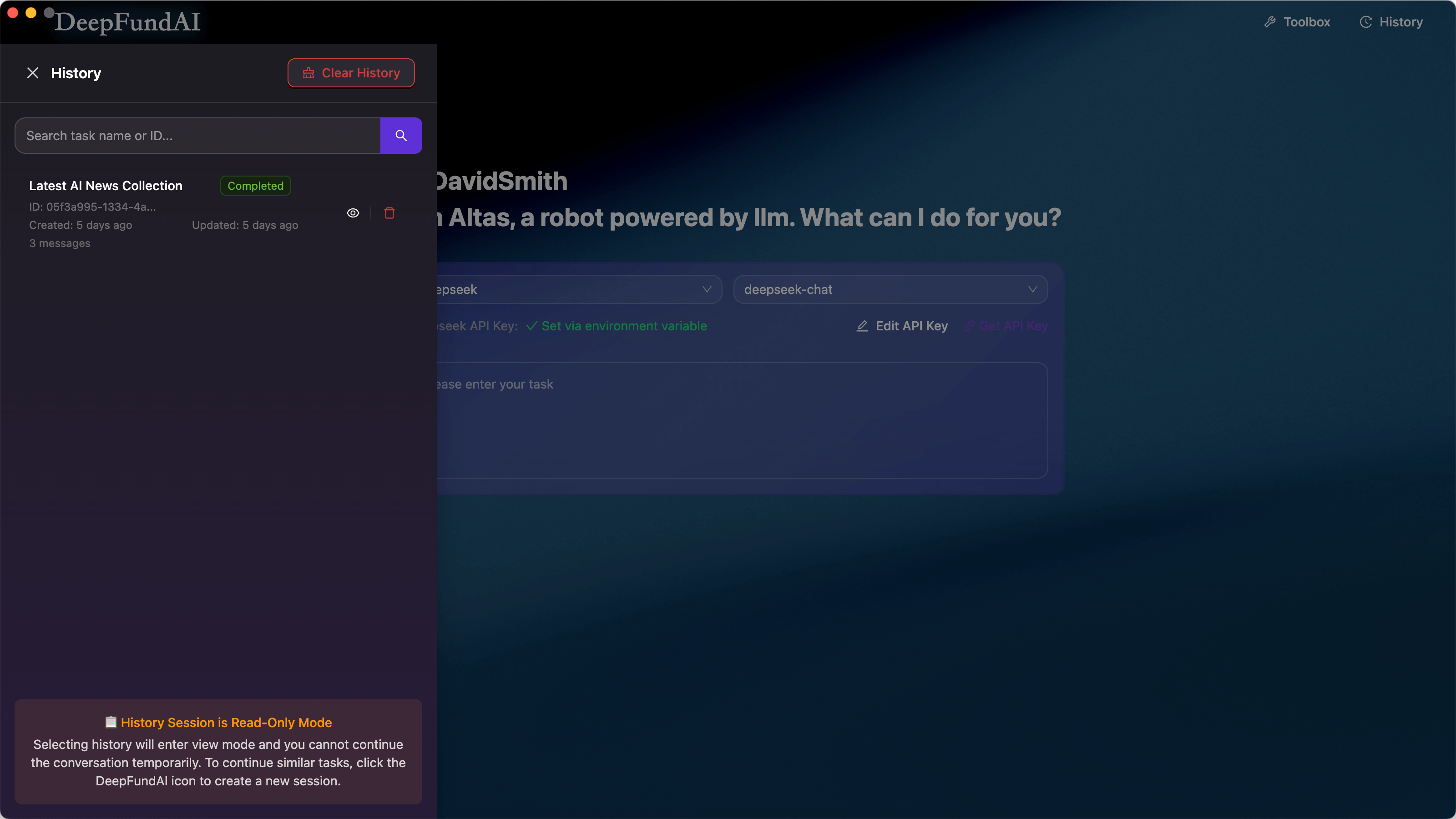
6. Task History
All executed tasks are saved with full logs and playback capability.
Tech Stack
- Frontend: Next.js 15.4.1 + React 19.1.0 + Ant Design + Tailwind CSS
- Desktop: Electron 33.2.0
- AI engine: [@jarvis-agent] (https://github.com/FellouAI/eko) (based on Eko framework)
- State: Zustand
- Storage: IndexedDB
- Build: Vite + TypeScript
Architecture
┌─────────────────────────────────────────┐

│         Next.js UI Layer                │

│  ┌──────┐  ┌──────┐  ┌──────┐          │

│  │ Home │  │ Main │  │History│          │

│  └──────┘  └──────┘  └──────┘          │

└────────────────┬────────────────────────┘

                 │ IPC

┌────────────────▼────────────────────────┐

│      Electron Main Process              │

│  ┌────────────────────────────────┐    │

│  │   AI Agent (Eko Framework)     │    │

│  │  ┌────────┐    ┌────────┐      │    │

│  │  │Planner │───▶│Executor│      │    │

│  │  └────────┘    └────────┘      │    │

│  └────────────────────────────────┘    │

│  ┌────────────────────────────────┐    │

│  │    Browser Automation Tools    │    │

│  │  - Navigate - Click - Extract  │    │

│  └────────────────────────────────┘    │

└─────────────────────────────────────────┘
Supported AI Models
- DeepSeek: deepseek-chat, deepseek-reasoner
- Qwen: qwen-max, qwen-plus, qwen-vl-max
- Google Gemini: gemini-1.5-flash, gemini-2.0-flash, gemini-1.5-pro
- Anthropic Claude: claude-3.7-sonnet, claude-3.5-sonnet, claude-3-opus
- OpenRouter: Aggregates multiple providers
Getting Started
Installation
# Clone the repo

git clone https://github.com/DeepFundAI/ai-browser.git

cd ai-browser

# Install dependencies

pnpm install

# Configure API keys

cp .env.template .env.local

# Edit .env.local with your API key (at least one provider)

# Build Electron dependencies

pnpm run build:deps

# Start development server

pnpm run next

# Start Electron app (in another terminal)

pnpm run electron
Building for Distribution
pnpm run buildOutputs:
- macOS: `.dmg` installer
- Windows: `.exe` installer
Use Cases
1. Web Scraping
Task: "Scrape the top 20 GitHub trending repositories today."
AI executes:
- Navigate to the GitHub trending page
- Extract repo names, stars, descriptions
- Save as JSON file
2. Monitoring
Scheduled task: "Check my website uptime every 30 minutes."
AI does:
- Visit the website
- Verify it loads successfully
- Log the result
- Alert if it fails
3. Data Collection
Task: "Visit these 10 URLs and extract all article titles."
AI handles:
- Loop through each URL
- Find article title elements
- Compile results
- Save to file
4. Automated Testing
Task: "Test the login flow on my staging site"
AI workflow:
- Open the login page.
- Enter test credentials.
- Click the login button.
- Verify redirect to dashboard.
- Report success/failure.
Key Features
Agent Configuration and Customization
Full control over your AI agent's behavior:
// Customize agent system prompts

const customPrompt = {

  role: "system",

  content: "You are a specialized web scraping assistant..."

}

// Manage MCP tools availability

const enabledTools = ["browser_navigate", "browser_click", "browser_extract"]
Benefits:
- Tailor agent responses to specific use cases.
- Enable/disable tools based on security requirements.
- Fine-tune performance for different workflows.
- Create specialized agents for different tasks.
MCP Protocol Integration
Uses Model Context Protocol for standardized AI-tool communication:
const tool = {

  name: "browser_navigate",

  description: "Navigate to a URL",

  parameters: {

    url: { type: "string", description: "Target URL" }

  }

}
Toolbox System
Centralized feature access hub:
- Quick access to all system configurations
- Agent settings management
- Scheduled tasks overview
- System preferences in one place
Streaming Responses
Real-time updates via Server-Sent Events:
// API route returns SSE stream

const stream = new ReadableStream({

  async start(controller) {

    for await (const chunk of aiResponse) {

      controller.enqueue(encoder.encode(chunk))

    }

  }

})
Task Persistence
All tasks saved to IndexedDB with full-text search:
await taskStorage.save(task)

const results = await taskStorage.search("github")
Roadmap
Recently Completed
- Agent configuration: Customize agent prompts and MCP tools settings
- Toolbox system: Centralized hub for system features and configurations
Short-Term (Next 1–2 months)
- [ ] Human intervention: Allow manual control during sessions (e.g., handling login prompts)
- [ ] Voice input: Support voice commands for task input
- [ ] More agent types: Add ShellAgent and other specialized agents
- [ ] Export/Import configurations: Share agent configurations with the community
Long-Term Vision
- [ ] Plugin system for custom tools
- [ ] Cloud sync for task history
- [ ] Team collaboration features
- [ ] Mobile app (iOS/Android)
- [ ] Browser extension version
- [ ] More AI model integrations
Credits
Special thanks to [Eko] (https://github.com/FellouAI/eko) for the powerful agent framework.
License
MIT License - free to use, modify, and commercialize
Opinions expressed by DZone contributors are their own.