

An Approach to Apply the Separation of Concern Principle in UI Test Automation
Learn about developing a test automation infrastructure based on OOP concepts.
Join the DZone community and get the full member experience.
Join For FreeAt the beginning, let’s emphasize that automation is a kind of engineering at the core of the software industry. Basically, I’m not a quality engineer but ensuring the quality has my attention. I’ve been curious about this field in last several years and I had a chance to work with it in my last project, which is a desktop application.
We have built an automation infrastructure that is fragmented into four contexts:
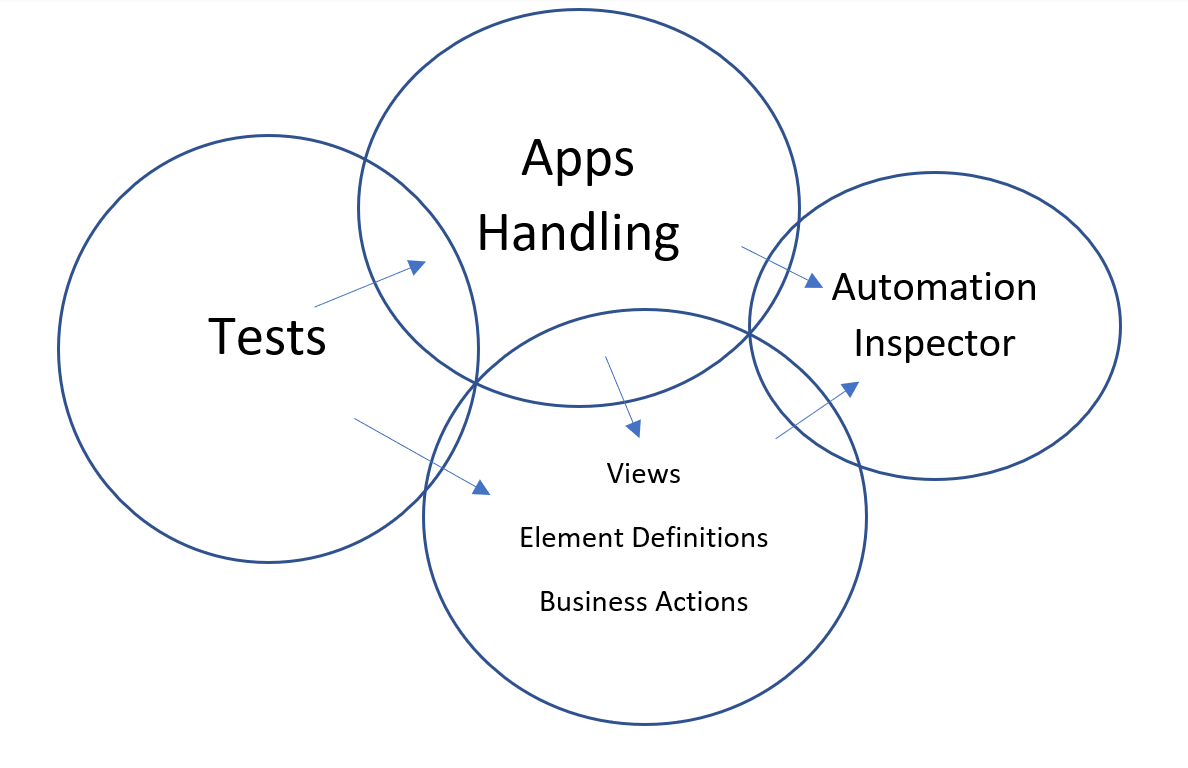
The arrows demonstrate the direction of the dependency.
1. Application
The application is responsible for launching the app with the configured values, resolving the inspection third-party library and initializing a session with the app. It has an entry point for the nested views. It talks mostly technical languages and few business languages.
2. Views
It defines the views and it’s UI elements hierarchically, so each element has an owner and is composed in a parent element. It exposes the business actions and actual results. Also, it is responsible for loading the UI structure from JSON files. It talks mostly business language and a few technical languages.
For any reason, if a certain element or view has been moved to another module, all we need to do is edit its metadata to point to the new parent.
3. Tests
It has the business scenarios/assertions of the test cases. It talks only business languages.
4. Inspector
This is for inspecting the UI elements by any type. When we want to locate a specific element relative to another element or we want to inspect an operational data, i.e. items in a grid, we do that using programmatic/dynamic inspection.
To achieve that, it exposes a parametrized functionality that is needed to manipulate the UI. In our case, we wrap the usage of xpath, page-source parsing, get child elements “/*”, or get input elements by its label “/following-sibling:”.
Each time the inspector is locating an element, they do that hierarchically based on the view’s meta-data.
This context talks only in technical language.
The Design
The infrastructure is implemented based on OOP concepts, i.e. composition, abstraction, polymorphism. The following diagram demonstrates the relationship between the four contexts.
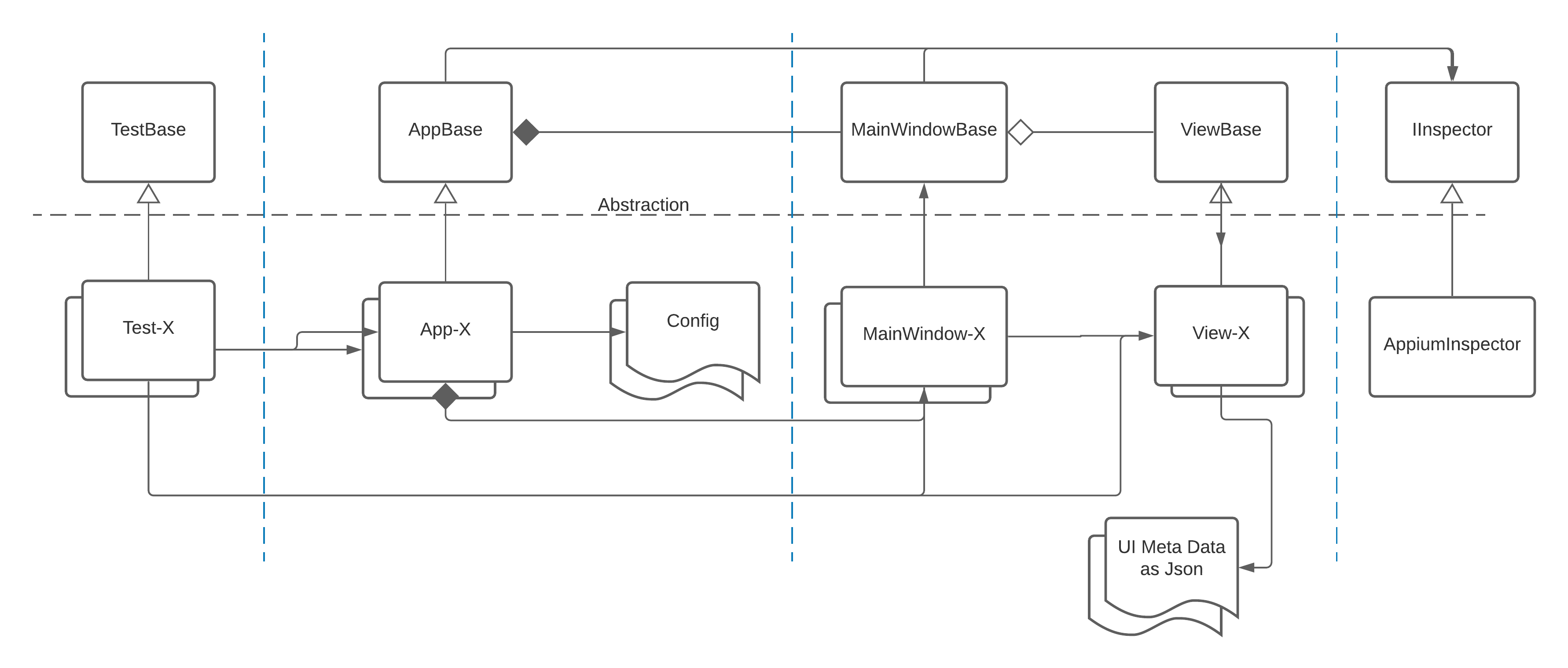
Hypothetically, the AppiumInspector is pluggable. As we see, the Inspector domain is totally hidden from Tests.
The abstraction layer is for common behavior or definitions to govern the concrete implementations.
The main window is composed in the App. It exposes a navigation functionality for the nested views. Also, it is responsible for handling the popups and any raised window during the automation.
The UI metadata file specifies the UI structure and the inspection type (i.e. AutomationId, XPath, Name, Class. or Type).
Technology stack: Appium, C#, NUnit
Conclusion
This fragmentation and the abstraction helped us at the end to write a reliable script that is pure, talks a business language, and is so close to the manual test case’s steps.
Opinions expressed by DZone contributors are their own.
Comments