

Apache Camel, the Powerful Client for Salesforce Data Capture
Every day, during my work, someone asks me if it is possible to integrate Salesforce with other sources. The response is yes.
Join the DZone community and get the full member experience.
Join For FreeEvery day, during my work, someone asks me if it is possible to integrate Salesforce with other sources. The response is yes, but we have to analyze which is the best pattern to use and which kind of integration is needed. We can use asynchronous patterns or online APIs depending on the volumes and times impacted. Imagine, for example, that you are using Salesforce as CRM and you have an ERP for managing contracts, orders, etc. The CRM, by definition, is the master of accounts and contacts, instead, the ERP manages contracts, orders, logistics, etc
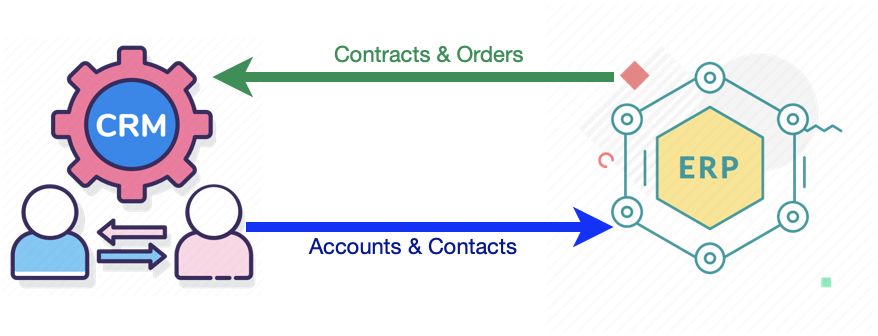
Let's focus on integration from Salesforce to ERP, identifying the correct pattern seems pretty easy: the data exchange must be in real-time. The reason is that to complete an order or a contract you need the accounts and probably an API Rest is what is right for us. Yes, it could be a solution, but is this the best solution? In my opinion, no, we can take advantage of Salesforce Change Data Capture (CDC) and Apache Camel like integrators.
Who works with Salesforce knows that an integration layer is often required and Camel is a very useful tool because it offers a connector for Salesforce out of the box. In Tinext we have created an Integration Hub called TiHub (based on Apache Camel) to standardize, simplify and speed up the integration between Salesforce and other sources. We have optimized the main integration patterns and for this particular scenario, we have decided to use CDC and streaming API to propagate the creation of Account and Contacts from Salesforce to ERP. Change Data Capture publishes change events that represent changes to Salesforce records. Changes include creating a record, updating a record, deleting a record, and undeleting a record.
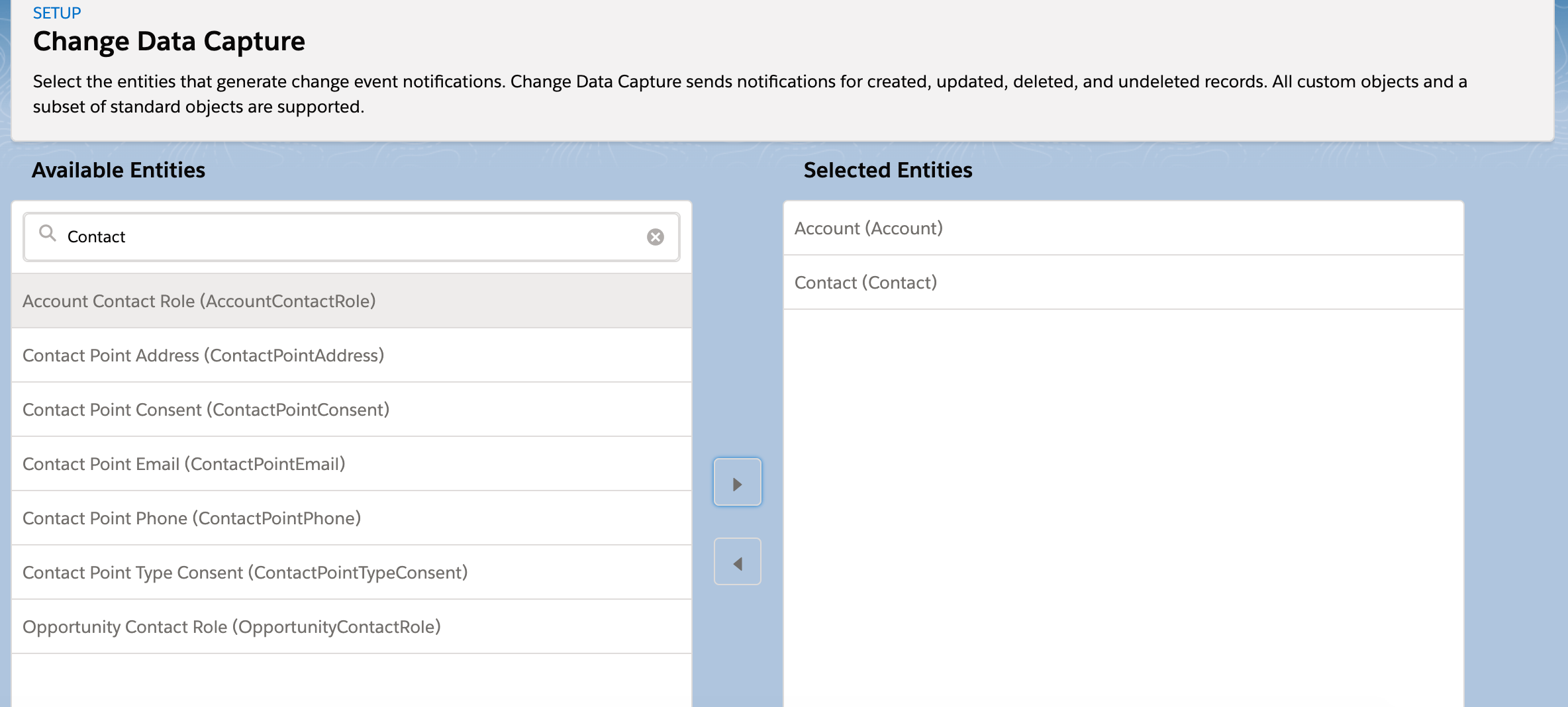
The Camel Salesforce component can react to such notifications, allowing us to synchronize those changes into our ERP.
The notifications of interest could be specified in the from ("salesforce: XXX") clause of a Camel route via the subscription channel, e.g:
<route id="_slf_subscribe_streaming_API_To_DB">
<from uri="salesforce:UpdateAccount?notifyForFields=ALL&updateTopic=true&sObjectQuery=SELECT Id, Name, AccountNumber FROM Account" />
<to uri="bean:salesforceEventsHandler?method=capturedChangeEventsAndUpdateDB"/>
</route>
With TiHub, we developed a set of methods able to insert a record dynamically in one database. In this scenario, we assumed to use one of these methods to store only Id, Name fields triggered by CDC directly in a staging area of our ERP.
If not enough and you are dealing with more complex scenarios, you could make use of the Active MQ queue to save the event and dispatch it to all subscribers.
xxxxxxxxxx
<route id="_slf_subscribe_streaming_API_To_DB">
<from uri="salesforce:UpdateAccount?notifyForFields=ALL&updateTopic=true&sObjectQuery=SELECT Id, Name, AccountNumber FROM Account" />
<to uri="activemq:queue:streamingapi-queue"/>
</route>
For every subscriber, you can use a different pattern, for example, the first one API, the second one with the database, etc.
ERP to Salesforce is not part of this document but probably the CRM needs orders and contracts for reporting. Consequently, the information could be propagated through a batch asynchronous.
Opinions expressed by DZone contributors are their own.
Comments