

API-Led Connectivity and Discovery in MuleSoft Runtime Fabric
API-Let connectivity is one of the crucial approaches to segregate integrations and processing stages in API based platform.
Join the DZone community and get the full member experience.
Join For FreeAPI-Let connectivity in MuleSoft Runtime Fabric.
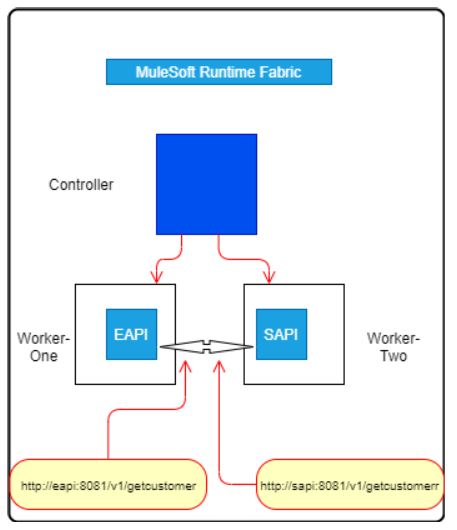
API-Let connectivity is one of the crucial approaches to segregate integrations and processing stages in API based platform.
Points to understand:
In Runtime Fabric, a DNS record is created for each application deployed in the cluster in the internal "cluster.local" domain.
Example: meetup-xapi-app.e2aaff45-2f2e-4aaa-9332-xxxxxxxxxx.svc.cluster.local"
Where "meetup-xapi-app" is the application name and "e2aaff45-2f2e-4aaa-9332-xxxxxxxxxx" is the namespace name (environment ID).
Every pod in Runtime Fabric, it looks for domains configured.
To looks for the DNS query, it searches in each domain until getting a none NXDomain response. Furthermore, to communicate between MuleSoft applications deployed in the same namespace (Under Same Controller instance), an application name can be used to access applications.
Implementation details as below:
Step 1
API: Experience API (meetup-xapi
API: System API (meetup-sapi)
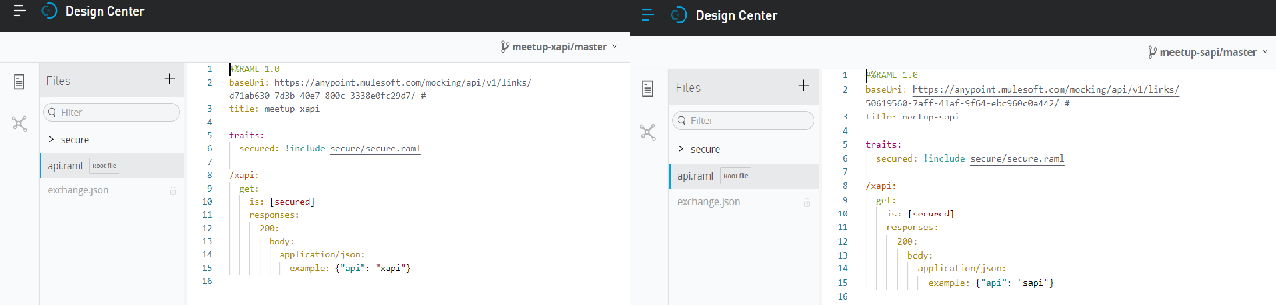
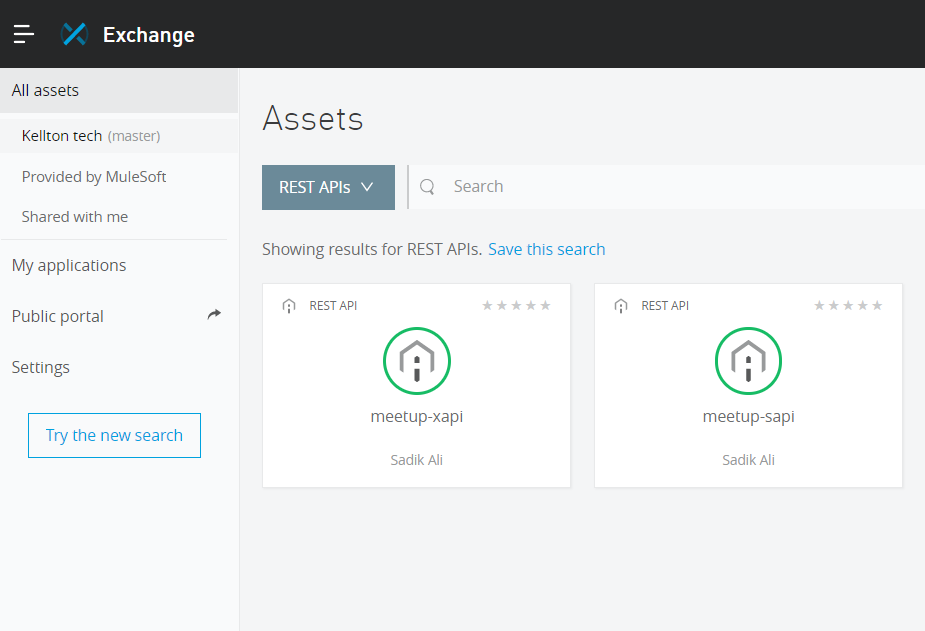
Step 2: Publish it to Exchange
Step 3: Import This Above Apis in-Studio and Enhance Flow So XAPI Can Send Request To SAPI
XAPI's flow configuration:
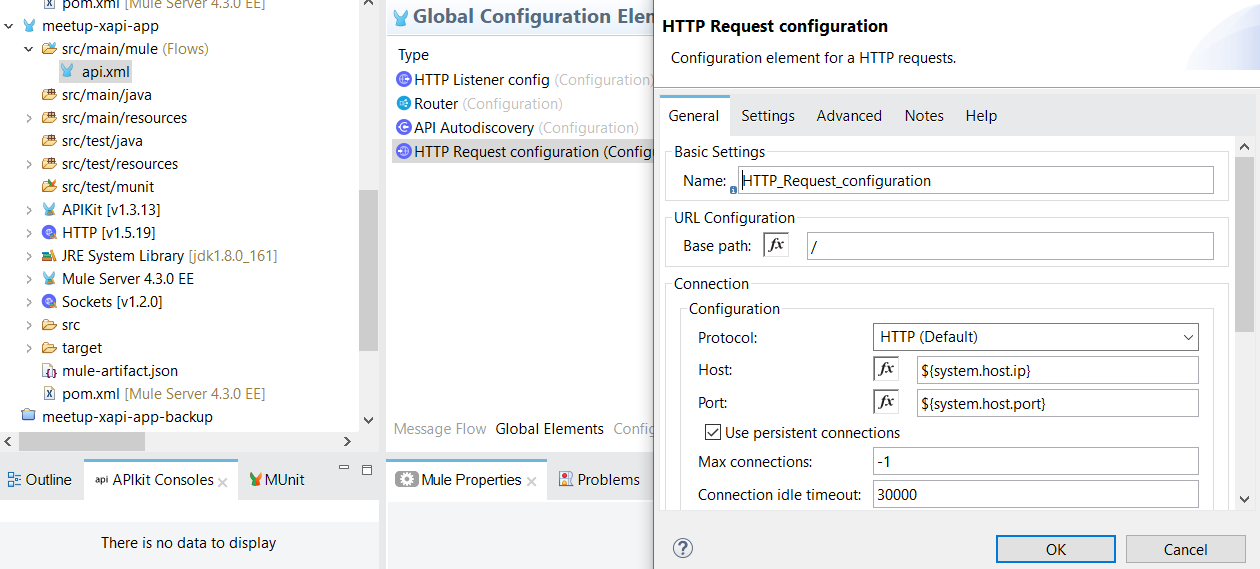
2. SAPI's flow configuration: 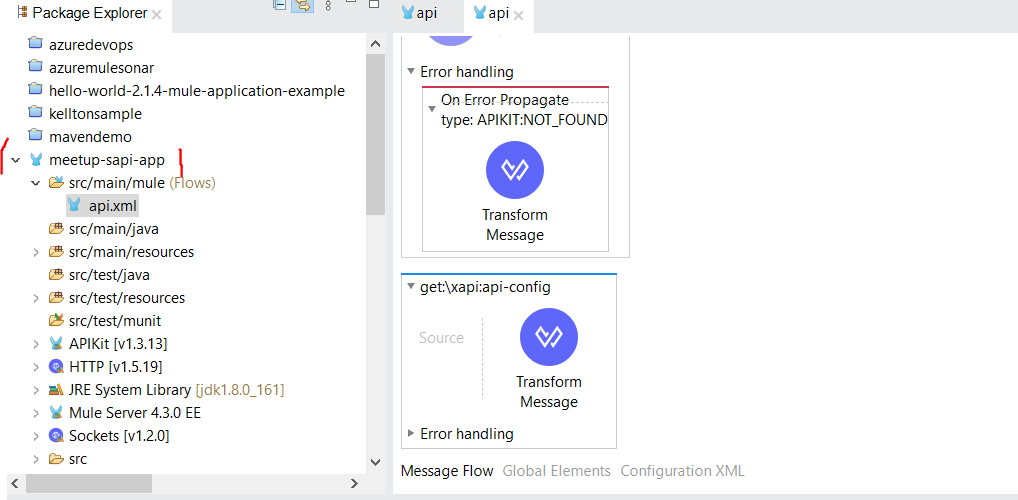
3. Publish to exchange in Anypoint platform using below maven command as below
- Publish in Exchange: mvn clean package deploy
- Deploy in RTF: mvn deploy -DmuleDeploy
xxxxxxxxxx
<build>
<plugins>
<plugin>
<groupId>org.apache.maven.plugins</groupId>
<artifactId>maven-clean-plugin</artifactId>
<version>3.0.0</version>
</plugin>
<plugin>
<groupId>org.mule.tools.maven</groupId>
<artifactId>mule-maven-plugin</artifactId>
<version>3.3.5</version>
<extensions>true</extensions>
<configuration>
<runtimeFabricDeployment>
<uri>https://anypoint.mulesoft.com</uri>
<muleVersion>${app.runtime}</muleVersion>
<username>${anypoint.login.id}</username>
<password>${anypoint.login.password}</password>
<applicationName>meetup-sapi-app</applicationName>
<server><sessting.server.id></server>
<target><runtime-fabric-setupname></target>
<environment><associated.environment></environment>
<deploymentTimeout>900000</deploymentTimeout>
<provider>MC</provider>
<properties>
<key>value</key>
</properties>
<deploymentSettings>
<replicationFactor>1</replicationFactor>
<publicUrl>helloworld.kelltontech.com/meetup-sapi-app</publicUrl>
<cpuReserved>500m</cpuReserved>
<memoryReserved>800Mi</memoryReserved>
</deploymentSettings>
</runtimeFabricDeployment>
<classifier>mule-application</classifier>
</configuration>
</plugin>
</plugins>
</build>
4: Configure environment variables for applications.
- Go to location: /opt/anypoint/runtimefabric
xxxxxxxxxx
./rtfctl apply secure-property --key system.host.ip --value meetup-sapi-app -n e2aaff45-2f2e-4aaa-9332-f7b7e42aa644
./rtfctl apply secure-property --key system.host.port --value 8081 -n e2aaff45-2f2e-4aaa-9332-f7b7e42aa644
./rtfctl apply secure-property --key system.host.app --value xapi -n e2aaff45-2f2e-4aaa-9332-f7b7e42aa644
./rtfctl apply secure-property --key system.host.app --value api/xapi -n e2aaff45-2f2e-4aaa-9332-f7b7e42aa644
- Validate below system-level configuration:
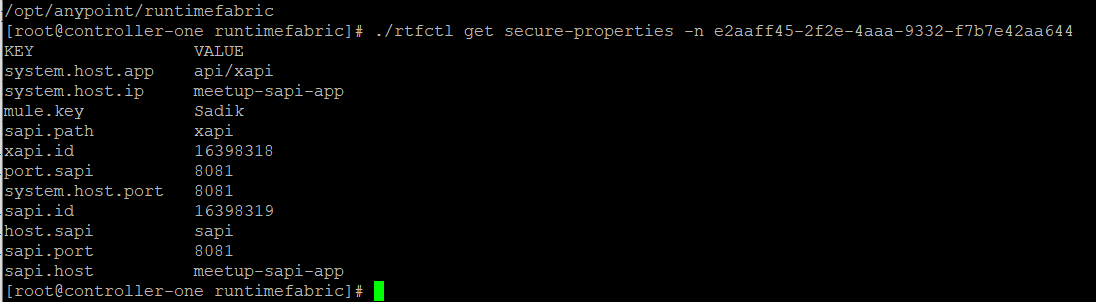
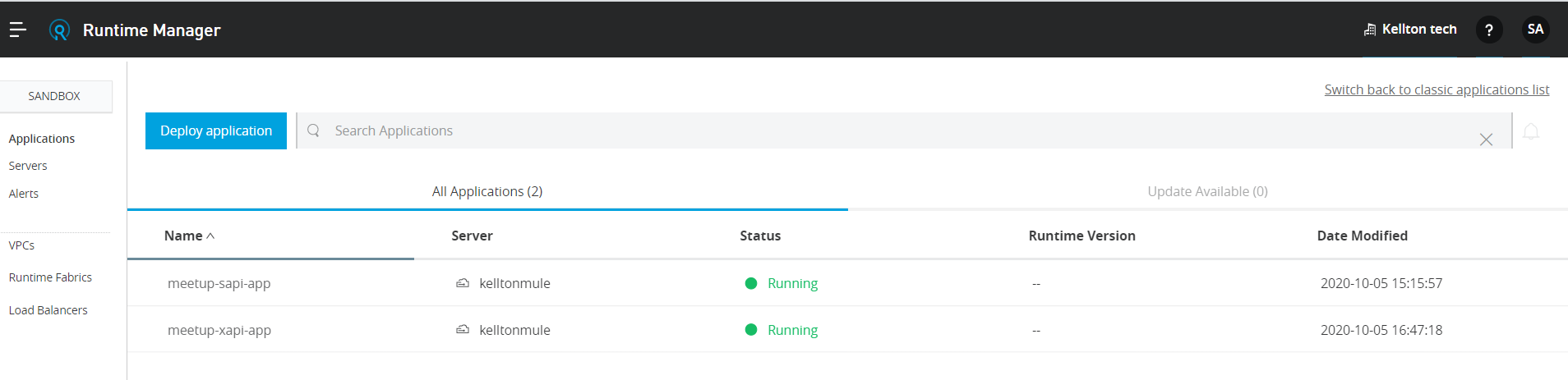
5: Deploy the application in Runtime Fabric from the exchange:
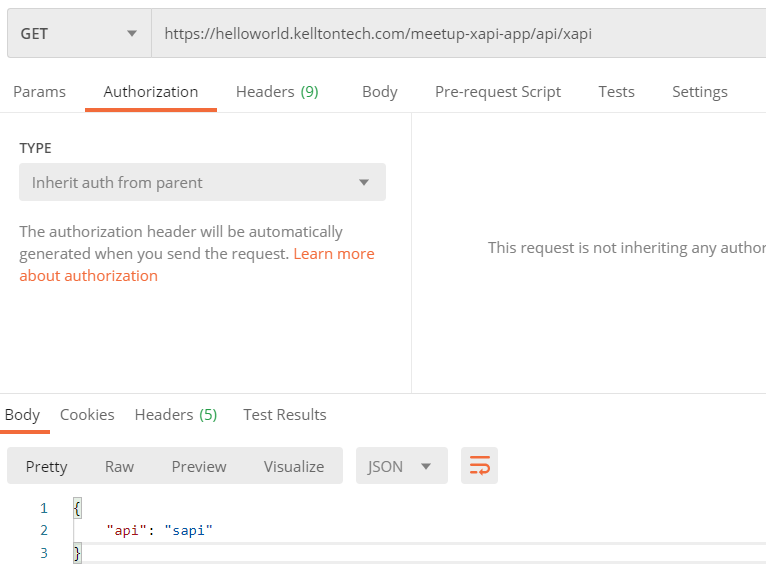
Now test application to validate request able to reach from XAPI to SAPI.
How does it communicate?
- Enter in gravity and find XAPI application POD ID in which it has been deployed and environment id of it.

[Command: kubectl exec -it meetup-xapi-app-74b84966d6-4dqtxs --namespace=e2aaff45-2f2e-4aaa-9332-f7b7e42aa644 --container=app -- bash]
- Now find below command to send requests from XAPI's to SAPI POD.

[Command: - curl --location --request GET 'http://meetup-sapi-app:8081/api/xapi' --header 'client_id: 6abd34350a0248a8b9e8d6c566070f06' --header 'client_secret: 279cB8950f334bAc827C2311009fBB65']
Opinions expressed by DZone contributors are their own.
Comments