

Apigee Edge to Apigee in GCP Migration—Replacing ExtensionCallout policy With MessageLogging Policy for Logging
Migrating to Apigee on Google Cloud offers better scalability and security but comes with challenges like cost, vendor lock-in, and potential performance issues.
 ·
·
Join the DZone community and get the full member experience.
Join For FreeAs more companies migrate their APIs to cloud, Apigee on Google Cloud provides a reliable solution to manage and secure APIs. For Apigee Edge (a SaaS platform) users, this migration allows them to leverage the cloud-native capabilities of Google Cloud to improve scalability, performance, and security.
Benefits of Migration
- Cloud-Native Benefits: Apigee on Google Cloud provides seamless integration with applications hosted in GCP, making it easier to manage APIs.
- Scalability and Performance: Running on Google Cloud’s infrastructure, Apigee gains from its scalability, reliability, and strong performance.
- Security Features: Apigee integrates with Google Cloud Armor to provide enhanced protection against threats and DDoS attacks.
- Integrated with GCP Services: Apigee connects with other Google Cloud services like IAM, Logging, and Monitoring.
Enhanced Features: Apigee provides various new features that were not available in Apigee Edge.
- AppGroups for organizing app ownership.
- Quota support for multiple proxy paths within a product.
- Centralized management of hostnames with Environment Groups
- Out-of-the-box Roles for access management.
- Data Residency support.
- Property Sets to store key-value pairs at the proxy or environment level.
Lack of support for Apigee Edge: With Apigee Edge approaching End-Of-Life, there will be limited support and no enhancements in Apigee Edge
Key Entities for Migration
Once you have decide to migrate from Apigee Edge to Apigee and have the architecture design in place, you will need to plan to migrate the entities / assets like Proxies, Shared Flows, Products, Apps etc. over from Apigee Edge.
The key entities include:
- Organizations
- Environments
- API Products
- Apps & API Keys
- Developers
- API Proxies
- Shared flows
- Key Value Maps
- Flow Hooks
- TLS Keystores
For the migration of these entities, there are a lot of things you need to consider because of the differences between the two platforms.
However, this article will focus on migrating API Proxies, specifically the process of replacing the ExtensionCallout policy with the MessageLogging policy for logging to Google Cloud.
What Is an API Proxy?
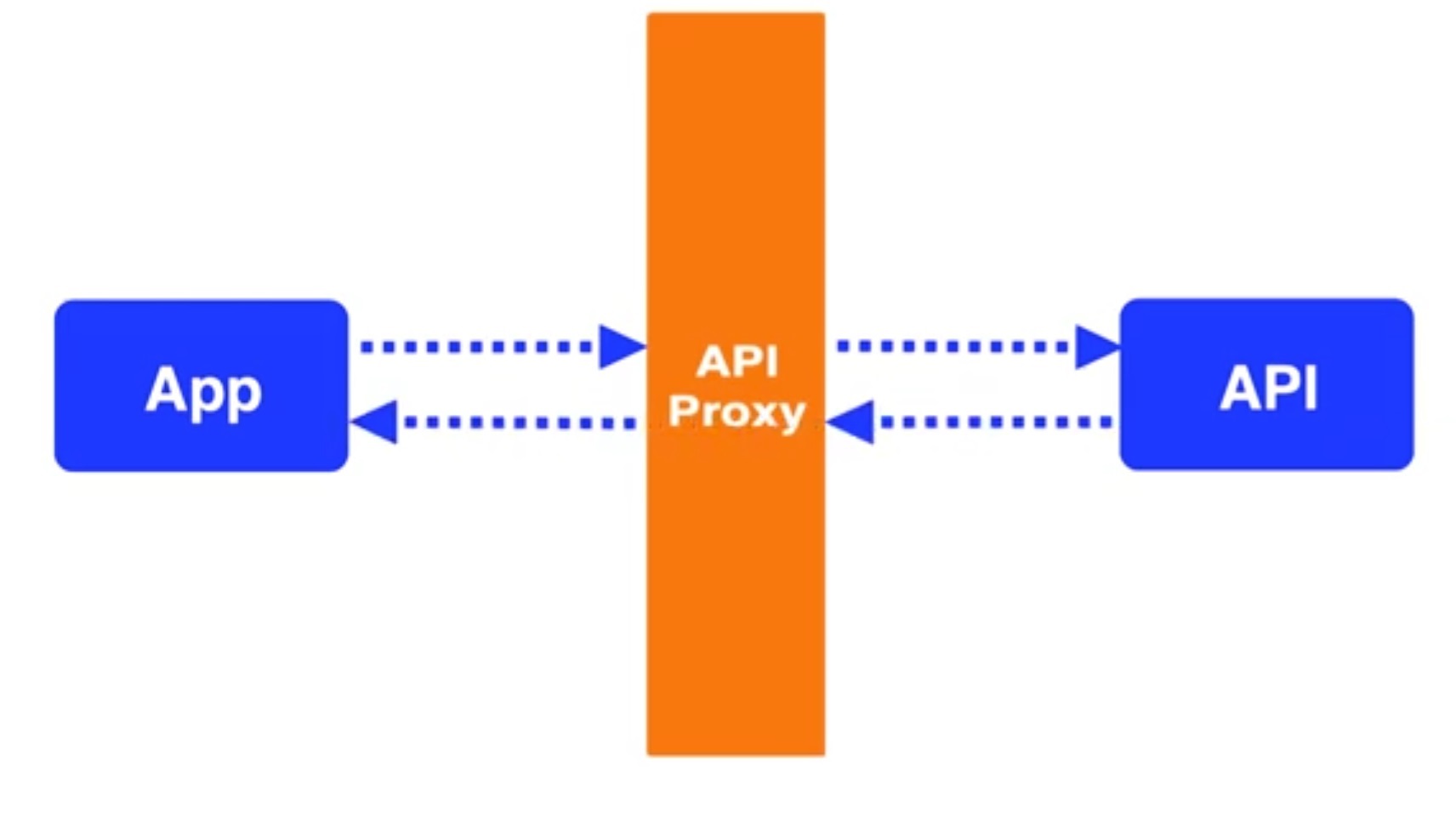
API proxy is an intermediary between client app and backend APIs. It decouples consumer from backend implementation, hence making backend changes agnostic to the clients. Apigee API proxies also provides various policies for additional features like rate limiting, quotas, logging, caching etc.
What Is a Shared Flow?
As the name suggests, a shared flow is a shared and reusable sequence of policies and resources that can be used across multiple proxies. A Shared flow is pretty similar to an API proxy, however, it doesn't have its own endpoints. Also, a shared flow can only be invoked from another proxy or shared flow. Common functionalities like logging, token validation, caching should preferably be done in a Shared Flow.
Understanding Logging in Apigee: Extensioncallout vs. Messagelogging
ExtensionCallout (also known as EC) policy is used to call any extensions - to integrate external resources like LDAP, Google PubSub, Google Cloud Storage etc into API proxies. It is often used to send API traffic information to external logging systems like Splunk.
MessageLogging (also known as ML) policy is out-of-the-box policy provided by Apigee for direct integration with Google Cloud Logging. It is easy to configure and eliminates the need for external extensions.
Note: You need to enable Cloud Logging APIs for your Google project to be able to push logs to Cloud Logging.
Steps for Replacing Extensioncallout With Messagelogging to Send API Proxy Traffic Information to Cloud Logging
1. Identify where EC policies are being used.
2. Understand existing logging configuration using EC policy.
3. Create corresponding ML policies and replace EC policies.
4. Preform End-to-End testing to ensure all logs are getting published as expected.
ExtensionCallout Sample Code
Below is the sample code for using EC policy in Apigee Edge for calling Google Pub/Sub.
<Connector> element is used to define the extension being used.
<?xml version="1.0" encoding="UTF-8" standalone="yes"?>
<ConnectorCallout async="false" continueOnError="true" enabled="true" name="Extension-Callout-Sample">
    <DisplayName>Extension-Callout-Sample</DisplayName>
    <Connector>GCPPubSub</Connector>
    <Action>publish</Action>
    <Input>
       {
            "message" : {"This is a sample message"}
       }
     </Input>
    <Output>ResponseVariable</Output>
</ConnectorCallout>
MessageLogging Sample Code
Below is the sample code for using ML policy for logging to Cloud Logging.
<CloudLogging> element is used to log to Cloud Logging.
<?xml version="1.0" encoding="UTF-8" standalone="yes"?>
<MessageLogging continueOnError="false" enabled="true" name="Message-Logging-Sample">
  <DisplayName>Message-Logging-Sample</DisplayName>
  <CloudLogging>
    <LogName>projects/{organization.name}/logs/{log.id}</LogName>
   <Message contentType="application/json">
   {
   "message" : {"This is a sample message"}
   }
   </Message>
    <ResourceType>api</ResourceType>
  </CloudLogging>
</MessageLogging>
Like EC policy, ML policy can also be invoked in PostClientFlow of an API proxy. The PostClientFlow gets executed after proxy response has been sent to the client, which ensures are log metrics are available before pushing the logs.
Best Practices for Logging in Google Cloud
- Setting Appropriate Log Levels: Use appropriate log levels (INFO, WARN, DEBUG, ERROR etc) to identify the severity of log.
- Data Masking: Mask sensitive data like account number, access token, credit card number etc.
- Monitoring and Logging: Set up Cloud Monitoring alerts to identify and resolve any issues in timely manner
- Configure Retention Policy: Set log retention policy (e.g. 30 days or 60 days) depending upon how long you want logs to be retained. Please note that there is cost associated with storing
- End-to-End Testing: Make sure to run performance testing to ensure no latencies are introduced by changing policies in proxies.
Key Considerations Before Migrating to a Cloud-Based API Gateway
Moving to a cloud-based API gateway like Apigee on Google Cloud has many benefits, but it also brings some challenges. One big concern is cost—ongoing charges for API calls, data transfers, and log storage can add up quickly. There’s also the risk of getting locked into one vendor, which can make it harder to switch to another cloud or go multi-cloud later.
The migration process itself can be tricky. There might be compatibility issues, some downtime, and a learning curve for your team. Security is another concern, especially when it comes to data privacy, compliance, and managing access controls.
Performance can be affected by things like network delays, service outages, and cold starts. You may also have less control over your setup, since you're depending on the cloud provider’s service-level agreements (SLAs).
Connecting cloud systems to your current on-prem or hybrid setup can be tough, and managing cloud resources can get complicated as your setup grows. While cloud platforms are built for scaling, poor configuration can lead to problems.
Because of all this, it's important to look at these pros and cons carefully before starting the migration.
Published at DZone with permission of Pragya Keshap. See the original article here.
Opinions expressed by DZone contributors are their own.
Comments