

A Guide to Using Browser Network Calls for Data Processing
This article will cover how I got the viral Dubai Chocolate Pistachio Shake using basic network calls and built a scalable cloud infrastructure for ML services.
It was a good sunny day in Seattle, and my wife wanted to have the famous viral Dubai Chocolate Pistachio Shake. With excitement, we decided to visit the nearest Shake Shack, and to our surprise, it was sold out, and we were told to call them before visiting. There is no guarantee that it will be available the next day as well because of limited supply.
Two days later, I went there again to see if there would be any, and again I was faced with disappointment. I didn't like the way, I either have to call them to check for an item or go to their store to check if it's available.
This led to a few ideas for me:
- What if there was an AI that would do the calls for me and update me when I need a reservation, or wait in that long line for customer calls, and connect with me when I am ready to talk with someone? Some companies are already working on automating this.
- Is there a way to be notified when an item is available at Shake Shack? If it's not there, can I build a cloud infrastructure for this?
Continuing on my thoughts on my second idea, I started looking into their website. It is possible to check if an item is available and add it to the cart for online ordering, which means there are some network calls through which we can identify if the Dubai Chocolate Pistachio Shake is available.
Implementation
To get the information about availability, we need a few data points.
- Is there a way to get the store information?
- How to differentiate whether a store has a shake or not?
For getting store information, when we open inspect element and look at network calls, when we select Washington, we see a few interesting calls.
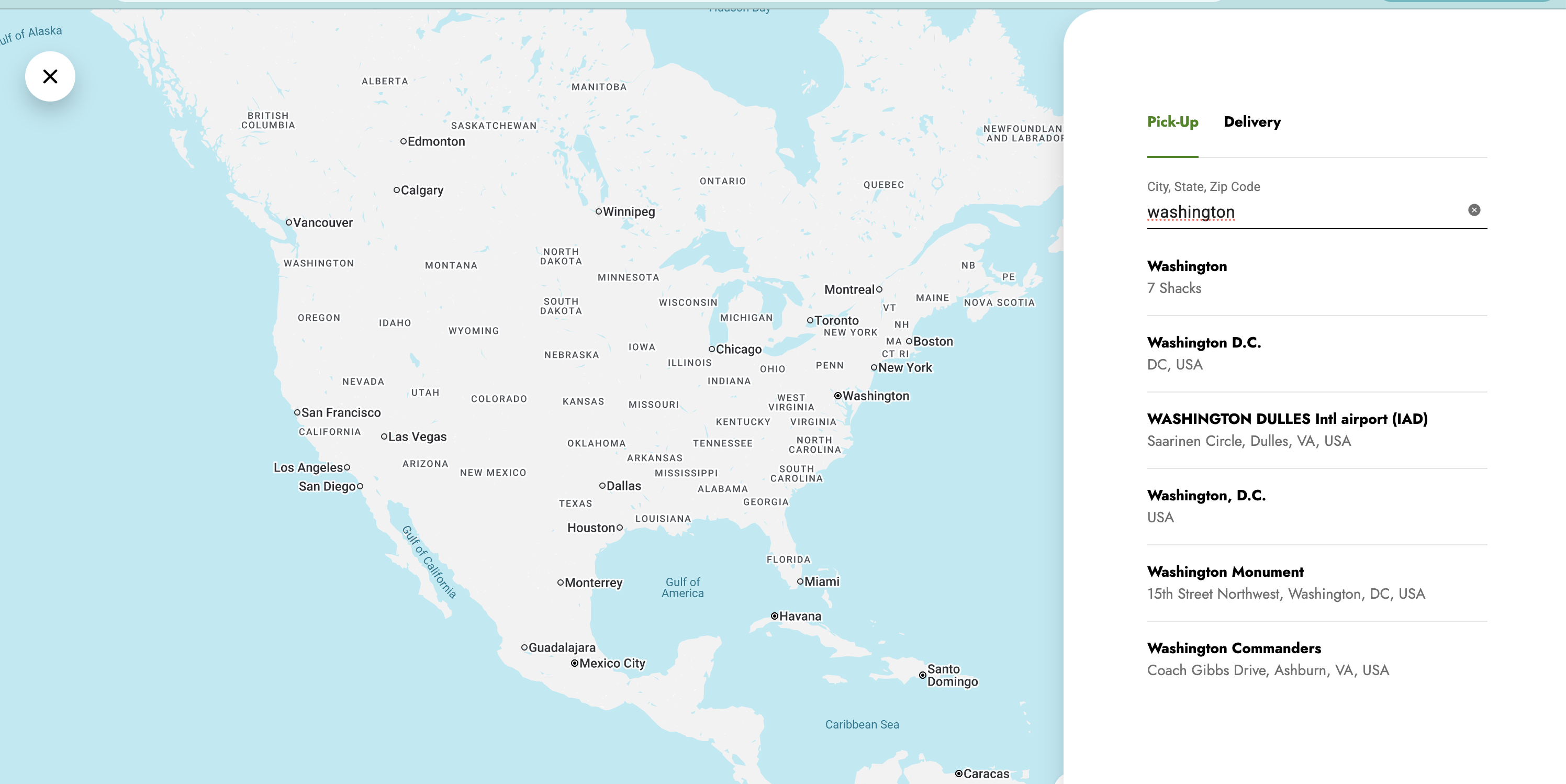
Washington state has seven locations, and we need to know which one of these has the shake.
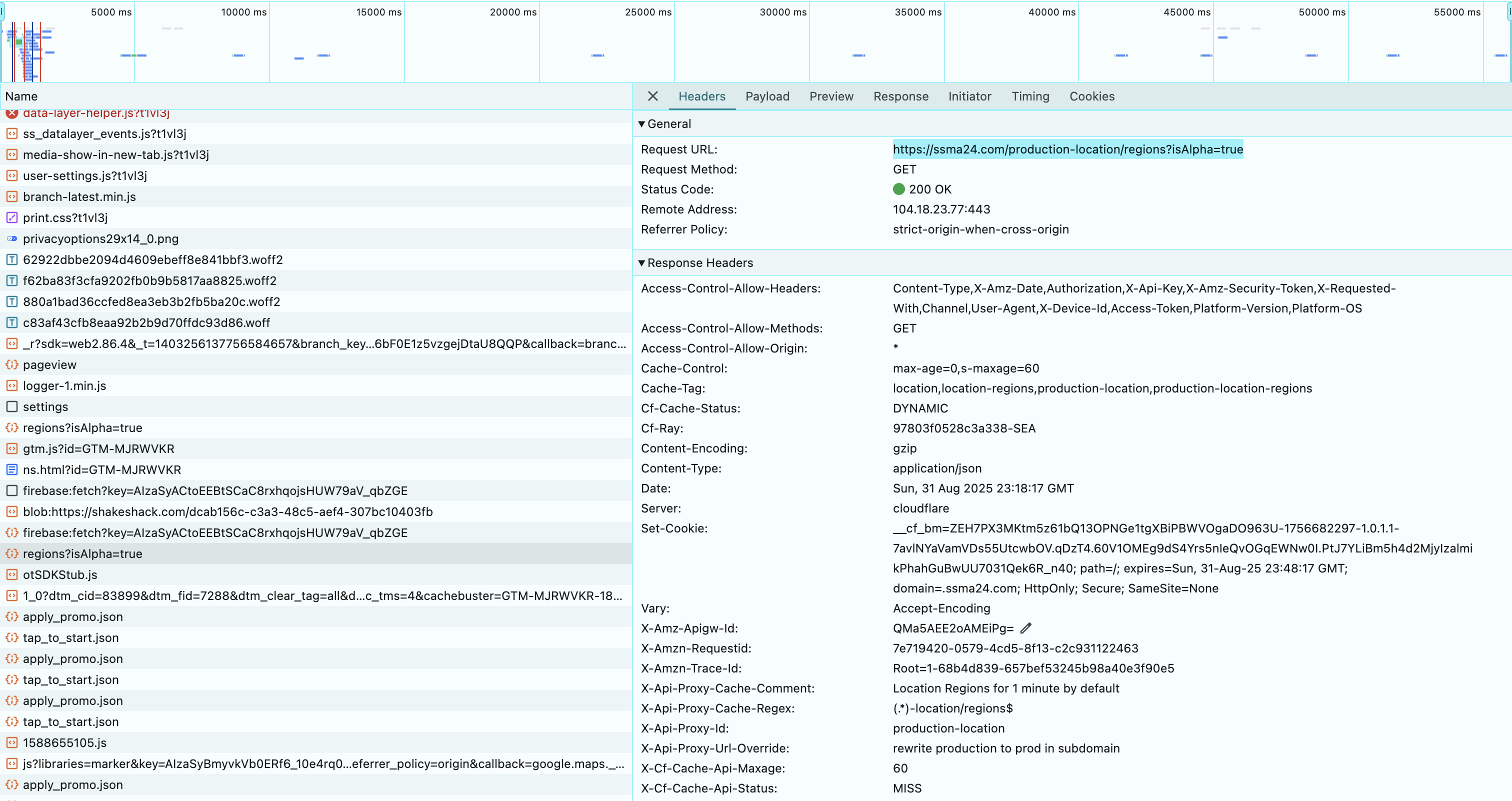
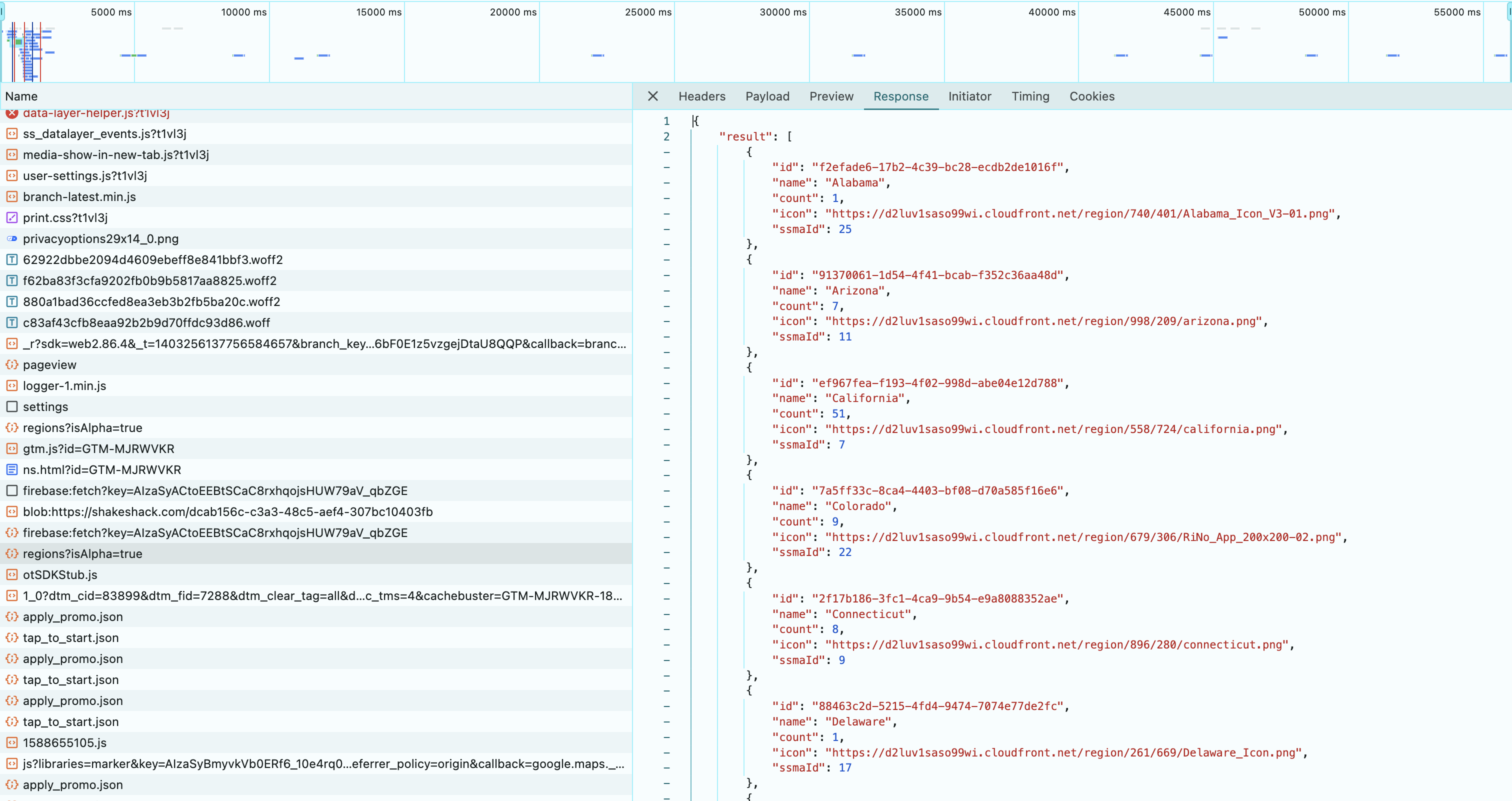
If we look at the response of the region information, we were able to get all the state information.
curl 'https://ssma24.com/production-location/regions?isAlpha=true' \
  -H 'accept: */*' \
  -H 'accept-language: en-US,en;q=0.9' \
  -H 'authorization: Basic removedSecretCodeHere==' \
  -H 'cache-control: no-cache' \
  -H 'origin: https://shakeshack.com' \
  -H 'platform-os: macos' \
  -H 'platform-version: 1.71.20' \
  -H 'pragma: no-cache' \
  -H 'priority: u=1, i' \
  -H 'referer: https://shakeshack.com/' \
  -H 'sec-ch-ua: "Google Chrome";v="131", "Chromium";v="131", "Not_A Brand";v="24"' \
  -H 'sec-ch-ua-mobile: ?0' \
  -H 'sec-ch-ua-platform: "macOS"' \
  -H 'sec-fetch-dest: empty' \
  -H 'sec-fetch-mode: cors' \
  -H 'sec-fetch-site: cross-site' \
  -H 'user-agent: Mozilla/5.0 (Macintosh; Intel Mac OS X 10_15_7) AppleWebKit/537.36 (KHTML, like Gecko) Chrome/131.0.0.0 Safari/537.36' \
  -H 'x-requested-with: XMLHttpRequest'
According to this, the WA ID is a3d65b58-ee3c-42af-adb9-9e39e09503c3, and we see the store information if we pass regionId to the API.
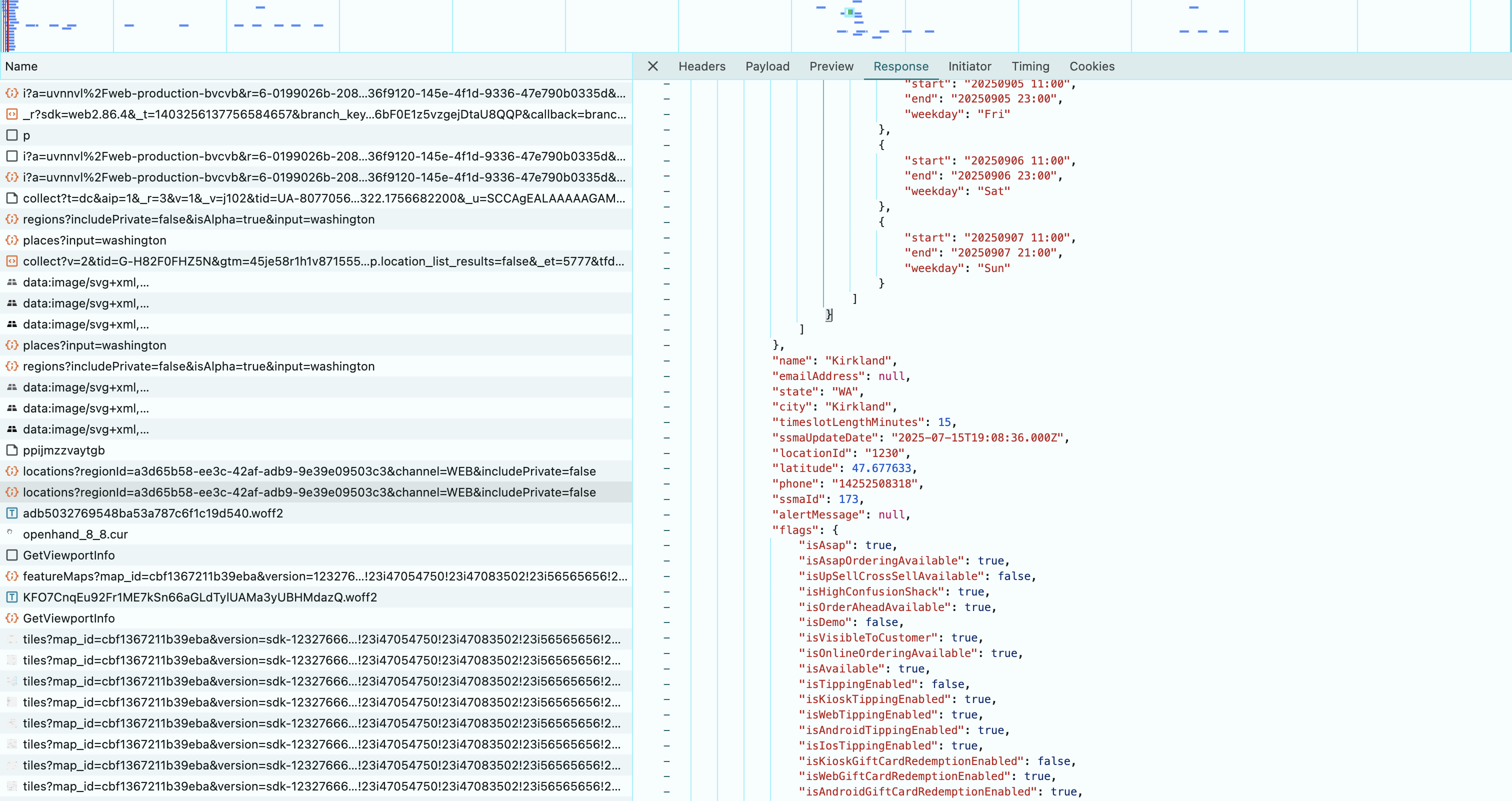
curl 'https://ssma24.com/production-location/locations?regionId=a3d65b58-ee3c-42af-adb9-9e39e09503c3&channel=WEB&includePrivate=false' \
  -H 'accept: */*' \
  -H 'accept-language: en-US,en;q=0.9' \
  -H 'authorization: Basic removedSecretCodeHere' \
  -H 'cache-control: no-cache' \
  -H 'origin: https://shakeshack.com' \
  -H 'platform-os: macos' \
  -H 'platform-version: 1.71.20' \
  -H 'pragma: no-cache' \
  -H 'priority: u=1, i' \
  -H 'referer: https://shakeshack.com/' \
  -H 'sec-ch-ua: "Google Chrome";v="131", "Chromium";v="131", "Not_A Brand";v="24"' \
  -H 'sec-ch-ua-mobile: ?0' \
  -H 'sec-ch-ua-platform: "macOS"' \
  -H 'sec-fetch-dest: empty' \
  -H 'sec-fetch-mode: cors' \
  -H 'sec-fetch-site: cross-site' \
  -H 'user-agent: Mozilla/5.0 (Macintosh; Intel Mac OS X 10_15_7) AppleWebKit/537.36 (KHTML, like Gecko) Chrome/131.0.0.0 Safari/537.36' \
  -H 'x-requested-with: XMLHttpRequest'
This information is still not sufficient until we know how to get to a store page and identify the availability. If a store has a shake, it will display the Dubai shake in the shake section.
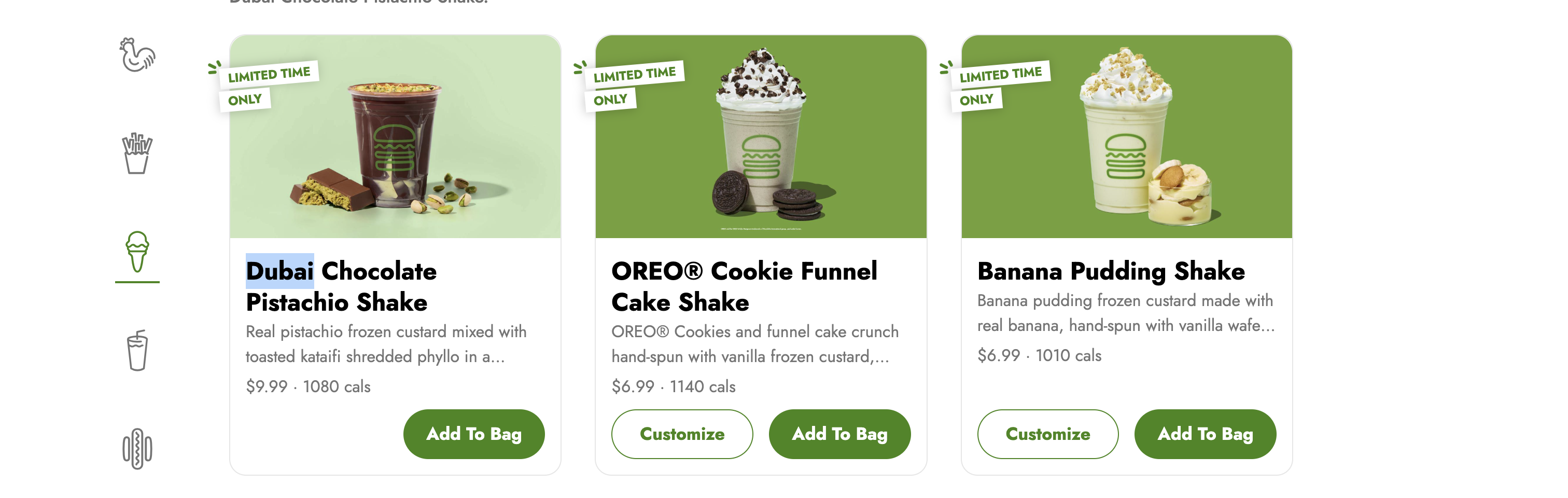
And after investigating the curl calls, I see the call for the menu option.
curl 'https://ssma24.com/v1.0/locations/82099/menus?includeOptionalCategories=utensils&platform=web' \
  -H 'accept: */*' \
  -H 'accept-language: en-US,en;q=0.9' \
  -H 'authorization: Basic removedSecretCodeHere==' \
  -H 'cache-control: no-cache' \
  -H 'channel: WEB' \
  -H 'origin: https://shakeshack.com' \
  -H 'platform-os: macos' \
  -H 'platform-version: 1.71.20' \
  -H 'pragma: no-cache' \
  -H 'priority: u=1, i' \
  -H 'referer: https://shakeshack.com/' \
  -H 'sec-ch-ua: "Google Chrome";v="131", "Chromium";v="131", "Not_A Brand";v="24"' \
  -H 'sec-ch-ua-mobile: ?0' \
  -H 'sec-ch-ua-platform: "macOS"' \
  -H 'sec-fetch-dest: empty' \
  -H 'sec-fetch-mode: cors' \
  -H 'sec-fetch-site: cross-site' \
  -H 'user-agent: Mozilla/5.0 (Macintosh; Intel Mac OS X 10_15_7) AppleWebKit/537.36 (KHTML, like Gecko) Chrome/131.0.0.0 Safari/537.36' \
  -H 'x-requested-with: XMLHttpRequest'
If a shake is available, then we see it in the product section.
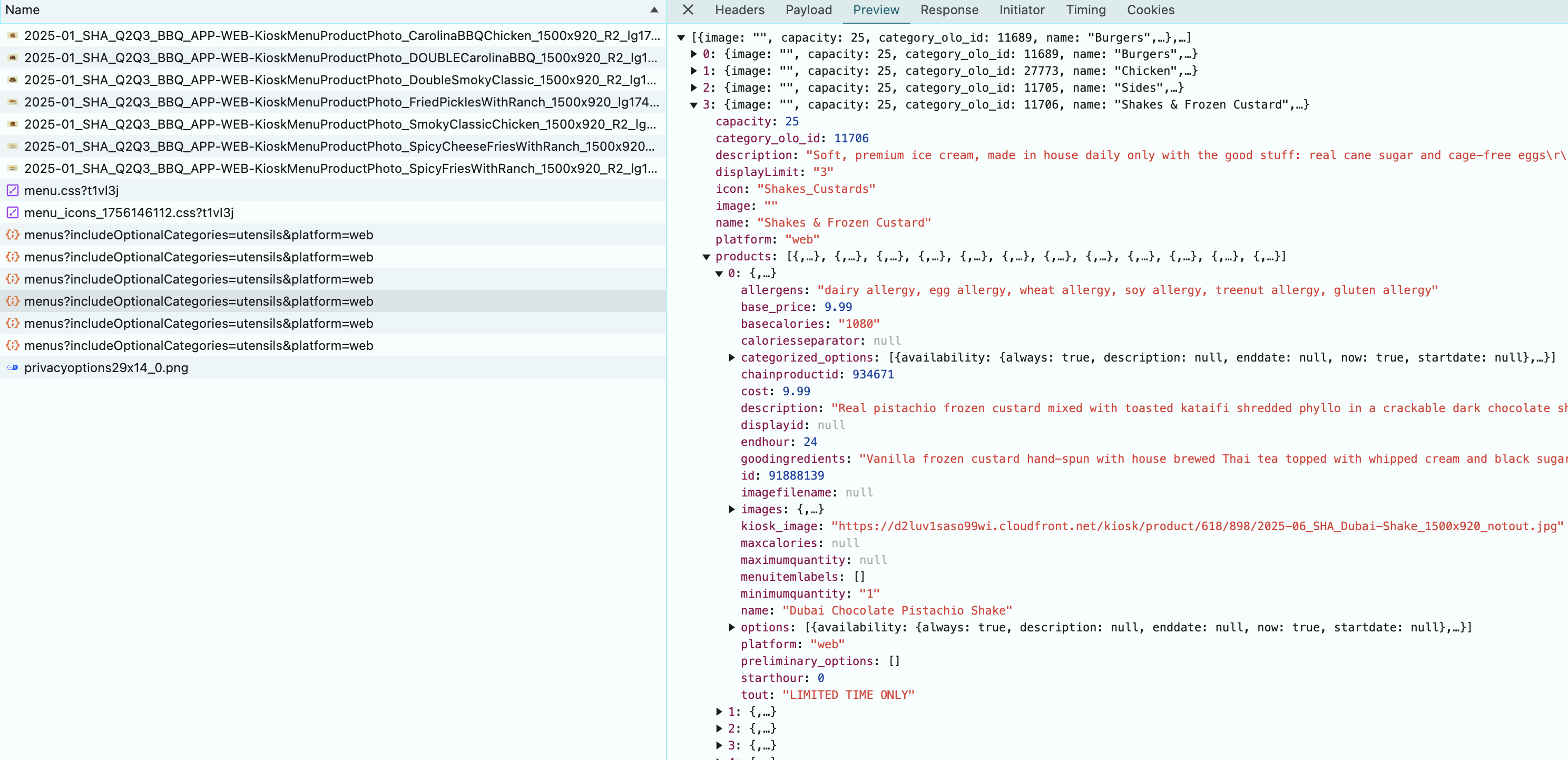
If a store does not have it, then we will not see it in the response. So, all we need to do is get all the store information and verify which stores have the shake. If you look into the store queries, its oloId is linked in the queries related to a store. This can be mapped to the store information from the previous queries, using which I was able to get all the store IDs.
With some basic shell scripting, I was able to create this curl script, which will tell which store will have the shake.
for store in 203514 236001 265657 82099 62274 96570 203515; do
  echo $store
  curl "https://ssma24.com/v1.0/locations/$store/menus?includeOptionalCategories=utensils&platform=web" \
  -H 'accept: */*' \
  -H 'accept-language: en-US,en;q=0.9' \
  -H 'authorization: Basic removedSecretCodeHere==' \
  -H 'cache-control: no-cache' \
  -H 'channel: WEB' \
  -H 'origin: https://shakeshack.com' \
  -H 'platform-os: macos' \
  -H 'platform-version: 1.71.20' \
  -H 'pragma: no-cache' \
  -H 'priority: u=1, i' \
  -H 'referer: https://shakeshack.com/' \
  -H 'sec-ch-ua: "Google Chrome";v="131", "Chromium";v="131", "Not_A Brand";v="24"' \
  -H 'sec-ch-ua-mobile: ?0' \
  -H 'sec-ch-ua-platform: "macOS"' \
  -H 'sec-fetch-dest: empty' \
  -H 'sec-fetch-mode: cors' \
  -H 'sec-fetch-site: cross-site' \
  -H 'user-agent: Mozilla/5.0 (Macintosh; Intel Mac OS X 10_15_7) AppleWebKit/537.36 (KHTML, like Gecko) Chrome/131.0.0.0 Safari/537.36' \
  -H 'x-requested-with: XMLHttpRequest' | jq| grep '"name": "Dubai Chocolate Pistachio Shake",'
done
Where each store is the storeId, and I used the jq library to format the response into JSON output, and did a grep on this name, stores that have the shake will give a hit.
Sample response
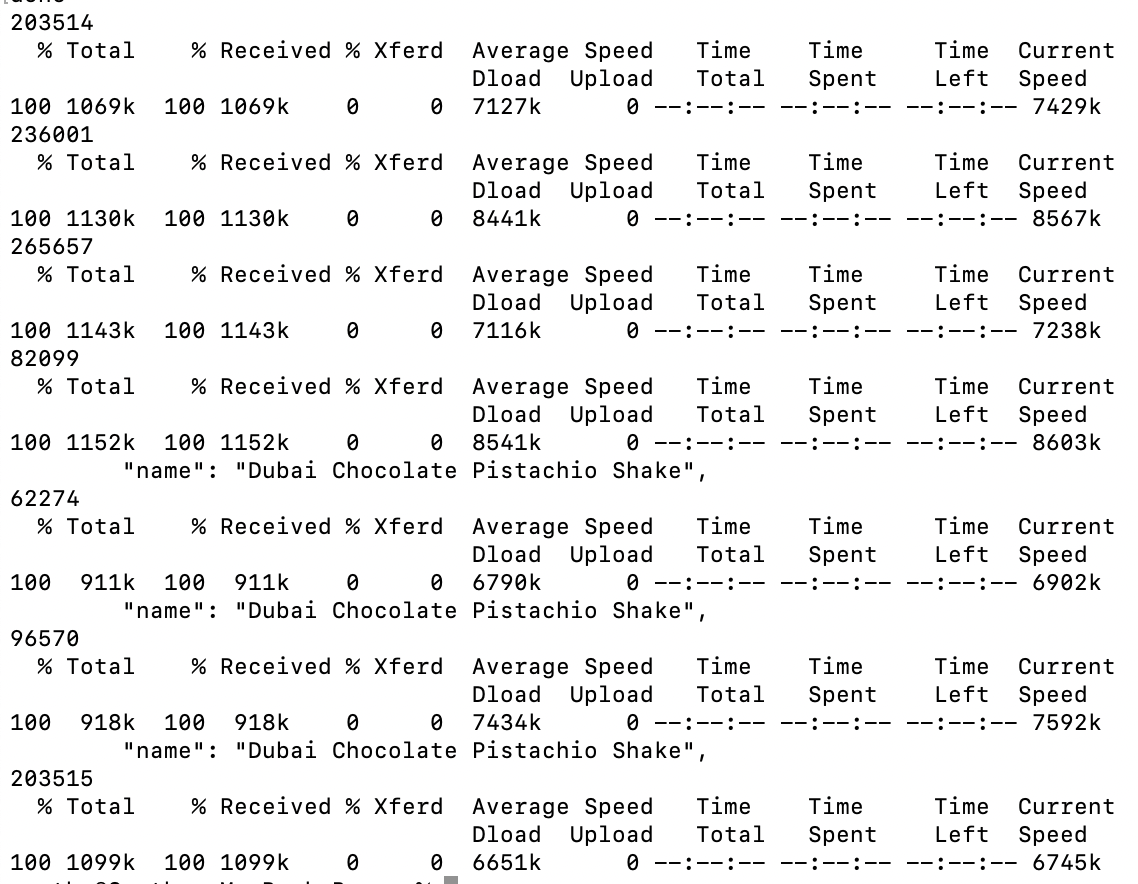
Based on this, we know that stores 82099, 62274, and 96570 have the shakes, and I got the store address from the previous calls and got the shakes. :)
Conclusion
In this document, we went through the network calls to identify the information we need and also figured out a way to get the store information through their network calls. That said, we can also automate this through Selenium (which is compute heavy), or we can use an AI to analyze the website and figure out a way to get this infrastructure ready for us. This will be an advancement that will remove certain QA related jobs from the industry (we are not there yet, but we will be in that position very soon).
Most of the approaches we saw today were manual. In my next articles, I will show how we can take this simple idea and build a cloud infrastructure around it. I will be writing about building
- A cloud-based serverless call to get the info from the web.
- A cloud-based trigger service that will trigger the serverless call.
- A storage system to store this data for caching — where can we store the responses?
- A notification system to notify through a mobile app or in various other ways.
- If we are getting enough data points, I will be showing how to build an ML model using sparse data points.
This is for educational purposes, me and my partner (SGG) took this real world example to build a cloud infrastructure, the code and other artifacts will not be published to ensure Shake Shack websites are not overloaded.
Opinions expressed by DZone contributors are their own.