

Build Your Own USB HID Joystick Device and Game Controller
Why buy a joystick when you can build your own? Grab a USB-capable board and, with a few extra components, make your own gaming advice.
Join the DZone community and get the full member experience.
Join For FreeFor many projects, it would be cool to build a custom USB joystick, either as a custom game controller for Windows or any USB host that can be used with a USB joystick. Instead of buying one, why not build my version? All I need is a USB-capable board, some kind of input (potentiometer, push buttons) and some software, and I have my USB joystick:

DIY USB HID joystick device
In this article, I’m using the NXP FRDM-KL25Z (ARM Cortex-M0+) with a joystick (e.g. from Dx.com) shield:
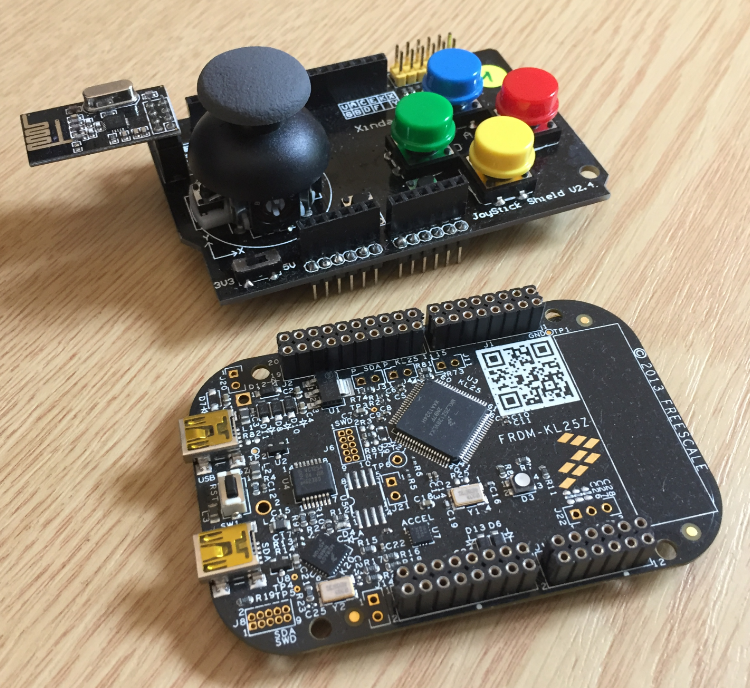
NXP FRDM-KL25Z with joystick shield
The USB HID Joystick class is very similar to the USB Keyboard one, so follow the “Using the FRDM-KL25Z as USB Keyboard” tutorial for the basic USB setup.
Select the HID Joystick Device:
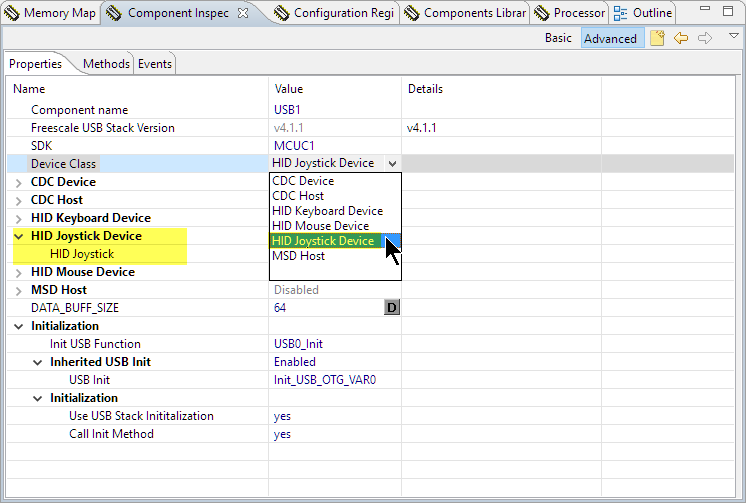
HID Joystick Device
Then configure the HID device settings, especially the CPU/device used:

HID Device Settings
The component offers methods to set buttons, throttle, hat position, and X/Y joystick position:
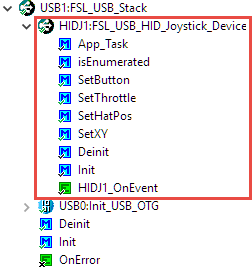
USB HID Joystick Sub-component
I have published, on GitHub, an example project which uses X/Y analog position, 4 hat switches, a throttle setting plus 3 push buttons:
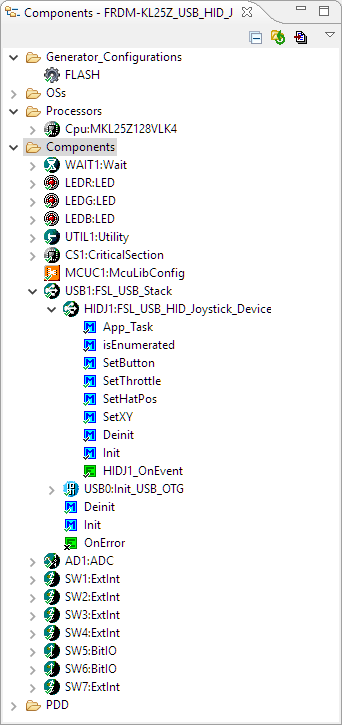
USB HID Joystick Example Project
The USB HID device shows up with two devices in the Windows device manager:

USB HID Joystick in Device Manager
Inside the Windows Control Panel, there is a dialog to set up any USB game controller:

Setup USB Game Controller
That dialog shows the controls and is used to calibrate them:

Setup USB Game Controller
Building a DIY game controller is easy with the addition of the USB HID joystick component and software. With a USB capable device and a joystick shield, I’m able to create my gaming controller.
Happy gaming!
Links
- USB and Using Freescale USB Stack with
- Tutorial about USB HID Device descriptor: http://eleccelerator.com/tutorial-about-usb-hid-report-descriptors/
- Creating a USB keyboard device: https://mcuoneclipse.com/2013/06/30/using-the-frdm-kl25z-as-usb-keyboard/
- McuOnEclipse components on SourceForge: https://sourceforge.net/projects/mcuoneclipse/files/PEx%20Components/
- Example project on GitHub: https://github.com/ErichStyger/mcuoneclipse/tree/master/Examples/KDS/FRDM-KL25Z/FRDM-KL25Z_USB_HID_Joystick
Published at DZone with permission of Erich Styger. See the original article here.
Opinions expressed by DZone contributors are their own.
Comments