

Creating a Business Rule Engine Using Dynamic Expression Predicates With C#
A developer gives a tutorial on how to create a dynamic business rule engine using the C# language, providing all the code you need to follow along.
Hello everyone. Today I am going to show how to create a dynamic business rule engine in C#. But before we get into it, let's discuss some basic concepts of writing a business rule.
What Is a Business Rule Engine?
A business rule engine (BRE) is a specific collection of design-time and runtime software that enables an enterprise to explicitly define, analyze, execute, audit, and maintain a wide variety of business logic, collectively referred to as "rules."
Prerequisite:
- Expressions: "An expression is a sequence of one or more operands and zero or more operators that can be evaluated to a single value, object, method, or namespace." - docs.microsoft.com.
- Expression Tree: "Expression trees represent code in a tree-like data structure, where each node is an expression, for example, a method call or a binary operation such as x < y." - docs.microsoft.com.
- Example:
Expression<Func<int, bool>> lambda = num => num < 5
- Example:
Background
We will store all the rules in a SQL table. During runtime, we will fetch these rules and will construct an expression tree.
Now, we will try to create a business rule engine using C#. The tools we'll use are Visual Studio and MS SQLSERVER.
Let's jump into coding. I'll share my process step-by-step using code snapshots.
Building a Business Rule Engine
- Create a Rules table. I have named the table "
RuleSetRules."
- Insert a few rows into the Rules table. The data should look like the below image.

- Open Visual Studio and create a Console Application.
- Create an entity class named
Ruleswith the following properties :- Id
- PropertyName
- Operation
- Value
- RuleName
- Write the code to fetch all the Rules from the database (the execute query is
SELECT * FROM Rules). - If you are using ADO.NET, use
DataTableorSqlDataReaderto convert the result set intoIEnumerable<Rules>. - Now we have a list of Rules. Let's use
Expression<Func<>>to combine all the rules and make a single expression tree. - Create a class named
ExpressionBuilderand create a method namedGenerateExpressioninside of it. This method will be used to create an expression tree at runtime.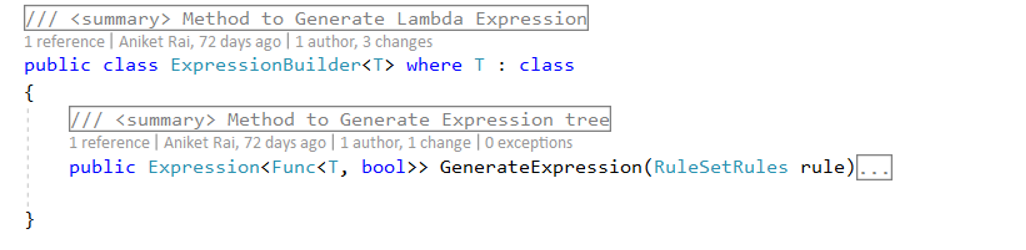
- Generate the expression method's code.
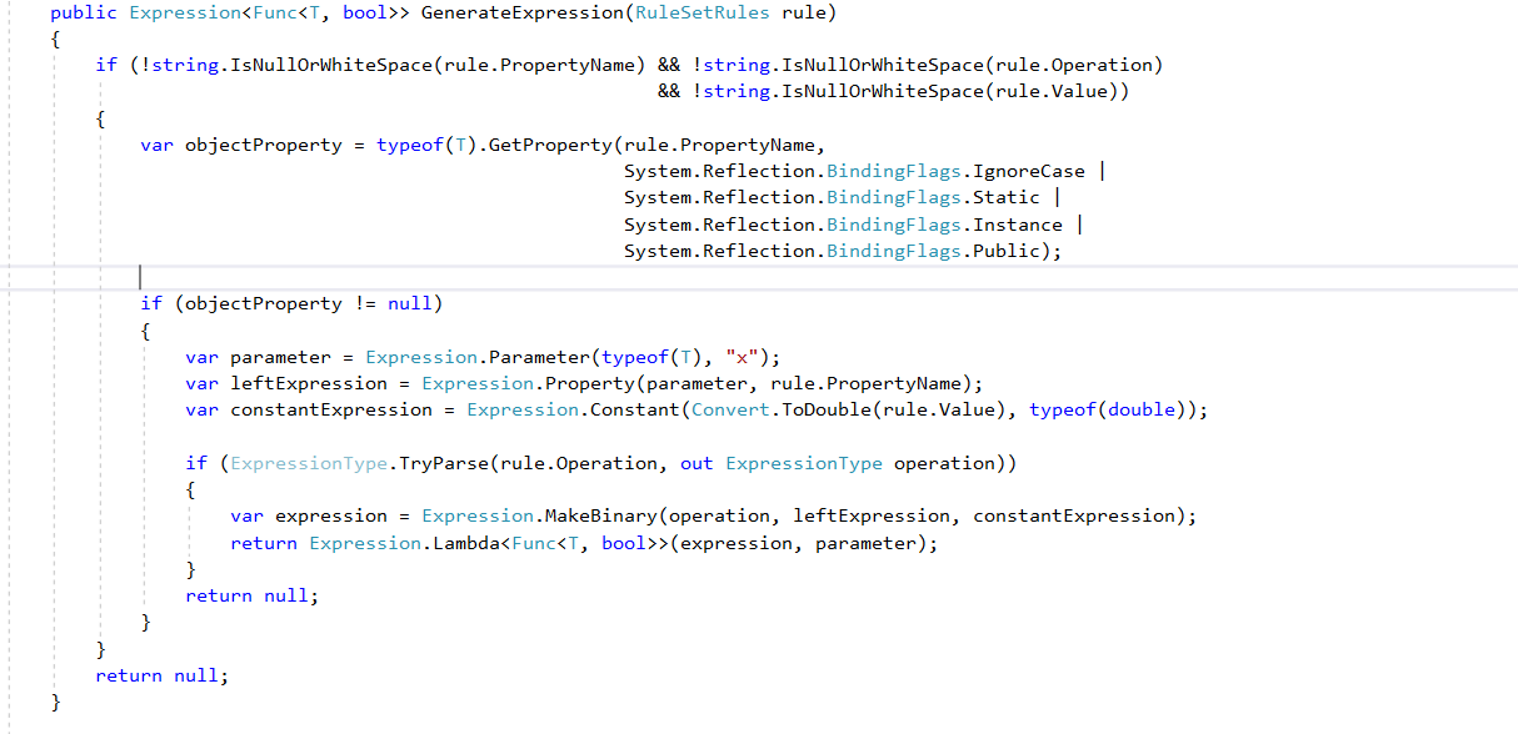
- Now we have a method to generate expressions. So we need to loop through our rules list and create expressions.

- From the above code, we can get expressions from each rule, but they're all separate. We need to combine the expressions to get a single expression.
Let's add a couple of methods to combine expressions in the
ExpressionBuilderclass.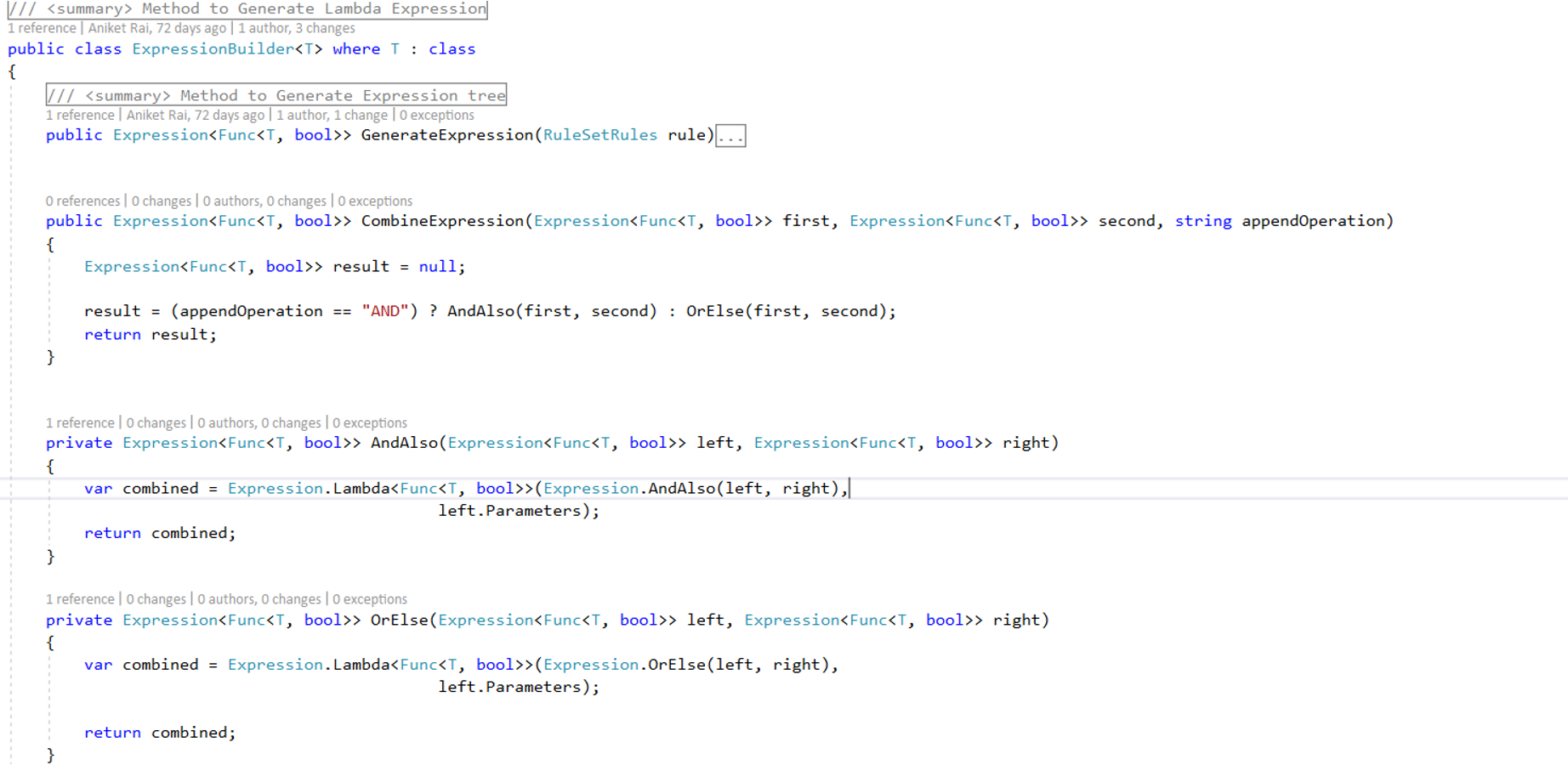
Let's update the
AndAlsoandOrElsemethods to handle null exceptions.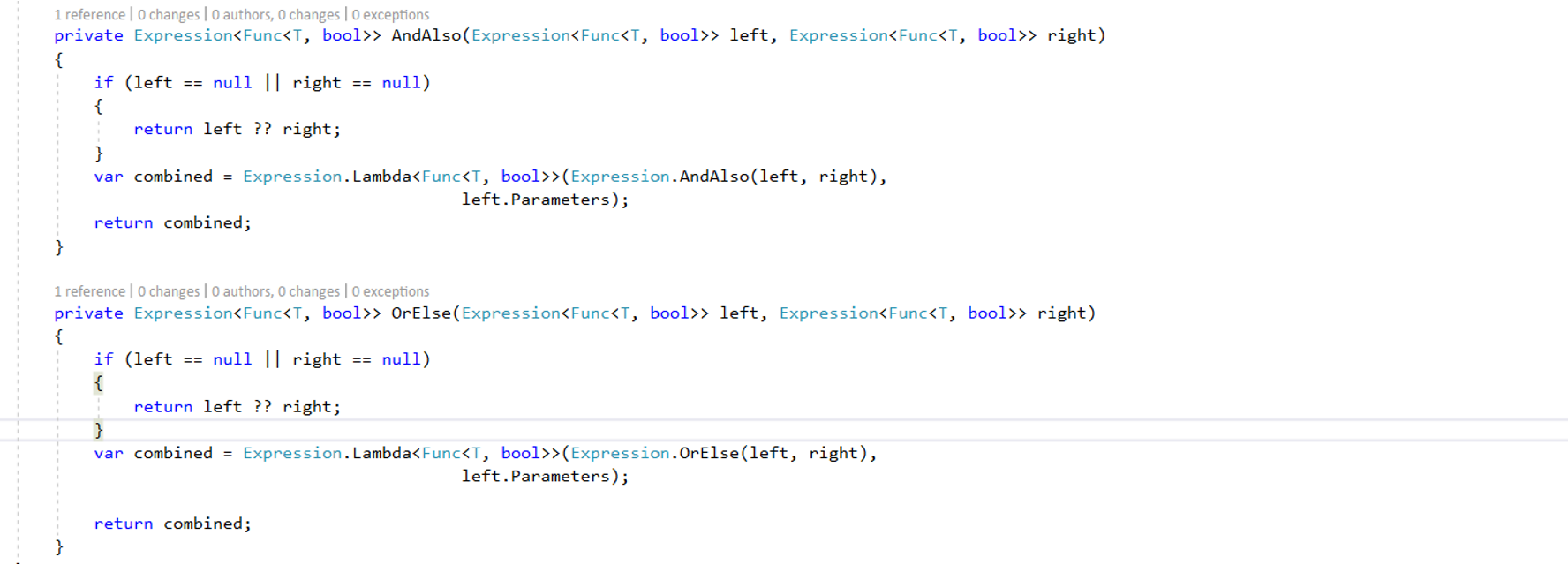
Now let’s call the
CombineExpressionmethod from theforeachloop to combine all our expressions.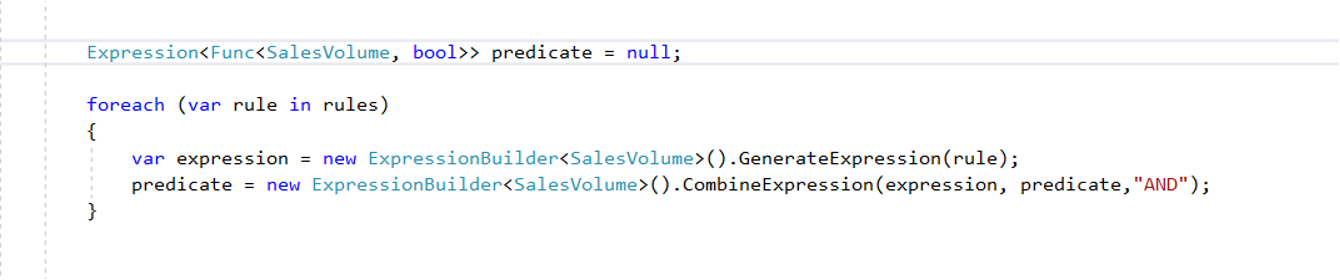
So we have our all expressions combined into a single expression and stored it in a variable named "
predicate."Let's use this variable to filter out unwanted expressions and get our desired result.
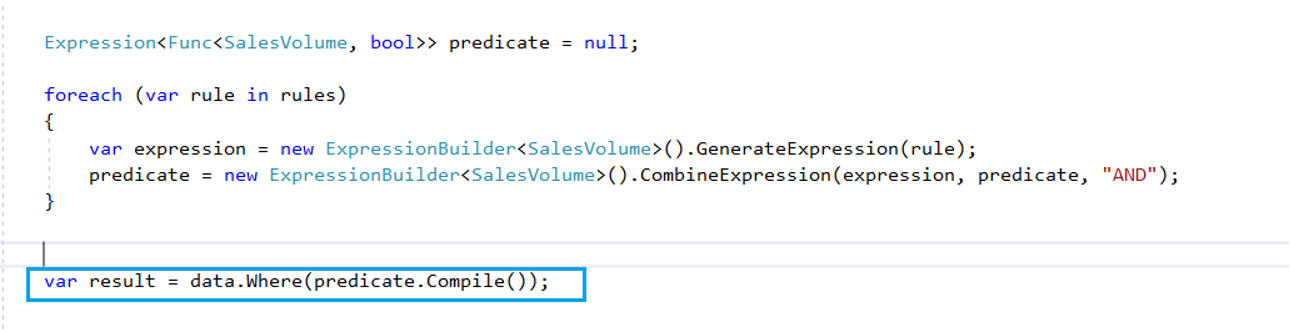
And done! That's how to make our own business rules and execute them at runtime.
Thank you for reading.
Opinions expressed by DZone contributors are their own.