

DZone
Thanks for visiting DZone today,
Edit Profile
  • Manage Email Subscriptions
  • How to Post to DZone
  • Article Submission Guidelines
Sign Out View Profile
  • Post an Article
  • Manage My Drafts
Newsletter
Log In / Join
Refcards Trend Reports
Events Video Library
Refcards
Trend Reports

Events

View Events Video Library

Related

  • GraphQL vs REST API: Which Is Better for Your Project in 2025?
  • Building a REST Service That Collects HTML Form Data Using Netbeans, Jersey, Apache Tomcat, and Java
  • Spring Boot - How To Use Native SQL Queries | Restful Web Services
  • Testing REST Controller Methods With JUnit 5 [Video]

Trending

  • YAGNI in the Age of AI Coding
  • How to Format Articles for DZone
  • Building a Practical Cloud-Native Golden Path: A Guide to Kubernetes-Based Service Delivery, Self-Service, and Developer-Friendly Defaults
  • Going All In On the JVM 25 Virtual Threads

Draft This article hasn't been published, so readers can't see it.

In moderation This article is waiting for review, so readers can't see it yet.

Deleted This article has been deleted, so readers can't see it.

  1. DZone
  2. Software Design and Architecture
  3. Integration
  4. Calling REST APIs From Camel Routes

Calling REST APIs From Camel Routes

Get your REST API calls squared away!

By 
Vignesh Prabhu
·
Feb. 28, 21 · Tutorial
Post on X (opens in a new tab) Share on LinkedIn (opens in a new tab)
15.5K Views

Join the DZone community Save articles, join the discussion, and download Refcards and Trend Reports with a free account.

Join for free Already a member? Log in

This article covers calling a REST API from a Camel route. We will try to call the GET endpoint below from a camel route.

http://dummy.restapiexample.com/api/v1/employees
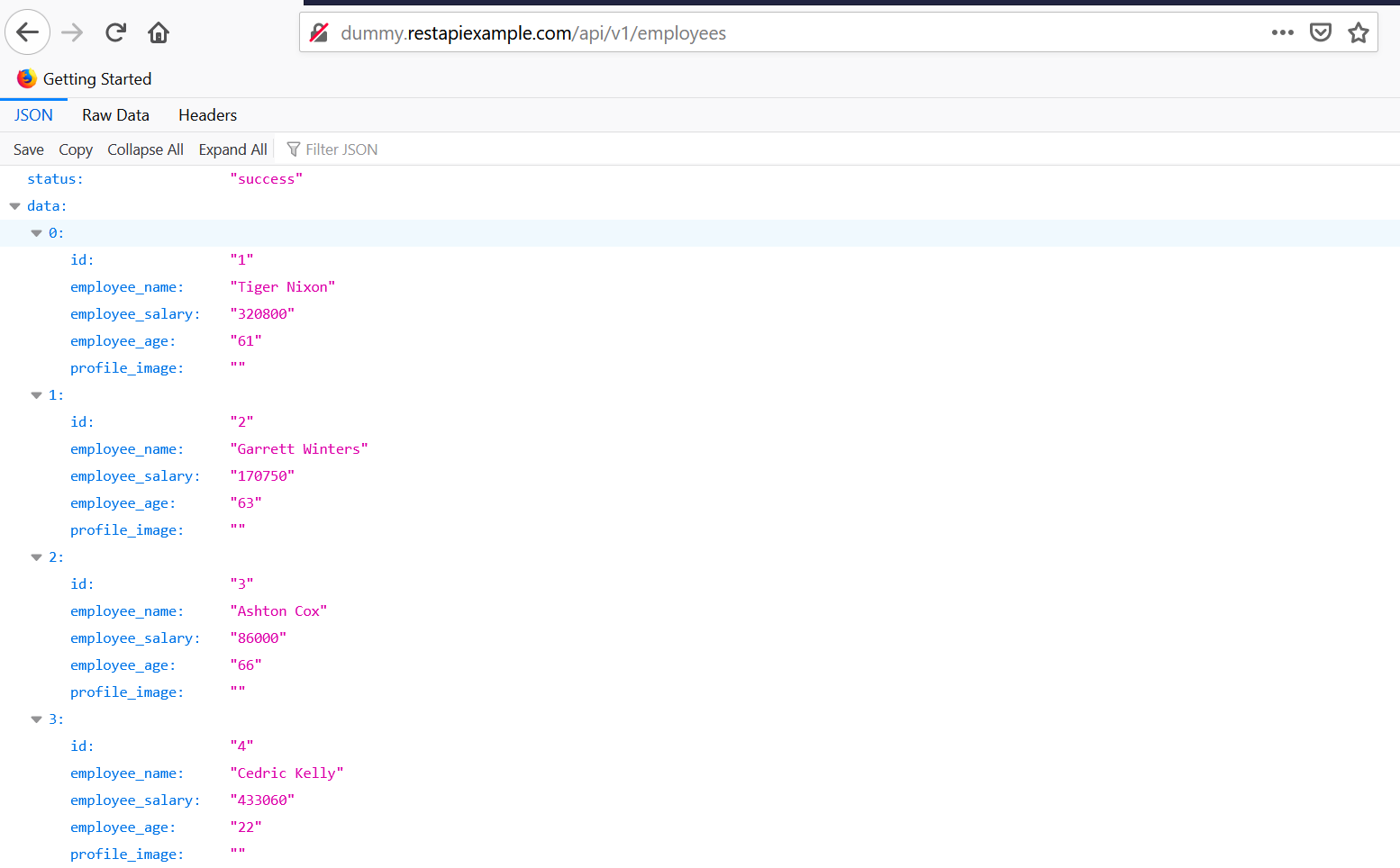

Let's create a Spring Boot Camel microservice.

In the pom.xml of the microservice, add the dependency below:

XML


x


1
<dependency>
2
    <groupId>org.apache.camel.springboot</groupId>
3
    <artifactId>camel-http-starter</artifactId>
4
    <version>3.8.0</version>
5
</dependency>


Configuring the REST Client Route in the Microservice

restConfiguration() is used to configure the host and the port.

The route is configured to run every 10 secs and call the REST API endpoint using the GET method. 

Java


xxxxxxxxxx
1
18


1
package com.vignesh.cameldemob.route.b;
2

          
3
import org.apache.camel.builder.RouteBuilder;
4
import org.springframework.stereotype.Component;
5

          
6
@Component
7
public class RestAPIClientRoute extends RouteBuilder {
8

          
9
    @Override
10
    public void configure() throws Exception {
11
        restConfiguration().host("dummy.restapiexample.com").port(80);
12

          
13
        from("timer:rest-client?period=10s")
14
                .to("rest:get:/api/v1/employees")
15
                .log("${body}");
16
    }
17
}
18


Testing

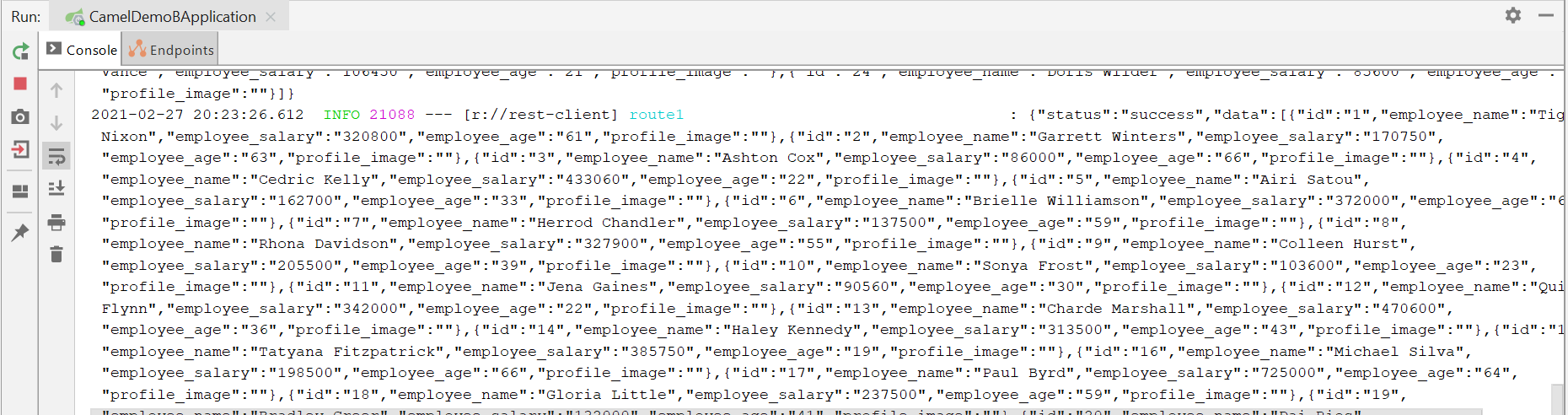
Start the application. You can see that the timer is triggered every 10 secs, and the REST API endpoint is called.
REST Web Protocols

Opinions expressed by DZone contributors are their own.

Related

  • GraphQL vs REST API: Which Is Better for Your Project in 2025?
  • Building a REST Service That Collects HTML Form Data Using Netbeans, Jersey, Apache Tomcat, and Java
  • Spring Boot - How To Use Native SQL Queries | Restful Web Services
  • Testing REST Controller Methods With JUnit 5 [Video]

Partner Resources

×

Comments

Loading comments

The comments didn't load

Please try again in a moment.

Likes

Loading

The next likes didn't load. Please try again.

The likes didn't load

Please try again in a moment.

See who liked this

Log in or join DZone for free to see who liked this article.

Log in Join for free
  • RSS
  • X
  • Facebook

ABOUT US

  • About DZone
  • Support and feedback
  • Community research

ADVERTISE

  • Advertise with DZone

CONTRIBUTE ON DZONE

  • Article Submission Guidelines
  • Become a Contributor
  • Core Program
  • Visit the Writers' Zone

LEGAL

  • Terms of Service
  • Privacy Policy

CONTACT US

  • 3343 Perimeter Hill Drive
  • Suite 215
  • Nashville, TN 37211
  • [email protected]

Let's be friends:

  • RSS
  • X
  • Facebook