

Camel Quarkus With CouchDB Component
Learn to use Apache Camel Quarkus and CouchDB Component to build a REST API. Camel Quarkus CouchDB Component helps to connect, produce, or consume messages.
Join the DZone community and get the full member experience.
Join For FreeCouchDB
Before we jump into the coding, let's take some time to understand what's CouchDB. CouchDB is one of what many are calling NoSQL solutions. Specifically, CouchDB is a document-oriented database and within each document, fields are stored as key-value maps. Fields can be either a simple key/value pair, list, or map.
Each document that is stored in the database is given a document-level unique identifier (_id) as well as a revision (_rev) number for each change that is made and saved to the database.
Camel CouchDB Component
The component allows us to treat CouchDB instances as a producer or consumer of messages, we can find more information at the CouchDB Component. It uses the LightCouch API and these are the features:
- As a consumer, monitors couch changesets for inserts, updates, and deletes and publishes these as messages into camel routes.
- As a producer, can save, update, delete (by using CouchDbMethod with DELETE value) documents and get documents by id (by using CouchDbMethod with GET value) into couch.
- Can support as many endpoints as required, eg for multiple databases across multiple instances.
- Ability to have events trigger for only deletes, only inserts/updates, or all (default).
- Headers set for sequenceId, document revision, document id, and HTTP method type.
Now, let's start the coding.
Generate the Camel Quarkus project on the page quarkus.io and select the dependencies:
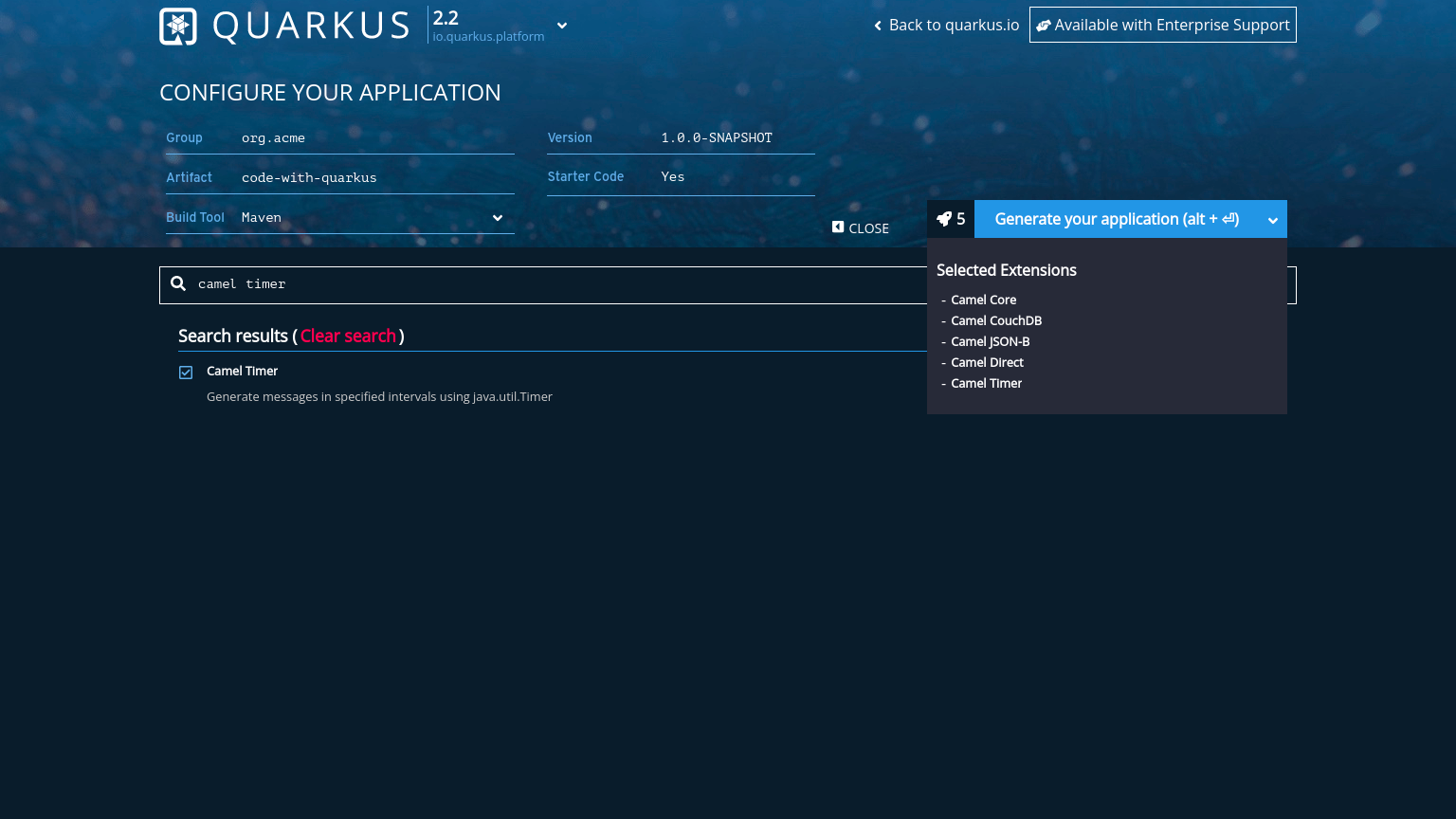
Select the dependencies that are listed below:
- Camel JSON-B
- Camel Core
- Camel Direct
- Camel Timer
- Camel File
- Camel HTTP
To connect with CouchDB we're gonna use the org.apache.camel:camel-couchdb dependency.
After downloading the project, open it with the IDE best fit for you, in this article we're going to use the VSCode.
Now, we have to create a new class with the name CouchDbRouter, extend the RouteBuilder, override the configure method, create two routes, and add the CouchDB component.
import org.apache.camel.builder.RouteBuilder;

public class CouchDbRouter extends RouteBuilder{

    @Override
    public void configure() throws Exception {
        from("file:/tmp/data?noop=true")
        .routeId("insertFruit")
        .convertBodyTo(String.class)
//        .setHeader("CouchDbMethod", "delete") Set the Header with CouchDdMethod and value (delete / update)
        .to("couchdb:http://localhost:5984/fruits?username=user1&password=user1")
        .log("${body}");

        from("timer:foo?period=10000")
        .routeId("getAllFruits")
        .setHeader("Authorization", constant("Basic dXNlcjE6dXNlcjE="))
        .to("http://localhost:5984/fruits/_all_docs")
        .log("${body}")
        ;
    }
}
To explain better, from("file:") has the file component and provides access to file systems, allowing files to be processed by any other Camel components or messages from other components to be saved to the disk. from("timer:...") has a timer component and therefore it is used to get the data from the CouchDB and log the body; it is using the HTTP component to retrieve the document.
Running CouchDB
Create a container from the CouchDB image. The first command below pulls the image from Docker Hub using podman, and the second command runs a container using the pulled image.
$ podman pull docker.io/library/couchdb

$ podman run -e COUCHDB_USER=admin -e COUCHDB_PASSWORD=password -p 5984:5984 -d couchdb
Check if the container is running with podman ps and see if the container will be listed:
$ podman ps
CONTAINER ID  IMAGE                             COMMAND               CREATED        STATUS            PORTS                   NAMES
d650c767599b  docker.io/library/couchdb:latest  /opt/couchdb/bin/...  8 minutes ago  Up 8 minutes ago  0.0.0.0:5984->5984/tcp  practical_gagarin
Open the Futon (Web GUI Administration Panel) using the local address http://127.0.0.1:5984/_utils/ to create the database. This sample was created for the database fruits.

Run the application in dev mode, which enables live coding. Run the project:
./gradlew quarkusDevThe log will show the lines from the routes insertFruit and getAllFruits:
INFO  [insertFruit] (Camel (camel-1) thread #0 - file:///tmp/data) {
    "name": "Banana",
    "image": "https://upload.wikimedia.org/wikipedia/commons/thumb/4/44/Bananas_white_background_DS.jpg/320px-Bananas_white_background_DS.jpg",
    "price": 4
}
INFO  [getAllFruits] (Camel (camel-1) thread #1 - timer://foo) {"total_rows":4,"offset":0,"rows":[=========--> 88% EXECUTING [1m 3s]
{"id":"01d1517baff1480c864f51ea2fd77342","key":"01d1517baff1480c864f51ea2fd77342","value":{"rev":"1-11fb8871267eaf6a0a323654d9a767ae"}}
Conclusion
Camel Quarkus CouchDB Component helps you to connect, produce, or consume messages using the LightCouch API.
The code is available on GitHub.
Opinions expressed by DZone contributors are their own.
Comments