

Create UML Diagrams With Simple DSLs in Eclipse and IntelliJ
How to create flow chart diagrams for whatever DSL you may be using in popular IDEs.

Join the DZone community and get the full member experience.
Join For FreeBut first, you may argue that UML's importance in today’s agile software development world is fading out. I would agree partially.
Creating UML Class Diagrams
From my point of view, UML class diagrams are needed very rarely. I can find only two use cases for it:
- To analyze an existing code base.
- To communicate a suggested design with the team.
When you need to analyze an existing code base, class diagrams can be easily generated by your IDE from the existing code. IntelliJ idea provides this as part of its paid version:
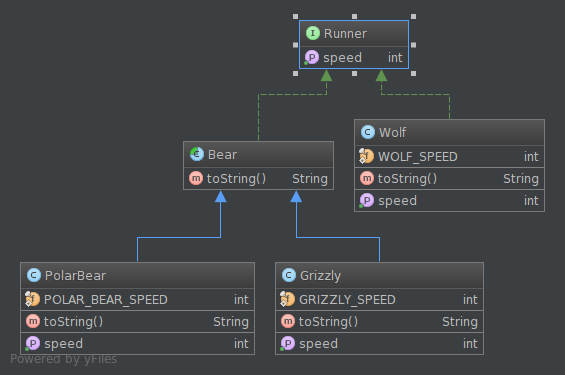
To find out how to create such diagram, read this IntelliJ IDEA documentation. It is also easy with Eclipse or its various flavors (e.g. Spring Tool Suite):
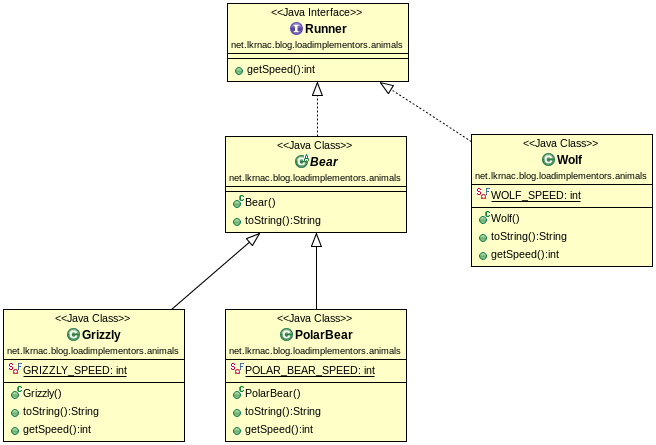
You just need to use plugin called ObjectAid.
When we need to sketch class diagram upfront to consult design with the team, I would suggest to create prototype with desired class structure instead and generate class diagram from the live code (again with IDE). You may find some important facts about the design while creating prototype. There’s no need to create logic and tests, just APIs of the design.
And of course when you don’t need such generated diagram anymore, just wipe it out. Low-level design may change easily and you don’t want to keep outdated diagrams around. You can generate new diagram from live code easily.
Non-class Diagrams
So when we need Class diagram, it’s smart to generate it from live code. But what about other UML diagrams like:
- Structure diagrams (except Class diagram)
- Behavioral diagrams
- Interaction diagrams (especially useful is Sequence diagram from this bucket)
I personally created only few use case and flow chart diagrams during my career. But Sequence and Component diagrams are very useful to document high-level design decisions. Of course you don’t want to have them very detailed, but at high level designer intentions and considerations are sometimes good to document.
But the tool that is used for designing these diagrams has to be very easy to use and flexible. Sorry Visio or Enterprise Architect, I don’t include you in this bucket (although I have to admit I haven’t used EA for long time).
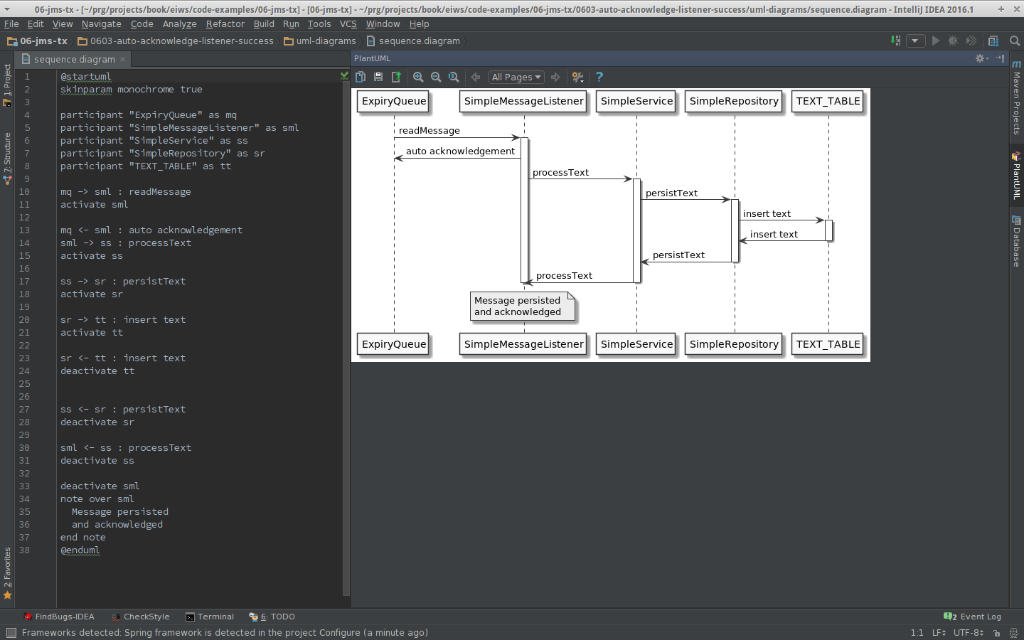
My tool of choice is PlantUML. We can define design with very simple DSL. Therefore, instead of connecting boxes and lines on canvas, we can focus on design itself. It can be used as a standalone application but it also has an impressive list of integrations. So you can easily use it with your IntelliJ IDEA, Eclipse, or Spring Tool Suite.
A very compelling fact for me is that DSLs which define diagrams can live with the project code-base and be handled by the source control system, with all the goodness it brings. This is a screenshot from IntelliJ:
Published at DZone with permission of Lubos Krnac. See the original article here.
Opinions expressed by DZone contributors are their own.
Comments