

DataWeave 2.0 — Difference Between Map and MapObject
This article is not only for beginners but also for many of them who are still confused about what is map and mapObject and when do we need to use them.
Join the DZone community and get the full member experience.
Join For FreeThis article is not only for beginners but also for many of them who are still confused about what is map and mapObject and when do we need to use them.
Before going into when to use map and mapObject, let's first know how can we identify whether the data is an Array or an Object!
a) To Identify if the input is an Object or not:
Very simple. Remember an Object starts with { and end with }
Identification Syntax for Object:
{
<you can have multiple arrays inside and objects inside again>
}
Example 1:
{
"ID": "1",
"NAME": "Sravan",
"DESIGNATION": "Developer"
}
The above example is Single object with fields ID , NAME, Designation
Example 2:
You can have an array inside an Object:
Observe field Designation which has 2 values enclosed in an array
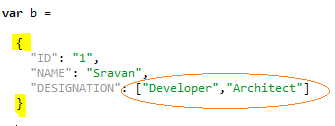
Example 3:
We can have nested Objects inside the main object. When I say the main object that is the { } are the root for the whole message
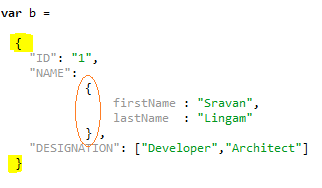
You can see that firstName and lastName is the nested object inside Name and the whole message is enclosed within { } which is highlighted in yellow!
a) To Identify if the input is an Array or not:
Very simple. Remember an Array always starts with [ and end with ]
[ ]
xxxxxxxxxx
Identification Syntax for Array:
[
<you can have multiple arrays inside and objects inside again>
]
Example:
[
"ID": "1",
"NAME": "Sravan",
"DESIGNATION": "Developer"
]
The above example is for Single Array with key value pairs with fields ID , NAME, Designation
or
["Sravan" , "Lingam" , "1","India"]
The above example is for Array with multiple values with no keys
Example 2:
You can have multiple Objects in an Array. we usually call them as Array Of Objects.
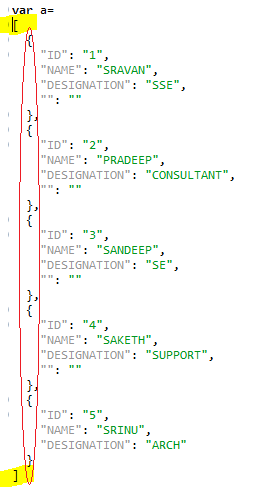
You can see that we have single [ ] which has multiple objects in it
Example 3:
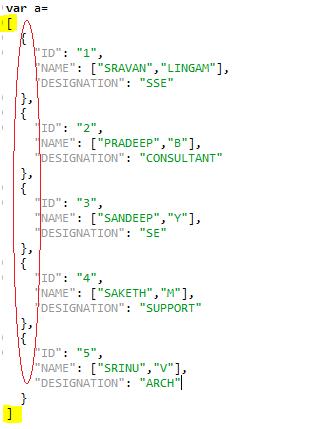
You can have nested Arrays inside your main array. The main array is highlighted in Yellow and nested arrays are highlighted in Red.
I think now it's pretty much clear what is an Object and what is an array
- map operator is used for Arrays
- mapObject is used for Objects
- You Cannot use mapObject operator for Arrays
- You Cannot use map operator for objects
Let's Get Started With Map Operator
Let us consider Example 3 from above Array examples.
Observe below snippet
a) A simple $ gives you whole information present inside the Root Array element
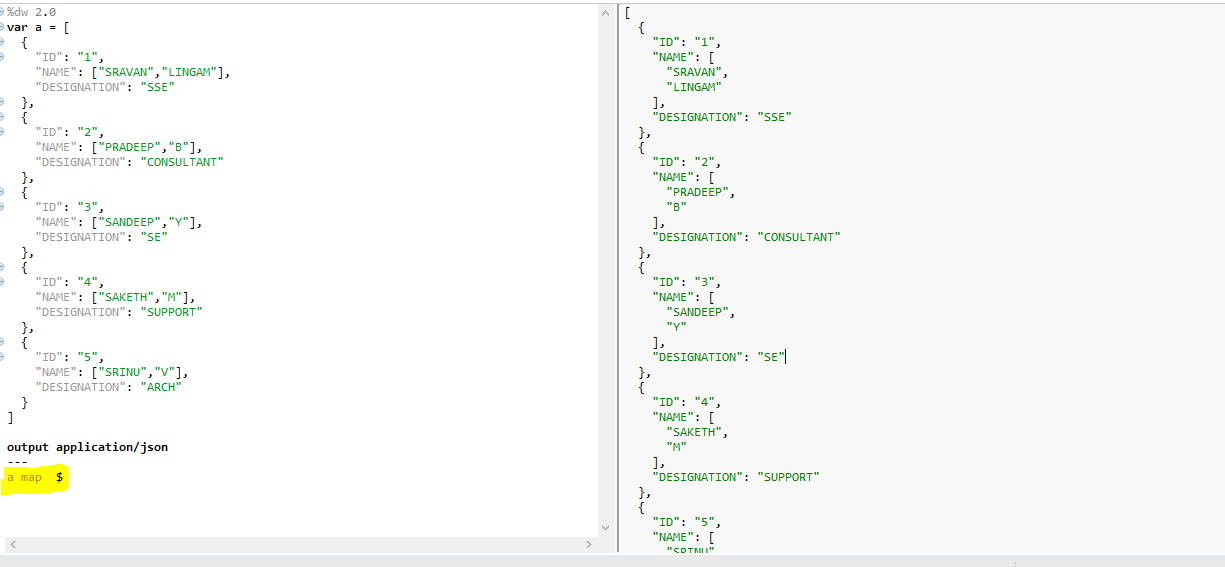
Code: Make sure you are using preview option of Transform message to test without running code.
xxxxxxxxxx
%dw 2.0
var a = [
{
"ID": "1",
"NAME": ["SRAVAN","LINGAM"],
"DESIGNATION": "SSE"
},
{
"ID": "2",
"NAME": ["PRADEEP","B"],
"DESIGNATION": "CONSULTANT"
},
{
"ID": "3",
"NAME": ["SANDEEP","Y"],
"DESIGNATION": "SE"
},
{
"ID": "4",
"NAME": ["SAKETH","M"],
"DESIGNATION": "SUPPORT"
},
{
"ID": "5",
"NAME": ["SRINU","V"],
"DESIGNATION": "ARCH"
}
]
output application/json
---
a map $
b) Access your fields with help of $.<your field name>
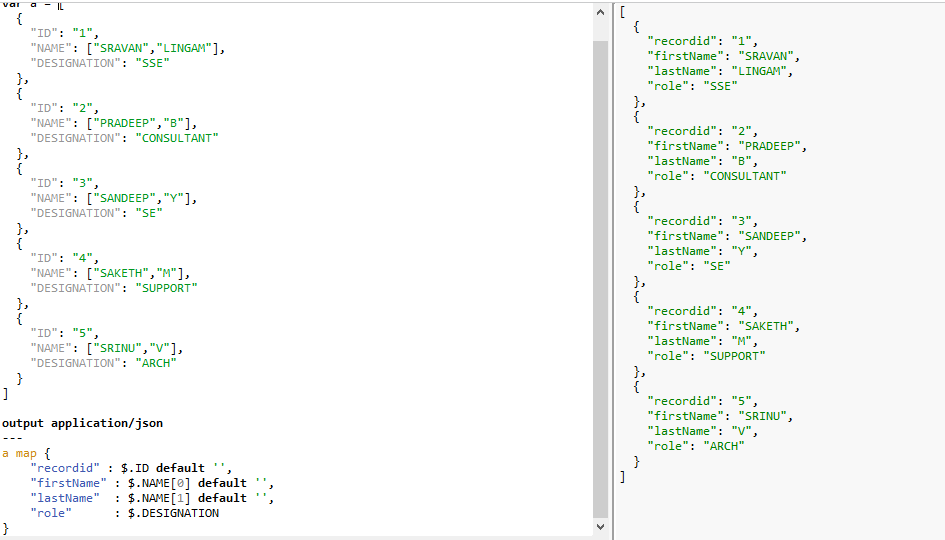 If you can see the above code, we are writing new fields like firstName and lastname by accessing the array values of input "NAME" field by using $.NAME or $.NAME[0]
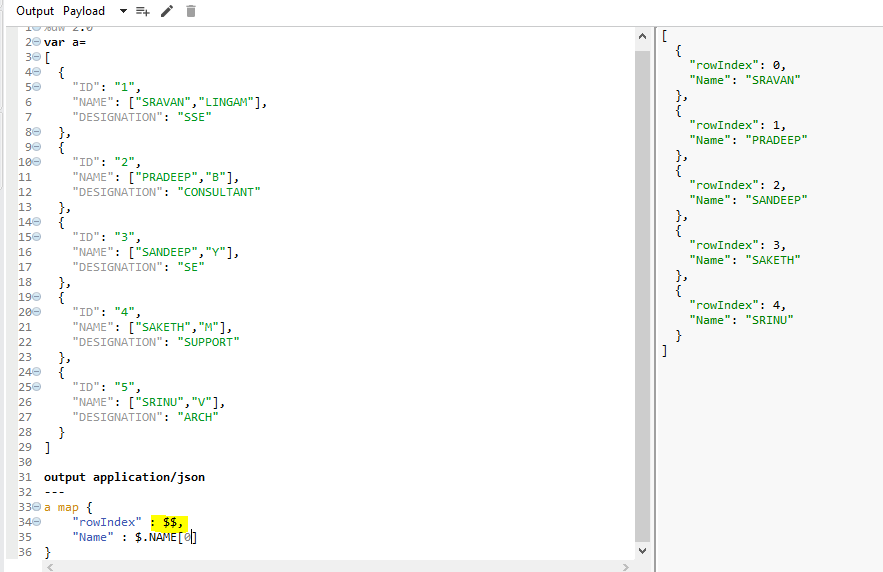
$: Gives the value of the field
$$: Gives index of the field
 You can also use some (key, value) things to access fields but it's one and the same as accessing fields using $ and $$. it's just replacing $ & $$ with key-value.
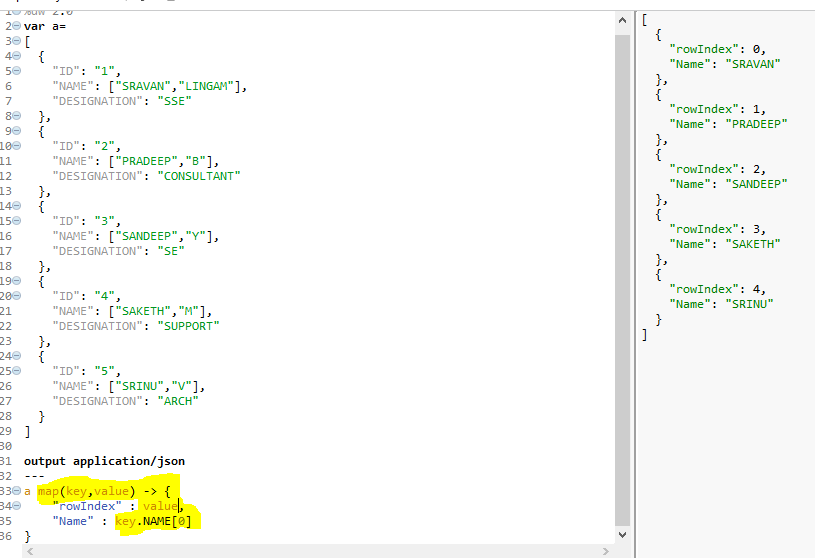
In this way, we can use a map operator to process the Array's
Let's Check MapObject Operator
MapObject needs a (key, value ) or (value, key,index).
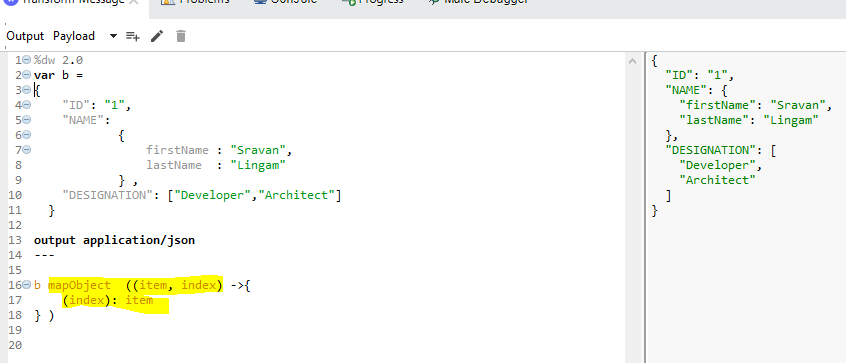
You can give any kind of naming convention for item and index. make sure you give correct names while using them inside mapping
One more Example:
xxxxxxxxxx
%dw 2.0
output application/json
---
{"a":"b","c":"d"} mapObject (value,key,index) -> { (index) : { (value):key} }
Well, this all about the map and mapObject operators.
As I always say. unless and until you code yourself, you can't learn anything!
Opinions expressed by DZone contributors are their own.
Comments