

Deployment Strategies for Self-Hosted Open-Source Applications: Balancing Efficiency and Control
Explore deployment options for self-hosted open-source apps: balance speed, control, flexibility, and long-term maintainability.
 ·
·
Join the DZone community and get the full member experience.
Join For FreeWhen deploying open-source applications (such as WordPress, Nextcloud, or GitLab) on a personal VPS, developers often face a fundamental trade-off: how to balance deployment speed with system control.
Common approaches include traditional control panels, pre-configured virtual machine (VM) images, and container-based setups. Each offers a different path to the same goal: a functional, secure, and maintainable service. This article compares these methods based on practical experience, focusing on their strengths, limitations, and suitability for different use cases. The goal is not to advocate for any single solution, but to help developers make informed decisions based on their technical needs and operational constraints.
Traditional Control Panels: The cPanel/WHM Model
cPanel and WHM have long been staples in the web hosting industry, widely used in shared and dedicated server environments. They offer a graphical interface for managing domains, databases, file systems, SSL certificates, and core services like Apache and MySQL.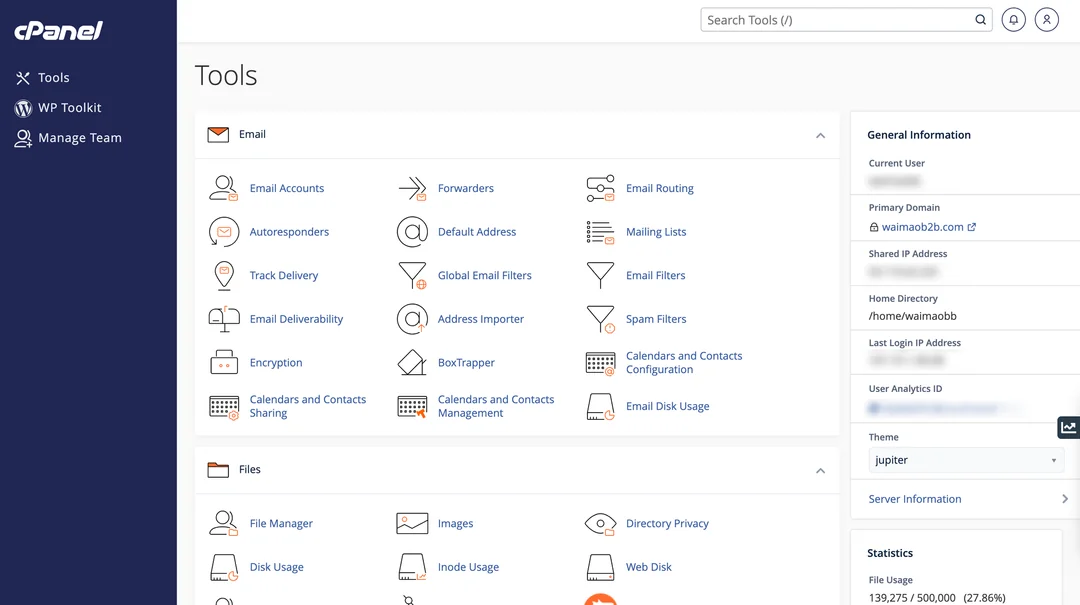
To deploy a WordPress site using cPanel:
- Create a MySQL database and user
- Upload application files or use a script installer (e.g., Softaculous)
- Configure the desired PHP version and extensions
- Enable Let’s Encrypt SSL for HTTPS
- Adjust
.htaccessfile permissions and rules as needed
The primary advantage of this approach is transparency and granular control. All configuration files — such ashttpd.conf,php.ini, or.htaccess — are directly accessible via file manager or SSH. The system supports complex use cases:
- Hosting multiple domains with different requirements
- Running different PHP versions per site
- Custom virtual host configurations
- Integration with third-party monitoring, backup, or logging tools
However, this control comes with significant drawbacks:
- Setup is largely manual, with limited built-in automation
- Ongoing maintenance — such as applying security patches or upgrading software — requires active oversight
- The software is proprietary, and production use incurs licensing fees (~$15–25/month)
As a result, cPanel is best suited for users who prioritize system visibility and are willing to invest time in administration. It remains a solid choice for environments where flexibility and multi-application hosting are essential.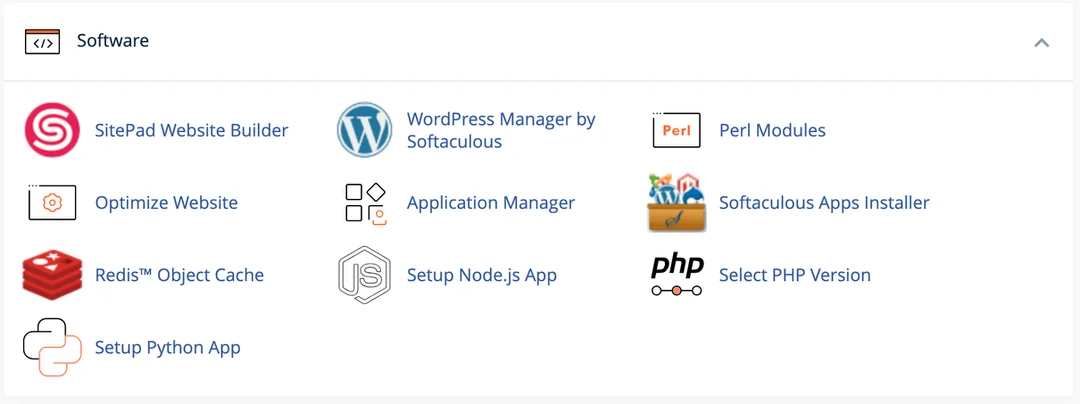
The Rise of Pre-Configured Images: A Technical Case Study With Websoft9
In recent years, platforms offering “one-click” pre-built VM images have gained popularity. These images typically bundle a full stack — such as LAMP or LNMP — with a web-based dashboard, enabling users to launch applications like WordPress in minutes.
As part of a technical evaluation, I tested a LAMP + WordPress image from Websoft9 (a publicly available community edition). The deployment process was straightforward:
- Launch a VPS and load the pre-built image
- Access the management interface via IP address
- Retrieve credentials for the pre-installed WordPress instance
- Bind a domain and enable SSL
No command-line interaction was required. The entire process took under five minutes, making it highly accessible for beginners or short-term projects.
Advantages: Simplified Onboarding
- The LAMP stack was pre-installed, pre-configured, and running out of the box
- System monitoring (CPU, memory, disk usage) was available via a built-in dashboard
- Let’s Encrypt SSL was auto-provisioned and set to renew automatically
- A web-based UI provided access to logs, databases, service status, and user management
This model significantly lowers the barrier to entry, especially for users with limited Linux or server administration experience.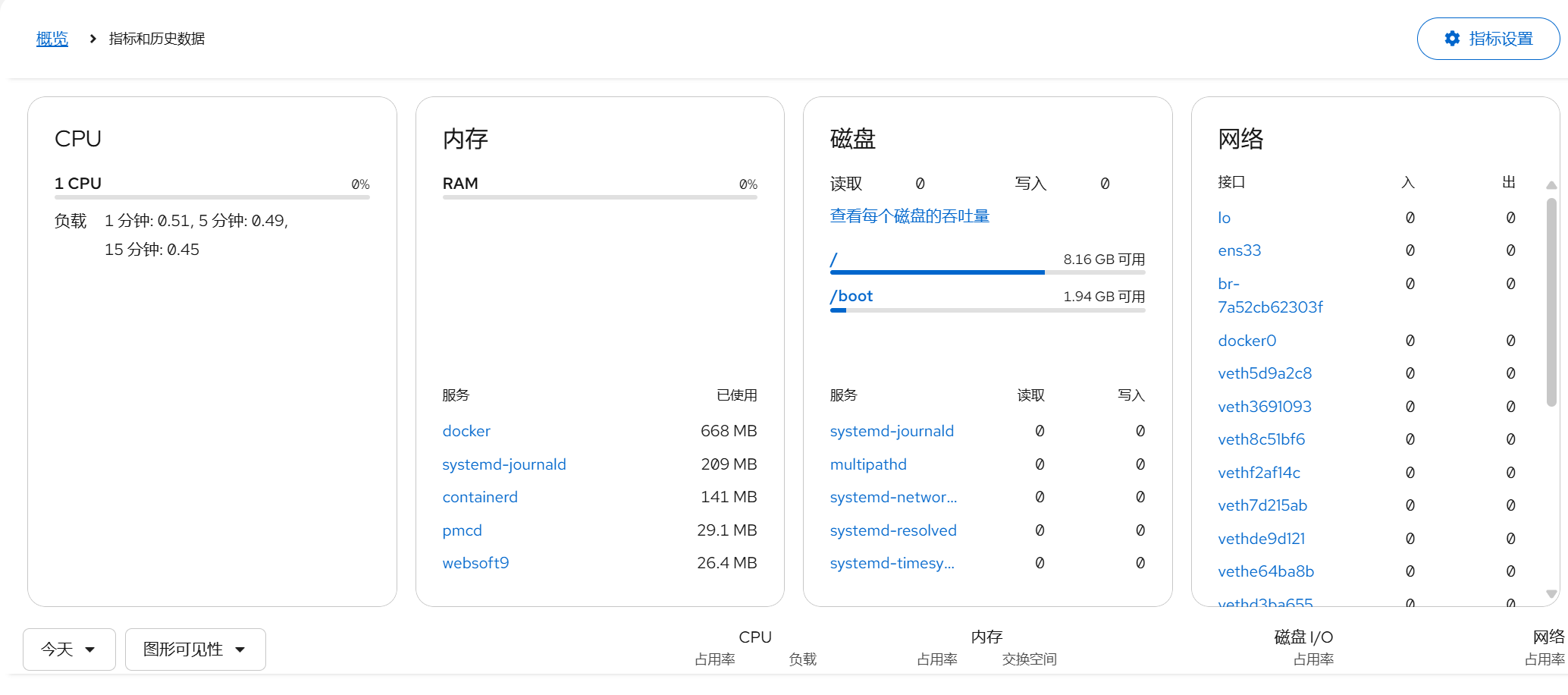
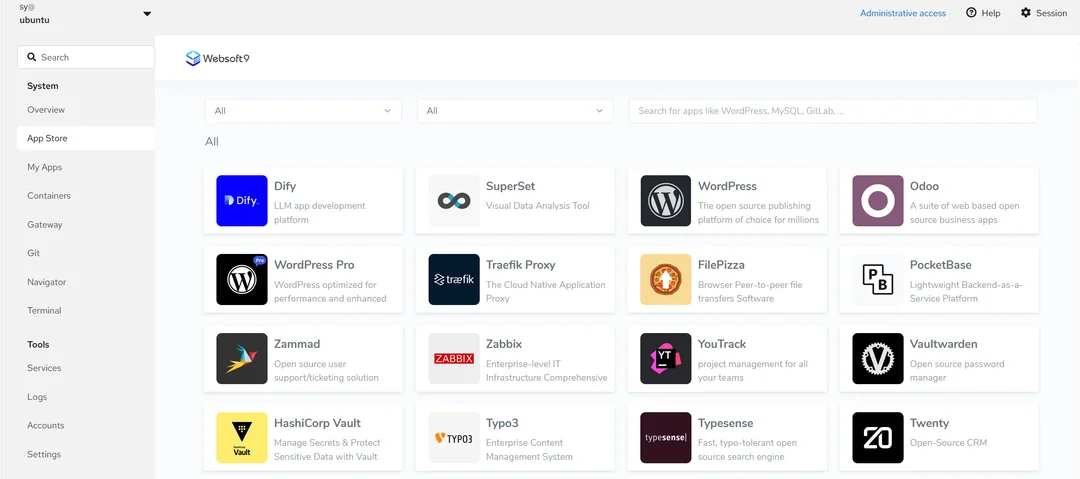
Limitations: Trade-Offs in Control and Transparency
When attempting deeper customization, several constraints became apparent:
- Modifying Apache virtual hosts required either shell access or navigating non-standard UI workflows
- Adjusting MySQL settings was not straightforward through the interface
max_connectionsinnodb_buffer_pool_size - Supporting multiple unrelated applications was not natively supported
- Update mechanisms were managed by the platform, limiting integration with system package managers like
apt - Some services were abstracted behind a management layer, obscuring process dependencies and making troubleshooting more difficult
This suggests that while such images reduce initial complexity, they also introduce a layer of abstraction that can limit long-term flexibility. In practice, it resembles a “managed self-hosting” model — running your own server, but within a constrained, vendor-managed environment.
Comparative Overview
| Dimension | cPanel/WHM | Websoft9-style Image |
|---|---|---|
| Deployment Speed | Moderate (15–30 min) | Fast (<5 min) |
| Learning Curve | Moderate | Low |
| Multi-App Support | Strong | Weak |
| Configuration Freedom | High | Medium to Low |
| System Transparency | High | Medium (abstraction layer) |
| Maintenance Model | Manual or scripted | Platform-driven |
| Cost | Commercial license | Free (community edition) |
Exploring Middle Grounds
Is there a way to achieve both speed and control? Several alternative approaches offer promising compromises:
1. Docker and Lightweight Orchestration
Using docker-compose to define services enables fast, repeatable deployments with full configuration access. Tools like Portainer can provide a lightweight GUI for service management without sacrificing transparency.
2. Open-Source Lightweight Control Panels
Projects like HestiaCP, CyberPanel, or Sentora offer cPanel-like usability with lower resource usage, open-source licensing, and modern features.
3. Infrastructure as Code
Writing Ansible playbooks or shell scripts to automate server setup allows for rapid deployment while maintaining full visibility, auditability, and repeatability — ideal for users with scripting experience.
Conclusion: Clarify your priorities, avoid the abstraction trap
Pre-configured images — such as those offered by Websoft9 — are not inherently flawed. They serve well for prototyping, educational use, or temporary environments. However, in production settings, they may introduce long-term maintenance challenges, especially when troubleshooting or customizing becomes necessary.
In contrast, traditional control panels or script-based automation require more initial effort but offer greater predictability and maintainability.
Ultimately, the choice should depend on:
- Project lifecycle: Is this a short-term demo or a long-running service?
- Technical comfort: Are you comfortable with the command line and configuration files?
- Transparency needs: Do you require full visibility into system behavior?
The core value of self-hosting lies in owning and understanding your environment. While convenience is appealing, it should not come at the cost of losing control over the systems you operate.
Discussion Questions
- Have you used pre-configured images in production? What challenges did you encounter?
- How do you balance ease of use with system transparency?
- What deployment workflows have worked best for your self-hosted services?
I welcome your insights and experiences in the comments.
Opinions expressed by DZone contributors are their own.
Comments