

Developer Tools That Actually Matter in 2026
The developer tools making real differences today are the ones solving the actual problems we face as developers every day.
 CORE
·
CORE
·
Join the DZone community and get the full member experience.
Join For FreeThough I am an architect, I am a developer at heart. I explore developer tools every year and publish my favorites here. As developers, we’ve all been through the hype cycles. Every year brings a new wave of tools that promise to change everything. Most fade away within months. But 2026 is different — and not because of buzzwords. The tools that are making real differences now are the ones solving actual problems we face every single day.
I’ve spent the last few months testing what’s actually working in production environments, talking to teams across different tech stacks, and trying tools that claim to make our lives easier. Here’s what I found: the best tools aren’t the flashiest ones. They’re the ones that disappear into your workflow and just work.
The Local Development Renaissance
Remember when setting up a local development environment meant an entire day of installing dependencies, configuring databases, and hoping everything worked? Those days are finally behind us. The containerization movement has grown up, and the tools reflect that.
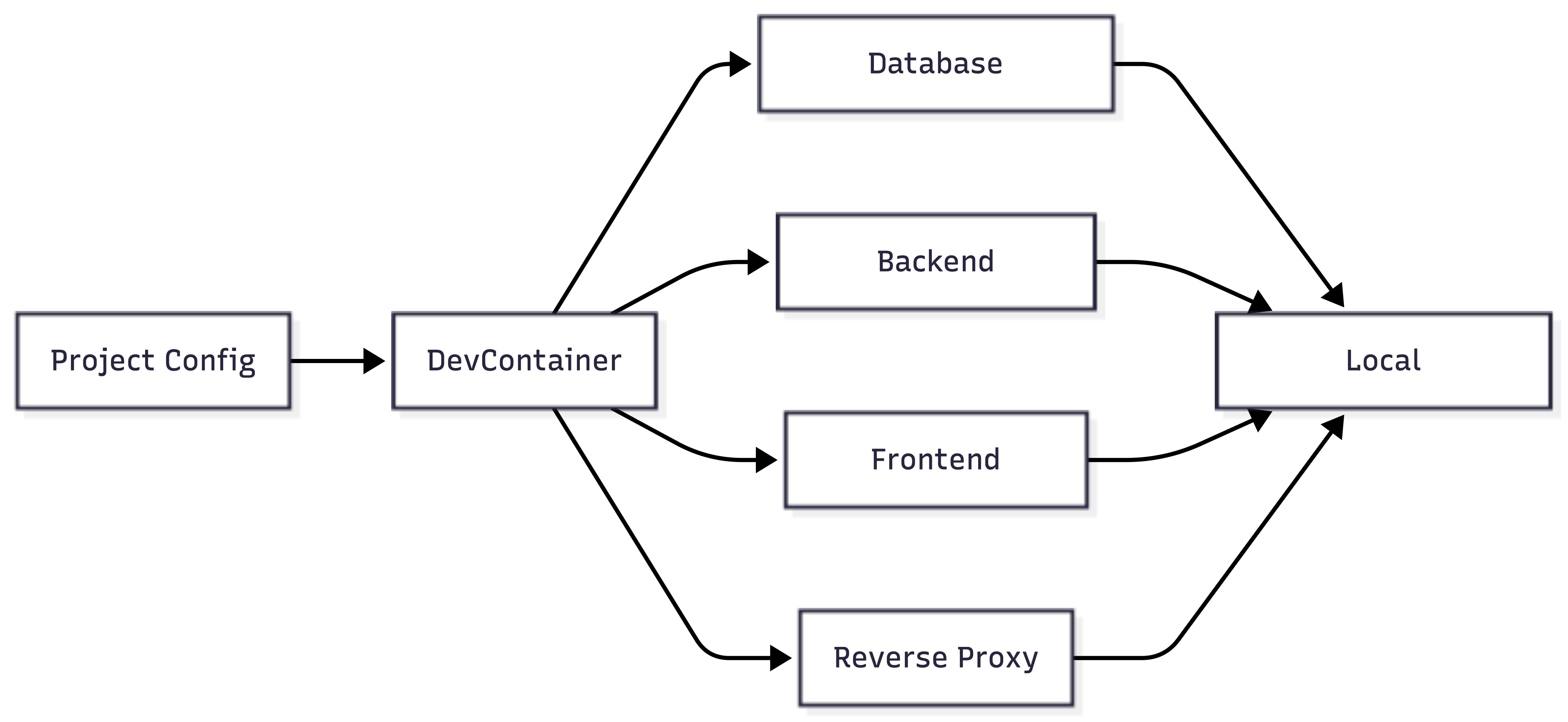
Dev Containers (from the Development Containers specification) have become my go-to for spinning up development environments. It’s basically Docker Compose with more features, but with actual thought put into the developer experience. You define your entire stack in a single YAML file, and it handles everything from database seeding to SSL certificates for local testing. The best part? Your entire team runs identical environments. No more “works on my machine” conversations.
Nix is finally getting mainstream attention, and for good reason. It’s been around for years, but the tooling has caught up with the concept. Package management that actually works across Linux, macOS, and even Windows (through WSL2) is something I didn’t know I needed until I had it. The learning curve is real, but once you get past it, dependency hell becomes a thing of the past.
Infrastructure Tools That Just Work
Before we dive into code analysis and testing, let’s talk about the foundational tools that have quietly changed how we work. These aren’t flashy, but they’re the difference between a smooth development experience and constant friction.
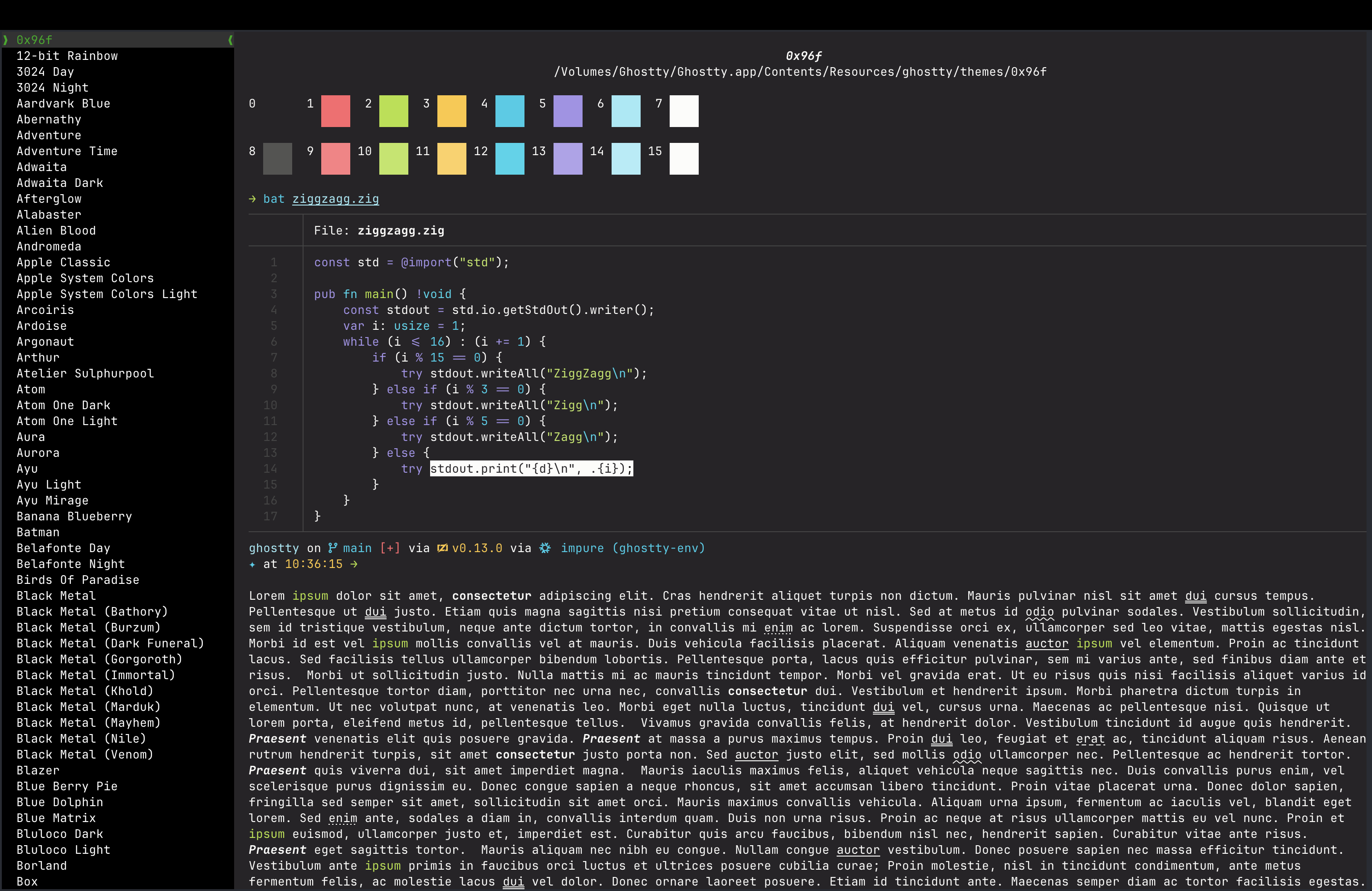
Ghostty is a modern, cross-platform terminal emulator created by Mitchell Hashimoto, the co-founder of HashiCorp (known for Terraform and Vagrant). It’s fast — really fast. Rendering is GPU-accelerated, startup time is measured in milliseconds, and it handles large outputs without slowing down. Written in Zig, it’s native on every platform, which means it actually feels at home on macOS, Linux, and Windows instead of being a basic compromise. The configuration is straightforward, and it doesn’t try to be an IDE. It’s just a really good terminal. I also like AI-powered tools such as Warp as alternatives; AI tools are covered in my article on AI tools for developers.
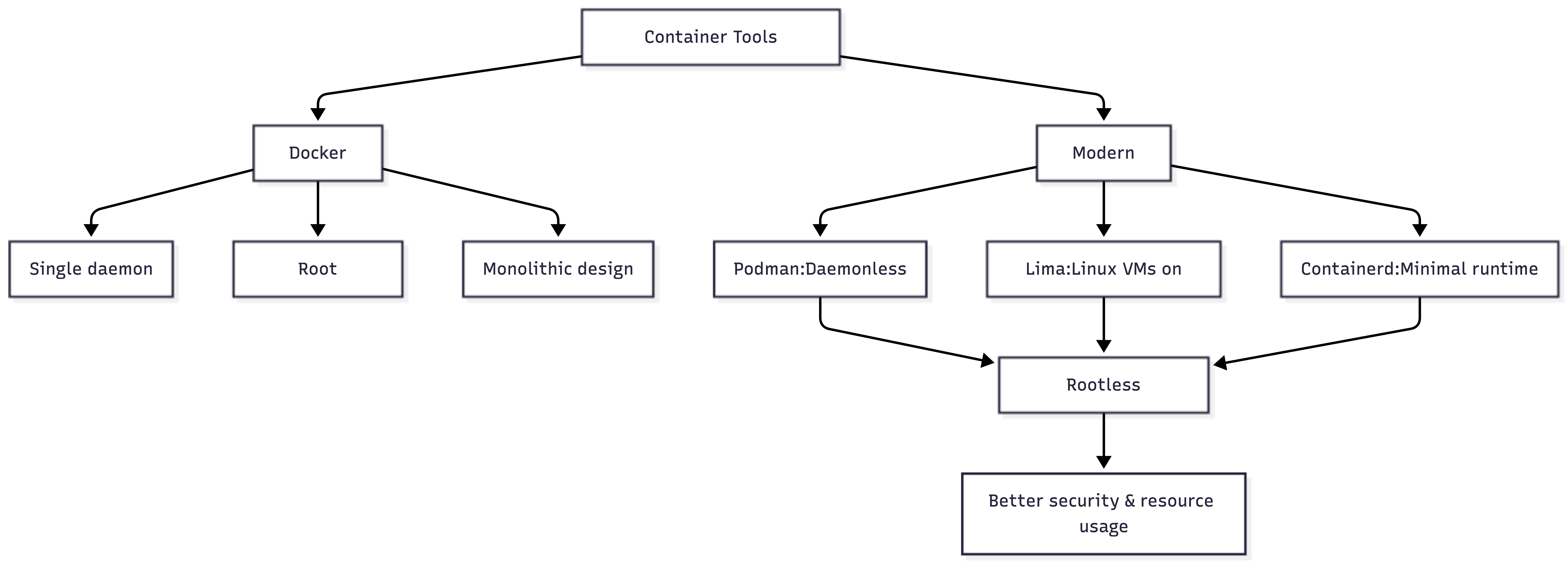
Podman has finally grown into a genuine Docker alternative. The daemonless architecture means no more permission issues or background processes consuming resources. The best part? For most use cases, you can alias docker=podman, and everything just works. Podman Desktop provides a GUI for those who want it, and the pod concept — running multiple containers as a unit — maps better to how we actually deploy things in Kubernetes.
Traefik has become my default reverse proxy for both local development and production. It auto-discovers services, automatically provisions SSL certificates, and the configuration is actually readable. You can run multiple projects locally with proper domain names (project1.local, project2.local) without juggling ports or editing host files. In production, it handles everything from load balancing to middleware without requiring deep NGINX knowledge.
For visualizing architecture or creating diagrams, Excalidraw has replaced every other diagramming tool I used. It’s web-based, produces hand-drawn-style diagrams that don’t look corporate, and exports to SVG or PNG. The collaborative features work reliably, and diagrams can be versioned in Git as JSON files. For more structured diagrams, D2 (Declarative Diagramming) lets you write diagrams as code using a syntax that’s actually pleasant to work with.
Zellij deserves mention as a tmux alternative that makes terminal multiplexing accessible. It has sensible defaults, a UI that shows you what’s possible, and built-in layouts that cover 90% of use cases. You can SSH into a server, start Zellij, detach, and pick up exactly where you left off. The floating panes feature is particularly nice for running quick commands without disrupting your layout.
Code Intelligence That Doesn’t Get in Your Way
I’m not talking about autocomplete that finishes your sentences. I’m talking about tools that understand your codebase deeply enough to be genuinely helpful.
Sourcegraph’s Context Engine has evolved into something remarkable. It indexes your entire codebase and understands relationships between components. Need to know every place a particular API endpoint is called? Done in seconds. Want to understand how data flows through your system? It generates interactive diagrams. The killer feature is that it works across repositories. For microservices architectures, this is absolutely game-changing.
Here’s what modern code intelligence tools should provide:
| Feature | Why It Matters | Tool Examples |
|---|---|---|
| Cross-repo search | Finding patterns across your entire org | Sourcegraph, grep.app |
| Dependency visualization | Understanding impact of changes | Dependabot Graph, CodeScene |
| Historical context | Why code exists in its current form | git-history-analyzer, CodeMaat |
| Performance hotspots | Finding bottlenecks before they're problems | Pyroscope, Continuous Profiler |
Codebase Navigator is another tool worth mentioning. It’s designed for jumping into unfamiliar codebases — think of it as GPS for code. It analyzes entry points, data models, and business logic to create a map you can actually follow. For teams onboarding new developers or working on legacy systems, this significantly reduces ramp-up time.
Testing That Keeps Pace With Development
Testing remains the bottleneck in most CI/CD pipelines — not because tests are slow (though many are), but because maintaining test suites is painful. The tools making waves in 2026 address this head-on.
Playwright has essentially won the browser testing wars. It’s fast, reliable, and the API makes sense. More importantly, the auto-wait functionality has made flaky tests increasingly rare. Combined with Playwright Inspector, debugging failed tests feels productive rather than frustrating.
For API testing, Bruno has emerged as a Postman alternative that developers actually enjoy using. It stores collections in Git-friendly formats, has a clean CLI for automation, and doesn’t try to be an entire platform. Sometimes, simple wins.
Testcontainers has matured into an essential tool for integration testing. You can spin up real databases, message queues, and external services in Docker containers as part of your test setup. No more mocking complex systems or maintaining separate test databases. Tests run against real services, in isolation, and clean up after themselves.
Observability Without the Complexity
Production debugging used to mean drowning in logs and staring at dashboards that raised more questions than answers. Modern observability tools actually help you find problems.
Grafana Alloy (formerly Grafana Agent) brings together metrics, logs, and traces in one lightweight package. What makes it especially valuable is the query experience — you can ask questions in natural language, and it translates them into appropriate queries across your telemetry data. Root-cause analysis has gone from hours to minutes.
OpenTelemetry isn’t new, but it has finally reached a point where you should be using it. The instrumentation libraries are reliable, the specification is stable, and — most importantly — you’re not locked into any single vendor. Instrument once, send data anywhere.
For local development, Jaeger UI with embedded sampling has become invaluable. You can trace requests through your entire stack without shipping data anywhere. The overhead is minimal, and seeing exactly how a request flows through your services makes debugging much easier.
Database Tools That Respect Your Time
Working with databases shouldn’t be harder than writing application code, but traditional database tools have always felt clunky. That’s changing.
Beekeeper Studio is a fast, capable database GUI that supports every database you actually use. The query editor includes automatic formatting and query history, making day-to-day work smoother. No subscriptions, no cloud requirements — just a tool that does its job well.
For migrations, Atlas has changed how I think about database schema management. It compares your desired schema with the current state and generates safe migration plans. You can review migrations as code in pull requests, test them in staging, and apply them with confidence. It supports PostgreSQL, MySQL, SQLite, and SQL Server.
| Database Task | Traditional Tool Pain Point | Modern Solution |
|---|---|---|
| Schema migrations | Manual SQL writing, risk of errors | Atlas, Bytebase |
| Query optimization | Trial and error, slow feedback | Postgres Explain Visualizer, MongoDB Compass |
| Data modeling | Disconnected from code | Prisma Studio, TypeORM diagrams |
| Backup/restore | Complex commands, no verification | Litestream, pgBackRest |
The CI/CD Middle Ground
GitHub Actions and GitLab CI are everywhere, but they’re not perfect for every scenario. Dagger has found a sweet spot by letting you define pipelines as code in your preferred language (Go, Python, or TypeScript). Your CI logic becomes testable, reusable, and portable across CI providers — no more YAML hell.
Earthly takes a different approach with a Makefile-like syntax that works anywhere. The key insight is that builds should be reproducible everywhere, not just in CI. If it works on your laptop, it will work in CI because both run identical build environments.
Security That Doesn’t Slow You Down
Security scanning used to mean adding 20 minutes to your CI pipeline and then ignoring most findings due to false positives. Better tools have made security something you can actually integrate into development.
Semgrep performs static analysis at the speed developers need. It catches common vulnerabilities without the noise of traditional SAST tools. The rule system is straightforward enough to support custom checks for your organization’s patterns, and it has caught real bugs before they reached production.
Snyk has refined its dependency scanning to the point where it’s useful rather than overwhelming. It prioritizes actual risks, provides actionable remediation advice, and integrates into pull requests without being intrusive.
Conclusion
The common thread across all these tools is that they respect your time and mental energy. They solve real problems without creating new ones, and they integrate into existing workflows instead of forcing you to adopt entirely new ones.
The best developer tools in 2026 aren’t the ones with the most features or the biggest marketing budgets. They’re the ones that reduce cognitive load, speed up feedback loops, and let you focus on building instead of fighting tooling. Pick tools that solve problems you have today, not ones you might have someday. Start small, integrate one tool at a time, and give each a real trial in your workflow before committing.
Your development environment is personal. What works for my team may not work for yours. But these tools share one thing in common: they make the daily grind of software development just a bit more pleasant — and sometimes, that’s exactly what matters.
Opinions expressed by DZone contributors are their own.
Comments