

Developing Low-Cost AI-Based Similarity Search
A simple AI-powered chatbot that work a contextual search engine powered by RAG and essentials concepts of AI like vector embeddings and cosine similarity search.
 CORE
·
CORE
·
Join the DZone community and get the full member experience.
Join For FreeThe world of artificial intelligence (AI) and large language models (LLMs) often conjures images of immense computing power, proprietary platforms, and colossal GPU clusters. This perception can create a high barrier to entry, discouraging curious developers from exploring the fundamentals.
I recently embarked on a project — a sophisticated yet simple AI-powered chatbot I call the Wiki Navigator — that proves this complexity is often unnecessary for learning the essentials. By focusing on core concepts like tokenization, vector embeddings, and cosine similarity, I built a functional RAG (retrieval-augmented generation) search solution that operates across 9,000 documents in the Chromium open-source codebase. It took me a few hours to run, and the next day, I was able to reuse the same codebase to train a chatbot on open-source books about the Rust programming language to have useful help during my Rust learning journey.
The main revelation? You don't need to dive too deep with huge GPU cards to learn the essentials of LLM and AI. It is a supremely rewarding and practical experience to learn by doing, immediately yielding results without incurring significant expense.
The Magic of Vector Embeddings
Our Wiki Navigator functions not by generating novel text, but by reliably retrieving contextual replies and relevant links from source documentation, preventing hallucination by strictly following the links in the wiki. It is essentially a contextual search engine powered by retrieval-augmented generation (RAG).
The core concept is surprisingly straightforward:
- Training phase: Convert all your documents (like Q&A pairs and wiki content) into a digital representation known as vector embeddings (watch this great explanation if you haven't yet). This process, which can take an hour or so for large corpora, creates a vector index.
- Querying (query phase): When a user submits a question, that query is also converted into a vector embedding.
- Comparison: The system compares the query vector against the document vectors using the Cosine Similarity operation to find the closest matches. If we found two vectors near each other, that most likely means a match in terms of the context (though, as we can see later, not always).
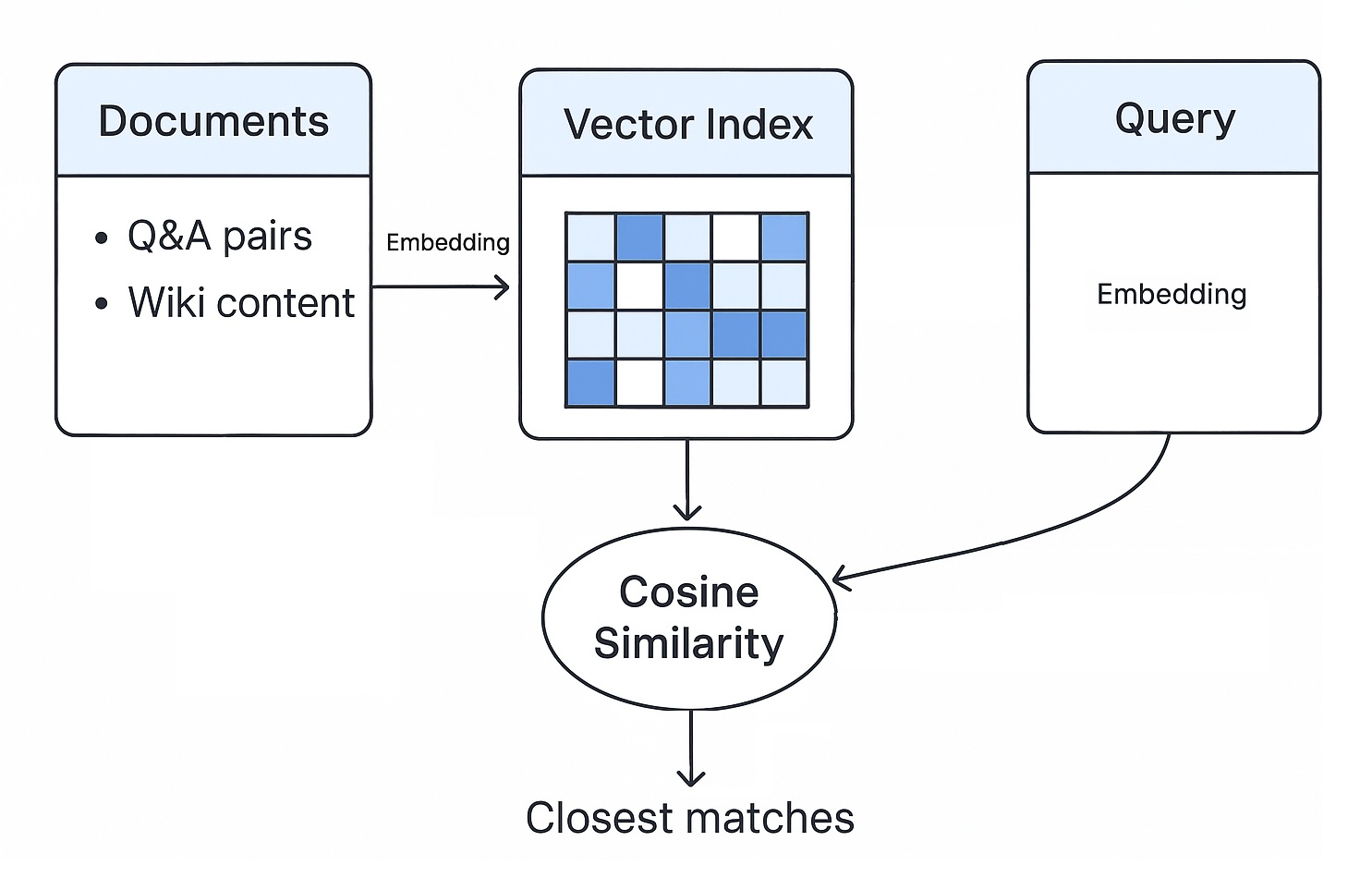
This simple process works effectively for tasks like navigating documentation and finding relevant resources.
Ensuring Algorithmic Parity
While many articles focus on the theory of similarity search, the real fun lies in implementing it. Interestingly enough, to run a simplistic MVP, you take NO AI MODEL, which makes it possible to be deployed statically, running entirely in the browser, making it perfect for hosting on platforms like GitHub Pages. This static deployment requires the training application (C#) and the client application (JavaScript) to share identical algorithms for tokenization and vector calculation, ensuring smooth operation and consistent results.
The training pipeline, which prepares the context database, is built in C# (located in TacTicA.FaqSimilaritySearchBot.Training/Program.cs). During training, data is converted into embeddings using services like the SimpleEmbeddingService (hash-based, in case of NO AI model for static web site deployment), the TfIdfEmbeddingService.cs (TF-IDF/Keyword-Based Similarity - an extended version of trainer), or the sophisticated OnnxEmbeddingService (based on the pre-trained all-MiniLM-L6-v2 transformer model, which would require you to run some good back-end with an AI model loaded into RAM).
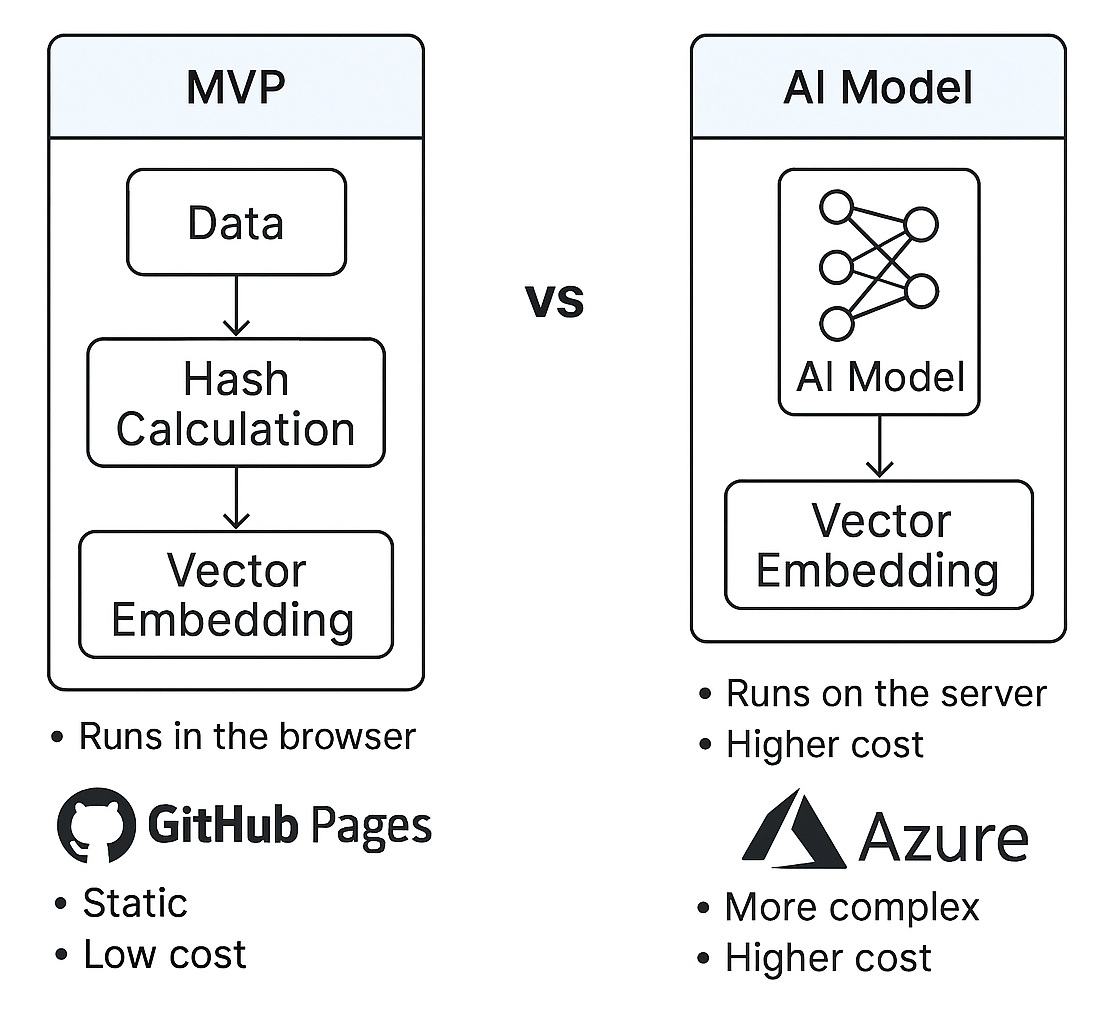
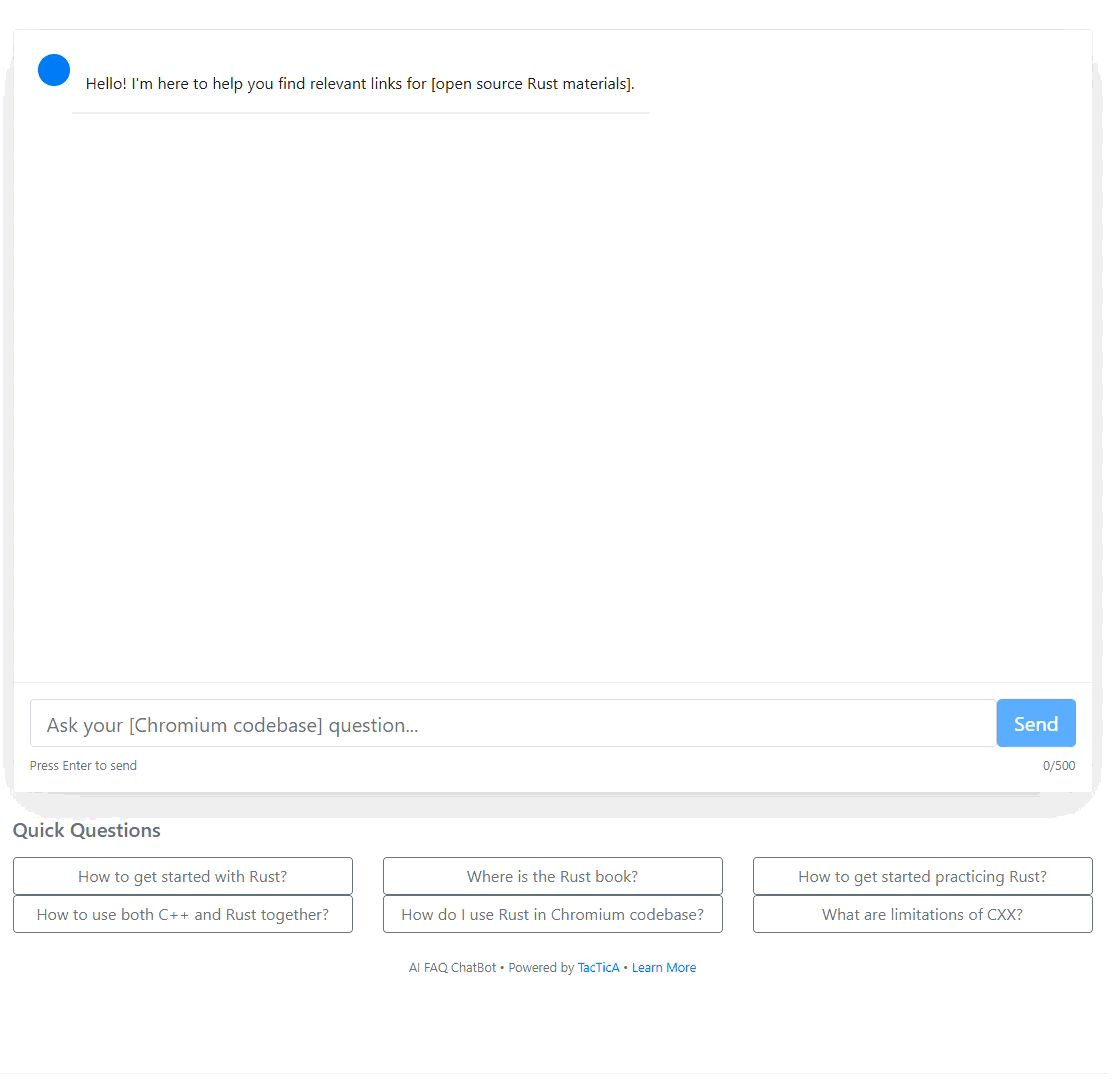
In this article, I mainly focus on the first option — a simplistic hash-based approach. I also have an AI-model-based solution running in production, for example, in a Rust similarity search example. This is a full-fledged React application running all comparisons on the back-end, but the fundamental concepts stay the same.
The core mathematical utilities that define tokenization and vector operations reside in C# within TacTicA.FaqSimilaritySearchBot.Shared/Utils/VectorUtils.cs. To ensure the client-side browser application running in JavaScript via TacTicA.FaqSimilaritySearchBot.Web/js/chatbot.js (or TacTicA.FaqSimilaritySearchBot.WebOnnx/js/chatbot.js for the AI-model based one) can process new user queries identically to C# training algorithm, we must replicate those crucial steps.
It is also critical to make sure that all calculations produce the same outputs in both C# and JavaScript, during both training and running, which might take additional efforts, but is still pretty straightforward. For example, these two:
From SimpleEmbeddingService.cs:
// This method is similar to one from chatbot.js
private Func<double> SeededRandom(double initialSeed)
{
    double seed = initialSeed;
    return () =>
    {
        seed = (seed * 9301.0 + 49297.0) % 233280.0;
        return seed / 233280.0;
    };
}
From chatbot.js:
// Seeded random number generator
seededRandom(seed) {
    return function() {
        seed = (seed * 9301 + 49297) % 233280;
        return seed / 233280;
    };
}
C# Training Example: Vector Utility
In the C# training application, the VectorUtils class is responsible for calculating cosine similarity, which is the heart of the comparison operation:
// Excerpt from TacTicA.FaqSimilaritySearchBot.Shared/Utils/VectorUtils.cs
// This function calculates how 'similar' two vectors (embeddings) are.

public static double CalculateCosineSimilarity(float[] vectorA, float[] vectorB)
{
    // [C# Implementation Detail: Normalization and dot product calculation
    // to determine similarity score between 0.0 and 1.0]

    // ... actual calculation happens here ...

    // return similarityScore;
}
Running the training set will take an hour, because we are not using GPUs, parallelization, or any other fancy stuff, and because we are still learning the basics and do not want to overcomplicate things for now:
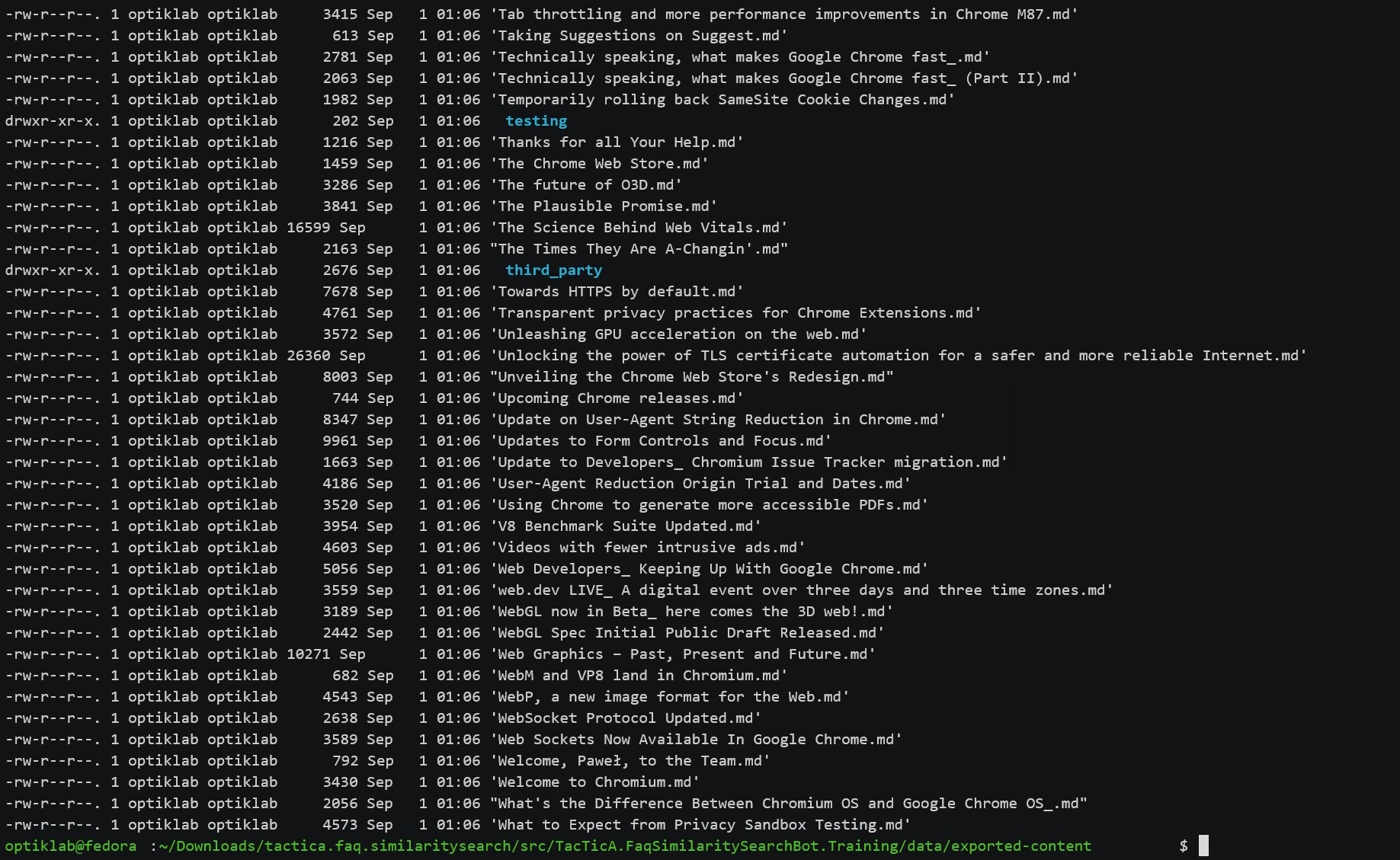
Watch the full video here.
JavaScript Client Example: Real-Time Search
The client application must then perform the same calculation in real time for every user query against the pre-computed index. The system relies on fast in-memory vector search using this very simplistic algorithm.
// Excerpt from TacTicA.FaqSimilaritySearchBot.Web/js/chatbot.js
// This function is executed when the user submits a query.

function performSimilaritySearch(queryVector, documentIndex) {
    let bestMatch = null;
    let maxSimilarity = 0.0;

    // Convert user query to vector (if using the simple hash/TF-IDF approach)
    // or use ONNX runtime for transformer model encoding.

    // Iterate through all pre-calculated document vectors
    for (const [docId, docVector] of Object.entries(documentIndex)) {

        // Ensure the JS implementation of Cosine Similarity is identical to C#!
        const similarity = calculateCosineSimilarity(queryVector, docVector);

        if (similarity > maxSimilarity) {
            maxSimilarity = similarity;
            bestMatch = docId;
        }
    }

    // Apply the configured threshold (default 0.90) for FAQ matching.
    if (maxSimilarity >= CONFIG.SimilarityThreshold) {
        // [Action: Return FAQ Response with Citation-Based Responses]
    } else {
        // [Action: Trigger RAG Fallback for Full Document Corpus Search]
    }

    return bestMatch;
}
By ensuring that the underlying vector utilities are functionally identical in both C# and JavaScript, we guarantee that the query result will be consistent, regardless of whether the embedding was calculated during the training phase or the real-time query phase.
Beyond the Simple Lookup
Our bot is far more sophisticated than a simple keyword search. It is engineered with a three-phase architecture to handle complex queries:
- Phase 1: Context database preparation. This is the initial training where Q&A pairs and document chunks are converted to vectors and stored in an index.
- Phase 2: User query processing. When a query is received, the system first attempts Smart FAQ Matching using the configured similarity threshold (default: 0.90). If the confidence score is high, it returns a precise answer.
- Phase 3: General knowledge retrieval (RAG fallback). If the FAQ match confidence is low, the system activates RAG Fallback, searching the full document corpus, performing Top-K retrieval, and generating synthesized answers with source attribution.
This sophisticated fallback mechanism ensures that every answer is citation-based, providing sources and confidence scores. Depending on the use cases, you can switch ON or OFF citations, as the quality of response hugely depends on the number of questions and answer pairs you used during training. A low amount of Q&A would make this bot find irrelevant citations more frequently. Thus, if you simply don't have enough Q&A, the bot still can be useful by returning valid URL links, but not citations. With a good amount of Q&A, you can notice the quality of answers getting higher and higher.
The Nuances of Similarity Search
This hands-on exploration immediately exposes fascinating, practical insights that often remain hidden in theoretical papers.
For instance, comparing approaches side-by-side reveals that the bot can operate both with an AI model (using the transformer-based ONNX embedding) and even without it, leveraging pure hash-based embeddings. While the hash-based approach is simple, the efficacy of embeddings, even theoretically, is limited, as discussed in the paper "On the Theoretical Limitations of Embedding-Based Retrieval."
Furthermore, working directly with cosine similarity illuminates concepts like "Cosine Similarity Abuse" — a fun, practical demonstration of how one can deliberately trick non-intelligent AI systems. This is only a scratch of the surface of the bigger "Prompt Injection" problem (example good reading) that truly poses a serious threat to the users of AI and software engineers who build AI for production use.
Your Next AI Project Starts Now
Building a robust, functional bot that handles 9,000 documents across a complex project like Chromium requires technical diligence, but it does not require massive infrastructure. This project proves that the fundamental essentials of LLM and AI — tokenization, vectorization, and similarity comparison — are perfectly accessible to anyone willing to dive into the code.
The Wiki Navigator serves as a powerful demonstration of what is possible with similarity search on your own internal or corporate data.
I encourage you to explore the open-source code and see how quickly you can achieve tangible results:
This is just the beginning. Future explorations can dive deeper into topics like advanced vector search techniques, leveraging languages like Rust in AI tooling, and optimizing AI for browser-based applications. Start building today!
Opinions expressed by DZone contributors are their own.
Comments