

Digital Signature Implementation Using Angular 2 Signaturepad
In this blog, we will convert that base64 with the image, and we will have the actual image of the digital signature at the end.
Join the DZone community and get the full member experience.
Join For FreeCreate A New Angular Project
Use the Angular CLI tool to create an Angular project. Execute the following command to create the project.
- ng new signaturePadProject
- Would you like to add Angular routing? Yes
- Which stylesheet format would you like to use? CSS
What Is a SignaturePad?
SignaturePad is used to sign a document digitally using a stylus or mouse cursor pointer. At the end of the document, there will be a box that allows the user to sign the document on a web application. After saving the document, the signature gets stored in a base64-type image.
What’s Different Here in Our Blog?
In this blog, we will use angular2-signature pad dependency for the signature pad, but the signature pad returns the base64 URL for the image if we wanted the actual image of the signature, then what should we do?
Install Digital Signature Pad in Angular
To install the angular2-signature pad, use this command:
~ npm I angular2-signature pad
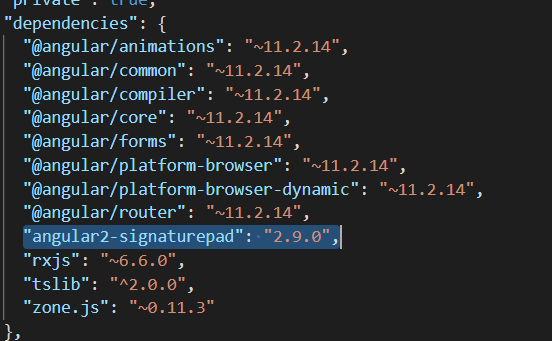
Your package.json will look like this:
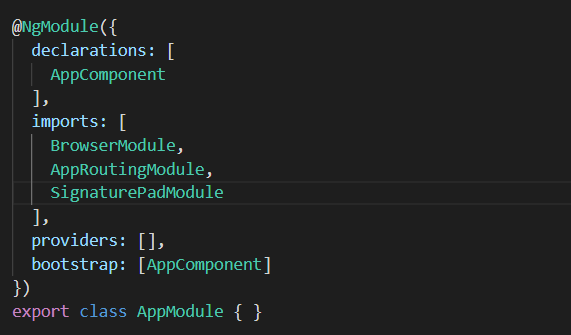
Now, add go to AppModule.ts file and add SignaturePadModule in the imports.
Now, in the app.component.ts file, add this:
@ViewChild(SignaturePad) signaturePad: SignaturePad;
signaturePadOptions = {
minWidth: 2, // used for pen width after writing
canvasWidth: 400, // for canvas width
canvasHeight: 100, // for canvas height
}
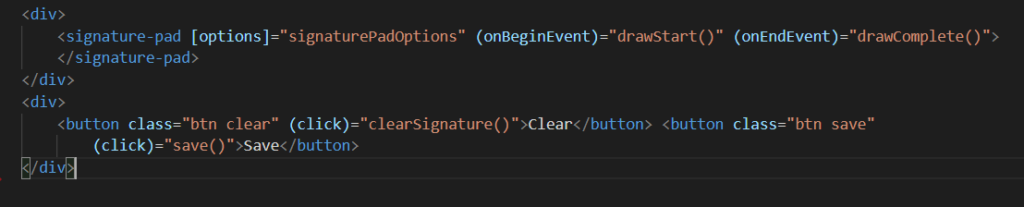
Add this in-app component HTML file:
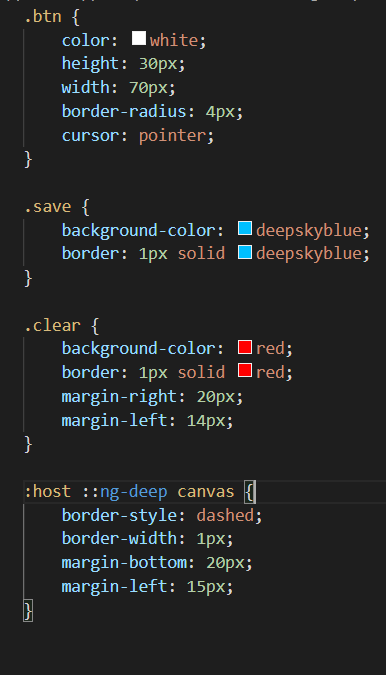
In the CSS file, add this:
Create a Service Image-Conversion
Now we’ll create a new service for Image compression to keep the code of image conversion in one place so that we won’t have to write the code again and again. To generate the image conversion service in the service folder, execute the following command:
ng generate service services/image conversion
This will create an ImageConversionService inside the services folder.
Update the ImageConversionService
Now, open the image-conversion-service.ts file inside the services folder and make the following changes:
Import {Observable} from ‘rxjs’
We will create a separate method in the image-conversion.service.ts file called convertToImage() that will take base64 as a parameter, and this will return an observable of File type. The function will look like this:

As you can see, it’s showing an error because we are not returning the Observable, so let’s add the functionality to convert the base64 to an image:
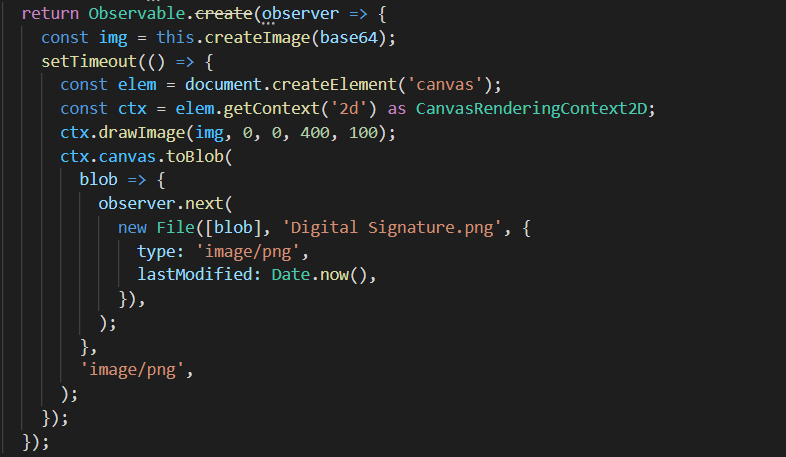
Here, we are getting an image using the function createImage function in which we have passed the base64 string, and that function is returning an image.
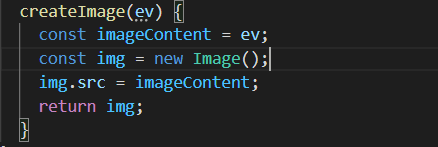
CreateImage() function will look like this.
After getting the image from the createImage() function, we are creating a canvas element using the document.createElement(‘canvas’). Using the canvas element, we will create a 2D rendering context using the function getContext(‘2d’) as CanvasRenderingContext2D that will return to a new variable ctx.
Using the ctx variable, we will create the image, and then using the toBlob function; we will return the observable of the image.
Your Final Code Will Look Like This
app.module.ts
import { SignaturePadModule } from 'angular2-signaturepad';
Imports: [ SignaturePadModule ]
image-conversion.service.ts
import { Observable } from 'rxjs';
convertToImage(base64): Observable<File> {
return Observable.create(observer => {
const img = this.createImage(base64);
setTimeout(() => {
const elem = document.createElement('canvas');
const ctx = elem.getContext('2d') as CanvasRenderingContext2D;
ctx.drawImage(img, 0, 0, 400, 100);
ctx.canvas.toBlob(
blob => {
observer.next(
new File([blob], 'Digital Signature.png', {
type: 'image/png',
lastModified: Date.now(),
}),
);
},
'image/png',
);
});
});
}
createImage(ev) {
const imageContent = ev;
const img = new Image();
img.src = imageContent;
return img;
}
app.component.ts
import { Component, ViewChild } from '@angular/core';
import { SignaturePad } from 'angular2-signaturepad';
import { ImageConversionService } from './services/image-conversion.service';
@ViewChild(SignaturePad) signaturePad: SignaturePad;
signaturePadOptions = {
minWidth: 2,
canvasWidth: 400,
canvasHeight: 100,
};
constructor(private imageConversionService: ImageConversionService) { }
drawComplete(): void {
}
clearSignature(): void {
this.signaturePad.clear();
}
drawStart(): void {
// will be notified of szimek/signature_pad's onBegin event
}
save(): void {
const base64 = this.signaturePad.toDataURL();
this.imageConversionService.convertToImage(base64).subscribe(image => {
const img = image;
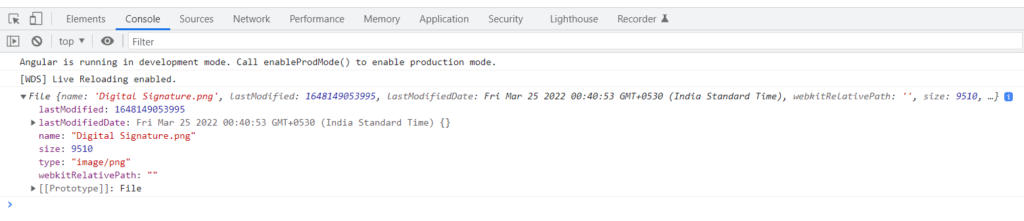
console.log(img);
});
}
app.component.html
<div>
<signature-pad [options]="signaturePadOptions" (onBeginEvent)="drawStart()" (onEndEvent)="drawComplete()">
</signature-pad>
</div>
<div>
<button class="btn clear" (click)="clearSignature()">Clear</button> <button class="btn save"
(click)="save()">Save</button>
</div>
app.component.css
.btn {color: white;
height: 30px;
width: 70px;
border-radius: 4px;
cursor: pointer;
}
.save {
background-color: deepskyblue;
border: 1px solid deepskyblue;
}
.clear {
background-color: red;
border: 1px solid red;
margin-right: 20px;
margin-left: 14px;
}
:host ::ng-deep canvas {
border-style: dashed;
border-width: 1px;
margin-bottom: 20px;
margin-left: 15px;
}
FAQs
- What is an angular2-signature pad?
Wrapper Angular2 Component for the signature pad and szimek. Visit Snyk Advisor to view a comprehensive health score report for an angular2-signature pad that includes the study of the community, maintenance, security, and popularity.
- Is the angular2-signature pad popular?
A total of 31,449 downloads of the npm package angular2-signature pad are made each week. As a result, the popularity of the angular2-signature pad was acknowledged. To view the whole health analysis, go to the popular area of Snyk Advisor.
- Is the angular2-signature pad well maintained?
Because the most recent version was issued less than a year ago, we discovered that the angular2-signature pad displayed a healthy version release cadence and project activity. Two open-source maintainers are working together on the project.
Published at DZone with permission of Kamal Singh. See the original article here.
Opinions expressed by DZone contributors are their own.
Comments