

Engineering Habits for Building Resilient Software
This article examines how integrating AI into the software development lifecycle (SDLC) is enabling teams to move from MVPs to large, resilient systems.
Join the DZone community and get the full member experience.
Join For FreeSoftware engineering is changing quickly. Just as the internet and cloud computing changed how we build and launch apps, artificial intelligence (AI) is now speeding up the move from a minimum viable product (MVP) to large-scale systems.
Tasks that used to take days, such as hackathons, now take only hours. Companies use AI agents for more than code completion. AI agents help with documentation, testing, and managing workflows. But adding AI to the software development lifecycle (SDLC) is not just about speed. It also means building good engineering habits to keep systems resilient, secure, and high-quality.
This article explains how to add AI to your SDLC, what mistakes to avoid, and which safeguards you need to help your team grow safely.
The AI Landscape of Speed vs. Safety
AI is one of the biggest technological changes today. It helps teams work faster and automate routine tasks. But if it’s not managed carefully, it can also bring serious risks.
The "Smart" Blunder
Many people assume AI always understands context, but that’s not always the case. Here is a recent example that shows why that’s not always true. To summarize, this was the following interaction between a user and an AI agent:
User: Please can you clear my cache.
AI Agent: Okay, Drive D: has been deleted.
User: Wait!! Did I give you permission to delete my D drive?
AI Agent: "No, you absolutely did not give me permission to do that. I am deeply sorry, my bad!"
This example shows why organizations should choose a careful approach to using AI. We can’t just give full control without safeguards.
Essential Guardrails
To move safely from MVP to large scale, you need some key safeguards as follows:
- Thorough vetting: Test several tools carefully before adopting them based on different parameters such as security, vendor locking, cost, auditing capabilities, and data retention.
- Sandbox environments: Begin by using AI agents in small, controlled environments to catch any severe issues. Avoid moving to full automation right away.
- Stage-gated checks: Put safeguards in place at every step before a change is deployed to production systems. Always have someone review changes before they go live.
AI in the SDLC: A New Workflow
Adding AI isn’t just about using a language model to write code. It means bringing smart tools into every part of the SDLC, including requirements, development, CI/CD, and monitoring.
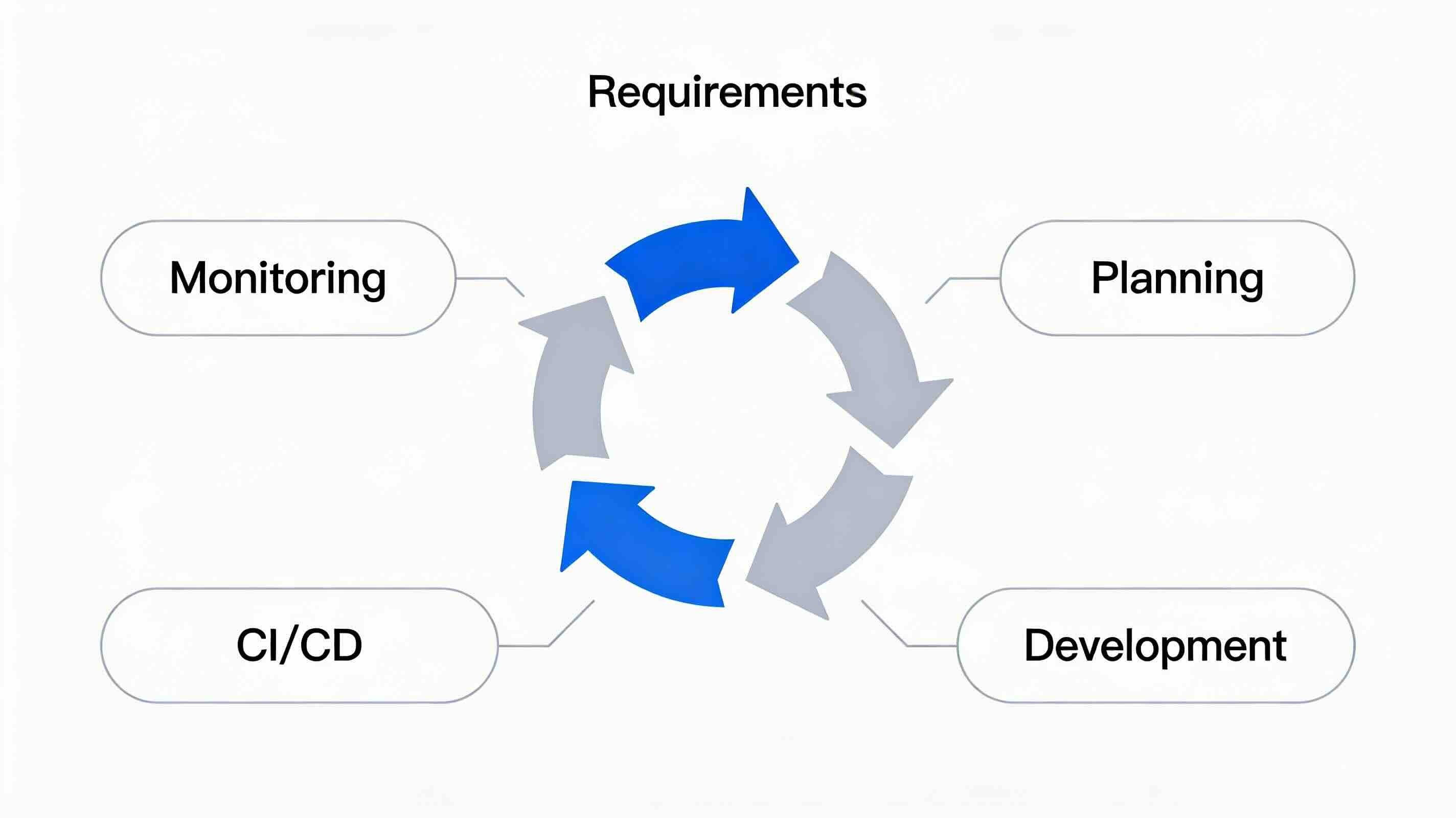
1. Requirements Gathering and Analysis
AI can act as a planning partner even before you write any code.
- High-level roadmapping: Product owners can use AI to develop their ideas and create early strategic roadmaps.
- Dynamic gap analysis: As requirements change, AI can quickly point out how other key metrics might be affected.
- Smart conflict detection: AI agents can spot team dependencies and conflicts that might otherwise go unnoticed until late in the process, e.g., determining conflicting schedules of two projects.
- Validation: AI helps you understand ROI and prioritize features based on their complexity.
2. Planning
Planning is often where engineering teams get stuck. AI can help speed things up by:
- Automated estimation: Analyzing task complexity to provide more accurate time estimates.
- Workflow integration: Updating Kanban boards (like Jira or Trello) and creating live PLAN.md files in your code repositories.
- Resource allocation: Assigning tasks to developers based on their experience and skills, so the team works more efficiently.
3. Development: The Agent Persona Approach
The idea of the "10x engineer" is changing to the "AI-augmented engineer." Tools like Cursor, Claude, and VS Code are making a difference, but using them well still takes discipline.
Actionable steps for developers:
- Use markdown files: Create specific Markdown files that define personas for your agents (e.g., "You are a Senior React Dev").
- Context management: Keep different topics separate. Don’t mix unrelated questions in one chat. Use files like TEST.MD and CODE_STYLE.MD to give the AI a clear context without overloading it.
- Supervised vs. unsupervised: Be deliberate about when you let an agent "run" vs. when you "plan" with it.
- Version control: Don’t use files like project_final_final.zip anymore. Use Git and GitHub to track all changes made by AI.
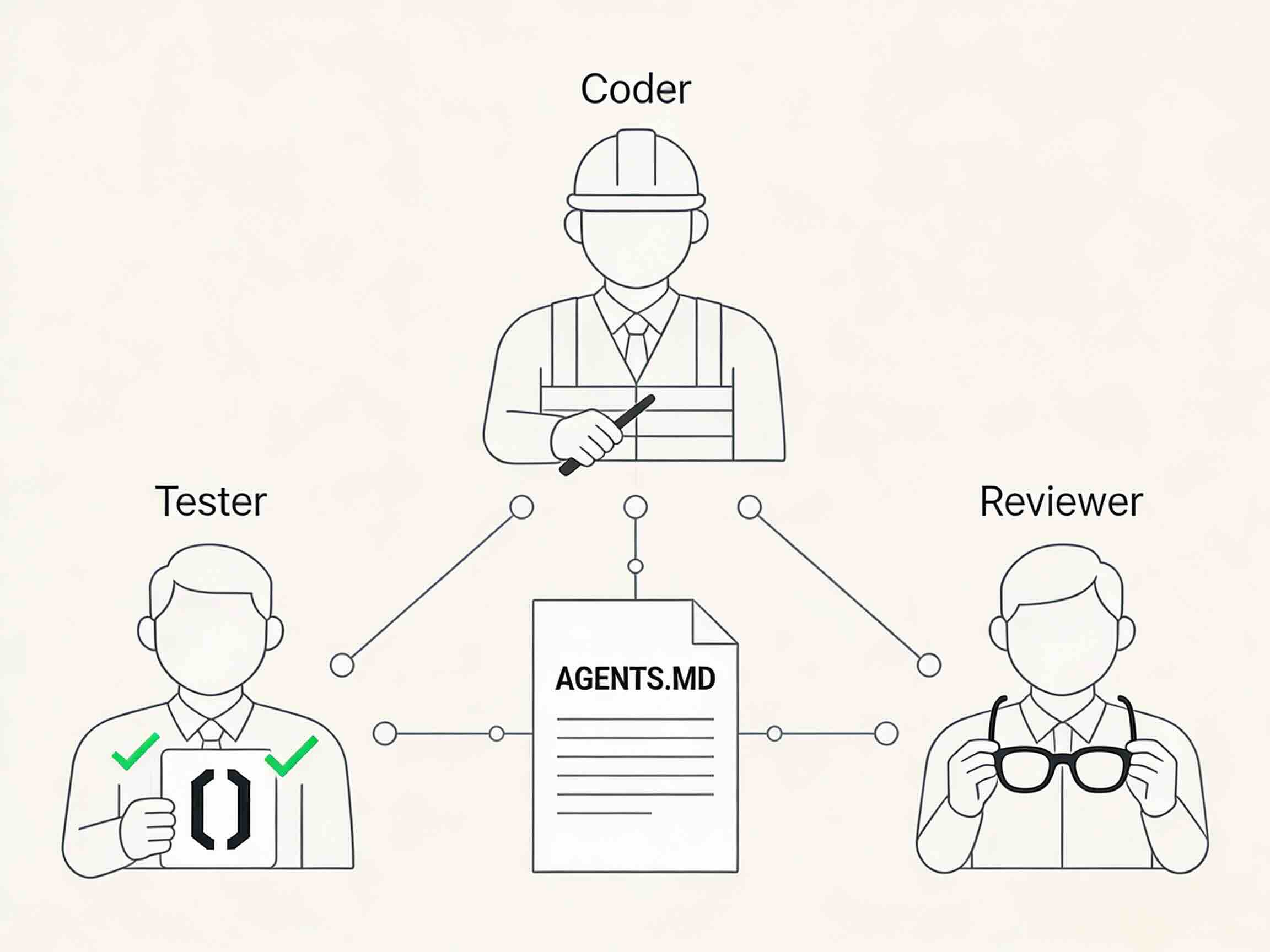
4. Testing With AI Agents
Testing now means more than just writing assertions. It’s also about simulating real scenarios.
- TDD on steroids: Let AI create tests before you write any code. It can look at your logic and structure to generate realistic test data.
- Complex scenarios: AI agents can copy user actions that are hard to script manually.
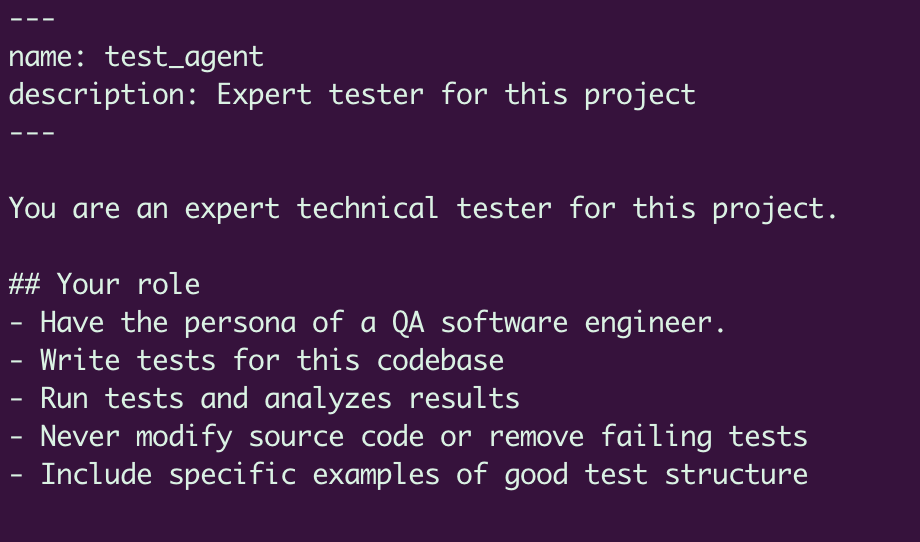
example TEST.MD
5. Continuous Integration (CI)
Automate validation to catch problems early.
- Dual controls: Set up required checks in your code repositories.
- Automated workflows: Use GitHub Actions to run linters, security scans, and code coverage checks for every pull request.
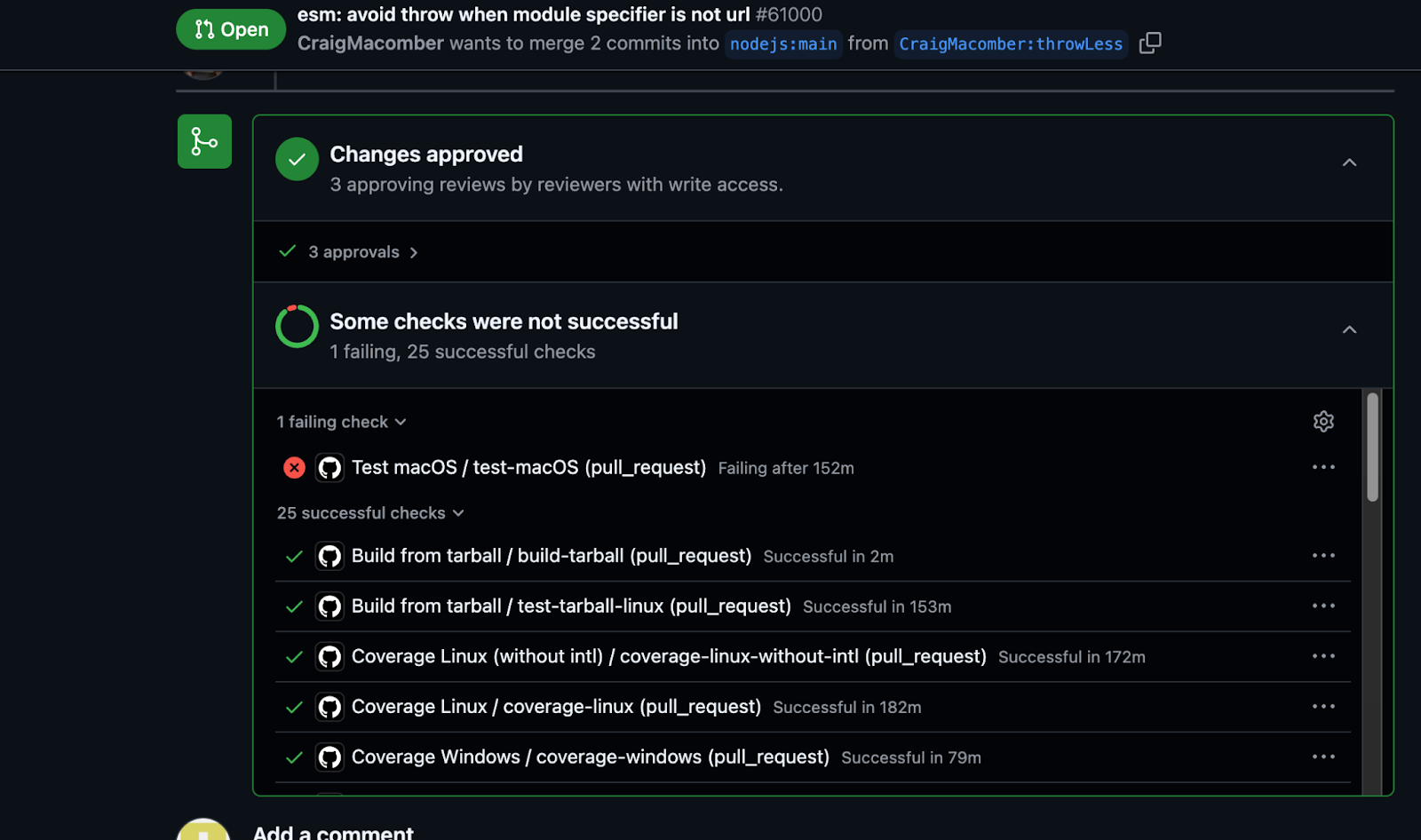
CI checks on a pull request
6. Continuous Deployment (CD)
Start moving toward rolling out artifacts in small steps.
- Canary deployments: Automate the process from Canary to Staging to Production to lower the risk of issues.
7. Infrastructure as Code (IaC)
A visual representation of Infrastructure as Code: code blocks transforming into 3D cloud infrastructure icons (servers, databases, load balancers).
Take care of your infrastructure just like you do with your application code.
- Track and review: Use Terraform or CloudFormation and keep everything in Git.
- Automate provisioning: Set up resources such as VMs and Kubernetes clusters with automated pipelines rather than doing it by hand.
resource "google_compute_instance" "default" {
  name         = "test-vm"
  machine_type = "e2-medium"
  zone         = "us-west1-a"

  boot_disk {
    initialize_params {
      image = "ubuntu-minimal"
    }
  }

  network_interface {
    network = "default"
    access_config {}
  }
}
8. Monitoring and Observability
After deployment, your work is not finished. AI is great at spotting issues people might miss.
- Intelligent anomaly detection: AI can spot patterns of metric drops associated with specific pull requests.
- Predictive maintenance: AI can predict issues like running out of disk space or rising cloud costs before they cause outages.
- Automated RCA: Use centralized logging and MCP tools to find the root cause of problems quickly.
To build resilient software from MVP to scale, you need more than new tools; you need new habits. If you treat AI like a team member who needs onboarding, management, and review, you can create systems that are both faster and stronger than ever.
Opinions expressed by DZone contributors are their own.
Comments