

Error Handling With OLE DB Destinations
Solving issues with OLE DB destinations can be a tricky task — but it doesn't have to be. Sometimes, the solution is simple.
When we are migrating records to a SQL server destination by OLE DB destination, we use the OLE DB destination data access mode (table or view first load) for faster execution of the SSIS package.
When we are using the first load option, we must specify the maximum insert commit size. That’s why SSIS is going to ignore the entire batch when getting a single error.
To understand this fully, let’s look at an example.
Case Scenario
Here, the case scenario is simple. Just retrieve the records from a flat file and insert them into SQL destination table objects.
Here is the sample of the flat file:
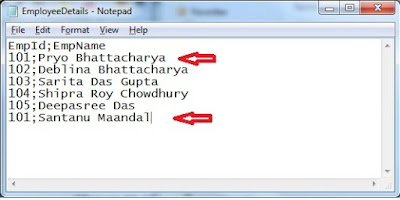
If we look at the flat file, we find that there are duplicate records for employee ID 101 with different names.
We have a table object that looks like this:
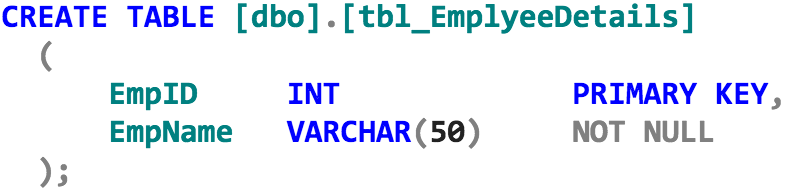
Here, in the table object EmpID, columns are marked as primary keys, so duplicate records are unable to be entered into this table.
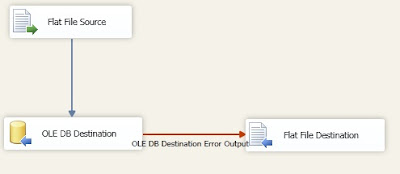
We make a simple SSIS package with an OLE DB destination with redirect rows in the error output section.
Data flow of the SSIS package:
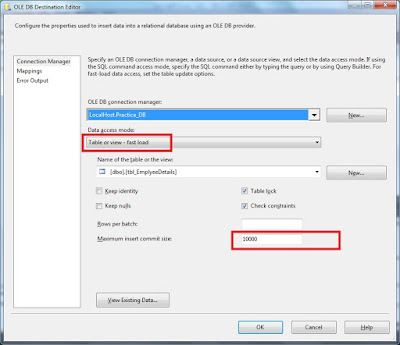
OLEDB destination editor:
If we run the package, we can see the SSIS package runs successfully!
Now, if we query the destination, we find that no records are inserted in the destination
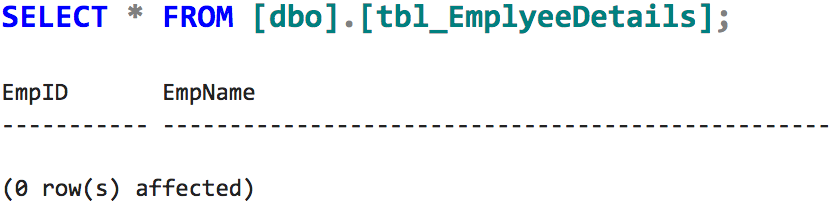
If we see the redirect rows destination flat file for the error, we can find this:
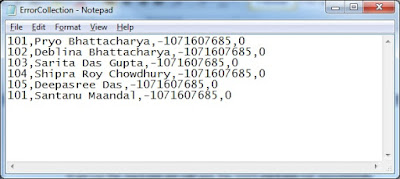
All the records are moved into the error-trapping file.
The reason is that we are declaring the maximum insert commit size property to be 10,000, so it is going to commit the batch once it is completed. If any error is found in the batch, the entire batch is moving with redirect rows.
We only have to move single records in the re-direct row error path — not the entire batch. So, how do we solve this problem?
Solution
The solution is quite simple. We alter the data flow design.
To solve this, we are using another OLE DB destination with the redirect row error path of the first OLE DB destination (just copy the first OLE DB destination and make a second copy) and altering the max row commit size by 1.
Basically, if the 10,000 records batch is unable to insert in first OLE DB destination for single faulty records, it moves to the second OLE DB destination and tries to insert records one by one. If any difficulty comes in the insertion of specified records, it just redirects those records into another error path.
Now, if we query the destination...
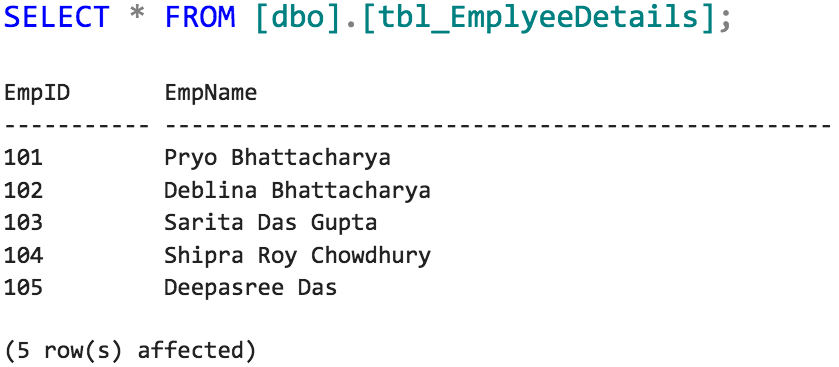
...duplicate records are not inserted into the destination table!
I hope this helps!
Published at DZone with permission of Joydeep Das. See the original article here.
Opinions expressed by DZone contributors are their own.