

Handle HL7 MLLP Messages With Mule 4
Here, learn more about the HL7 EDI connector by MuleSoft that can be used to perform integrations with existing platforms in healthcare.
Join the DZone community and get the full member experience.
Join For FreeThere are several ways to perform integrations with existing platforms in the healthcare industry. MuleSoft provides a stable connector that we can use to transform and use without any hustle: the HL7 EDI connector.
Before going on to discuss MuleSoft-provided connector capabilities, let's discuss HL7 terms.
HL7 Message
HL7 payload is utilized whenever the healthcare process needs to be moved among different platforms or various healthcare providers. Such messages are shared in response to motivating events attached with separate notifications, such as when a patient is being accepted into a hospital or while individuals are being released. Every HL7 message includes various components in a precise series and brings some method to decode.
HL7 Message Structure
Individual HL7 notifications contain one or several pieces, which create additional strings of text. A carriage retrieval symbol, (\r)), divides individual segments from the next segment. Distance comprises areas that are isolated by the pipe "|" character. Separate fields may hold additional sub-fields which are isolated by the "^" character. The HL7 message encloses a payload type, present by a three-character principle, which reveals why the statement is standing dispatched, and also, which starts an event. The MSH-9 field of the payload has both the message variety along with stimulus event. To illustrate, in an HL7 statement such as ADT-A01, the section ADT is the HL7 payload sort, and A01 is the trigger event.
Numbers of HL7 Payloads
Three are several kinds of HL7 payloads. Every message has a unique proposal and payload scope. Individual statement structure in HL7 has a detailed principle of three characters and administers to possess an occurrence. While there are multiple messaging structures in HL7, the considerable standard comprises ACK (General Acknowledgment), such as hospital investigation outcomes and imaging information, from the producing procedure.
SIU: The schedule information payload class is used to create, modify, and delete patient appointments and has 14 different trigger events.
Expose Interface To Accept HL7 Message
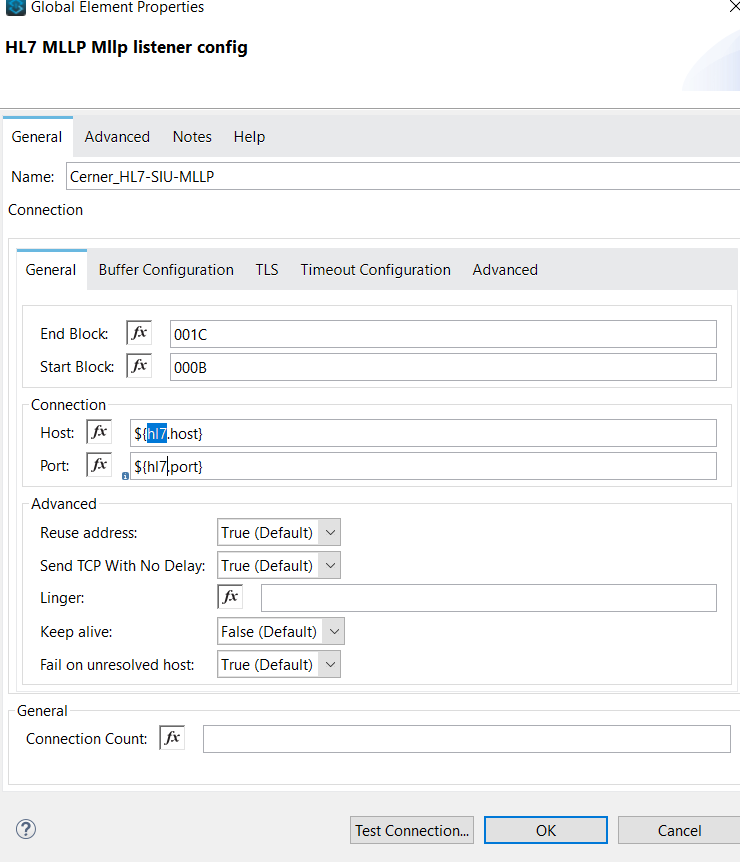
MuleSoft facilitates transport for connectivity and parsing features for HL7 MLLP messages.
 |
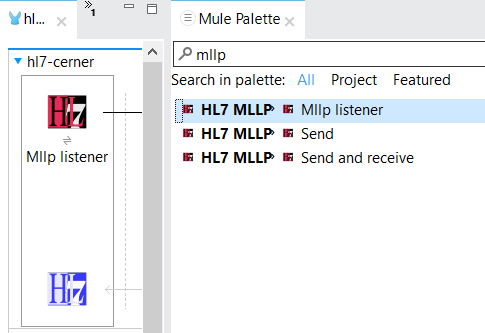 |
It provides three actions to perform with HL7 message and works on TCP/IP protocol.
- Send: Can be used to send custom messages/knowledge to sender/receiver systems
- Send and receive: Prove capabilities to accept messages
- MLLP Listener: Open channel to accept HL7 messages using the interface
There are several free and paid tools that can be used to generate requests or messages to test the scenarios with MuleSoft MLLP connectors. Each tool segregates the message structure so that it can be understood easily. Find an example below:
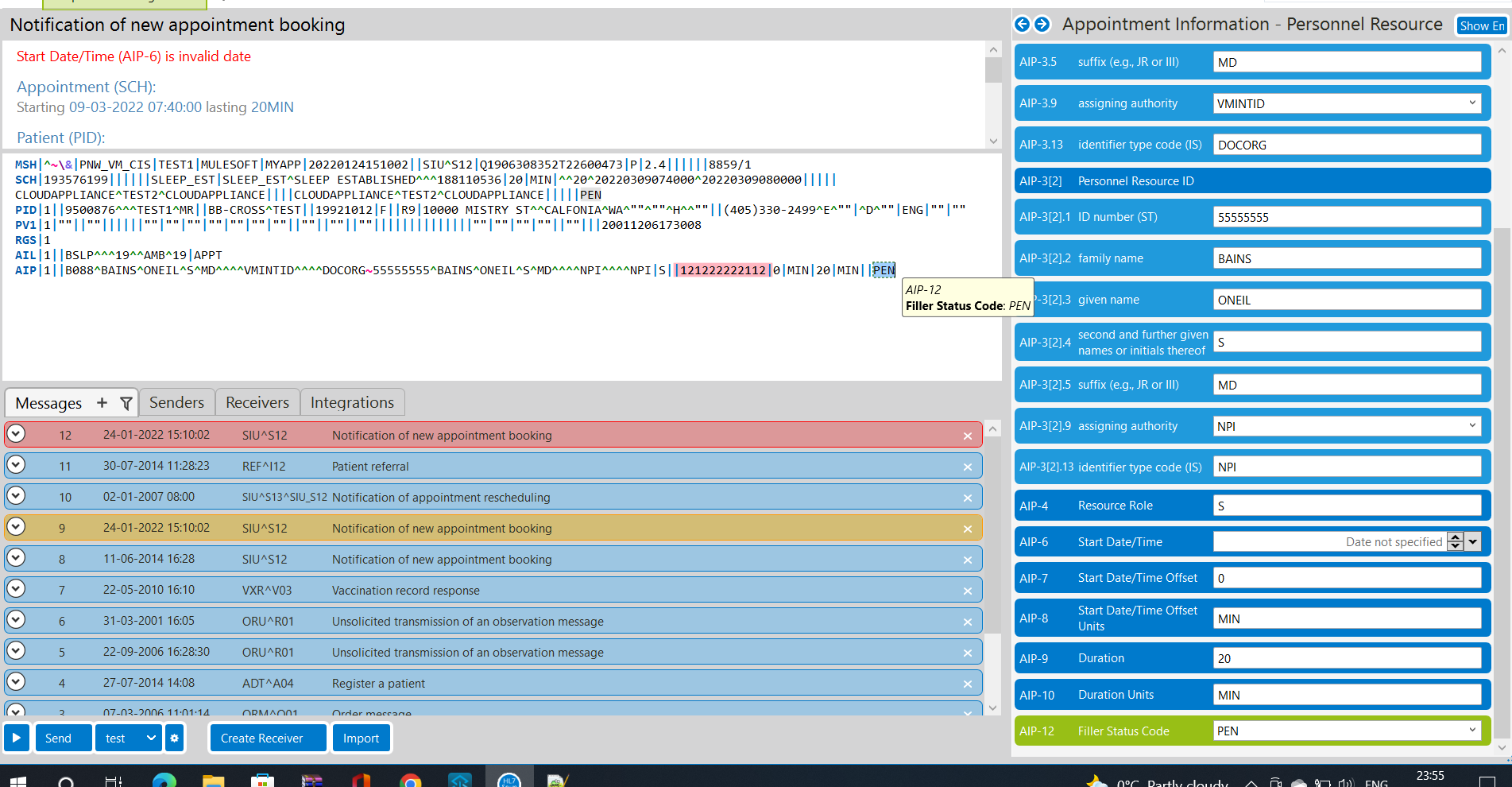
HL7 MLLP Configuration (TCP/IP)
Find the default configuration below:
- END BLOCK: Terminate the MLLP message segment
- START BLOCK: To identify the start of the MLLP message
- Port: Which connection will be exposed
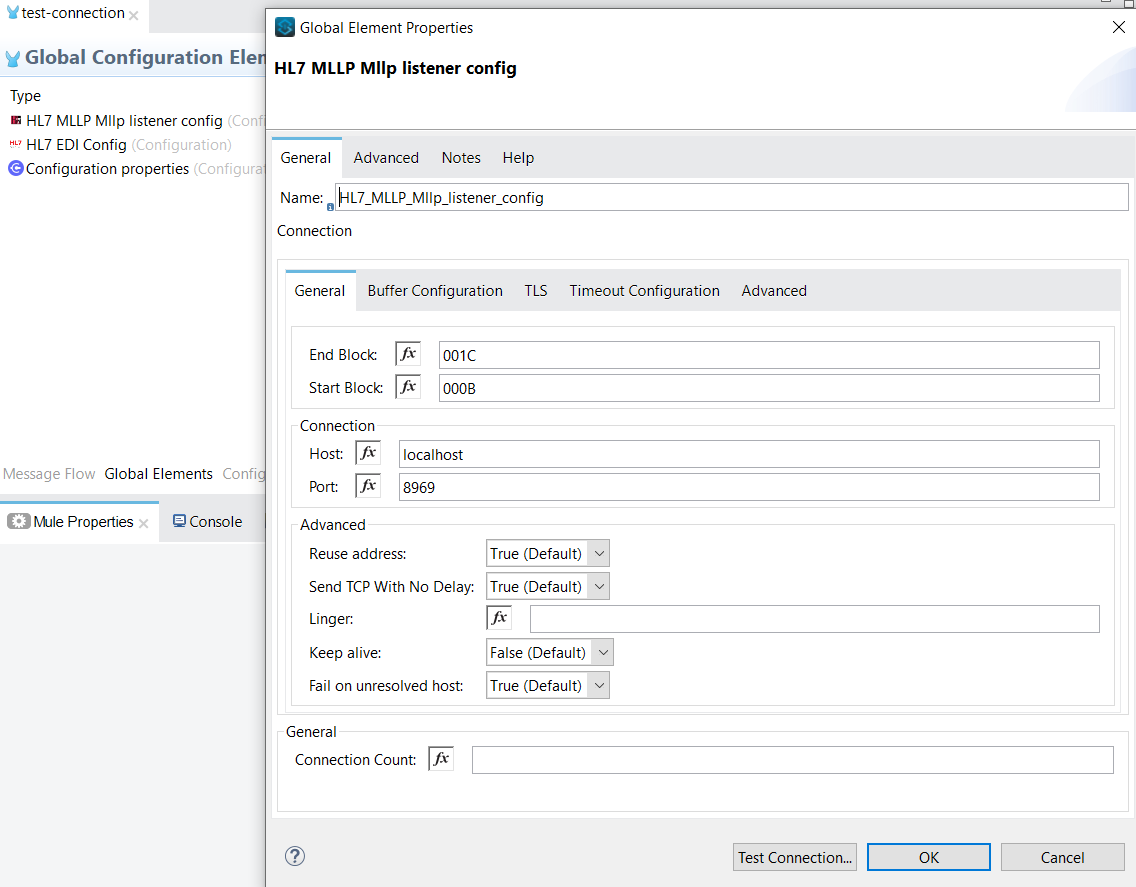
It will expose a TCP/IP connection and be ready to receive an MLLP message from the sender. This connector validates message structure based on the structure defined in the global configuration. More details about the global configuration can be found at this link about MLLP Listener.
HL7 EDI Read Connector
MuleSoft provided a complete structure of .esl file which consists of element validation.
<hl7:read doc:name="Read" doc:id="d25e3564-9a4c" config-ref="HL7_EDI_Config" />
<hl7:config name="HL7_EDI_Config" doc:name="HL7 EDI Config" doc:id="fd44e74b---dcc9c961eda3" eventMessageMap="${siu.event}">
  <hl7:schemas >
    <hl7:schema value="${siu.type}" />
  </hl7:schemas>
</hl7:config>cerner:
port: '96984'
host: '0.0.0.0'
type: 'hl7/SIU.esl'
event: 'event-message.yaml' Sample: event-message.yaml
S12: { SIU: SIU, ACK: ACK }Sample: basedefs.esl (consists of complete HL7 message definition based on event)
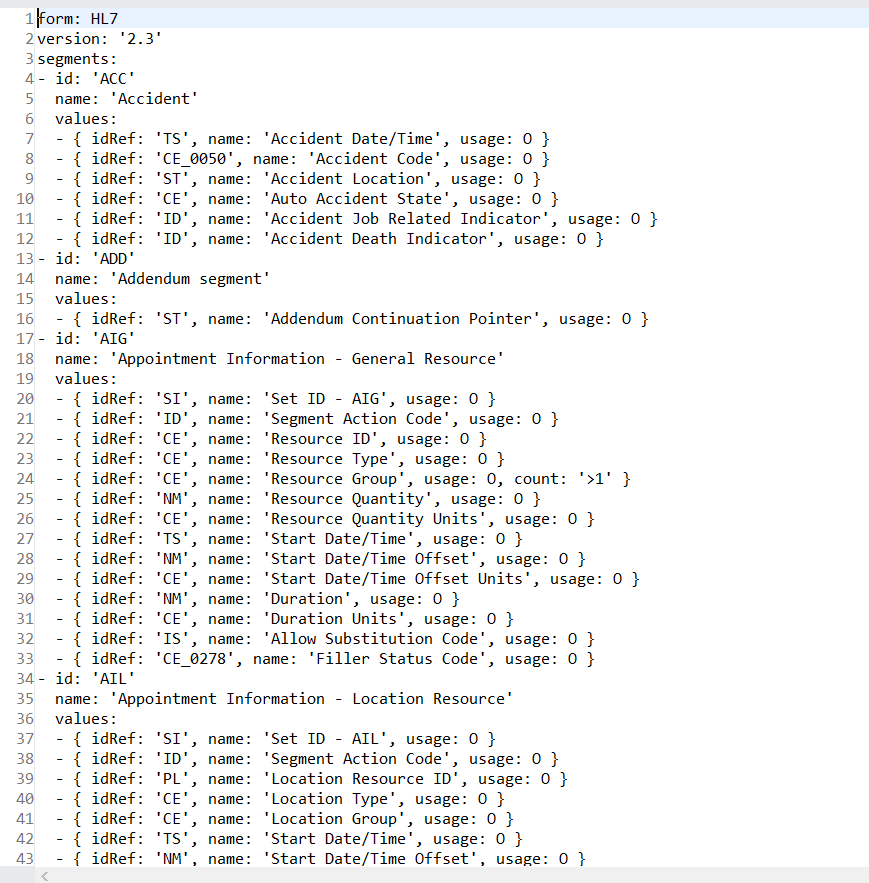
Project/action specific message validation file which inherits the above global structure to evaluate the incoming message:
form: HL7
version: '2.3'
imports: [ 'hl7/basedefs.esl' ]
id: 'SIU'
name: 'SIU'
data:
- { idRef: 'MSH', position: '01', usage: O }
- { idRef: 'SCH', position: '02', usage: O }
- { idRef: 'NTE', position: '05', usage: O }
- groupId: 'PATIENT'
  count: '>1'
  usage: O
  items:
  - { idRef: 'PID', position: '10', usage: O }
  - { idRef: 'PV1', position: '12', usage: O }
  - { idRef: 'PV2', position: '15', usage: O }
  - { idRef: 'OBX', position: '19', usage: O }
  - { idRef: 'DG1', position: '24', usage: O }
- groupId: 'RESOURCES'
  count: '>1'
  usage: O
  items:
  - { idRef: 'RGS', position: '30', usage: O }
  - groupId: 'SERVICE'
    count: '>1'
    usage: O
    items:
    - { idRef: 'AIS', position: '33', usage: O }
    - { idRef: 'NTE', position: '36', usage: O }
Send Acknowledgement
Why: The HL7 messaging measure contains an ACK notification to be sent around to the sending interface after accepting a message to show the message was accepted. In a common HL7 domain, a sender will presume the message was not received until it obtains an ACK notification.
To send acknowledgment, we use the "write" - "HL7 EDI" connector to send ACK to sender about the message.
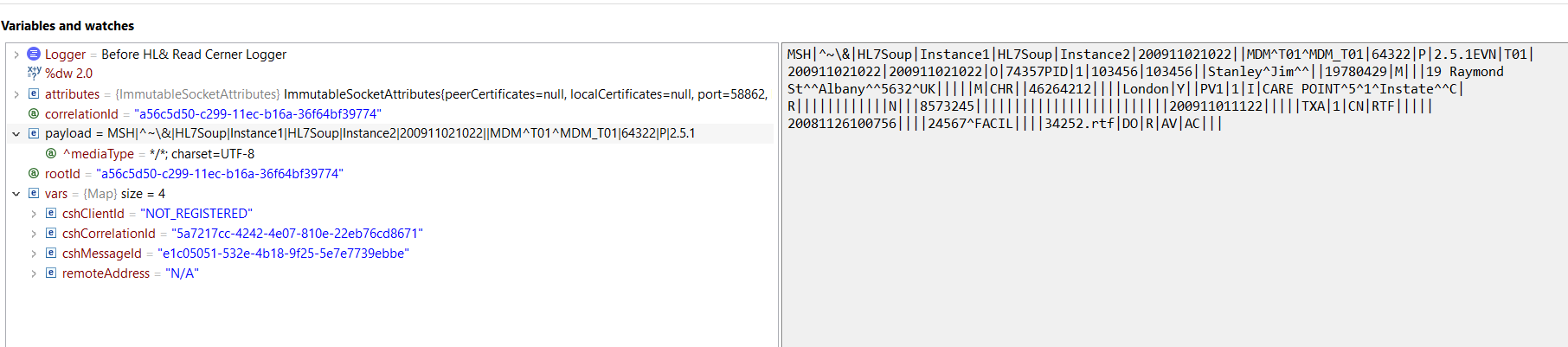
Sample message structure received through MLLP listener:
 Payload is divided into segments to perform business logic in the flow:
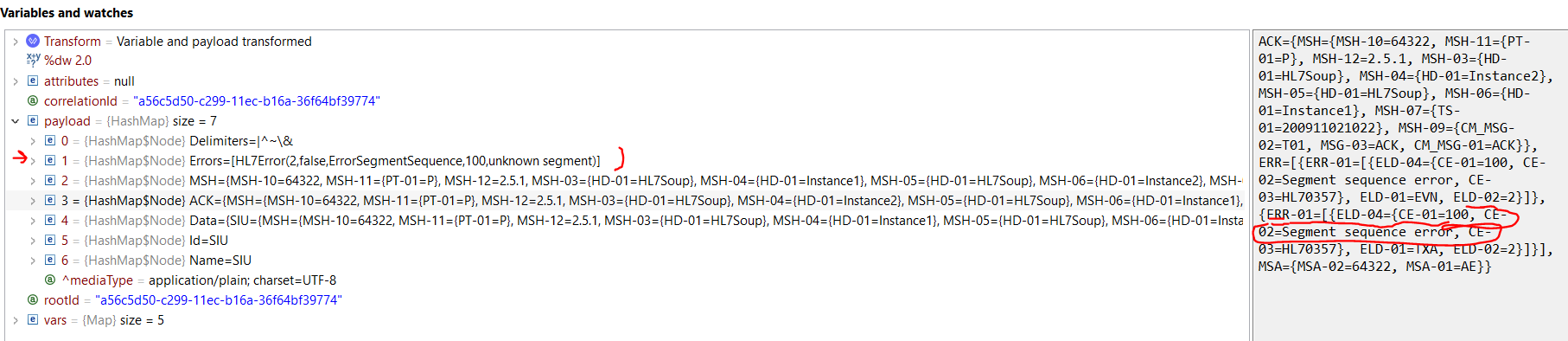 Create ACK message based on read validation from HL7 Read EDI connector:
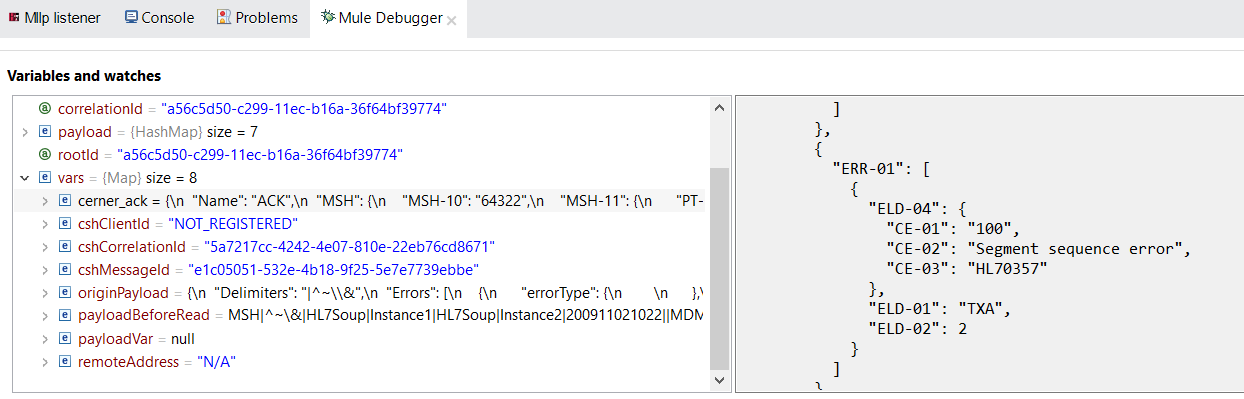 Not that an ACK message should be defined based on the agreement with the sender to identify a smooth exchange of communication amount sender and receiver. Below, find a sample ACK message based on message validation.
Error ACK Message
This is for any error scenario that occurred. For instance, element validation failed based on the definition of the project.

Success ACK Message
The message and its structure are as expected.

For more details about connectors, check out MLLP connector examples.
Opinions expressed by DZone contributors are their own.
Comments