

How To Add a Social Login to Your Website With Supertokens (Custom UI Only)
This blog walks you through integrating your frontend with social login APIs provided by SuperTokens.
Join the DZone community and get the full member experience.
Join For Free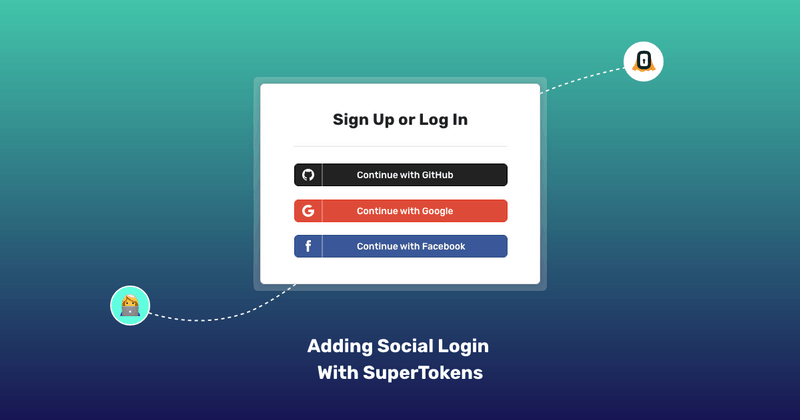
This tutorial walks you through integrating your frontend with social login APIs provided by SuperTokens.
Note, that it’s only meant for users who are building their own frontend and are building a website. If you are using our pre-built UI, these API integrations are already done for you.
To start off, you want to make sure that you have finished the frontend and backend quick setup guides for the recipe that you have chosen.
As of this writing, that’s either:
- ThirdParty recipe (only social login)
- ThirdPartyEmailPassword recipe
After finishing the quick setup guides, you should have:
- Session feature setup on the frontend
- All social auth + sessions-related APIs are exposed via your backend API (as per this API spec).
Now we can see how to integrate your frontend UI to work with the backend social auth APIs exposed by SuperTokens.
For ease of explanation, we will assume the following:
- We want to implement sign in with GitHub
- Your website domain is
http://localhost:3000 - Your API domain is
- You have chosen the default API base path and
website base path(/auth in both cases) - You want to implement the thirdpartyemailpassword recipe.
- The authorization redirect URL set on the GitHub dashboard is
http://localhost:3000/auth/callback/github - The authorization redirect URL set on the GitHub dashboard is
http://localhost:3000/auth/callback/github - On a high level, there are two steps to the flow:
- When the user clicks on the Sign in with GitHub button, you want to fetch the GitHub redirect URL and redirect the user to that page. This is where the user will interact with GitHub to enter their credentials.
- When GitHub redirects the user back to your app, you want to use them (one-time use) auth code issues by Github to sign in / sign up the user.
Step 1
When the user clicks on the Sign in with GitHub button, you want to make the following API call:
const response = await fetch(“http://localhost:3001/auth/authorisationurl?thirdPartyId=github”,
    {
        method: 'GET',
        headers: {
            rid: “thirdpartyemailpassword”
        }
    }
);
A successful response will look something like this:
{
    "status": "OK",
    "url": "https://github.com/login/oauth/authorize?
    scope=read%3Auser+user%3Aemail&
    client_id=21d82062d1f35b68e66c"
}
A couple of pointers:
- As stated previously, we assume that your API is on
http://localhost:3001and the api base path is/auth. Therefore, the resulting API URL ishttp://localhost:3001/auth/authorisationurl. - As stated previously, we assume that your API is on
http://localhost:3001and the api base path is/auth. Therefore, the resulting API URL ishttp://localhost:3001/auth/authorisationurl. - This API takes one query param which is the
thirdPartyIdfield. Since we are implementing logic with GitHub, the value of this is GitHub. If we were implementing login with Google, the value of this would be google. - The header contains a special rid field whose value is
thirdpartyemailpassword. This helps the backend SDK know which recipe to send this request to. If you are implementing the third-party recipe, the value of this header should be third-party. - The response is where the user is supposed to be redirected to. The URL contains the scopes and the GitHub client ID you configured on the backend when following the quick setup > backend guide
The URL returned in the response is where you will redirect your user to. Before doing that though, you will need to append a query param called redirect_uri to this url whose value should be the callback URL you configured on the GitHub dashboard. We assume that this URL is http://localhost:3000/auth/callback/github.
let urlObj = new URL(response.url)
urlObj.searchParams.append("redirect_uri", "http://localhost:3000/auth/callback/github");
let url = urlObj.toString();
The value of the URL after the above operation will be:
https://github.com/login/oauth/authorize?scope=read%3Auser+user%3Aemail&client_id=21d82062d1f35b68e66c&redirect_uri=http%3A%2F%2Flocalhost%3A3000%2Fauth%2Fcallback%2Fgithub
As you can see, we have appended the redirect_uri query param successfully. Now we can redirect the user to this URL.
Step 2
When the user is navigated back to your app (from GitHub), the URL will contain a `code` query param (on successful login), like this:
http://localhost:3000/callback/github?code=3cf143e0af0f1bed8d34
First, you need to extract this code in the following way:
let code = new URL(window.location.href).searchParams.get('code');
Then, you need to call another API exposed by the SuperTokens backend SDK to complete the login operation:
const response = await fetch('http://localhost:3001/auth/signinup', {
    method: 'POST',
    headers: {
        ‘rid’: “thirdpartyemailpassword”,
       'Content-Type': 'application/json'
    },
    body: JSON.stringify({
        code,
        redirectURI: ”http://localhost:3000/callback/github”,
            thirdPartyId: “github”
    }
});
Successful execution will result in a response that looks something like:
{
  "status": "OK",
  "user": {
    "id": "fa7a0841-b533-4478-95533-0fde890c3483",
    "email": "[email protected]"
  },
  "createdNewUser": true
}
A few important points:
The redirectURI in the request, the body is the same as what you had put on the GitHub dashboard.
Just like the previous API call, we add a rid header with the value of `thirdpartyemailpassword`.
Where Are the Session Tokens?
From inspecting the response from the /signinup API call, we don’t see an access token / JWT in the body - so where are they?
SuperTokens issues session cookies that get sent via the Set-Cookie header in the response and are automatically handled by the browser.

- Furthermore, our frontend SDK handles these session tokens for you automatically:
- Automatic refresh of session
- Automatic injection of the access token for your API calls
- Provides a signOut function
These features are a part of the session recipe that you initialized when following the quick setup guide.
Conclusion
We have seen how to integrate your custom UI with the social login API exposed by SuperToken’s backend SDK. It involves calling the GET `/authorisationurl` and the POST` /signinup` API. Furthermore, we see that on successful login, we are issued cookie-based session tokens which are handled automatically via our frontend SDK.
Written by the Folks at SuperTokens— hope you enjoyed it!
Published at DZone with permission of Advait Ruia. See the original article here.
Opinions expressed by DZone contributors are their own.
Comments