

How To Integrate Event Streaming Into Your Applications
Read here to get started with Fauna's event streaming that simplifies listening for real-time changes in your database at document and collection levels.
 ·
·
Join the DZone community and get the full member experience.
Join For FreeWe created a sample react app for you to follow along and explore Fauna's event streaming feature. Clone the sample app repository to get started.
Getting Started
Head over to your terminal and run the following commands.
git clone https://github.com/fauna-labs/fauna-streams-with-react
cd fauna-streams-with-react/
npm install
Next, head over to Fauna and create a new database if you already haven’t done so. Follow this tutorial to get started with Fauna. Make sure to create your database in the global region group. From the Fauna dashboard, create a new collection called Transaction.
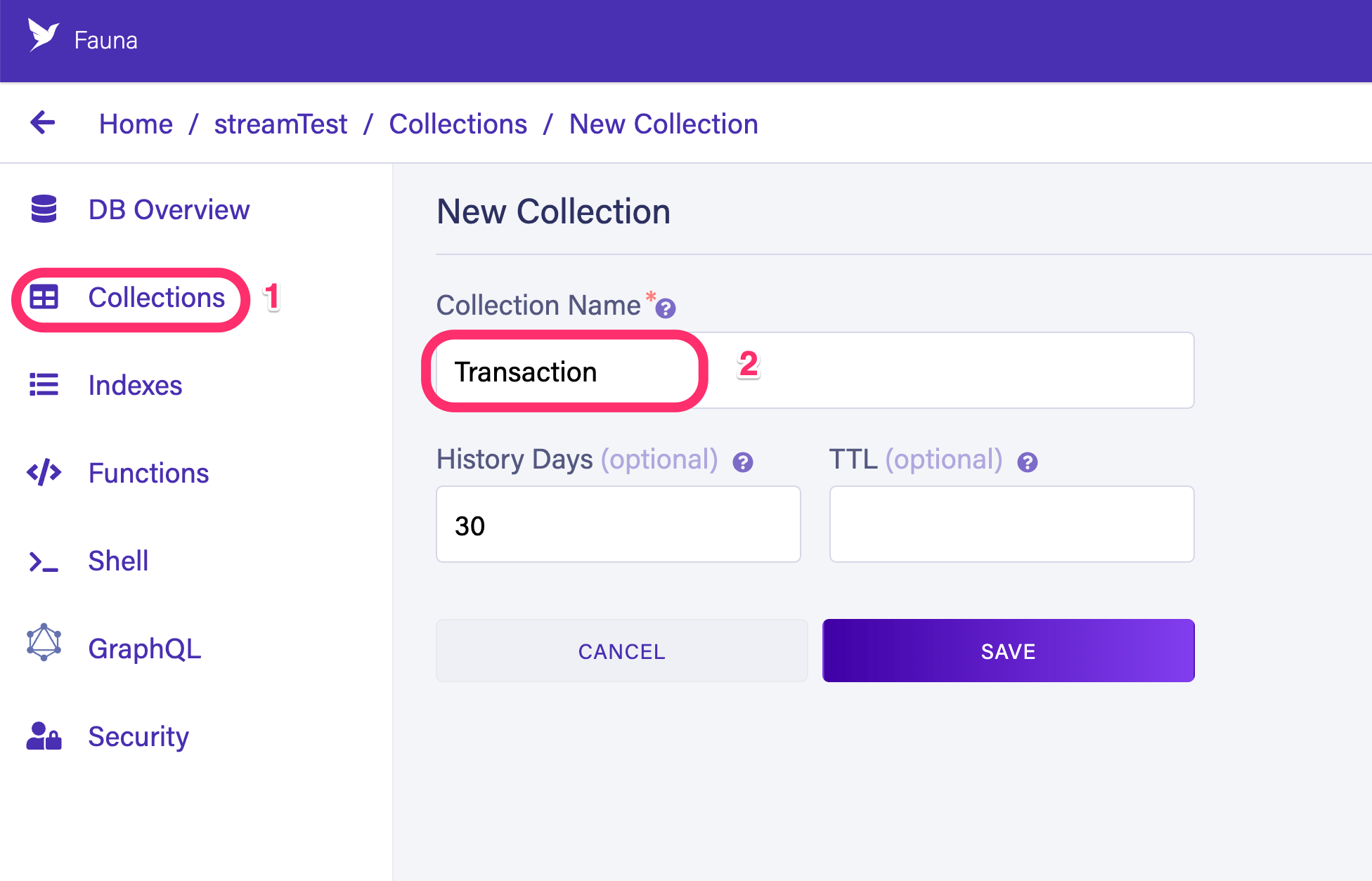
From the Fauna dashboard, navigate to Security > Keys and create a new server key.

Remember not to expose this key in a production application.
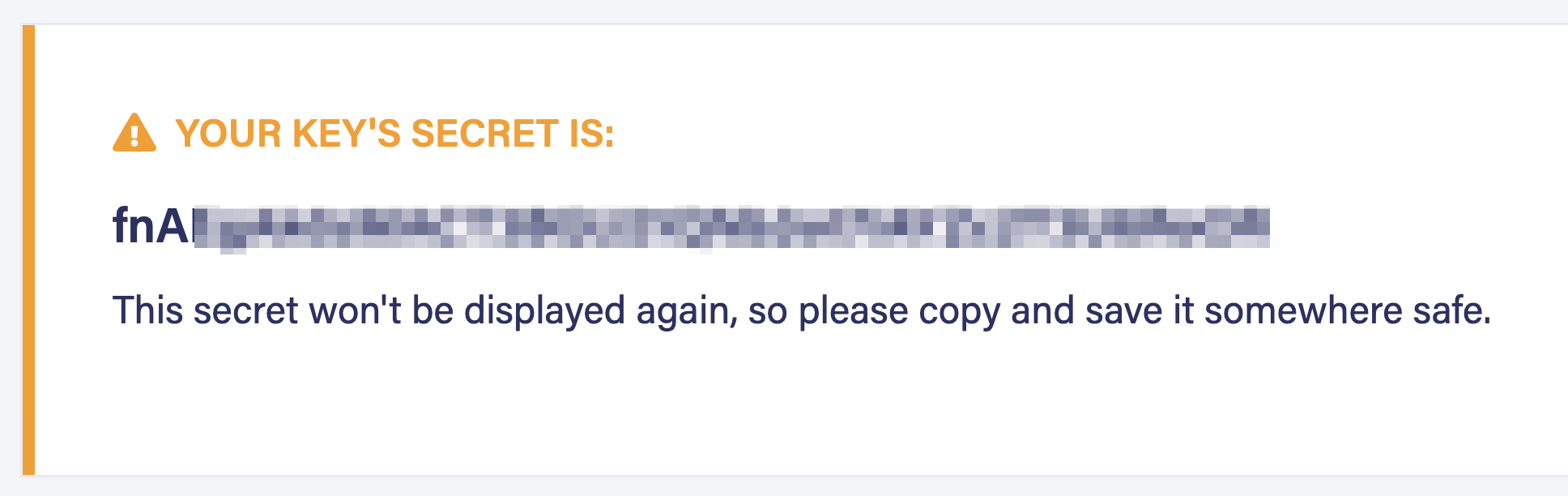
Copy the generated key. Create a new .env.local file in the root of the sample application. Add the following lines of code to the .env.local file.
# .env.local
REACT_APP_FAUNA_KEY='<your-fauna-key>'
Run the application with the following command.
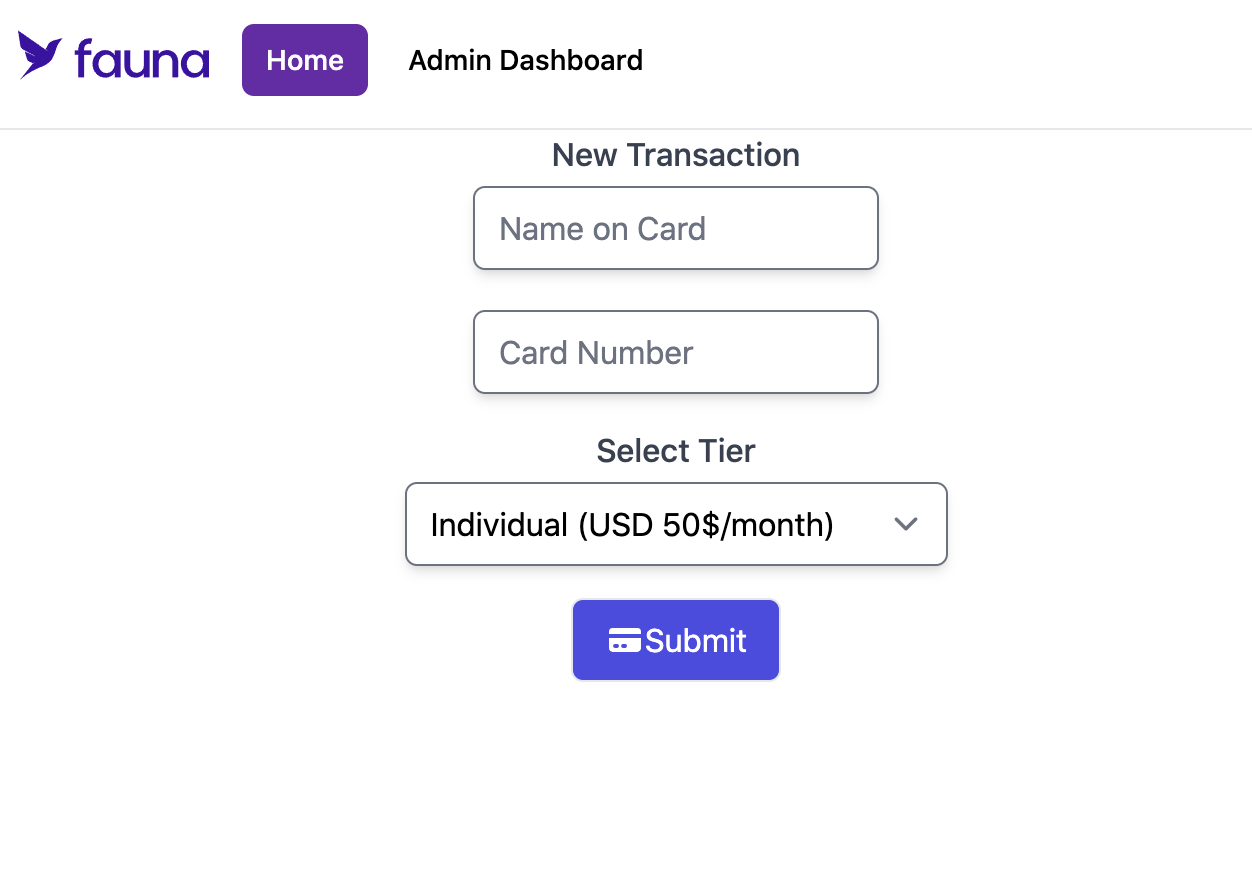
npm startVisit localhost:3000 in your browser and make sure the sample application is running as intended. You will be presented with the following screen in the browser.
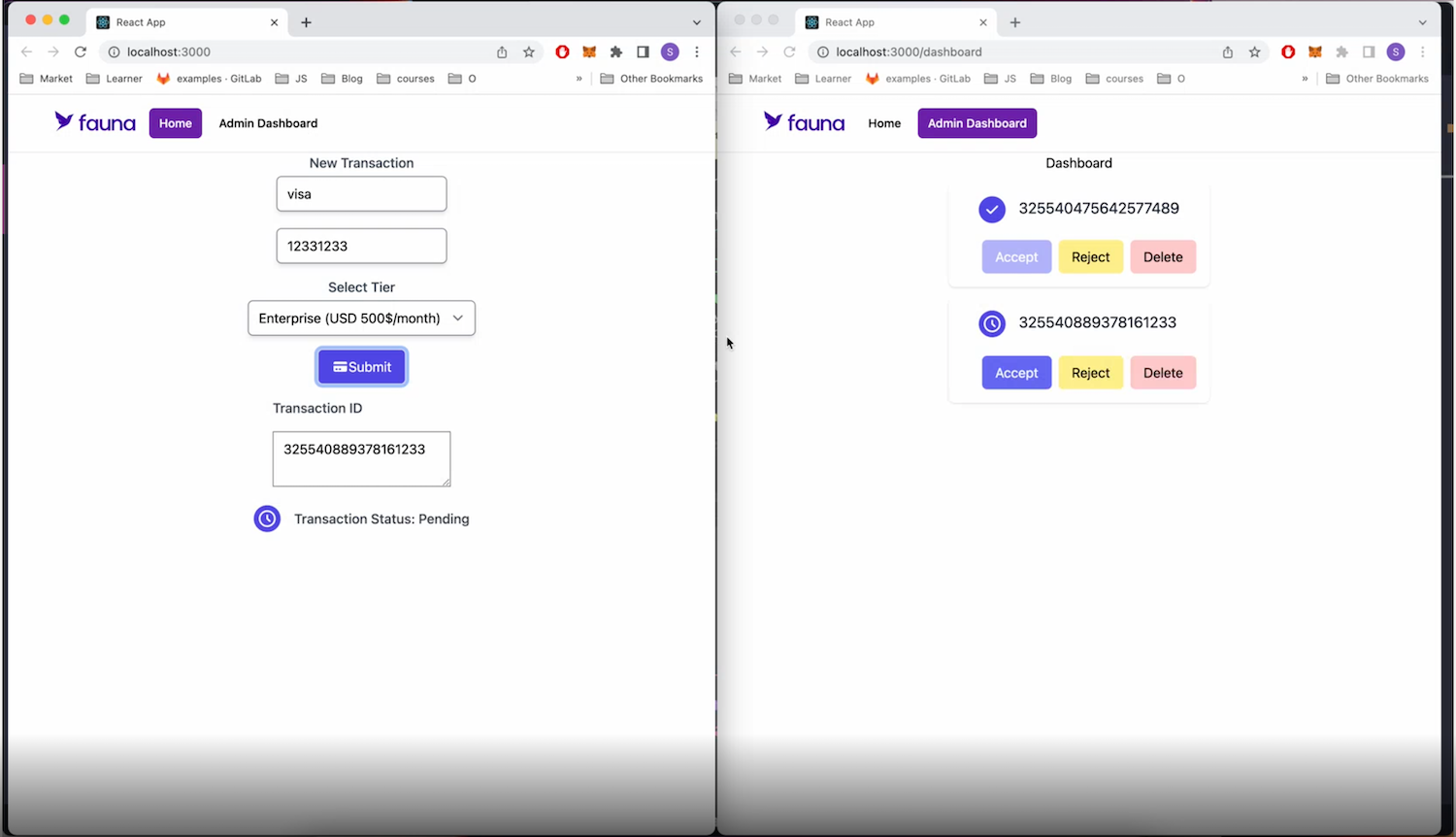
Open a second browser window and navigate to Admin Dashboard in your sample application. Keep both browser windows side by side and create a new transaction as demonstrated below.
Set Streaming
Notice that when you create a new transaction, it is added to the list of transactions in the dashboard. The change happens in real-time across browser tabs. This is because the dashboard page is subscribed to the Transaction collection and listens to any changes made in that collection.
A subscription is a connection to Fauna that is held open by your application through the Fauna driver.
In Fauna, subscribing to a collection is called Set Streaming.
Review the code in src/db/operations.js file. This file contains the code that instantiates the Fauna driver, along with some helper functions.
// ...partials of src/db/operations.js
import faunadb, {
  Create,
  Collection,
  Ref,
  Documents,
  Paginate,
  Lambda,
  Get,
  Map,
  Delete,
  Update
} from 'faunadb';

const client = new faunadb.Client({
  secret: process.env.REACT_APP_FAUNA_KEY,
  domain: process.env.REACT_APP_FAUNA_DOMAIN || 'db.fauna.com',
});


export const newTransaction = (data) => client.query(
  Create(
    Collection('Transaction'),
    { data: {
      ...data
    } }
  )
)

export default client;

...
// other helper functions
Next, let’s review the code for the dashboard page to get a better understanding of how set streaming works in the application. Open the src/components/Dashboard.js file.
// ...partials of src/components/Dashboard.js

import client, { getSetRef, allTransactions } from "../db/operations";

...
export default function Dashboard() {

  const transactionSetRef = getSetRef('Transaction');
  const streamOptions = { fields: [ 'action', 'document' ] }

  const streamClient = client.stream(transactionSetRef, streamOptions)
    .on('start', start => {
      console.log('start', start);
    })
    .on('set', set => {
      if(set.action === 'remove') {
        console.log('remove', set.document.ref.value.id);
        setListTransaction(
          listTransaction.filter(item => item.id !== set.document.ref.value.id)
        );
      }
      if(set.action === 'add') {
        console.log('add', set.document);
        setListTransaction([...listTransaction, {id: set.document.ref.value.id}]);
      }
    })

  useEffect(() => {
    // eslint-disable-next-line react-hooks/exhaustive-deps
    streamClient.start();
    return function cleanUp() {
      streamClient.close();
    }
  });

 ....

  return (
    ...
  );
}
Observe the previous code block. You first create a reference to the Collection (in this case, Transaction collection) you want to subscribe to using the getSetRef helper function, which returns a reference to a collection given the collection name.
Next, you create an object to define stream options. The object has a key named fields which is an array of stream options. Including the action parameter returns the type of event that took place in the collection. For example, if a document is removed from the collection it returns a remove event.
When you add document parameter to the fields array, the subscription event returns the newly modified document’s id.
You call the stream function on the Fauna client to start a subscription. You can chain the data stream with a .on function. You can learn more about Set Streaming in the official docs.
Document Streaming
With document streaming, you can subscribe to changes in a particular document rather than the entire collection. When you create a transaction on the home page, the react app subscribes to that document.
When you accept or reject the transaction from the dashboard page it updates the document status. Notice that the document status changes on the home page in real-time. This is because your application is subscribed to that particular document stream event.
Review the src/components/Home.js file. Notice the code inside useEffect() hook. You call the stream.document() function and pass in the document reference to subscribe to that document stream. The subscriber application gets access to the current version of the document and the current snapshot of the document. Every time the document updates your application is notified.
// ...partials of src/components/Home.js
...
import faunaClient, { newTransaction, getTransactionRef } from "../db/operations";

export default function Home() {

  ...

  const [subscribedTransaction, setSubscribedTransaction] = useState(null);

  ...

  useEffect(() => {
    if(state.result) {
      const newTransactionRef = getTransactionRef(state.result)

			faunaClient.stream.document(newTransactionRef)
	      .on('snapshot', snapshot => {
	        console.log('snapshot', snapshot);
	        setSubscribedTransaction(snapshot.data)
	      })
	      .on('version', version => {
	        console.log('version', version);
	        setSubscribedTransaction(version.document.data);
	      })
	      .start()
    }
  }, [state.result])

  const createNewTransaction = async (e) => {
    e.preventDefault();
    const response = await newTransaction({
      ...state,
      status: 'Pending'
    });
    setState({
      ...state,
      result: response.ref.value.id
    })
  }

  return (
    <div className="flex flex-col items-center">
      {
        subscribedTransaction && (
          <div className="mt-4">
            <h3 className="flex font-medium text-gray-700">
              {getStatusIcon()}
              <div className="ml-4 mt-1">
                Transaction Status: {subscribedTransaction.status}
              </div>
            </h3>
          </div>
        )
      }
    </div>

  );
}
Currently, both set and document streaming features are available to use with the following drivers.
Pro Tip:
Avoid running a query to fetch a document and then establishing a stream. Multiple events may have modified the document prior to stream startup, which can lead to an inaccurate representation of the document data in your application.
Fauna streaming is not currently available as a GraphQL subscription.
Where To Go From Here
Check out Fauna Labs on GitHub for code samples.
Published at DZone with permission of Shadid Haque. See the original article here.
Opinions expressed by DZone contributors are their own.
Comments