

How to Trigger a Build in Jenkins When Adding a Comment in Gerrit With JobDSL
Here's a workaround for triggering a Jenkins job with the current JobDSL plugin version with a specific comment in Gerrit.
Join the DZone community and get the full member experience.
Join For FreeI have been working recently on configuring a Gerrit plugin trigger for a project in Jenkins 2.
The job steps have been defined as a declarative pipeline, and JobDSL was used to create and configure the actual jobs.
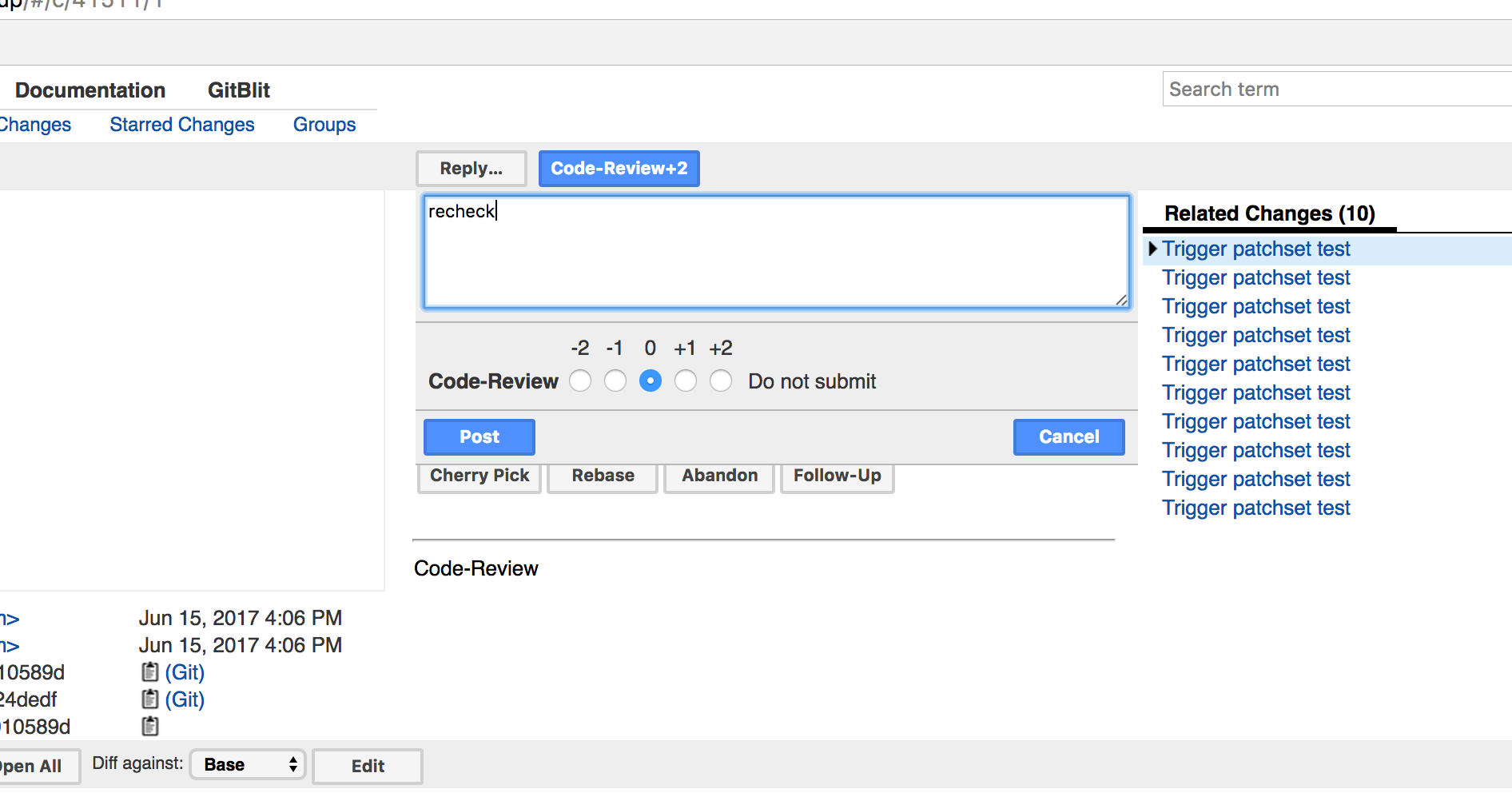
The conventional and most convenient way of re-triggering the Gerrit patch-set job is by posting a ‘recheck’ comment in the review:
Unfortunately, at the time of writing this article, the latest version of JobDSL plugin 1.63 didn’t support configuring the PluginCommentAddedContainsEvent parameter of the Gerrit plugin
which could be used for triggering a job with a specific comment.
The most similar one is the commentAdded() param in the JobDSL config:
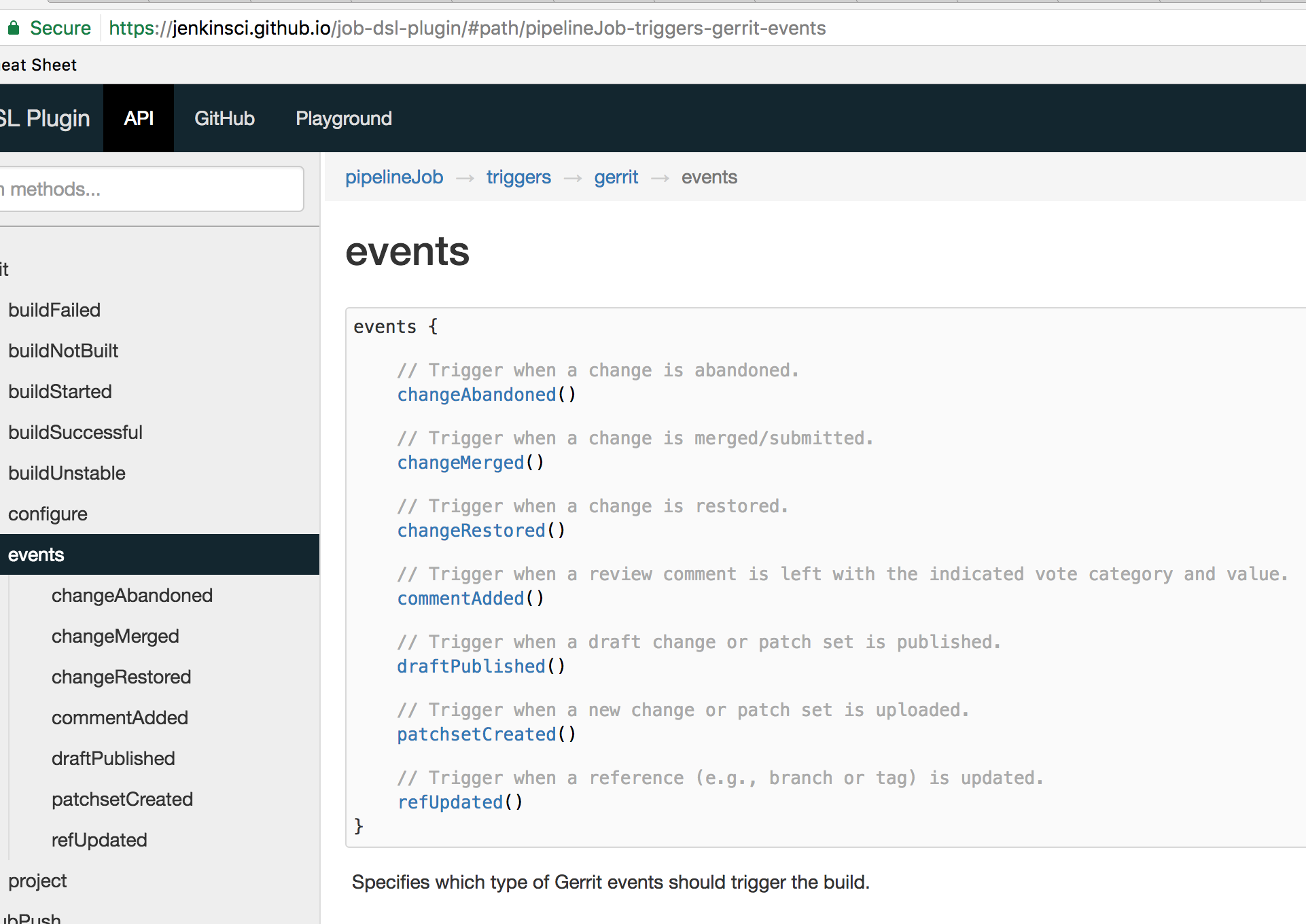
This generates a PluginCommentAddedEvent parameter in the Gerrit Plugin section of the Jenkins job:
<triggerOnEvents>
<com.sonyericsson.hudson.plugins.gerrit.trigger.hudsontrigger.events.PluginPatchsetCreatedEvent>
  <excludeDrafts>false</excludeDrafts>
  <excludeTrivialRebase>false</excludeTrivialRebase>
  <excludeNoCodeChange>false</excludeNoCodeChange>
</com.sonyericsson.hudson.plugins.gerrit.trigger.hudsontrigger.events.PluginPatchsetCreatedEvent>
<com.sonyericsson.hudson.plugins.gerrit.trigger.hudsontrigger.events.PluginCommentAddedEvent/>
</triggerOnEvents>
But you can’t specify RegEx, so it will re-trigger the job for all comments I suppose, which is not what we really want.
Luckily, you can configure part of the Jenkins job as an arbitrary XML, as documented here.
With this in hand, we can just pass any given XML node to the jobDSL and say what else we want to be there, as shown below:
pipelineJob("job-id-declarative-gerrit-codereview") {
    logRotator(-1, 10, -1, -1)
    triggers {
        gerrit {
            events {
                patchsetCreated()
            }
            project('scm_here', 'plain:branch_here')
            configure { project ->
                project / triggerOnEvents << 'com.sonyericsson.hudson.plugins.gerrit.trigger.hudsontrigger.events.PluginCommentAddedContainsEvent' {
                    commentAddedCommentContains('(?i)^(Patch Set [0-9]+:)?( [\\w\\\\+-]*)*(\\n\\n)?\\s*(recheck)')
                }
            }
        }
    }
    definition {
        cpsScm {
            //...
        }
    }
}
And voila, config now looks as it should (you can check how config should look like by manually configuring it through the Jenkins UI):
<triggerOnEvents>
  <com.sonyericsson.hudson.plugins.gerrit.trigger.hudsontrigger.events.PluginPatchsetCreatedEvent>
    <excludeDrafts>false</excludeDrafts>
    <excludeTrivialRebase>false</excludeTrivialRebase>
    <excludeNoCodeChange>false</excludeNoCodeChange>
  </com.sonyericsson.hudson.plugins.gerrit.trigger.hudsontrigger.events.PluginPatchsetCreatedEvent>
  <com.sonyericsson.hudson.plugins.gerrit.trigger.hudsontrigger.events.PluginCommentAddedContainsEvent>
    <commentAddedCommentContains>(?i)^(Patch Set [0-9]+:)?( [\w\\+-]*)*(\n\n)?\s*(recheck)</commentAddedCommentContains>
  </com.sonyericsson.hudson.plugins.gerrit.trigger.hudsontrigger.events.PluginCommentAddedContainsEvent>
</triggerOnEvents>
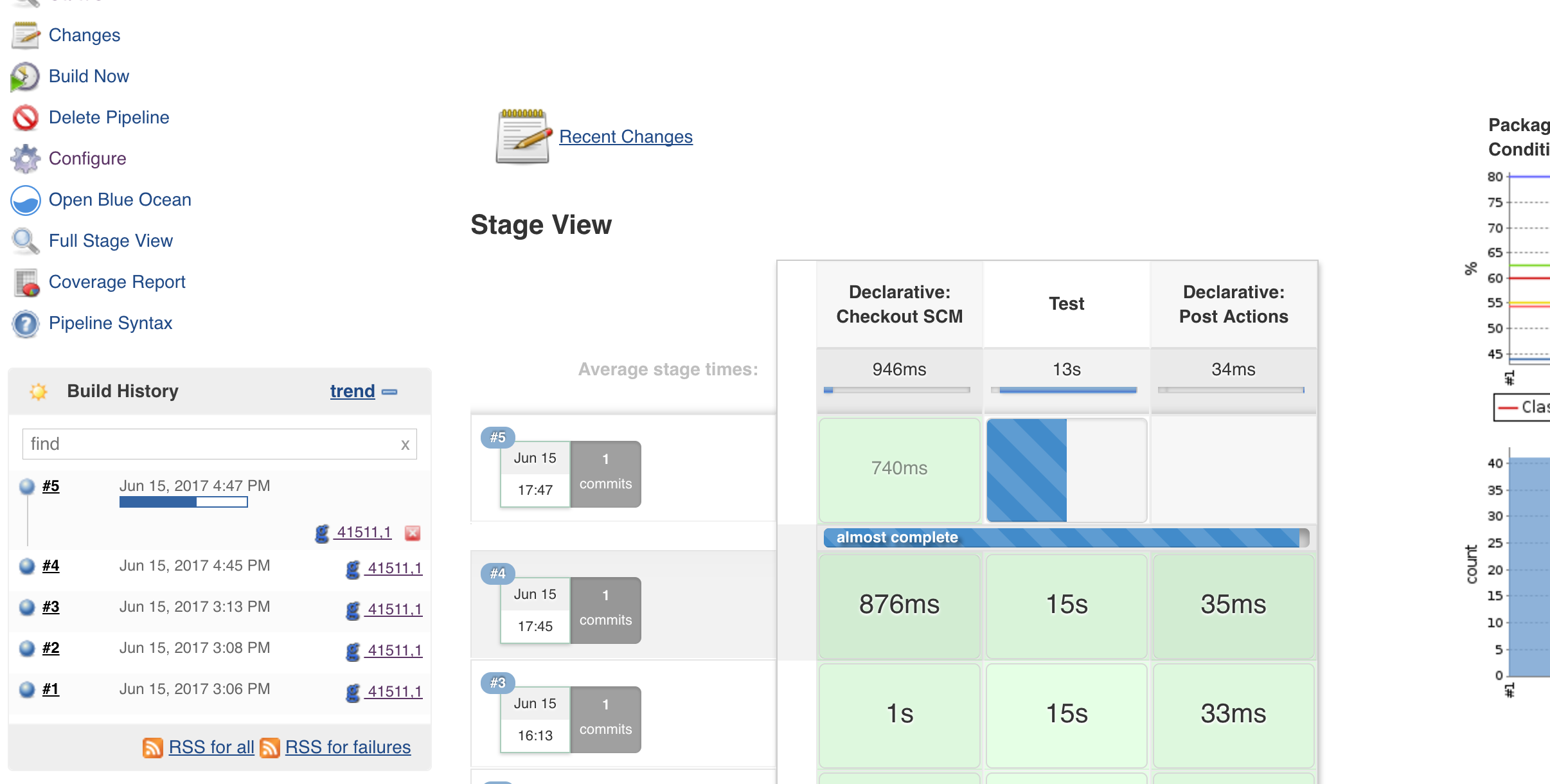
This will do the job and you can now re-trigger the job by posting a ‘recheck’ comment in Gerrit:
Published at DZone with permission of Kayan Azimov. See the original article here.
Opinions expressed by DZone contributors are their own.
Comments