

How to Update Object Store Values Using Object Store V2 REST APIs: Mule4
In this tutorial, learn how to use Object Store V2 REST APIs to dynamically update the values present in Object Store without making any changes to our code.
Join the DZone community and get the full member experience.
Join For FreeObject Store in MuleSoft is used to store key-value pairs that we might need to preserve for future use. In this tutorial, we will learn how we can use Object Store V2 REST APIs to dynamically update the values present in our object store without making any changes to our code.
For a detailed explanation on Object Store and rest APIs please refer to official MuleSoft documentation.
Prerequisites:
- An App that uses Object Store v2 and is deployed to CloudHub
- Access Token for the Anypoint Platform User
Access Object Store v2 API:
In order to access the REST APIs, we would need the following details:
- Organization ID
- Environment ID
- Base URL
- Access Token
Steps for Organization ID:
- Login to the Anypoint Platform.
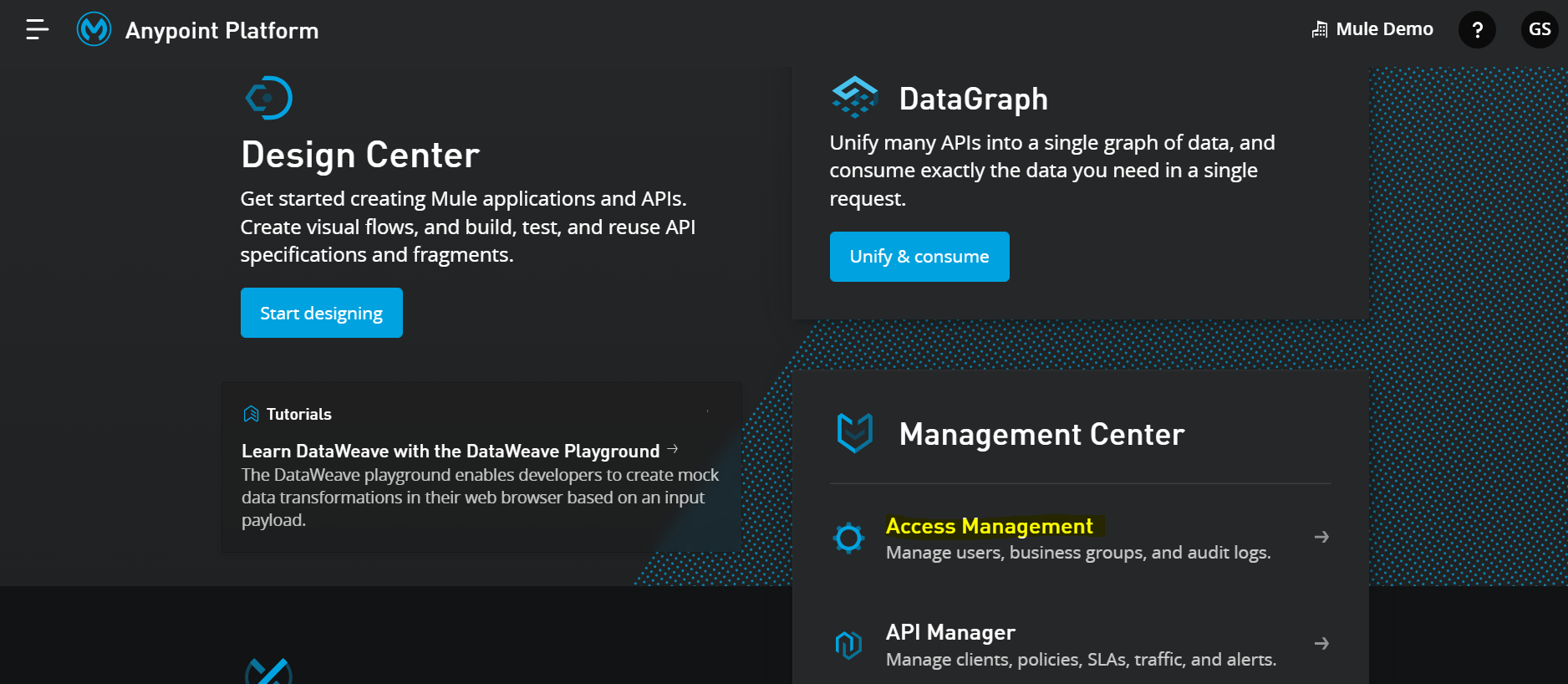
- Click on Access Management:
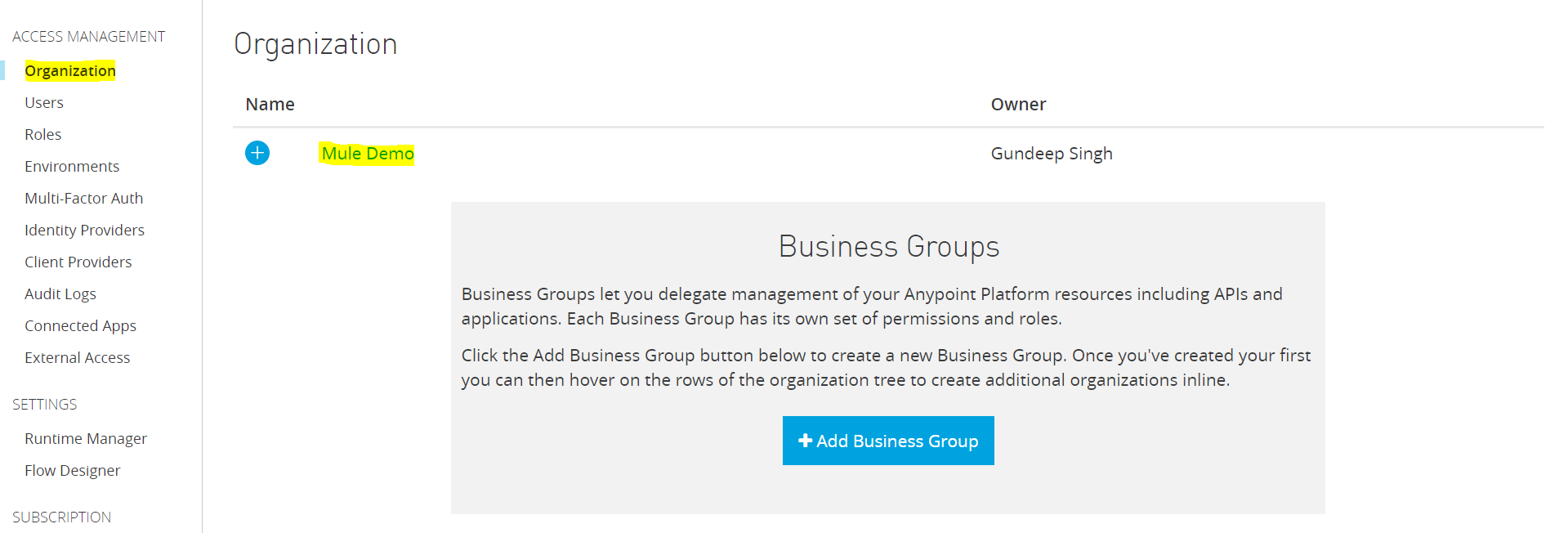
- Inside Access Management, choose the organization tab and click on your desired business group.
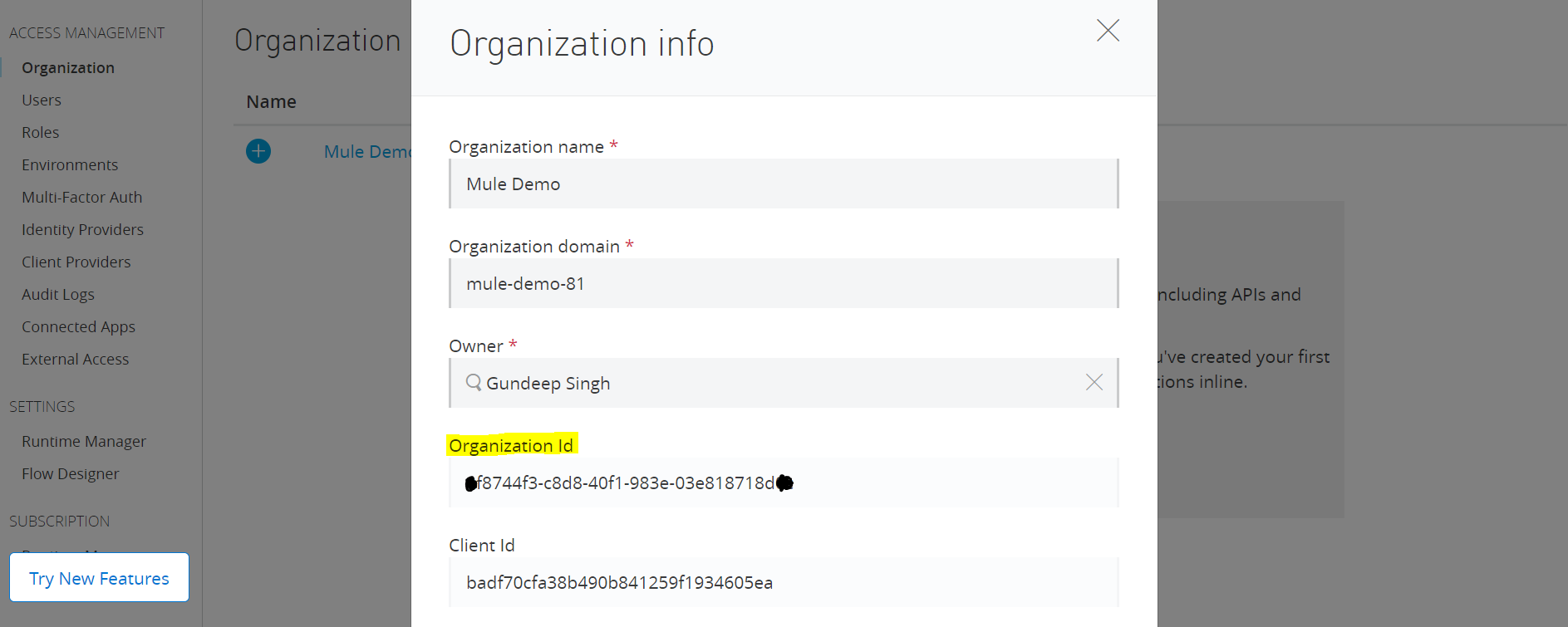
 Copy and save the Organization Id.
Steps for the Environment ID:
- Login to the Anypoint Platform.
- Click on API Manager.
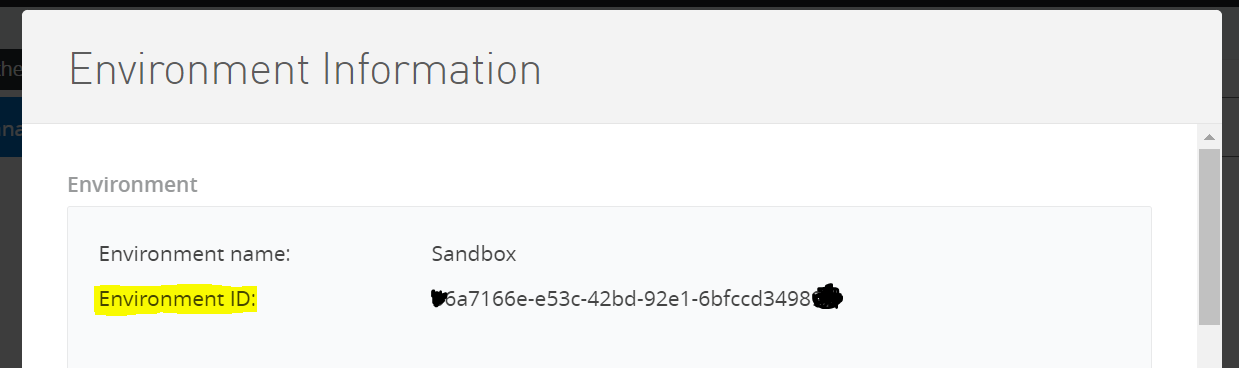
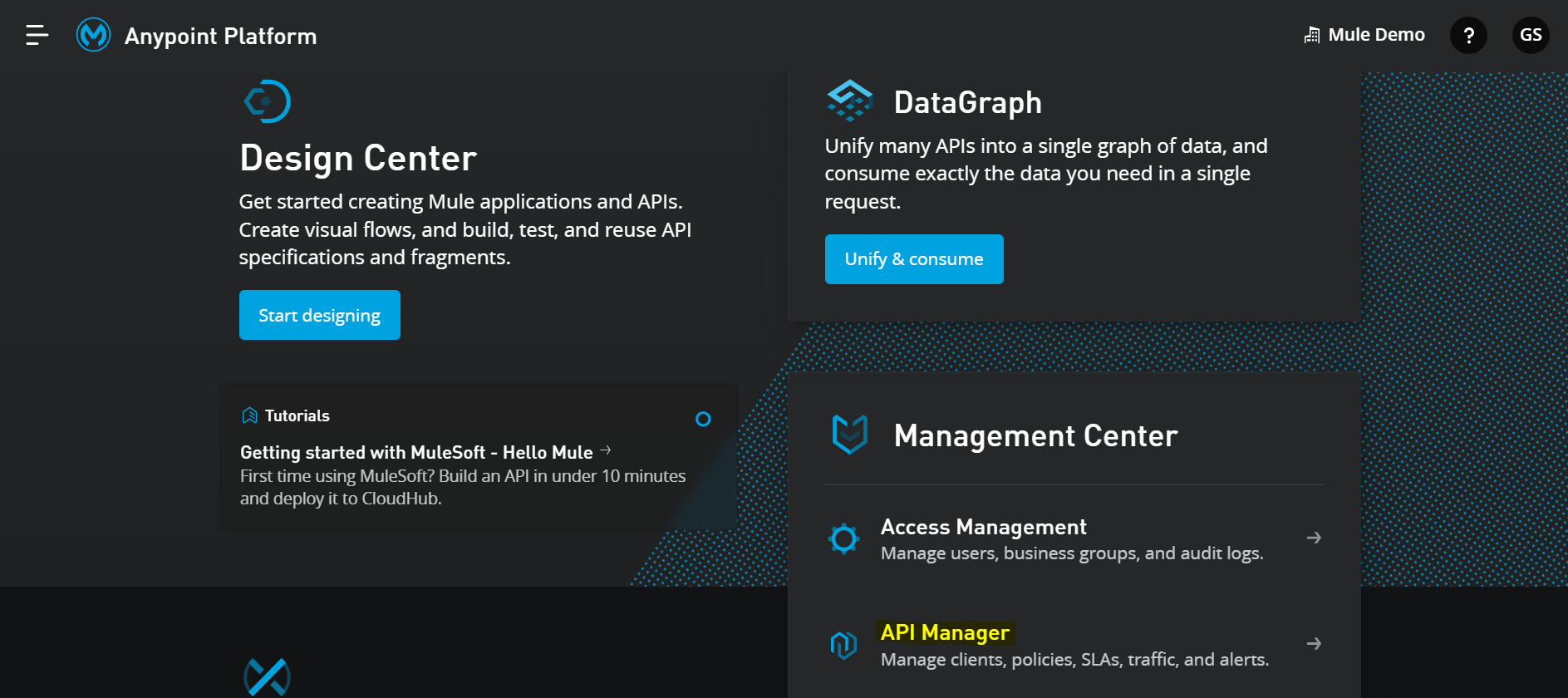 Make sure you are in your desired Environment and then click on the "i" button to get Environment Information.
 Copy and save the Environment Id.
NOTE: Based on the region your app is deployed in you can get the Base URL from below:
| Control Plane | BASE_URL | Region |
|---|---|---|
U.S. |
|
US East (N. Virginia) |
|
US East (Ohio) |
|
|
US West (N. California) |
|
|
US West (Oregon) |
|
|
Asia Pacific (Singapore) |
|
|
Asia Pacific (Sydney) |
|
|
Asia Pacific (Tokyo) |
|
|
Canada (Central) |
|
|
Europe (Frankfurt) |
|
|
Europe (London) |
|
|
Europe (Ireland) |
|
|
South America (São Paulo) |
Steps for the Access Token:
- Make a POST call to the below URL, by passing the username and password for your Anypoint platform user.
https://anypoint.mulesoft.com/accounts/login
NOTE: The user must have Admin Access in order to retrieve the token.
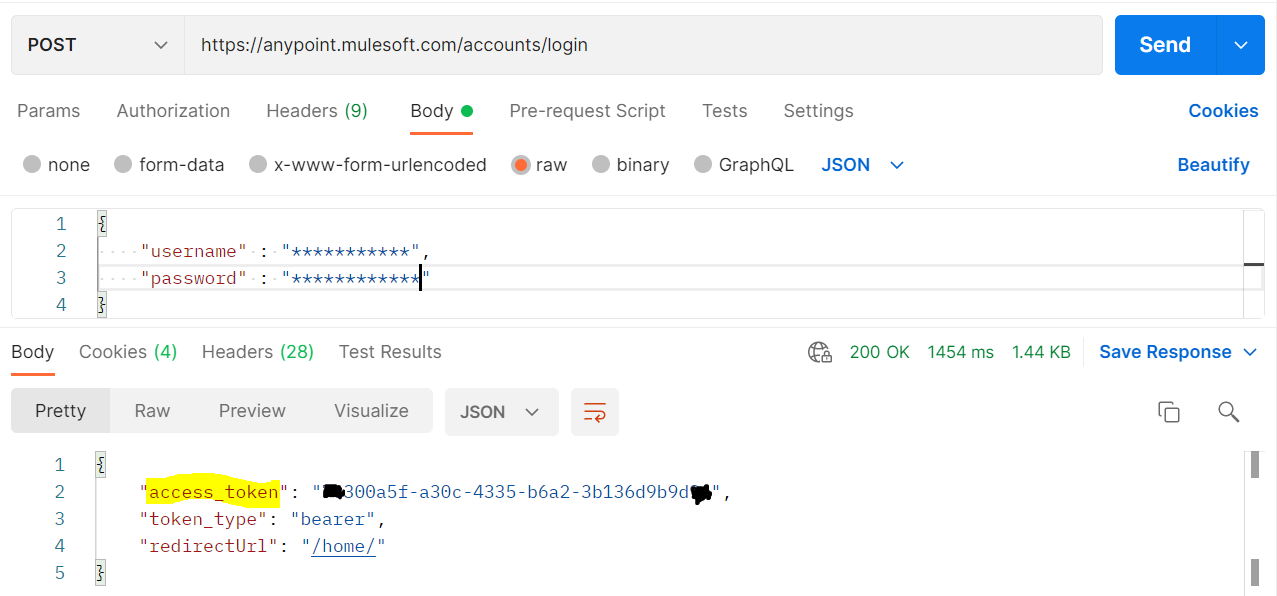 2. Copy and save the access token.
Retrieve the List of Object Stores
In order to retrieve the list of object stores in a particular Environment, make a GET call to the below URL using Postman:
https://BASE_URL/api/v1/organizations/ORG_ID/environments/ENV_ID/stores
Change the values of BASE_URL, ORG_ID, and ENV_ID to the one retrieved earlier.
NOTE: Do pass the Access Token in headers as Type Bearer.
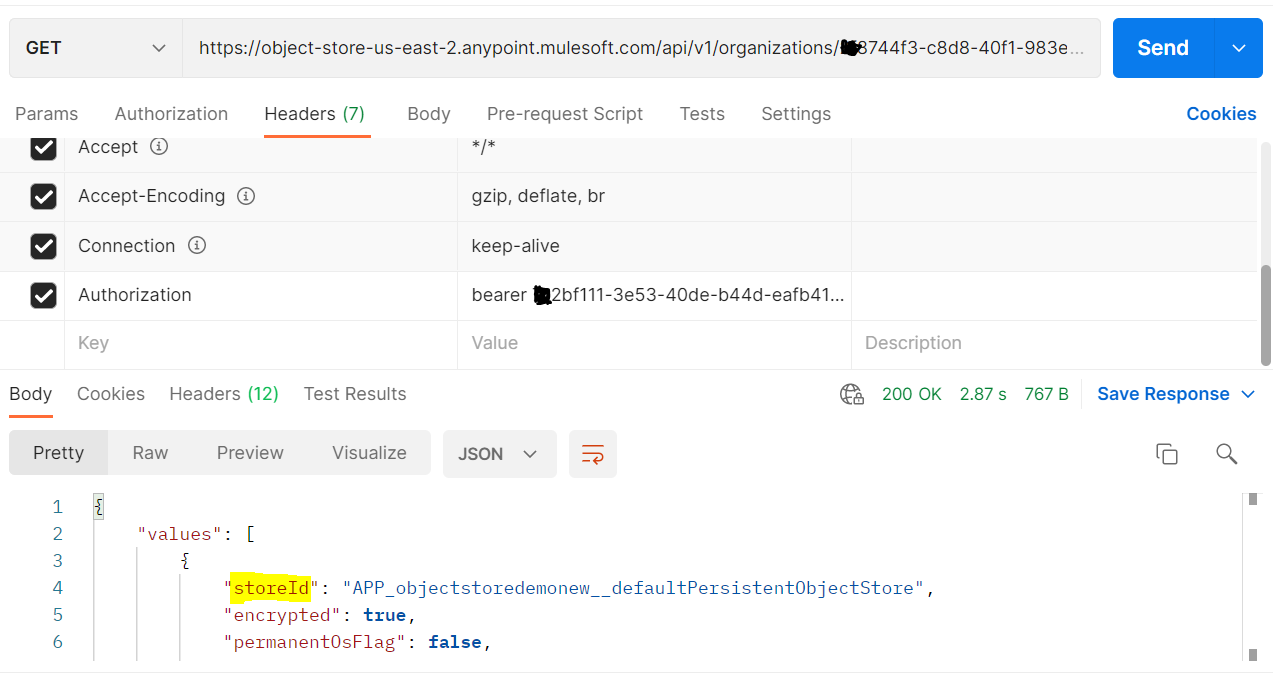
On a similar line, you can use the below URL to get the list of partitions:
https://BASE_URL/api/v1/organizations/ORG_ID/environments/ENV_ID/stores/STORE_ID/partitions
Update Value for a Particular Key In Object Store
In order to update the value for a particular key, make a PUT call to the below URL and pass the body in the below format:
https://BASE_URL/api/v1/organizations/ORG_ID/environments/ENV_ID/stores/STORE_ID/partitions/PARTITION_ID/keys/KEY_ID
Change the values of BASE_URL, ORG_ID, ENV_ID, STORE_ID, and PARTITION_ID to the one retrieved earlier. Also, pass the KEY_ID (i.e. name of the key that you want to update).
BODY:
{

    "keyId" : "currentDate",

    "valueType" : "STRING",

    "stringValue" : "2021-12-30"

}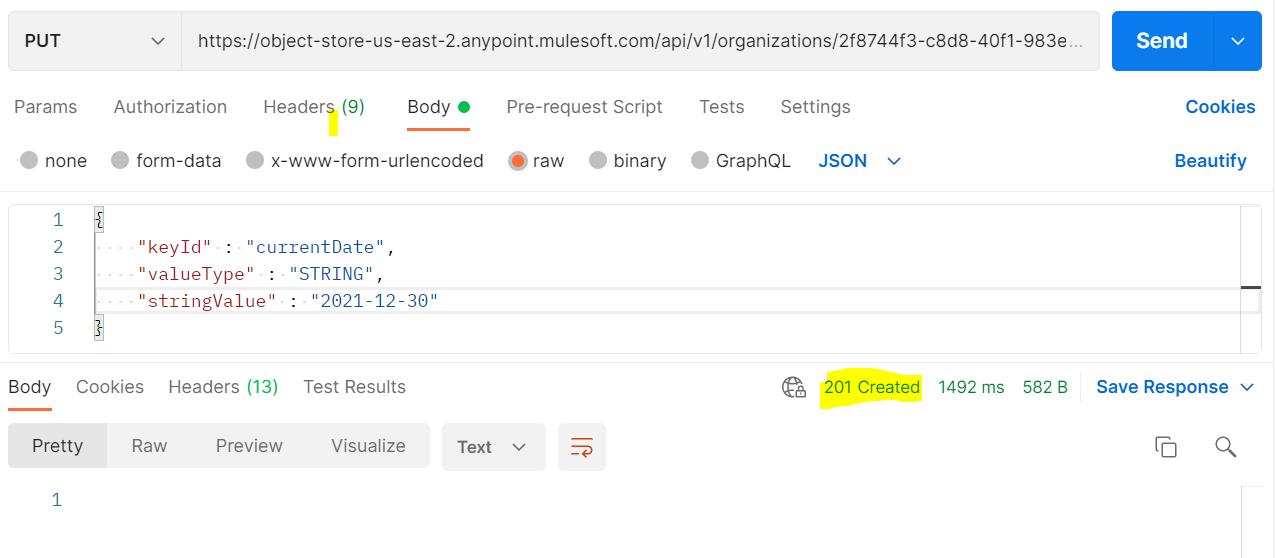
This is how we can update the value of a key in Object Store v2 using REST APIs.
Opinions expressed by DZone contributors are their own.
Comments