

Automated Functional Testing Using WebDriver Sampler With JMeter
This quick walkthrough shows how to automate functional testing on the client side with JMeter.
Join the DZone community and get the full member experience.
Join For FreeUp to this point, performance testing has been on the server side of things as JMeter does not include the time needed to render the response, nor does JMeter process any client code, for example, JavaScript. Things that add to the overall browser execution time may include:
Client-side JavaScript execution, e.g. AJAX, JS templates
CSS transforms, e.g. 3D matrix transforms, animations
Third-party plugins, e.g. youtube Double click ads, site analytics, etc.
The JMeter ecosystem is very rich, so there is a solution for this; we will use WebDriver Sampler in JMeter as this sampler automates the execution and collection of performance metrics on client-side.
To get WebDriver Sampler, click here.
Also we need to install the browser Driver plugins of JMeter to run the test on the particular browser like jp@gc - Chrome Driver Config, jp@gc - Firefox Driver Config, etc.
Configuration of WebDriver Sampler Test
Add a Thread Group to the Test Plan, and add HTTP Cookie Manager, jp@gc - Firefox Driver Config (from Config Element), jp@gc - WebDriver Sampler (from Sampler)to the Thread Group and a listener View Results in Table.
Write/Add the code in the WebDriver Sampler which you want to test. Here is the sample code, where it says to open www.frugaltesting.com website and to get load time of it:
WDS.sampleResult.sampleStart()
WDS.browser.get('https://www.frugaltesting.com')
WDS.sampleResult.sampleEnd()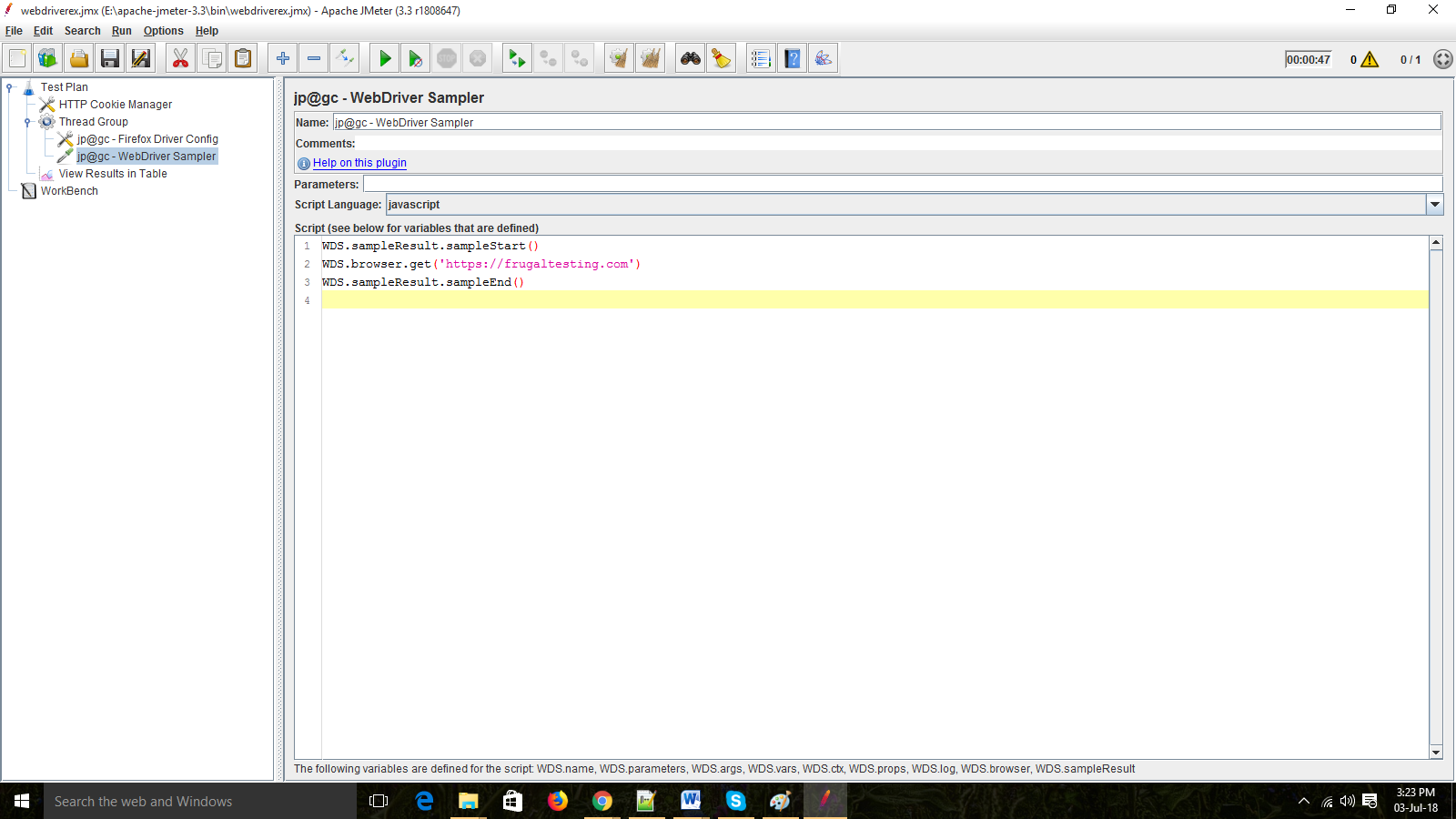
Now when we hit the "play" button, JMeter will open a Firefox browser and search www.frugaltesting.com site and end the test as browser closes automatically after performing the actions according to the script (sample script) in the Web Driver Sampler.
We can see the sample result in the View Result Table.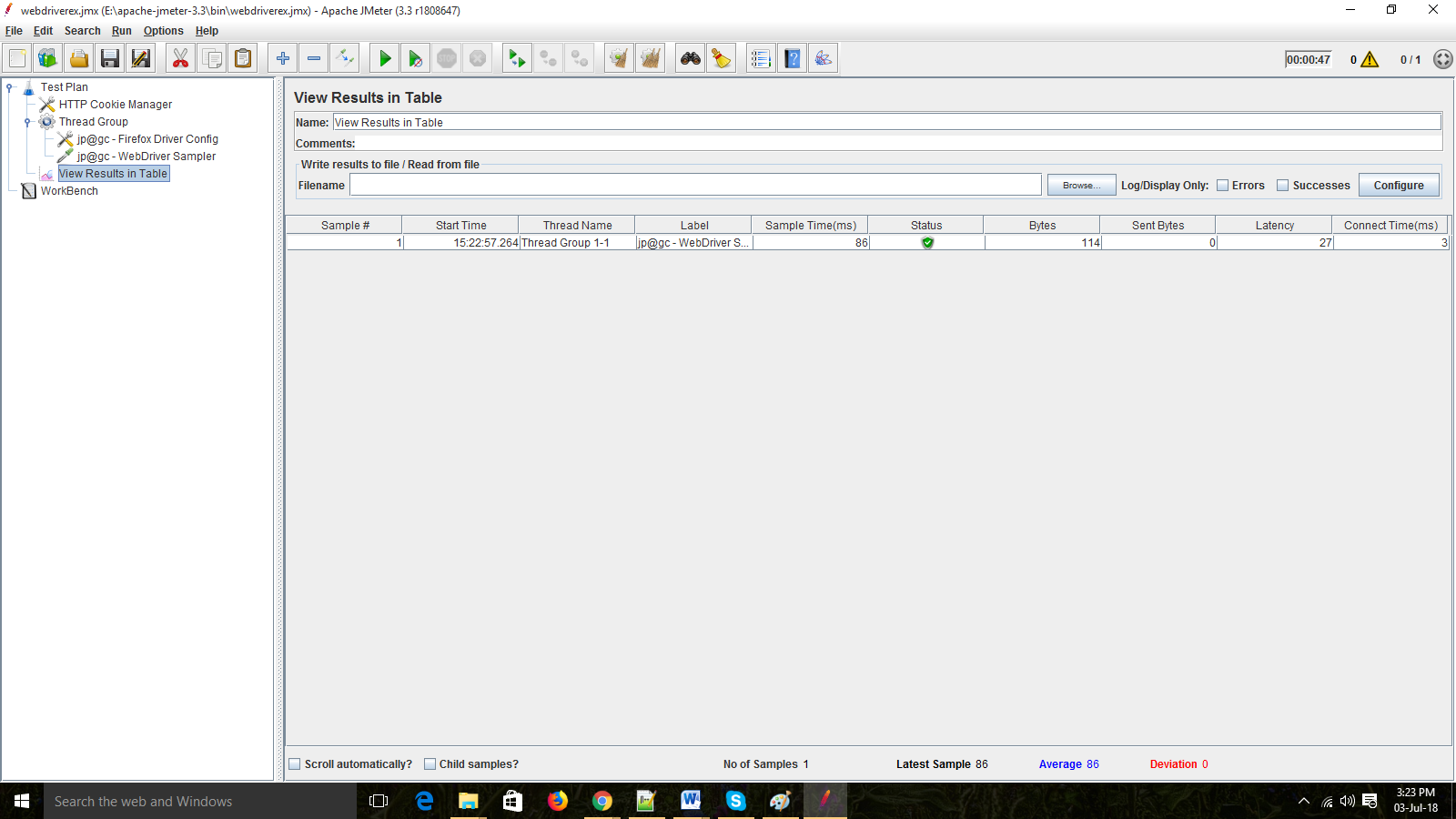
Limitations of WebDriver Sampler
- The reader should be prudent in the number of threads they will create as each thread will have a single browser instance associated with it.
- As each browser consumes a significant amount of resources, so a limit should be placed on how many browsers the user should create.
Opinions expressed by DZone contributors are their own.
Comments