

Code and Connect: MCP + MuleSoft
Understand MCP, AI agents, and assistants, and learn how Model Context Protocol connects AI applications to tools using MuleSoft.
Join the DZone community and get the full member experience.
Join For FreeI often find myself in conversations where the same words keep popping up again and again: Agents, MCP, and A2A. Everyone seems excited about them. But the funny part is that when the topic shifts to MCP (Model Context Protocol), the explanations start to vary.
One day, someone confidently said, “An MCP server is basically a tool.” Another person immediately disagreed and replied, “No, no — MCP is more like a client.” Before that debate could settle, someone else joined the conversation and said, “Actually, MCP is just a protocol.”
And then another perspective appeared: “Think of it as middleware that sits between an agent and APIs.”
At that moment, I realized something interesting: we were all talking about the same concept, yet each of us understood it a little differently.
These conversations made me curious. If experienced developers and architects describe MCP in different ways, how confusing must it be for someone who is just starting to explore this space? The more I listened, the more I noticed a pattern — people weren’t wrong, but they were often describing only one piece of the puzzle.
That realization is what inspired this blog.
In this article, I want to step back from the buzzwords and walk through the concepts in a simple way. What exactly is MCP? Is it a server? A tool? A client? Or something else entirely? And how does it relate to the agents that everyone keeps talking about? Is it applicable only to agents, or is it applicable to assistants also? We will also explore MuleSoft's capability in this space.
By the end of this post, my goal is to bring clarity to these terms and show how they connect. Instead of hearing multiple interpretations in different conversations, you’ll be able to see the complete picture of how MCP fits into modern AI and integration architectures.
Let's Understand What Anthropic Says About MCP
MCP (Model Context Protocol) is an open-source standard for connecting AI applications to external systems. Think of MCP like a USB-C port for AI applications. Just as USB-C provides a standardized way to connect electronic devices, MCP provides a standardized way to connect AI applications to external systems.
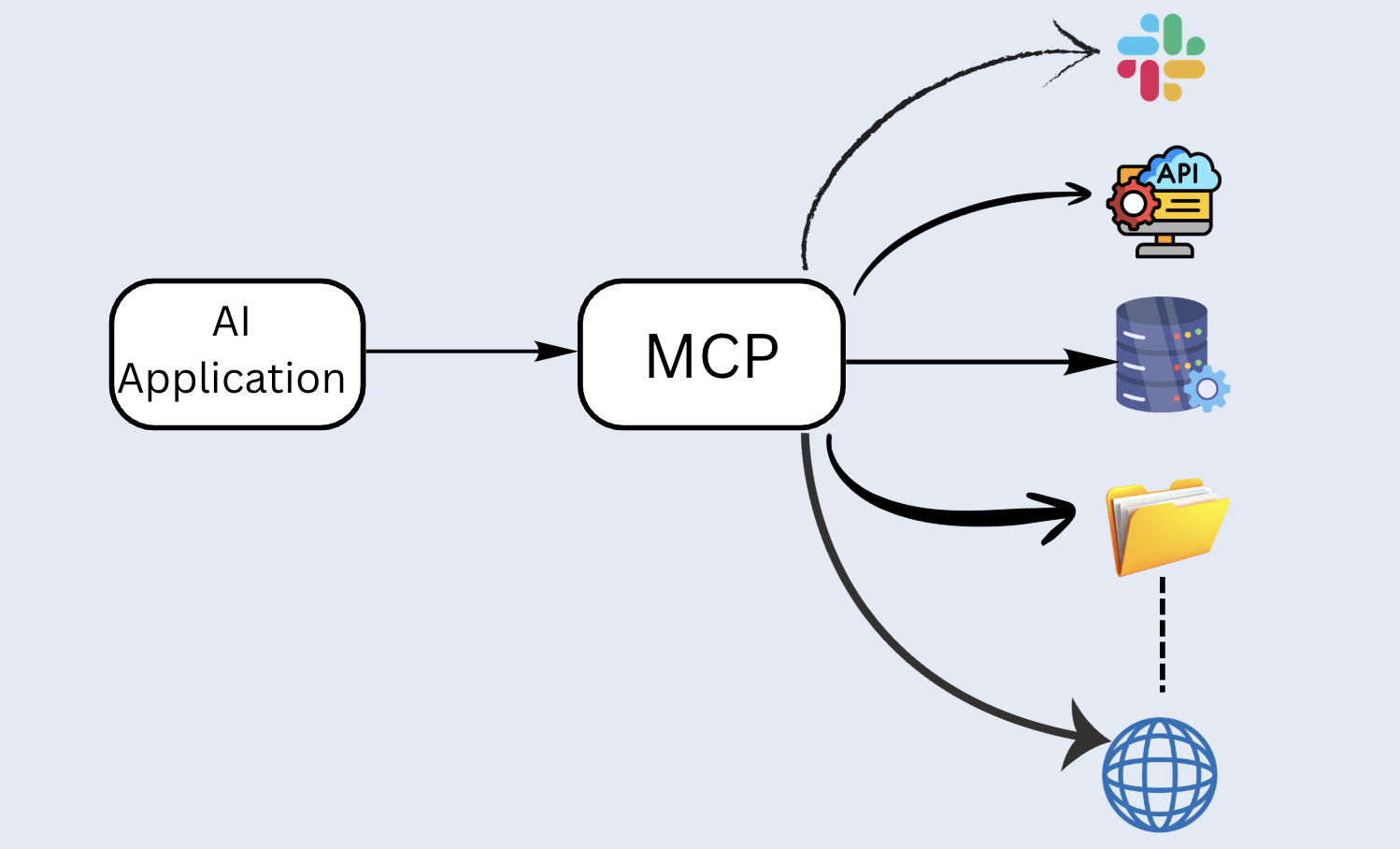
Now let's break down each component and understand it in the simplest way possible.
AI Application
AI application can be any application that consists of an LLM, orchestration, and tools (You can think of it as assistants), or it may consist of more complex components such as Agent Orchestration, specialized agents, and Tools(You can think of it as an agentic application). Tools can be a Payment Gateway, a Data Retrieval API, a Weather API, a File System, a WebSearch, etc.
MCP
Model Context Protocol is an open protocol that enables seamless integration between AI applications (LLM Applications) and external data sources and tools. MCP provides a standardized way to connect LLMs with the context they need.
MCP follows a client-server architecture. Key components of this architecture are MCP Host, MCP Client, and MCP Server.
Let's extend our previous architecture.
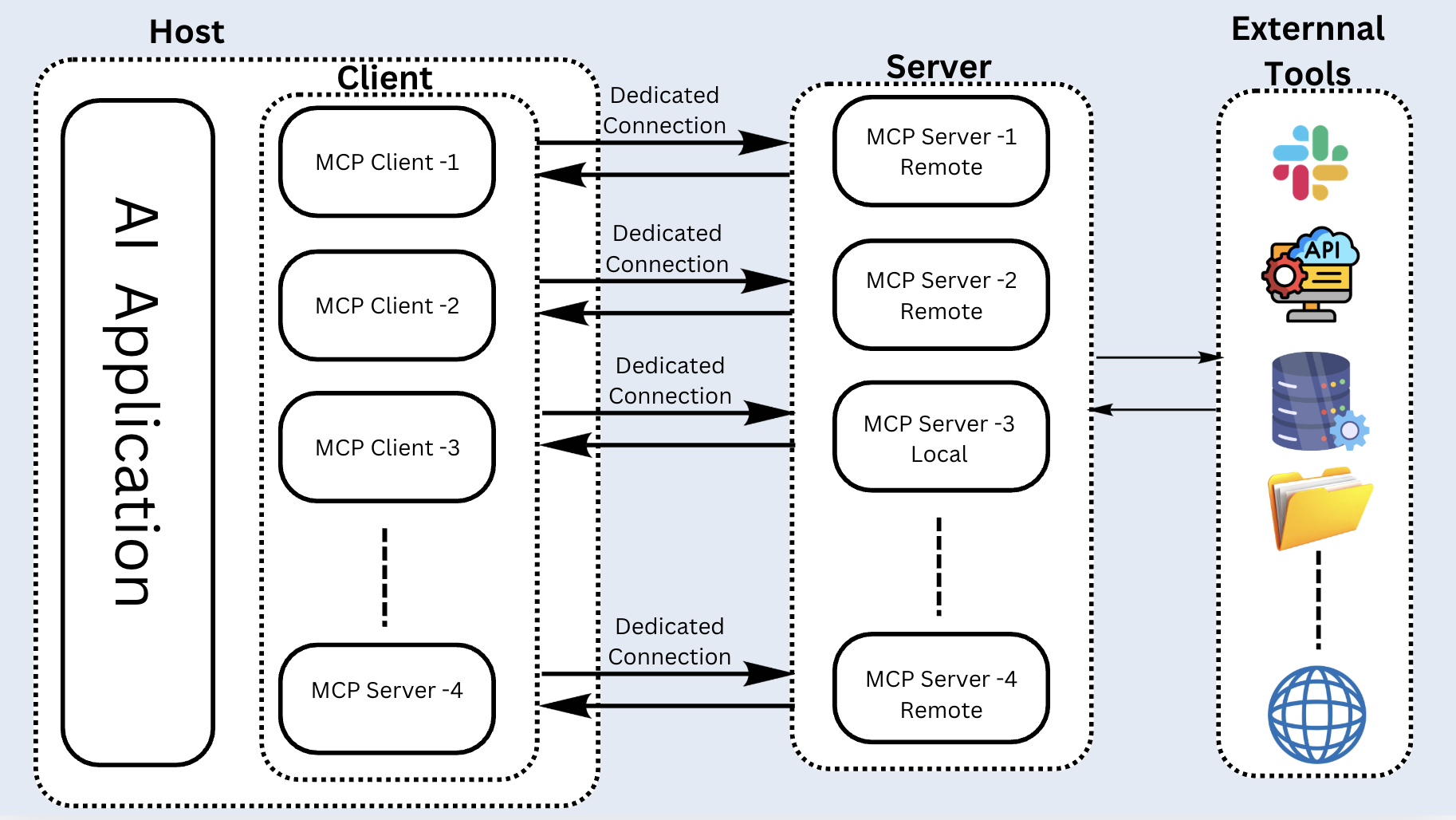
MCP Host
It is nothing but a Host where the AI application is running.
MCP Client
It is a component that establishes a connection with the MCP Server and gets the context for the MCP Host to use.
MCP Server
It consists of external services that provide context to LLMs.
Model Context Protocol consists of two layers:
- Data layer: The data layer implements a JSON-RPC 2.0 (JRPC) based exchange protocol that defines the message structure and semantics for client-server communication.
- Transport layer: The transport layer manages communication channels and authentication between clients and servers. It handles connection establishment, message framing, and secure communication between MCP participants.MCP supports two transport mechanisms:
- Stdio transport: Uses standard input/output streams for direct process communication between local processes on the same machine, providing optimal performance with no network overhead.
- Streamable HTTP transport: Uses HTTP POST for client-to-server messages with optional Server-Sent Events for streaming capabilities. This transport enables remote server communication and supports standard HTTP authentication methods, including bearer tokens, API keys, and custom headers. MCP recommends using OAuth to obtain authentication tokens.
Use Case
We can think of "Weather Intelligence Agent," which uses the MCP server to make a call to a tool that provides weather information based on a city name. This is a simple use case just to demonstrate how an API is called as a tool using MCP. We will use Postman and Cursor to mimic as Agent/Assistant, which will call the Weather API.
Let's see how we can implement this use case using MuleSoft:
Step 1: MuleSoft provides the MCP Server - Tool Listener connector. We will configure the MCP Server.
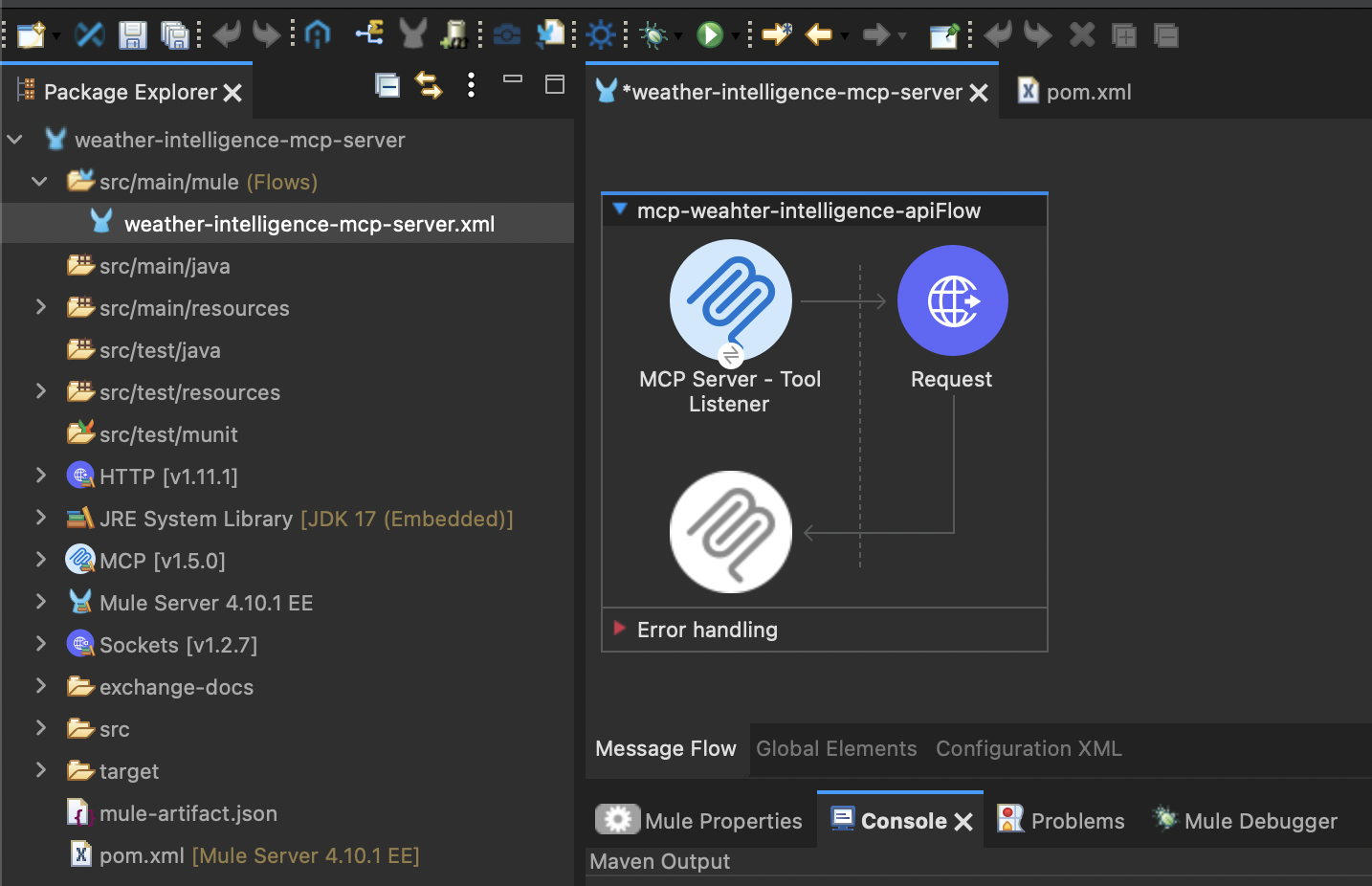
Refer to the code:
<?xml version="1.0" encoding="UTF-8"?>

<mule xmlns:ee="http://www.mulesoft.org/schema/mule/ee/core" xmlns:http="http://www.mulesoft.org/schema/mule/http"
	xmlns:mcp="http://www.mulesoft.org/schema/mule/mcp"
	xmlns="http://www.mulesoft.org/schema/mule/core" xmlns:doc="http://www.mulesoft.org/schema/mule/documentation" xmlns:xsi="http://www.w3.org/2001/XMLSchema-instance" xsi:schemaLocation="http://www.mulesoft.org/schema/mule/core http://www.mulesoft.org/schema/mule/core/current/mule.xsd
http://www.mulesoft.org/schema/mule/mcp http://www.mulesoft.org/schema/mule/mcp/current/mule-mcp.xsd
http://www.mulesoft.org/schema/mule/http http://www.mulesoft.org/schema/mule/http/current/mule-http.xsd
http://www.mulesoft.org/schema/mule/ee/core http://www.mulesoft.org/schema/mule/ee/core/current/mule-ee.xsd">
	<http:listener-config name="HTTP_Listener_config" doc:name="HTTP Listener config" doc:id="251f2d7c-e84b-4974-a1e8-96d9779bc9e9" >
		<http:listener-connection host="0.0.0.0" port="8081" />
	</http:listener-config>
	<mcp:server-config name="MCP_Server" doc:name="MCP Server" doc:id="289fb886-e732-4274-990e-9876aca405a6" serverName="mule-mcp-server" serverVersion="1.0.0">
		<mcp:streamable-http-server-connection listenerConfig="HTTP_Listener_config"/>
	</mcp:server-config>
	<http:request-config name="HTTP_Request_config" doc:name="HTTP Request config" doc:id="b31d7d79-b45b-42ec-a970-50eb19a0a702" >
		<http:request-connection protocol="HTTPS" host="api.weatherstack.com" />
	</http:request-config>
	<flow name="mcp-weahter-intelligence-apiFlow" doc:id="b1c21d3c-18f0-4eac-bb4e-3cf789608580" >
		<mcp:tool-listener doc:name="MCP Server - Tool Listener" doc:id="4c42c1cb-898d-4fb9-8d0e-edc541fffb75" config-ref="MCP_Server" name="get_weather_information">
			<mcp:description ><![CDATA[This tool gets weather information. Check weather details for device by providing the city name as input or paramValue. Please use the query.]]></mcp:description>
			<mcp:parameters-schema ><![CDATA[{
  "$schema": "http://json-schema.org/draft-07/schema#",
  "type": "object",
  "properties": {
    "query": {
      "type": "string",
      "description": "city for querying weather data"
    }
  },
  "required": ["query"],
  "additionalProperties": false
}]]></mcp:parameters-schema>
			<mcp:responses >
				<mcp:text-tool-response-content text="#[payload.^raw]" priority="1">
					<mcp:audience >
						<mcp:audience-item value="ASSISTANT" />
					</mcp:audience>
				</mcp:text-tool-response-content>
			</mcp:responses>
		</mcp:tool-listener>
		<http:request doc:name="Request" doc:id="d10760de-5f93-4f63-aadc-9bfc491f94e0" config-ref="HTTP_Request_config" path="/current">
			<http:query-params ><![CDATA[#[output application/java
---
{
	"access_key" : "96d01954d0c4e444aa781fa10b92caff",
	"query" : payload.query,
	"units" : "m"
}]]]></http:query-params>
		</http:request>
	</flow>
</mule>
Let's run this code and test it:
MCP server started successfully:
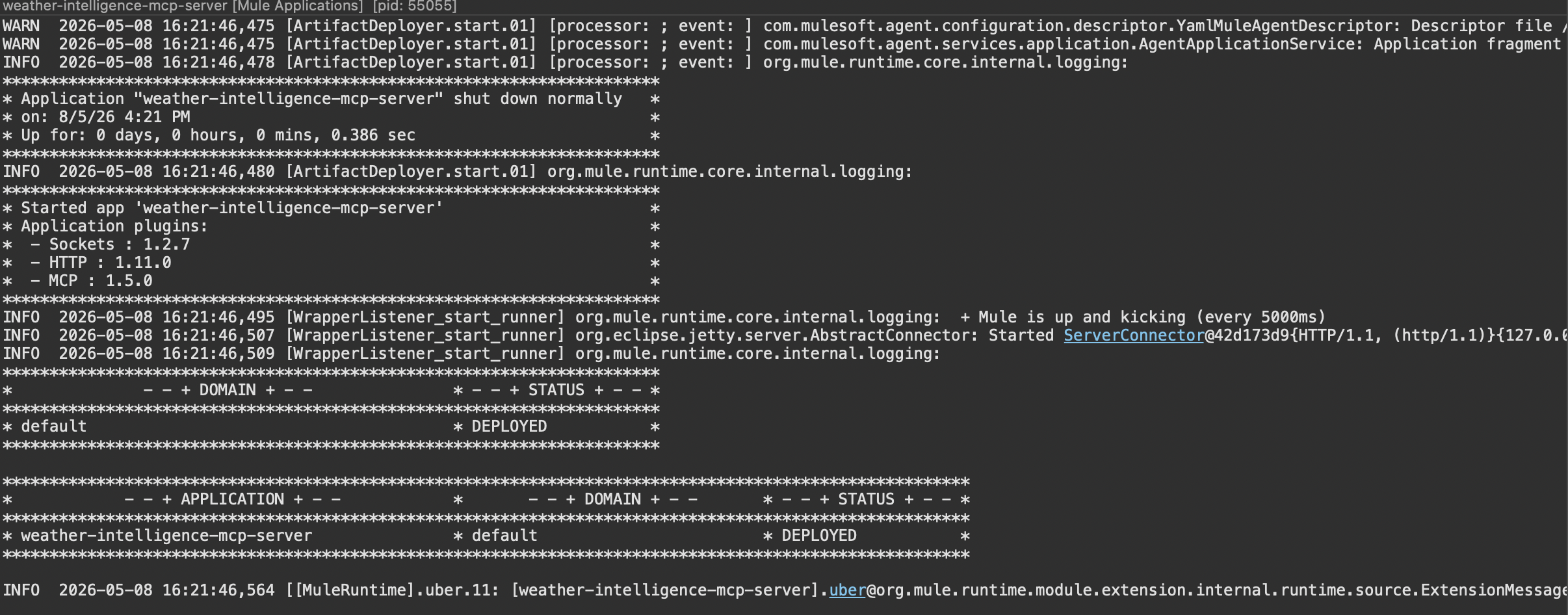
Step 2: Let's use Postman as the MCP client to test it and see if it is working as expected:
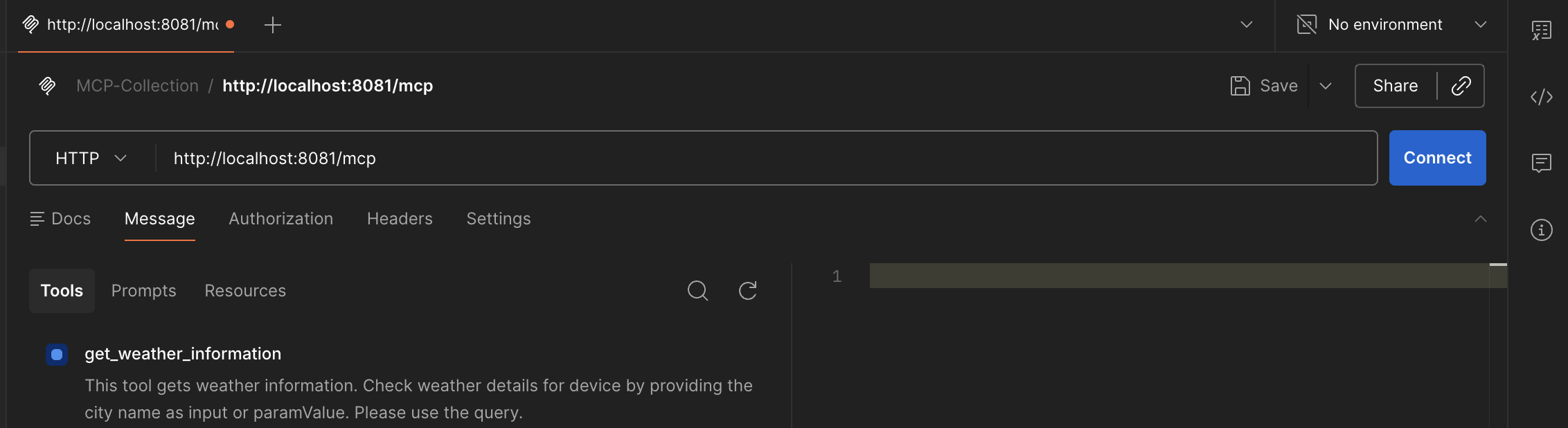
Step 3: Click on Connect:
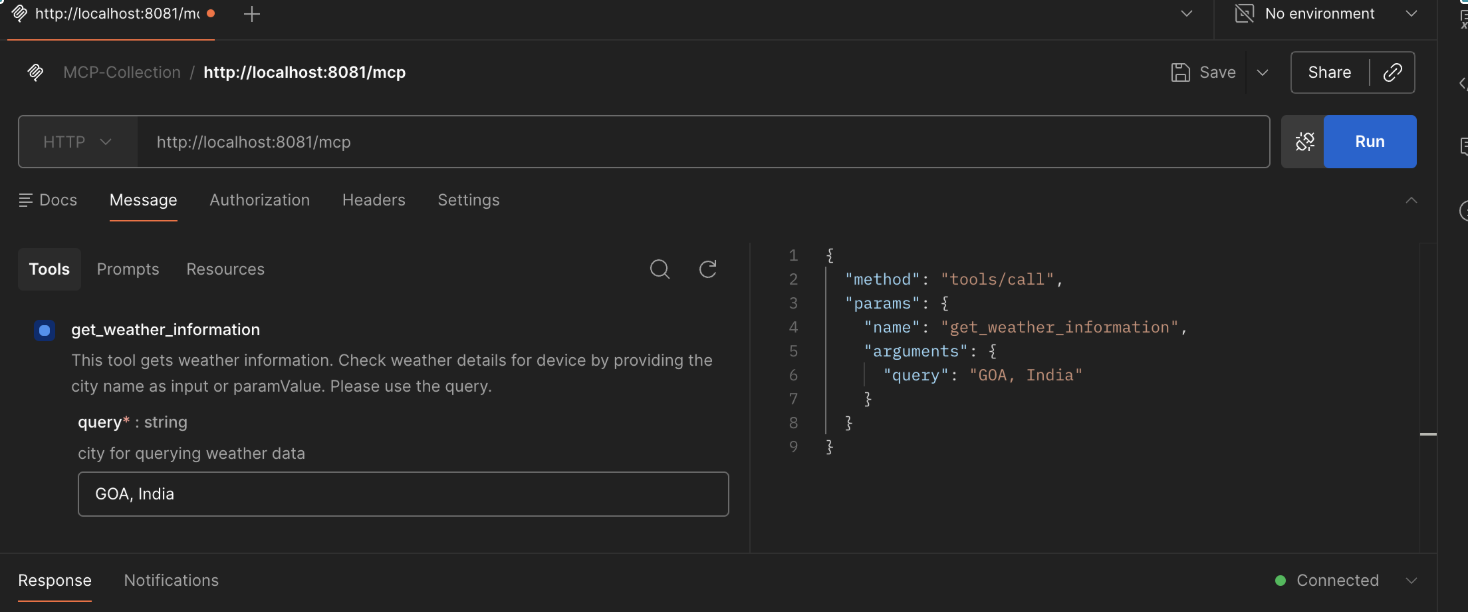
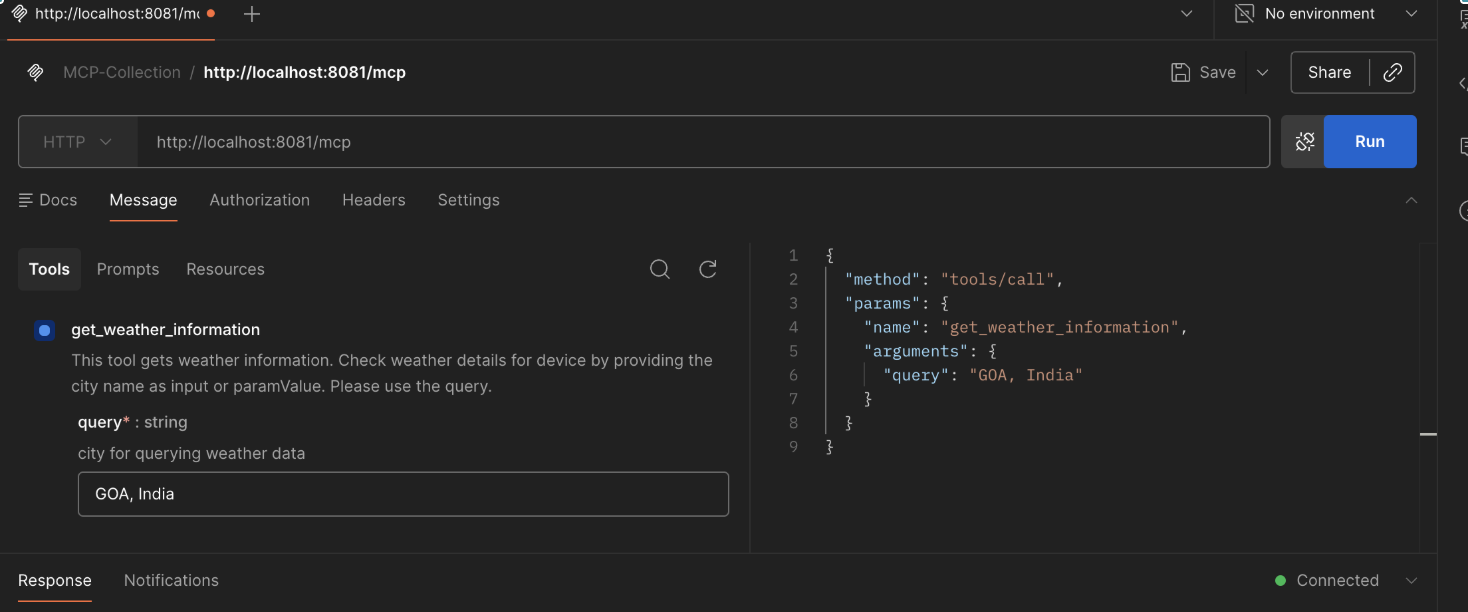
Step 4: Now the MCP client is connected to the MCP server. You need to pass a query parameter as the city name, and you will get the weather details:
I am writing this Blog from GOA (The Beach Capital of India). I will use GOA as the City name to retrieve weather information about GOA.
Step 5: Click on Run, and you will get the response as shown below:
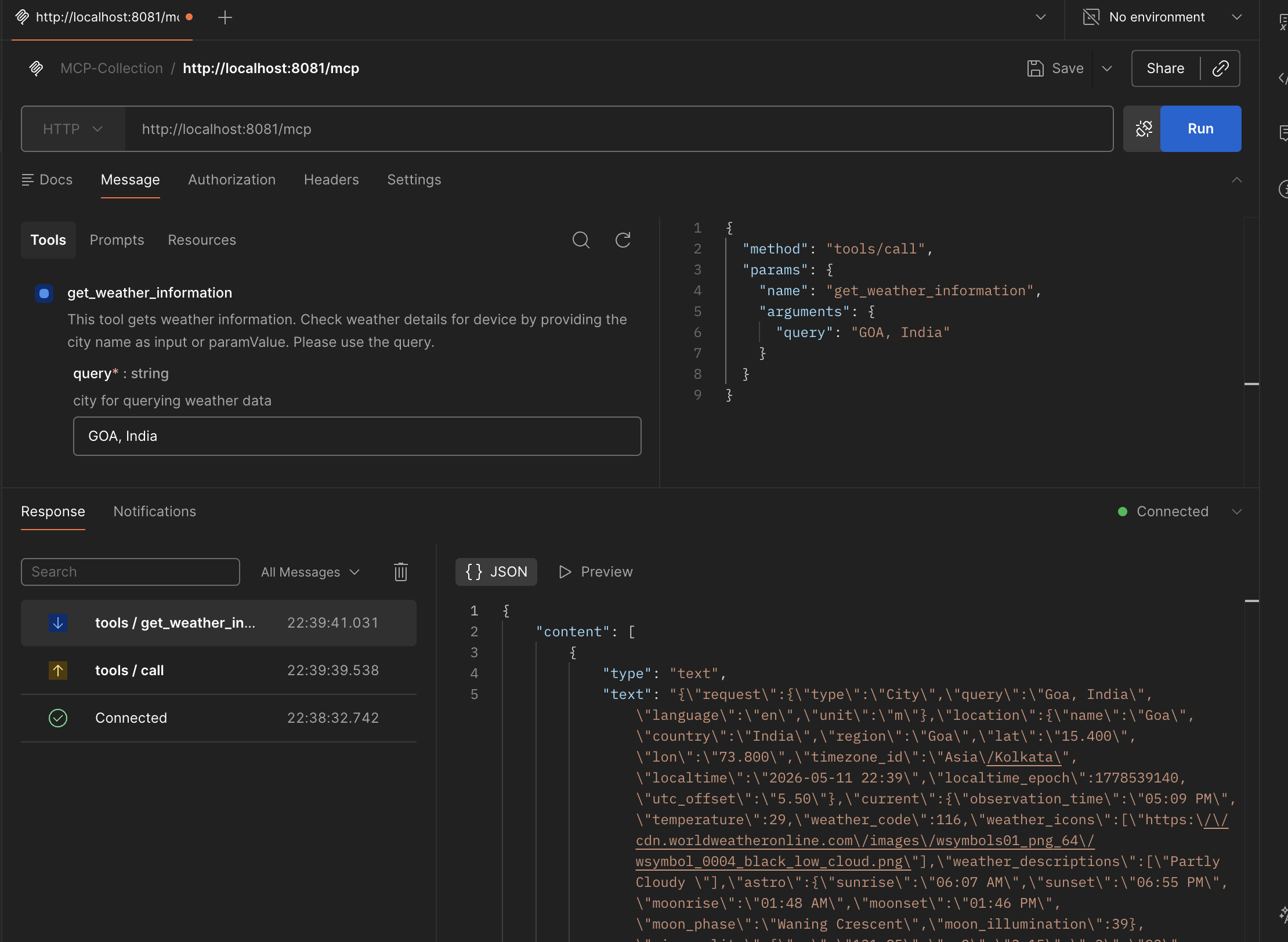
I have demonstrated it in my local version of code, which is deployed in Anypoint Studio. Let's test the same after deploying it to the runtime manager.
I have deployed the code to the runtime manager.
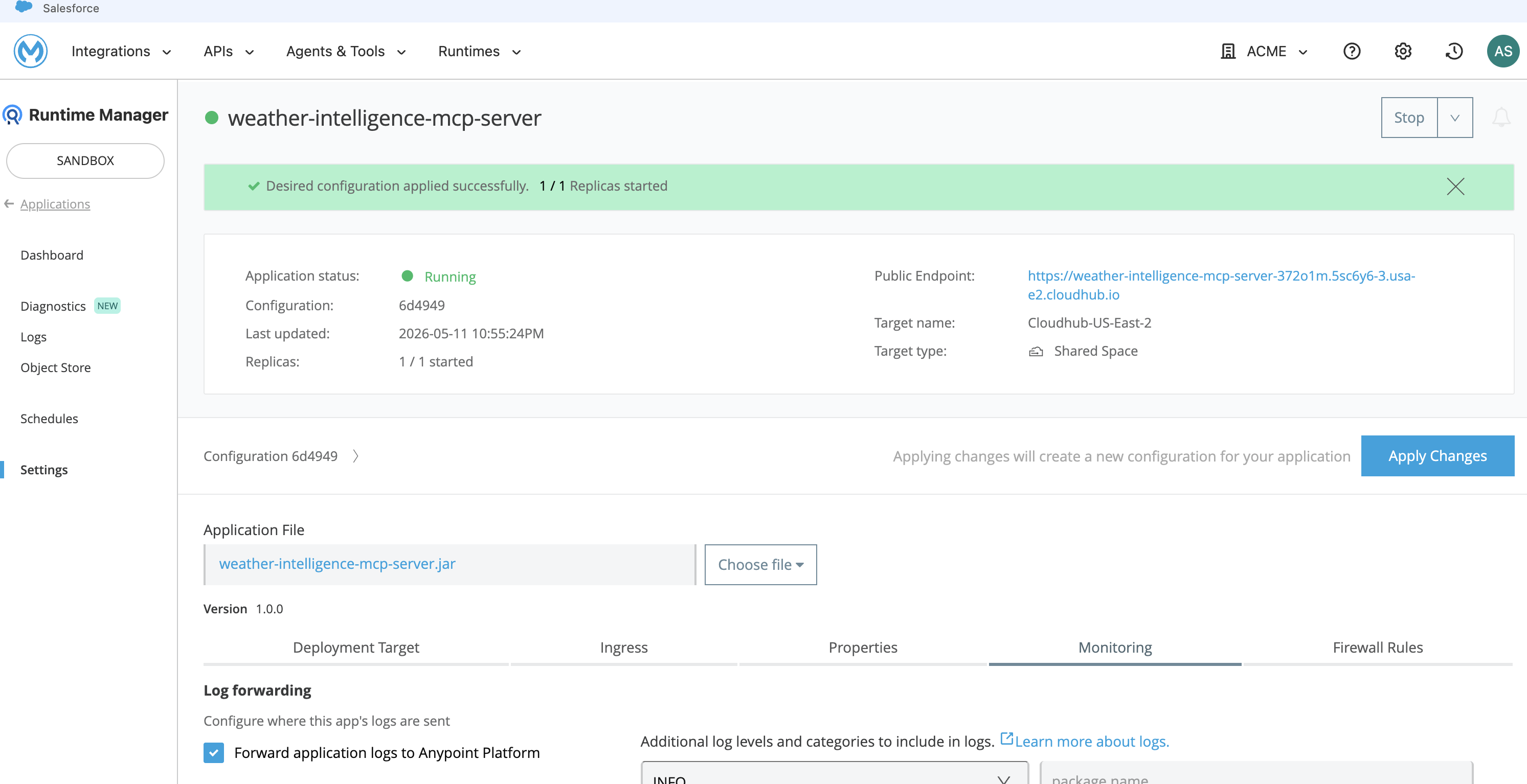
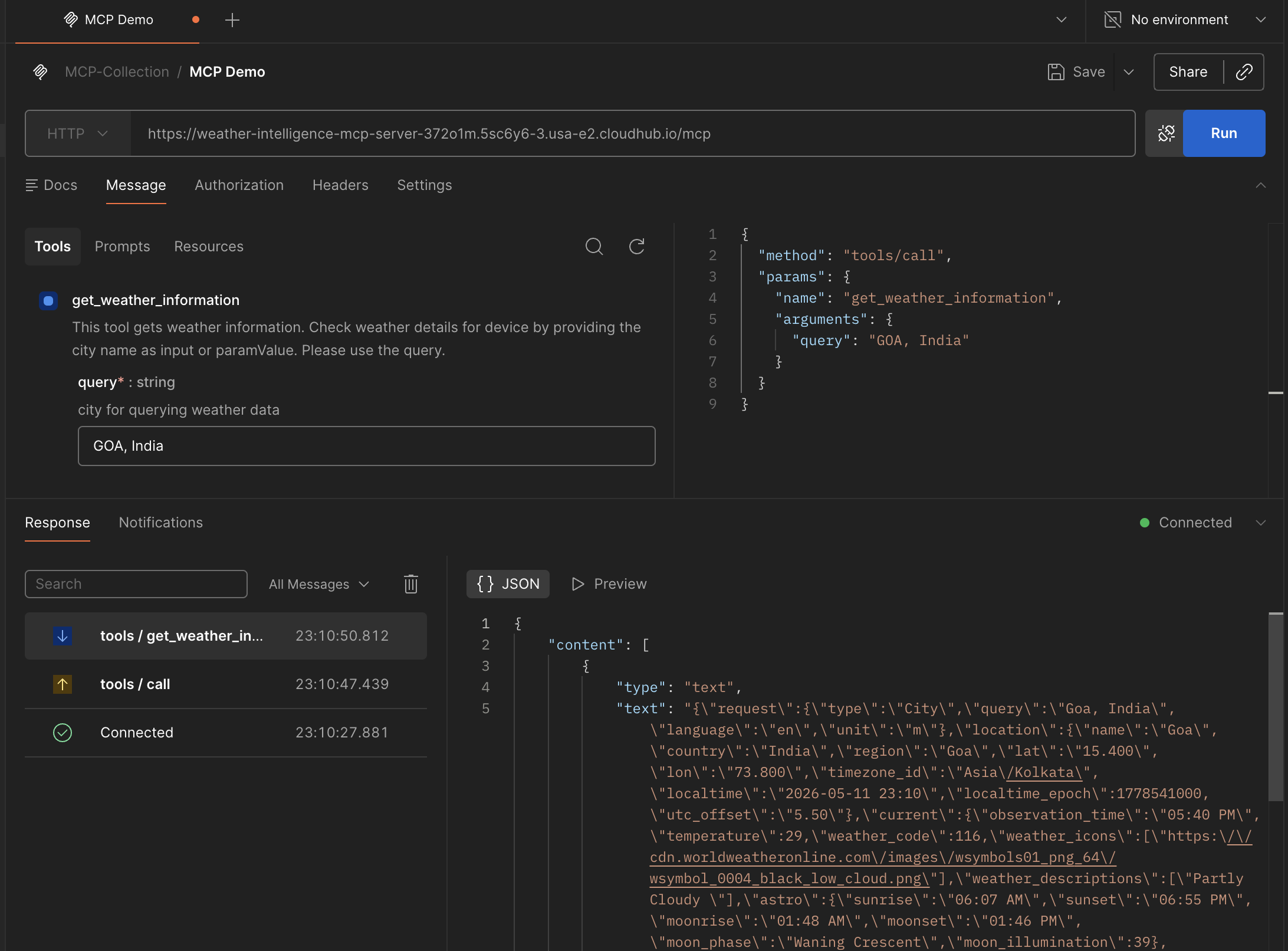
I have demonstrated this using Postman, where Postman worked as an MCP client to connect to the MCP server. We can extend it further and use Cursor to mimic the agentic behavior where the agent will use the MCP tool to get the answer.
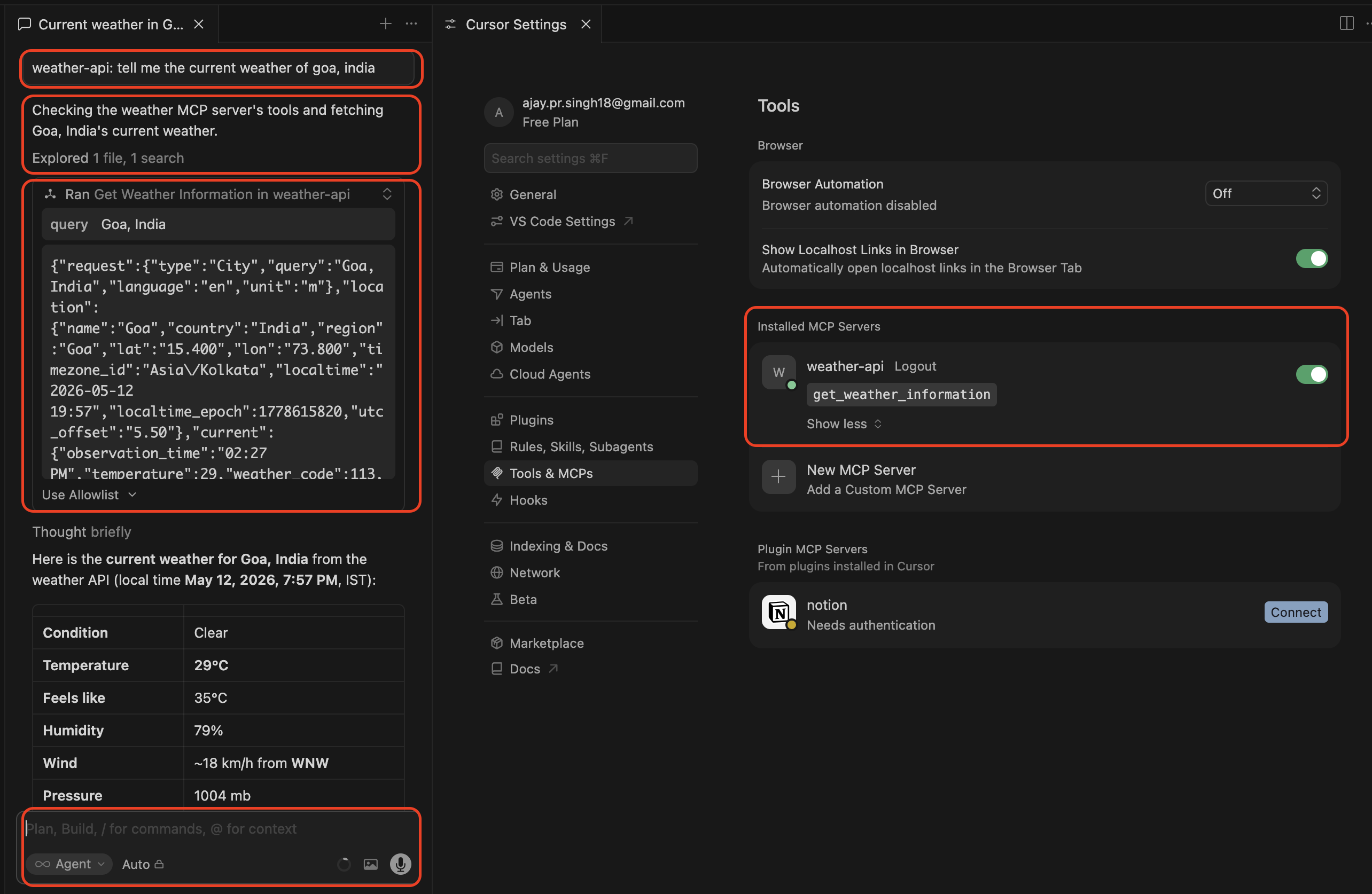
I have used no code/low code tool, which is MuleSoft. In the next blog, I will use Python code to demonstrate the same. Watch the video for more details.
Let me know if you liked it!
Opinions expressed by DZone contributors are their own.
Comments