

Microsoft Outlook Integration to Mulesoft With Oauth 2.0
Learn the steps to integrate Microsoft Outlook and Mulesoft with Oauth 2.0 authentication so you can read or write to a mailbox using modern authentication.
Join the DZone community and get the full member experience.
Join For FreeThe Microsoft Outlook Connector enables users to create daemon applications to connect directly with the Microsoft outlook, permitting users to create applications that can read or write to Outlook accounts using modern authentication without any manual intervention.
The lack of documentation to configure OAuth authentication for the Microsoft Outlook connector makes it difficult for developers to use the connector with this security configuration. This article will guide developers to perform seamless integration with Microsoft Outlook and Mulesoft.
Prerequisite
Anypoint Studio 7.6+, Mule Runtime 4.3.0+, and Azure Portal.
Setup
In order to connect to Outlook via Mulesoft, first, an app needs to register in Azure.
Refer to the link https://docs.microsoft.com/en-us/graph/auth-v2-service and follow the steps to create an app and get the Tenant ID, Client ID, and Client Secret. These would be required for the configuration of the connector in Mulesoft.
The connector uses the Microsoft Graph API in the background to connect to the Outlook server as Microsoft does not support IMAP, SMTP, and POP3 protocols to connect to outlook using modern authentication. Therefore an important step is to grant Graph API permissions in Azure App as shown below

Please make sure that the grant type is for application and not delegated, otherwise, the connector won't work with Client Credentials.
Open Anypoint Studio and add Microsoft Outlook Connector to the project. In this tutorial, I will be using the List Messages operation for demonstration. In the Outlook 365 Config, select OAuth v2.0 Client Credentials and enter the Client ID, Client secret, and Tenant ID retrieved after Azure app registration as below.
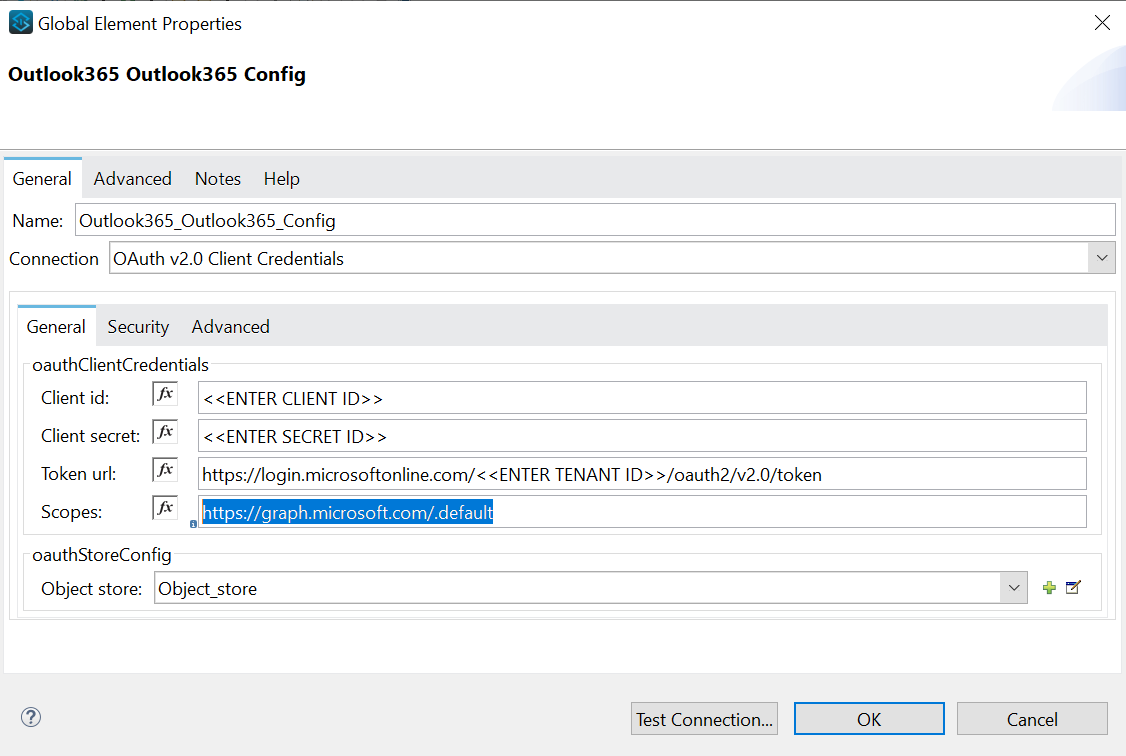
In the scope enter https://graph.microsoft.com/.default.
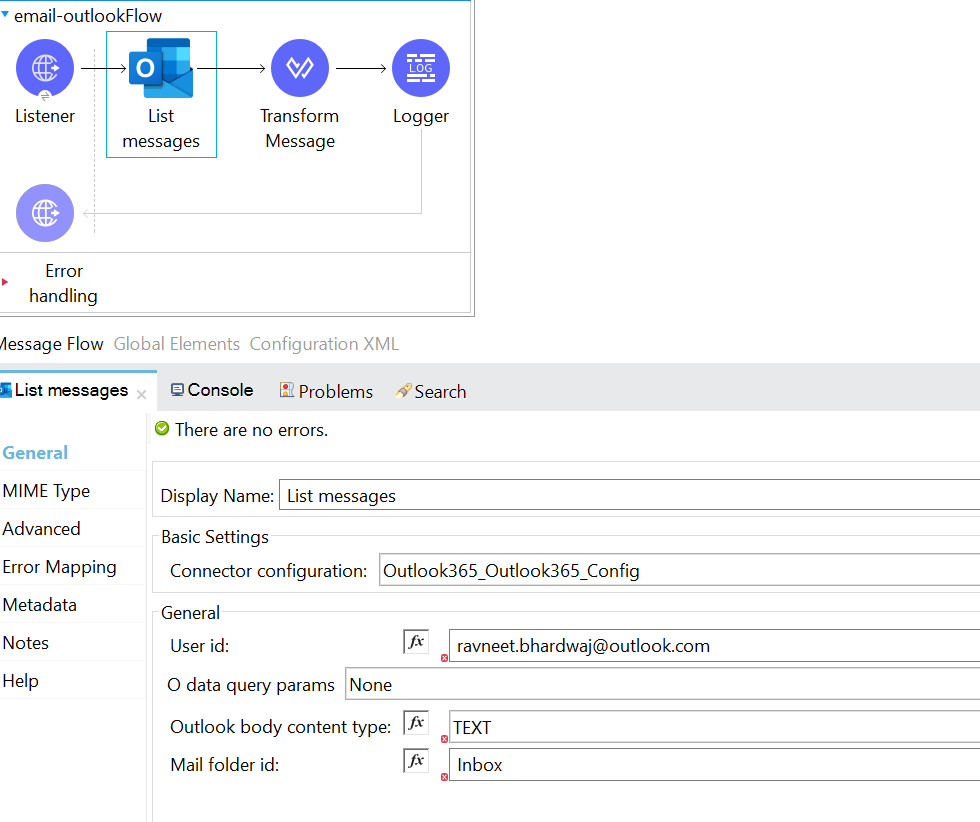
The operation List Messages gets the messages from the signed-in user’s mailbox, including the Deleted Items and Clutter folders. For the demonstration, I am reading from the Inbox folder of the account from which the Azure app was registered as shown below.
The output result will be a JSON response containing the messages in the account in the tag payload as shown below. One can also configure Odata query params to filter the messages before reading.
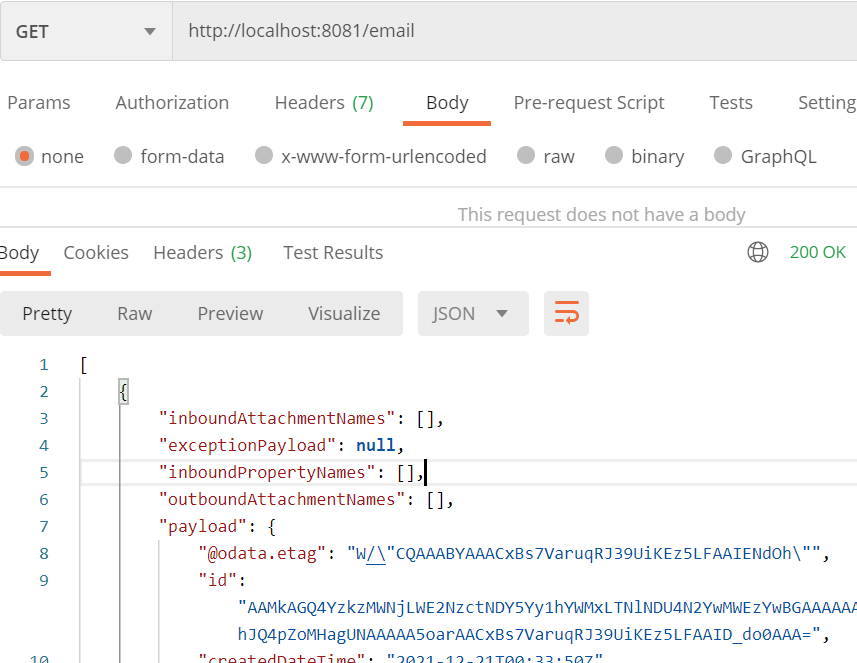
Congratulations! You have successfully read messages from Outlook in Mulesoft using OAuth 2.0 as shown above.
Opinions expressed by DZone contributors are their own.
Comments